shadcn/ui earned its reputation for good reasons. Copy-paste components, full ownership over the code, zero runtime dependency — it changed how React developers think about UI libraries. But shadcn/ui is not always the right answer.
Some projects need pre-built themes, not raw primitives. Some teams want analytics dashboards out of the box. Some developers just want to ship a landing page fast without wiring up Radix components from scratch.
This guide covers 10 Tailwind CSS component libraries worth knowing in 2026, with real code, honest trade-offs, and a clear decision guide at the end.
How to Pick a Tailwind UI Library
Before comparing options, understand what you're actually choosing between:
- Copy-paste libraries (shadcn/ui, Magic UI, Aceternity) — you own the code, no runtime dependency, full control
- npm package libraries (daisyUI, HeroUI, Flowbite) — installed as a dependency, updates managed via package manager
- Headless libraries (Headless UI, Radix) — behavior and accessibility only, you bring all the styling
- Specialized libraries (Tremor) — optimized for a specific use case like dashboards
None of these are universally better. Each solves a different problem.
1. shadcn/ui — The Current Baseline
What it is: A collection of accessible, unstyled-by-default components built on Radix UI primitives, styled with Tailwind. You copy components into your project — they're yours to modify.
Why it dominates: shadcn/ui hit the right balance at the right time. It's not a traditional component library (no npm install, no version lock-in), but it's not from-scratch either. Every component follows WAI-ARIA patterns by default.
npx shadcn@latest add button dialog formimport { Button } from "@/components/ui/button"
import {
Dialog,
DialogContent,
DialogHeader,
DialogTitle,
DialogTrigger,
} from "@/components/ui/dialog"
export function ConfirmDialog() {
return (
<Dialog>
<DialogTrigger asChild>
<Button variant="destructive">Delete account</Button>
</DialogTrigger>
<DialogContent>
<DialogHeader>
<DialogTitle>Are you absolutely sure?</DialogTitle>
</DialogHeader>
<p className="text-sm text-muted-foreground">
This action cannot be undone.
</p>
<Button variant="destructive" className="w-full">
Confirm deletion
</Button>
</DialogContent>
</Dialog>
)
}Best for: SaaS apps, dashboards, any project where you need full control and long-term maintainability. Works especially well with React Hook Form + Zod for form-heavy interfaces.
Watch out for: The copy-paste model means updates don't reach you automatically. Track the shadcn changelog manually.
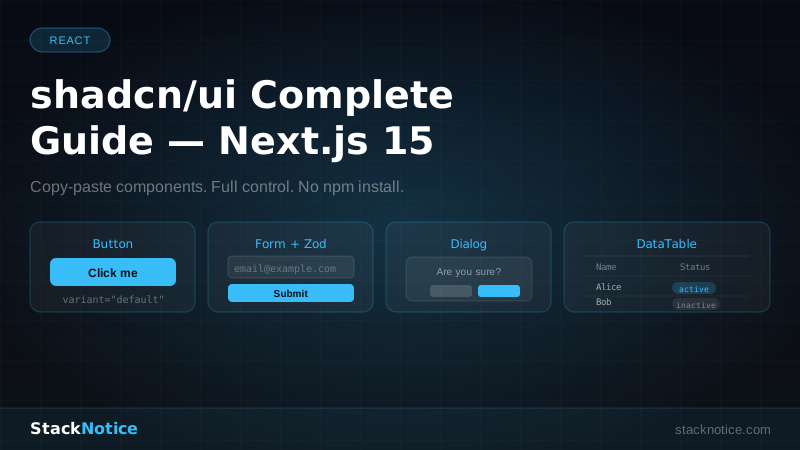
If you're building with shadcn/ui and Next.js, the complete shadcn/ui guide covers real production patterns including dark mode, theming, and form integration.
2. daisyUI v5 — The Lightweight Workhorse
What it is: A Tailwind CSS plugin that adds semantic class names. btn, card, modal, badge — class names that just make sense. No JavaScript, no component tree, pure CSS.
Why it stands out: daisyUI has 35+ built-in themes and a tiny footprint. The v5 release (which targets Tailwind v4) rewrote the internals using CSS variables instead of Tailwind's JIT layer, making it faster and more predictable.
npm install -D daisyui@latest// tailwind.config.ts
import daisyui from "daisyui"
export default {
plugins: [daisyui],
daisyui: {
themes: ["light", "dark", "cupcake", "cyberpunk"],
},
}<!-- No imports, no components — just classes -->
<div class="card bg-base-100 shadow-xl w-96">
<div class="card-body">
<h2 class="card-title">Deploy succeeded</h2>
<p>Your app is live at stacknotice.com</p>
<div class="card-actions justify-end">
<button class="btn btn-primary">Open app</button>
</div>
</div>
</div>Best for: Projects where you want fast styling without React component overhead. Perfect for Laravel, Ruby on Rails, Django, or any non-React stack that uses Tailwind.
Watch out for: Semantic class names mean your HTML can look clean or cryptic depending on your team. Also, customizing beyond the theme system gets complicated quickly.
3. HeroUI v2 — Beautiful and Accessible
What it is: Formerly NextUI. The team rebranded to HeroUI in 2024 and doubled down on TypeScript-first, accessible components with a strong focus on motion and visual polish.
Why it's worth watching: HeroUI components feel premium without requiring design work. Built-in framer-motion integration, slot system for deep customization, and full keyboard navigation out of the box.
npm install @heroui/react framer-motionimport { Button, Input, Card, CardBody } from "@heroui/react"
import { useState } from "react"
export function LoginCard() {
const [isLoading, setIsLoading] = useState(false)
return (
<Card className="max-w-sm w-full">
<CardBody className="gap-4 p-6">
<h1 className="text-2xl font-bold">Welcome back</h1>
<Input
label="Email"
type="email"
variant="bordered"
placeholder="you@example.com"
/>
<Input
label="Password"
type="password"
variant="bordered"
/>
<Button
color="primary"
isLoading={isLoading}
onPress={() => setIsLoading(true)}
className="w-full"
>
Sign in
</Button>
</CardBody>
</Card>
)
}Best for: Startups and products that want a polished, consistent look without hiring a designer. The default aesthetic is strong enough to ship.
Watch out for: Larger bundle size than shadcn/ui. The npm dependency model means version upgrades occasionally introduce breaking changes.
4. Flowbite — The Full Design System
What it is: A complete UI kit built on Tailwind CSS. 600+ components, a Figma file, templates, and a React component library — all from a single consistent design language.
Why it's useful: Flowbite is what you reach for when you want a real design system without building one yourself. The Pro version adds templates for landing pages, dashboards, e-commerce flows, and marketing pages.
npm install flowbite flowbite-reactimport { Navbar, NavbarBrand, NavbarToggle, NavbarCollapse, NavbarLink } from "flowbite-react"
export function AppNavbar() {
return (
<Navbar fluid>
<NavbarBrand href="/">
<span className="text-xl font-bold text-gray-900 dark:text-white">
StackNotice
</span>
</NavbarBrand>
<NavbarToggle />
<NavbarCollapse>
<NavbarLink href="/blog" active>Blog</NavbarLink>
<NavbarLink href="/about">About</NavbarLink>
</NavbarCollapse>
</Navbar>
)
}Best for: Teams that need a consistent component system and Figma handoff. Flowbite Pro makes sense for agencies building multiple client projects.
Watch out for: The free version is solid but the templates that actually save time are behind the Pro paywall. The React components are good but not as compositionally flexible as shadcn/ui.
5. Tremor v4 — Built for Dashboards
What it is: A Tailwind-based React library optimized specifically for analytics interfaces, internal tools, and dashboards. Charts, data tables, metrics cards, KPI components — all ready to drop into a Next.js app.
Why it's different: Most UI libraries make you solve the "how do I display a number as a KPI card" problem yourself. Tremor solves it by design.
npm install @tremor/reactimport { Card, Metric, Text, BadgeDelta, AreaChart } from "@tremor/react"
const weeklyData = [
{ date: "Mon", Visitors: 2890 },
{ date: "Tue", Visitors: 3200 },
{ date: "Wed", Visitors: 2750 },
{ date: "Thu", Visitors: 4100 },
{ date: "Fri", Visitors: 3890 },
]
export function VisitorDashboard() {
return (
<Card>
<Text>Weekly visitors</Text>
<Metric>18,830</Metric>
<BadgeDelta deltaType="increase">+14.2% vs last week</BadgeDelta>
<AreaChart
className="h-40 mt-4"
data={weeklyData}
index="date"
categories={["Visitors"]}
colors={["indigo"]}
/>
</Card>
)
}Best for: Internal tools, admin panels, SaaS dashboards, analytics views. If your app shows numbers to users, Tremor accelerates development considerably.
Watch out for: Very opinionated visual style. Using Tremor alongside shadcn/ui or HeroUI in the same interface can look inconsistent.
6. Headless UI v2 — Behavior Without Style
What it is: An official Tailwind Labs project that provides fully accessible, unstyled components. Dialogs, dropdowns, listboxes, comboboxes, switches — all the interactive patterns, none of the visual opinions.
Why it matters: When you need precise control over every pixel but still want correct ARIA attributes and keyboard interactions handled for you.
npm install @headlessui/reactimport { Listbox, ListboxButton, ListboxOption, ListboxOptions } from "@headlessui/react"
import { useState } from "react"
const frameworks = ["Next.js", "Remix", "Astro", "Vite"]
export function FrameworkPicker() {
const [selected, setSelected] = useState(frameworks[0])
return (
<Listbox value={selected} onChange={setSelected}>
<ListboxButton className="w-48 rounded-lg border border-gray-300 bg-white px-4 py-2 text-left shadow-sm">
{selected}
</ListboxButton>
<ListboxOptions className="absolute z-10 mt-1 w-48 rounded-lg border bg-white shadow-lg">
{frameworks.map((framework) => (
<ListboxOption
key={framework}
value={framework}
className="cursor-pointer px-4 py-2 hover:bg-indigo-50 data-[selected]:text-indigo-600"
>
{framework}
</ListboxOption>
))}
</ListboxOptions>
</Listbox>
)
}Best for: Custom design systems where the brand identity is non-negotiable. You want the accessibility logic, not someone else's visual decisions.
Watch out for: You still need to style everything. This is a productivity tool for developers with strong CSS skills, not a shortcut to avoid design work.
7. Magic UI — Animation-First Components
What it is: A copy-paste library (shadcn/ui model) focused specifically on animated, interactive components for landing pages and marketing sites. Text effects, particle backgrounds, shiny buttons, bento grids.
npx shadcn@latest add "https://magicui.design/r/animated-beam"import { AnimatedBeam } from "@/components/magicui/animated-beam"
import { ShimmerButton } from "@/components/magicui/shimmer-button"
import { BlurFade } from "@/components/magicui/blur-fade"
export function HeroSection() {
return (
<BlurFade delay={0.2}>
<h1 className="text-5xl font-bold tracking-tight">
Ship faster with AI
</h1>
<ShimmerButton className="mt-6">
Get started free →
</ShimmerButton>
</BlurFade>
)
}Best for: SaaS landing pages, portfolio sites, anything where visual impact matters more than data density. The animations are genuinely impressive out of the box.
Watch out for: Not a full UI system — it's landing page components, not a form, table, or dashboard solution. Use it alongside shadcn/ui, not instead of it.
8. Aceternity UI — Cinematic Effects
What it is: Another copy-paste library, similar model to Magic UI but with more dramatic effects. 3D card effects, spotlight backgrounds, text gradients, parallax elements.
import { Spotlight } from "@/components/ui/spotlight"
import { HoverBorderGradient } from "@/components/ui/hover-border-gradient"

export function PricingHero() {
  return (
    <div className="relative min-h-screen bg-black">
      <Spotlight
        className="-top-40 left-0"
        fill="indigo"
      />
      <div className="relative z-10 flex flex-col items-center pt-40">
        <HoverBorderGradient className="px-6 py-3 text-white">
          Start your free trial
        </HoverBorderGradient>
      </div>
    </div>
  )
}
Best for: Premium landing pages, product showcases, anything targeting investors or design-conscious users.
Watch out for: Performance. These effects are GPU-intensive. Test on mid-range mobile devices before shipping. Accessibility also needs manual attention — some effects fail contrast ratios.
9. Preline UI — Production-Ready and Open Source
What it is: A comprehensive open-source Tailwind component library with 300+ components. Unlike shadcn/ui, Preline includes JavaScript for interactive behavior via a separate script, making it usable in non-React environments.
<div class="hs-dropdown relative inline-flex">
  <button class="hs-dropdown-toggle inline-flex items-center gap-x-2 text-sm font-medium rounded-lg border px-4 py-3">
    Actions
    <svg class="hs-dropdown-open:rotate-180 size-4" xmlns="http://www.w3.org/2000/svg" viewBox="0 0 24 24" fill="none" stroke="currentColor" stroke-width="2">
      <path d="m6 9 6 6 6-6"/>
    </svg>
  </button>
  <div class="hs-dropdown-menu hidden min-w-60 rounded-lg shadow-md bg-white p-2">
    <a href="#" class="flex items-center gap-x-3.5 py-2 px-3 rounded-lg text-sm hover:bg-gray-100">
      Edit
    </a>
    <a href="#" class="flex items-center gap-x-3.5 py-2 px-3 rounded-lg text-sm hover:bg-gray-100">
      Delete
    </a>
  </div>
</div>
Best for: Multiframework projects, teams not 100% committed to React, or when you need a large component count quickly.
Watch out for: The JavaScript plugin approach creates tight coupling. When Preline updates its plugin, components may break.
10. Tailwind UI — The Official Paid Option
What it is: The official commercial component library from the Tailwind CSS team. Not a npm package — it's a collection of copy-paste HTML blocks and React components you access via a one-time purchase.
Why it's worth considering: These components are designed by the same team that built Tailwind itself. The design consistency is unmatched. The React version includes Headless UI under the hood, so accessibility is built in.
Pricing: $299 one-time for the All-Access package (personal and team). No subscription.
Best for: Teams that want the gold standard of Tailwind design and can justify the license cost. Agencies building multiple client projects get clear ROI.
Watch out for: No npm install means no automatic updates. You get lifetime access to components at the time of purchase, with updates included but requiring manual re-download.
Decision Guide: Which One for Your Project?
| Project type | Recommended choice |
|---|---|
| SaaS app, full product | shadcn/ui |
| Analytics dashboard | shadcn/ui + Tremor |
| Landing page / marketing site | Magic UI or Aceternity UI |
| Non-React project (Laravel, Rails) | daisyUI |
| Needs Figma design system | Flowbite Pro |
| Custom brand, full design control | Headless UI |
| Needs visual polish, fast | HeroUI |
| Agency / multi-client work | Tailwind UI |
Combining Libraries
In practice, many production apps mix libraries. A common setup for a SaaS app:
shadcn/ui          → app shell (nav, sidebar, forms, tables)
Tremor             → analytics charts and KPI cards
Magic UI           → landing page components
Headless UI        → custom interactive patterns
This works because shadcn/ui, Tremor, Magic UI, and Headless UI all use Tailwind as their styling foundation. Class names compose naturally.
The combination to avoid: mixing HeroUI or Flowbite (which ship their own design language) with shadcn/ui in the same interface. The visual gap becomes obvious immediately.
Tailwind v4 Compatibility
Most libraries have shipped or are actively shipping Tailwind v4 support. Status as of June 2026:
- shadcn/ui — full v4 support ✅
- daisyUI v5 — built for v4 ✅
- HeroUI v2 — v4 compatible ✅
- Headless UI v2 — framework-agnostic, works fine ✅
- Flowbite — v4 support in active development
- Tremor — v4 migration guide available
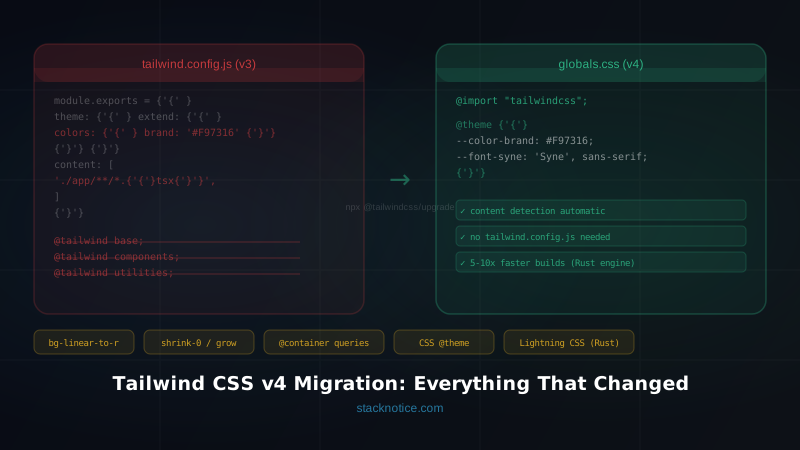
If you're starting a new project today, use Tailwind v4. If you're migrating, the Tailwind v4 migration guide covers the breaking changes and new import system.
Summary
The Tailwind UI ecosystem in 2026 is mature and fragmented in the best possible way. There's a library for every use case.
For most React/Next.js projects, shadcn/ui remains the default starting point. Add Tremor when you hit dashboard requirements, Magic UI when the landing page needs visual punch.
If you're building a design system from scratch and need full behavioral control without visual opinion, Headless UI is the most honest choice.
And if you just need to ship a form-heavy CRUD app quickly without overthinking component architecture, daisyUI will get you there faster than anything else on this list.
The tools are solid. The decision comes down to what your project actually needs — not what looks most impressive in a demo.
See also: React 19 new features · Top React component libraries · shadcn/ui complete guide