Full Better Auth setup: Drizzle schema, email/password, Google OAuth, organizations plugin, email verification with Resend, password reset, session in Server Components and Client Components, middleware, and the comparison with Clerk and Auth.js that helps you choose.
Better Auth has become the serious alternative to Clerk for teams that want full control without the per-user cost. It's TypeScript-first (types inferred from config, zero manual augmentation), ships as a Node.js library that runs in your codebase, and stores sessions in your own database.
The DX has improved significantly in 2026. The @better-auth/cli generates your schema automatically. The better-auth-ui package provides pre-built components. And the plugin ecosystem — organizations, 2FA, passkeys, admin panel — covers most B2B SaaS needs.
This guide builds a complete production setup from scratch.
Why Choose Better Auth in 2026
The auth options for Next.js are narrower than they look:
Clerk — best DX, hosted, built-in org management. $25/month at 10k MAU, ~$825/month at 50k MAU. You don't own the data.
Auth.js (NextAuth v5) — free, open source. Session typing is manual, config is complex, the v4 → v5 migration is painful. Best if you're maintaining an existing NextAuth codebase.
Better Auth — self-hosted, TypeScript-first, free at any scale. You own the data. The tradeoff: you're responsible for your own database, email sending, and session infrastructure.
The inflection point where Better Auth wins: when user data sovereignty matters, when you're building for the EU with GDPR concerns, or when you're at scale where Clerk's cost is meaningful.
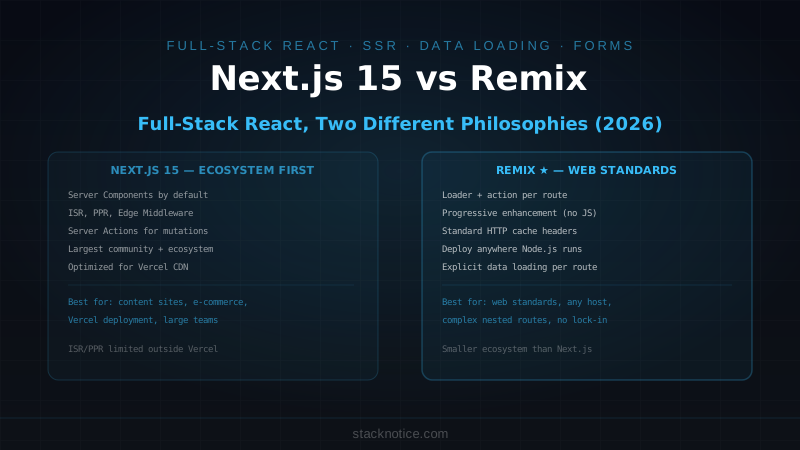
If organizations are a core product feature and you have fewer than 10k MAU, Clerk's free tier is hard to beat. Once you're past that or need data residency control, Better Auth is the answer. Full comparison: Clerk vs Better Auth in Next.js
Installation
npm install better-auth
npm install -D @better-auth/cli
Environment variables:
# .env.local
BETTER_AUTH_SECRET=           # min 32 chars — run: openssl rand -base64 32
BETTER_AUTH_URL=http://localhost:3000
DATABASE_URL=postgresql://...

# OAuth providers
GOOGLE_CLIENT_ID=
GOOGLE_CLIENT_SECRET=
GITHUB_CLIENT_ID=
GITHUB_CLIENT_SECRET=

# Email (Resend for email verification / password reset)
RESEND_API_KEY=
Auth Configuration
import { betterAuth } from 'better-auth'
import { drizzleAdapter } from 'better-auth/adapters/drizzle'
import { organization } from 'better-auth/plugins'
import { db } from '@/lib/db'
import * as schema from '@/lib/schema'

export const auth = betterAuth({
  database: drizzleAdapter(db, {
    provider: 'pg',
    schema: {
      user:         schema.user,
      session:      schema.session,
      account:      schema.account,
      verification: schema.verification,
    },
  }),

  emailAndPassword: {
    enabled: true,
    requireEmailVerification: true,
    sendResetPassword: async ({ user, url }) => {
      await sendEmail({
        to: user.email,
        subject: 'Reset your password',
        html: `<a href="${url}">Reset password</a>`,
      })
    },
  },

  emailVerification: {
    sendOnSignUp: true,
    autoSignInAfterVerification: true,
    sendVerificationEmail: async ({ user, url }) => {
      await sendEmail({
        to: user.email,
        subject: 'Verify your email',
        html: `<p>Hi ${user.name},</p><p><a href="${url}">Verify your email</a></p>`,
      })
    },
  },

  socialProviders: {
    google: {
      clientId: process.env.GOOGLE_CLIENT_ID!,
      clientSecret: process.env.GOOGLE_CLIENT_SECRET!,
    },
    github: {
      clientId: process.env.GITHUB_CLIENT_ID!,
      clientSecret: process.env.GITHUB_CLIENT_SECRET!,
    },
  },

  plugins: [
    organization(), // B2B multi-tenancy — teams, invites, roles
  ],

  session: {
    expiresIn: 60 * 60 * 24 * 7, // 7 days
    updateAge: 60 * 60 * 24,     // refresh token if older than 1 day
    cookieCache: {
      enabled: true,
      maxAge: 5 * 60, // cache session cookie for 5 minutes
    },
  },
})

export type Session = typeof auth.$Infer.Session
export type User    = typeof auth.$Infer.Session.user
The $Infer types give you full TypeScript inference with no manual augmentation — add a plugin and the types update automatically.
Email Sending with Resend
Create a shared sendEmail helper used by the auth config above:
import { Resend } from 'resend'

const resend = new Resend(process.env.RESEND_API_KEY!)

export async function sendEmail({
  to,
  subject,
  html,
}: {
  to: string
  subject: string
  html: string
}) {
  const { error } = await resend.emails.send({
    from: 'StackNotice <noreply@stacknotice.com>',
    to,
    subject,
    html,
  })

  if (error) {
    console.error('[email] failed to send:', error)
    throw new Error('Failed to send email')
  }
}
Database Schema
Generate the schema automatically from your auth config:
npx @better-auth/cli generateOr define it manually with Drizzle (gives you more control for adding custom columns):
import { pgTable, text, timestamp, boolean, integer } from 'drizzle-orm/pg-core'

export const user = pgTable('user', {
  id:            text('id').primaryKey(),
  name:          text('name').notNull(),
  email:         text('email').notNull().unique(),
  emailVerified: boolean('email_verified').notNull().default(false),
  image:         text('image'),
  role:          text('role').notNull().default('user'), // custom field
  createdAt:     timestamp('created_at').notNull(),
  updatedAt:     timestamp('updated_at').notNull(),
})

export const session = pgTable('session', {
  id:          text('id').primaryKey(),
  expiresAt:   timestamp('expires_at').notNull(),
  token:       text('token').notNull().unique(),
  ipAddress:   text('ip_address'),
  userAgent:   text('user_agent'),
  userId:      text('user_id').notNull().references(() => user.id, { onDelete: 'cascade' }),
  createdAt:   timestamp('created_at').notNull(),
  updatedAt:   timestamp('updated_at').notNull(),
})

export const account = pgTable('account', {
  id:           text('id').primaryKey(),
  accountId:    text('account_id').notNull(),
  providerId:   text('provider_id').notNull(),
  userId:       text('user_id').notNull().references(() => user.id, { onDelete: 'cascade' }),
  accessToken:  text('access_token'),
  refreshToken: text('refresh_token'),
  idToken:      text('id_token'),
  expiresAt:    timestamp('expires_at'),
  createdAt:    timestamp('created_at').notNull(),
  updatedAt:    timestamp('updated_at').notNull(),
})

export const verification = pgTable('verification', {
  id:         text('id').primaryKey(),
  identifier: text('identifier').notNull(),
  value:      text('value').notNull(),
  expiresAt:  timestamp('expires_at').notNull(),
  createdAt:  timestamp('created_at'),
  updatedAt:  timestamp('updated_at'),
})
If you add custom fields to the user table (like role above), tell Better Auth to use them:
export const auth = betterAuth({
  // ...
  user: {
    additionalFields: {
      role: {
        type: 'string',
        required: false,
        defaultValue: 'user',
        input: false, // not user-provided on sign up
      },
    },
  },
})
Run migrations after any schema change:
npx drizzle-kit generate
npx drizzle-kit migrate
API Route Handler
import { auth } from '@/lib/auth'
import { toNextJsHandler } from 'better-auth/next-js'

export const { POST, GET } = toNextJsHandler(auth)
This one file handles every auth endpoint: sign-in, sign-up, OAuth callbacks, sign-out, email verification, password reset, session management, and all plugin endpoints.
Auth Client
import { createAuthClient } from 'better-auth/react'
import { organizationClient } from 'better-auth/client/plugins'

export const authClient = createAuthClient({
  baseURL: process.env.NEXT_PUBLIC_APP_URL || 'http://localhost:3000',
  plugins: [
    organizationClient(), // mirror the server-side plugin on the client
  ],
})

export const {
  signIn,
  signUp,
  signOut,
  useSession,
  organization,
} = authClientEvery plugin you add to the server auth config needs its client-side counterpart in createAuthClient. They're separate packages — better-auth/plugins vs better-auth/client/plugins.
Sign Up and Sign In
Using React 19's useActionState instead of manual useState + loading state:
Sign Up
'use client'

import { useActionState } from 'react'
import { useRouter } from 'next/navigation'
import { signUp } from '@/lib/auth-client'

type State = { error: string | null }

async function signUpAction(prev: State, formData: FormData): Promise<State> {
  const { error } = await signUp.email({
    email:       formData.get('email') as string,
    password:    formData.get('password') as string,
    name:        formData.get('name') as string,
    callbackURL: '/dashboard',
  })

  return { error: error?.message ?? null }
}

export default function SignUpPage() {
  const [state, formAction, isPending] = useActionState(signUpAction, { error: null })

  return (
    <form action={formAction} className="space-y-4 max-w-sm mx-auto">
      <h1 className="text-2xl font-bold">Create account</h1>

      <input name="name"     type="text"     placeholder="Full name" required />
      <input name="email"    type="email"    placeholder="Email"     required />
      <input name="password" type="password" placeholder="Password"  required minLength={8} />

      {state.error && (
        <p className="text-sm text-red-500">{state.error}</p>
      )}

      <button type="submit" disabled={isPending}>
        {isPending ? 'Creating account...' : 'Create account'}
      </button>
    </form>
  )
}
Sign In
'use client'

import { useActionState } from 'react'
import { signIn } from '@/lib/auth-client'

type State = { error: string | null }

async function signInAction(prev: State, formData: FormData): Promise<State> {
  const { error } = await signIn.email({
    email:       formData.get('email') as string,
    password:    formData.get('password') as string,
    callbackURL: '/dashboard',
    rememberMe:  true,
  })

  return { error: error?.message ?? null }
}

export default function SignInPage() {
  const [state, formAction, isPending] = useActionState(signInAction, { error: null })

  async function handleGoogleSignIn() {
    await signIn.social({ provider: 'google', callbackURL: '/dashboard' })
  }

  return (
    <div className="space-y-4 max-w-sm mx-auto">
      <h1 className="text-2xl font-bold">Sign in</h1>

      <button
        onClick={handleGoogleSignIn}
        type="button"
        className="w-full border rounded-lg px-4 py-2"
      >
        Continue with Google
      </button>

      <div className="text-center text-sm text-gray-400">or</div>

      <form action={formAction} className="space-y-4">
        <input name="email"    type="email"    placeholder="Email"    required />
        <input name="password" type="password" placeholder="Password" required />

        {state.error && (
          <p className="text-sm text-red-500">{state.error}</p>
        )}

        <button type="submit" disabled={isPending}>
          {isPending ? 'Signing in...' : 'Sign in'}
        </button>
      </form>

      <p className="text-sm text-center">
        <a href="/reset-password" className="text-blue-500">Forgot password?</a>
      </p>
    </div>
  )
}
Reading the Session
In Server Components
import { auth } from '@/lib/auth'
import { headers } from 'next/headers'
import { redirect } from 'next/navigation'

export default async function DashboardPage() {
  const session = await auth.api.getSession({
    headers: await headers(),   // ← async in Next.js 15
  })

  if (!session) redirect('/sign-in')

  return (
    <div>
      <h1>Welcome, {session.user.name}</h1>
      <p>Email: {session.user.email}</p>
      <p>Role: {session.user.role}</p>  {/* custom field is fully typed */}
    </div>
  )
}
auth.api.getSession() reads the session cookie and validates it against the database. It's a real DB query — don't call it in multiple places per request. If you need the session in several Server Components, pass it as a prop from the page.
In Client Components
'use client'

import { useSession, signOut } from '@/lib/auth-client'
import { useRouter } from 'next/navigation'

export function UserNav() {
  const { data: session, isPending } = useSession()
  const router = useRouter()

  if (isPending) return <div className="h-8 w-8 rounded-full bg-gray-800 animate-pulse" />
  if (!session) return <a href="/sign-in">Sign in</a>

  return (
    <div className="flex items-center gap-3">
      <span className="text-sm">{session.user.name}</span>
      <button
        onClick={async () => {
          await signOut({ fetchOptions: { onSuccess: () => router.push('/') } })
        }}
        className="text-sm text-gray-400"
      >
        Sign out
      </button>
    </div>
  )
}
Password Reset
The flow: user requests reset → Better Auth generates a token → your sendResetPassword callback sends the email → user clicks link → Better Auth validates the token.
The UI:
'use client'

import { useActionState } from 'react'
import { authClient } from '@/lib/auth-client'

async function requestResetAction(
  prev: { done: boolean; error: string | null },
  formData: FormData
) {
  const { error } = await authClient.requestPasswordReset({
    email:       formData.get('email') as string,
    redirectTo:  '/reset-password/confirm',
  })
  return { done: !error, error: error?.message ?? null }
}

export default function ResetPasswordPage() {
  const [state, formAction, isPending] = useActionState(requestResetAction, {
    done: false,
    error: null,
  })

  if (state.done) {
    return <p>Check your email for a reset link.</p>
  }

  return (
    <form action={formAction} className="space-y-4">
      <h1 className="text-xl font-bold">Reset password</h1>
      <input name="email" type="email" placeholder="Your email" required />
      {state.error && <p className="text-red-500 text-sm">{state.error}</p>}
      <button type="submit" disabled={isPending}>
        {isPending ? 'Sending...' : 'Send reset link'}
      </button>
    </form>
  )
}
Organizations Plugin
The organization plugin adds multi-tenancy: teams with members, invitations, roles. Essential for B2B SaaS.
Enable in auth config (already shown above). Then use it:
import { auth } from '@/lib/auth'
import { headers } from 'next/headers'

export default async function DashboardPage() {
  const session = await auth.api.getSession({ headers: await headers() })
  if (!session) redirect('/sign-in')

  // Get the user's active organization
  const orgs = await auth.api.listOrganizations({ headers: await headers() })

  return <Dashboard user={session.user} organizations={orgs} />
}
Client-side org operations:
import { organization } from '@/lib/auth-client'

// Create an organization
await organization.create({
  name: 'Acme Inc',
  slug: 'acme',
})

// Invite a member
await organization.inviteMember({
  email:          'colleague@example.com',
  role:           'member',
  organizationId: orgId,
})

// Switch active organization
await organization.setActive({ organizationId: orgId })
The plugin adds these tables to your schema: organization, member, invitation. Generate them with npx @better-auth/cli generate after enabling the plugin.
If your SaaS is B2B and organizations are a core concept, scope every query to the active organization:
export async function getActiveOrg(request?: Request) {
  const session = await auth.api.getSession({
    headers: request ? request.headers : await headers(),
  })
  if (!session) return null

  const orgs = await auth.api.listOrganizations({
    headers: request ? request.headers : await headers(),
  })
  return orgs[0] ?? null
}
better-auth-ui — Pre-Built Components
better-auth-ui gives you Clerk-style UI components for Better Auth. Install:
npm install better-auth-uiThen use the pre-built components:
import { AuthCard } from 'better-auth-ui'
import { auth } from '@/lib/auth'

export default function SignInPage() {
  return (
    <div className="flex min-h-screen items-center justify-center">
      <AuthCard
        authClient={authClient}
        view="signIn"
        redirectTo="/dashboard"
      />
    </div>
  )
}
AuthCard renders sign-in, sign-up, reset password views with your existing Tailwind/shadcn styles. If you want full control over the UI, build the forms manually as shown above. If you want to ship auth UI quickly, better-auth-ui is the fastest path.
Middleware
For middleware, use a fast cookie-presence check. Better Auth session tokens are opaque — you can't verify them in the Edge Runtime without a DB call, so don't try:
import { NextResponse } from 'next/server'
import type { NextRequest } from 'next/server'

const SESSION_COOKIE = 'better-auth.session_token'

const PROTECTED_PREFIXES = ['/dashboard', '/settings', '/onboarding']
const AUTH_PATHS          = ['/sign-in', '/sign-up']

export function middleware(request: NextRequest) {
  const { pathname } = request.nextUrl
  const sessionToken = request.cookies.get(SESSION_COOKIE)?.value

  const isProtected = PROTECTED_PREFIXES.some((p) => pathname.startsWith(p))
  const isAuthPath  = AUTH_PATHS.some((p) => pathname.startsWith(p))

  if (isProtected && !sessionToken) {
    const url = new URL('/sign-in', request.url)
    url.searchParams.set('callbackUrl', pathname)
    return NextResponse.redirect(url)
  }

  if (isAuthPath && sessionToken) {
    return NextResponse.redirect(new URL('/dashboard', request.url))
  }

  return NextResponse.next()
}

export const config = {
  matcher: ['/((?!_next/static|_next/image|favicon.ico|api/auth).*)'],
}
Users with no session cookie redirect instantly at the edge. Users with a token continue, and your Server Components call auth.api.getSession() for the actual DB validation. This means a user with an expired or revoked token reaches the page — handle that case in the Server Component:
const session = await auth.api.getSession({ headers: await headers() })
if (!session) redirect('/sign-in?error=session_expired')
Session Management
Programmatic session control:
// List all active sessions for the current user
const sessions = await auth.api.listSessions({ headers: await headers() })

// Revoke a specific session
await auth.api.revokeSession({ token: sessionToken })

// Revoke all sessions except current (force sign out everywhere else)
await auth.api.revokeOtherSessions({ headers: await headers() })
These are useful for a "Sign out all devices" feature in your account settings.
Better Auth vs Clerk vs Auth.js
| Better Auth | Clerk | Auth.js v5 | |
|---|---|---|---|
| Cost | Free (self-hosted) | Free → $25/mo at 10k MAU | Free |
| Data ownership | ✅ Your DB | ❌ Clerk's servers | ✅ Your DB |
| Type safety | Inferred — no manual augmentation | Good | Manual augmentation required |
| Setup time | ~45 min | ~10 min | ~60 min |
| Built-in UI | better-auth-ui (separate package) | ✅ | ❌ |
| Organizations | Plugin | Built-in | Manually implemented |
| Email verification | Built-in (bring your email sender) | Built-in | Manual |
| Password reset | Built-in | Built-in | Manual |
| 2FA / Passkeys | Plugins | Built-in | Limited |
| SAML/SSO | Enterprise plugin | Enterprise plan | ❌ |
| GDPR / data residency | ✅ Full control | Depends on region settings | ✅ Full control |
The decision:
- Better Auth — full control, no per-user cost, TypeScript-first, GDPR by default
- Clerk — fastest DX, managed infrastructure, pay for scale
- Auth.js — existing NextAuth codebase, maximum community resources
Common Mistakes
Wrong session cookie name in middleware. The default is better-auth.session_token. If you customize the cookie name in your auth config, update the middleware constant.
Not awaiting headers() in Next.js 15. All calls to auth.api.getSession({ headers: await headers() }) must await headers(). Skipping the await causes a subtle runtime error.
Calling auth.api.getSession() multiple times per request. It hits the database each time. Read it once at the page level and pass the session down as a prop.
Forgetting to add the API route to the middleware exclusion. If api/auth/* is matched by your middleware, every auth request loops through your auth guard. Add it to the exclusion pattern.
Schema out of sync after adding plugins. After enabling a new plugin (organizations, 2FA), run npx @better-auth/cli generate and then npx drizzle-kit generate && npx drizzle-kit migrate. The plugin adds new tables that don't exist until you run the migration.
requireEmailVerification: true without an email provider. Users will sign up and get stuck — the verification email never arrives. Set up Resend first, then enable email verification.
Complete source for this setup with all files: stacknotice.com/blog/better-auth-nextjs-complete-guide-2026
Related: Clerk vs Better Auth — full comparison · Drizzle ORM complete guide · Next.js Middleware guide · Resend + React Email in Next.js