There's a specific kind of paralysis that hits when you start a SaaS. You sit down to write product code and realize you've got to make 20 architectural decisions first — and every one of them has downstream consequences that compound. Choose the wrong ORM and you're rewriting queries at 10k users. Choose the wrong auth provider and you're migrating sessions at the worst possible moment.
I've built several products on this stack and consulted on others. This is the honest version — what I'd choose today, why each decision, where each thing breaks, and what it costs at different revenue stages. No "it depends" without the actual conditions.
The Principle Before the Tools
The best stack is the one you can ship on fastest without creating debt you can't pay down later. That sounds obvious until you watch teams pick microservices for their first SaaS because "it'll scale better" and spend three months debugging distributed traces instead of talking to users.
Under $1M ARR, velocity beats architecture. The things that matter: can you add features without breaking existing ones? Can you debug production issues in under 30 minutes? Can a new engineer be productive in a week? Optimize for those.
Framework: Next.js 15 App Router
What I use: Next.js with App Router, TypeScript strict mode, deployed on Vercel.
The App Router changed the economics of full-stack development. Server Components mean you can fetch data at the component level with zero client-side waterfalls — the data is there when the HTML renders.
// This runs entirely on the server — no loading state, no API call
export default async function DashboardPage() {
  const { userId } = await auth()
  if (!userId) redirect('/sign-in')

  // Direct database query in a React component
  const workspace = await db.query.workspaces.findFirst({
    where: eq(workspaces.ownerId, userId),
    with: { projects: { limit: 10, orderBy: [desc(projects.updatedAt)] } },
  })

  return <Dashboard workspace={workspace} />
}
No Redux, no API route, no fetch. The data is fetched and the component renders in one pass on the server.
Why not Remix: excellent mental model for mutations and forms, but the ecosystem is narrower and the App Router has caught up on its main advantages. If you already know Remix deeply, use it. Starting fresh in 2026, Next.js has more leverage — bigger ecosystem, more hiring surface, more example code to reference.
Why not SvelteKit: I like writing it. But React is where the talent is, and if you ever need to hire, that matters.
Why not Express + separate frontend: more theoretical flexibility, but two deployments, two build systems, two sets of dependencies. That overhead costs you during the months when every week counts.
The App Router learning curve is real — budget two weeks of confusion around the server/client boundary. It's worth it, but don't start a launch week with it for the first time.
Database: PostgreSQL on Neon
What I use: Neon (serverless Postgres).
PostgreSQL is the obvious choice for any SaaS with users, subscriptions, and relational data. ACID compliance, 30 years of production hardening, full-text search, JSON columns, pgvector for AI embeddings, PostGIS if you ever need geo — nothing else comes close for this category.
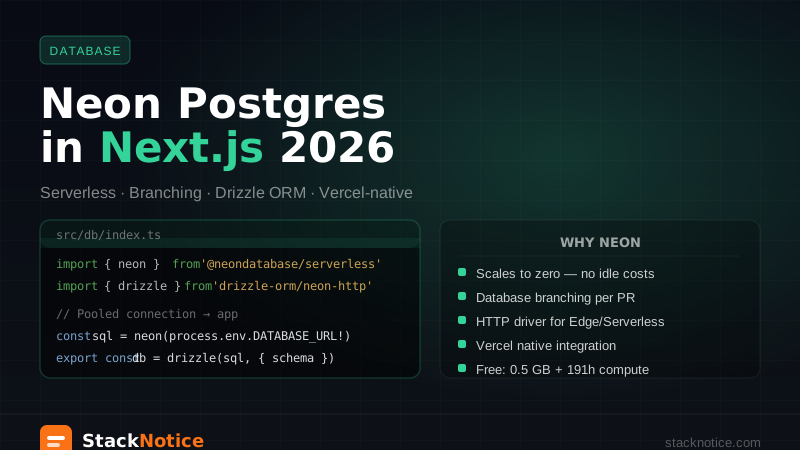
Neon specifically earns its place for three concrete reasons:
Branch databases. You create a full copy of production per PR, run your migration against it, and delete it when the PR merges. I've caught three "I thought this was safe" migrations this way. This feature alone would justify the cost.
Serverless scaling. Scales to zero when nothing's happening. Relevant before you have consistent traffic.
Free tier that's actually useful. $0 until you're making money. The free tier handles development and early production comfortably.
Alternatives worth knowing: Supabase gives you Postgres plus realtime subscriptions, auth, and storage in one. If you need those extras and want to avoid separate services, Supabase is a serious choice. Railway is simpler, fewer features, fine for straightforward deployments.
ORM: Drizzle
What I use: Drizzle over Prisma.
This is the most debated choice on the list, so I'll be specific about when each is right.
Prisma has been the default for years. It has excellent DX, a clean schema language, and generates a fully type-safe client. If your team knows Prisma and you're not hitting its limits, staying there is correct.
Drizzle wins on three specific things that matter in production:
Predictable queries. Drizzle is a typed layer over SQL — it doesn't abstract the query, it types it. What you write is what runs. Prisma's query generator can surprise you at scale with N+1 patterns that weren't obvious in development.
Edge Runtime. Drizzle works in Next.js middleware, Cloudflare Workers, and any Edge environment. Prisma's query engine is a compiled binary — it can't run at the edge.
Escape hatch without losing types. When you need raw SQL, Drizzle lets you drop to it while staying in the type system. Prisma's $queryRaw loses type safety.
// lib/db/schema.ts
import { pgTable, text, timestamp, integer, boolean } from 'drizzle-orm/pg-core'
import { createId } from '@paralleldrive/cuid2'

export const users = pgTable('users', {
  id:        text('id').primaryKey().$defaultFn(() => createId()),
  clerkId:   text('clerk_id').notNull().unique(), // Clerk's userId
  email:     text('email').notNull().unique(),
  createdAt: timestamp('created_at').defaultNow().notNull(),
  updatedAt: timestamp('updated_at').defaultNow().notNull(),
})

export const workspaces = pgTable('workspaces', {
  id:        text('id').primaryKey().$defaultFn(() => createId()),
  ownerId:   text('owner_id').notNull().references(() => users.id, { onDelete: 'cascade' }),
  name:      text('name').notNull(),
  slug:      text('slug').notNull().unique(),
  plan:      text('plan').notNull().default('free'), // 'free' | 'pro' | 'team'
  createdAt: timestamp('created_at').defaultNow().notNull(),
})

export const subscriptions = pgTable('subscriptions', {
  id:               text('id').primaryKey(),        // Stripe subscription ID
  workspaceId:      text('workspace_id').notNull().references(() => workspaces.id),
  stripeCustomerId: text('stripe_customer_id').notNull(),
  stripePriceId:    text('stripe_price_id').notNull(),
  status:           text('status').notNull(),        // 'active' | 'past_due' | 'canceled'
  currentPeriodEnd: timestamp('current_period_end').notNull(),
})
Auth: Clerk or Better Auth — Honest Comparison
This is the decision that changed most in 2026. A year ago, Clerk was the default and there wasn't a serious free alternative. Now there is.
Clerk
Clerk handles everything: sign up, sign in, MFA, magic links, all OAuth providers, session management across devices, session revocation, organizations with roles, a user management dashboard, GDPR/SOC 2. You pay for that convenience: $25/month at 10k MAU, $0 below that.
// middleware.ts — Clerk setup
import { clerkMiddleware, createRouteMatcher } from '@clerk/nextjs/server'

const isPublicRoute = createRouteMatcher([
  '/',
  '/pricing',
  '/api/webhooks/(.*)', // Stripe and Clerk webhooks — always public
  '/sign-in(.*)',
  '/sign-up(.*)',
])

export default clerkMiddleware(async (auth, req) => {
  if (!isPublicRoute(req)) {
    await auth.protect()
  }
})
When to use Clerk: you want to ship in an afternoon and not think about auth for 6 months. You need organizations/multi-tenancy built in. Cost isn't the primary concern at early stage.
Better Auth
Better Auth is open source, runs in your codebase, stores sessions in your own database. Free at any scale. The trade-off: you own the infrastructure, you handle upgrades.
// lib/auth.ts — Better Auth setup
import { betterAuth } from 'better-auth'
import { drizzleAdapter } from 'better-auth/adapters/drizzle'
import { organization } from 'better-auth/plugins'
import { db } from './db'

export const auth = betterAuth({
  database: drizzleAdapter(db, { provider: 'pg' }),
  emailAndPassword: { enabled: true },
  socialProviders: {
    google: { clientId: process.env.GOOGLE_CLIENT_ID!, clientSecret: process.env.GOOGLE_CLIENT_SECRET! },
    github: { clientId: process.env.GITHUB_CLIENT_ID!, clientSecret: process.env.GITHUB_CLIENT_SECRET! },
  },
  plugins: [organization()], // Teams/workspaces built in
})
When to use Better Auth: cost matters at your current stage, or you want data sovereignty (sessions in your own database). The DX is good and the ecosystem is growing fast.
My current default: Clerk for B2B SaaS where organizations are core (Clerk's org management is battle-tested), Better Auth for B2C or when controlling your own data matters. The article Clerk vs Better Auth has the detailed comparison.
Payments: Stripe
No ambiguity here. Stripe is the only choice for a SaaS in 2026 unless you have a specific reason not to use it.
Stripe handles tax calculation (Stripe Tax), invoicing, payment method management, dunning, SCA compliance for EU, disputes. The integration cost is front-loaded but you don't build payments infrastructure again.
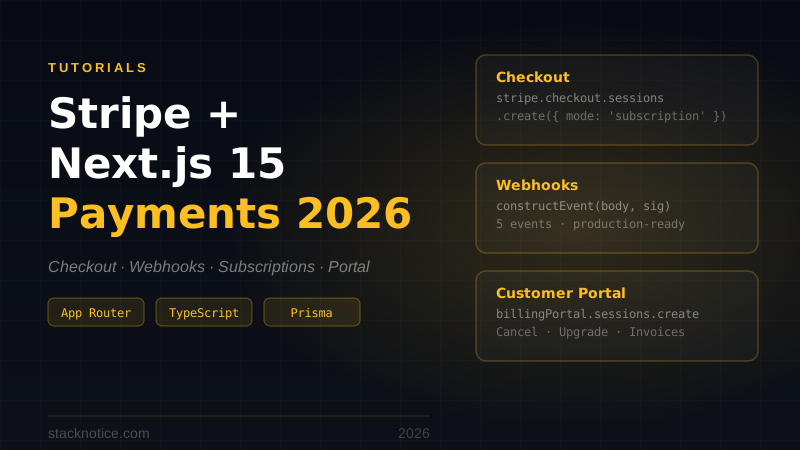
The hardest part isn't the checkout flow — it's the webhooks. Stripe delivers events for every subscription state change and you need to process them idempotently:
// app/api/webhooks/stripe/route.ts
import Stripe from 'stripe'
import { headers } from 'next/headers'
import { db } from '@/lib/db'
import { subscriptions, workspaces } from '@/lib/db/schema'
import { eq } from 'drizzle-orm'

const stripe = new Stripe(process.env.STRIPE_SECRET_KEY!)

export async function POST(req: Request) {
  const body = await req.text()
  const sig = (await headers()).get('stripe-signature')!

  let event: Stripe.Event
  try {
    event = stripe.webhooks.constructEvent(body, sig, process.env.STRIPE_WEBHOOK_SECRET!)
  } catch {
    return Response.json({ error: 'Invalid signature' }, { status: 400 })
  }

  switch (event.type) {
    case 'customer.subscription.created':
    case 'customer.subscription.updated': {
      const sub = event.data.object as Stripe.Subscription
      await db
        .insert(subscriptions)
        .values({
          id:               sub.id,
          workspaceId:      sub.metadata.workspaceId, // set this when creating checkout
          stripeCustomerId: sub.customer as string,
          stripePriceId:    sub.items.data[0].price.id,
          status:           sub.status,
          currentPeriodEnd: new Date(sub.current_period_end * 1000),
        })
        .onConflictDoUpdate({
          target: subscriptions.id,
          set: {
            status:           sub.status,
            stripePriceId:    sub.items.data[0].price.id,
            currentPeriodEnd: new Date(sub.current_period_end * 1000),
          },
        })

      // Sync workspace plan based on subscription status
      await db
        .update(workspaces)
        .set({ plan: sub.status === 'active' ? 'pro' : 'free' })
        .where(eq(workspaces.id, sub.metadata.workspaceId))
      break
    }

    case 'customer.subscription.deleted': {
      const sub = event.data.object as Stripe.Subscription
      await db.update(subscriptions)
        .set({ status: 'canceled' })
        .where(eq(subscriptions.id, sub.id))
      await db.update(workspaces)
        .set({ plan: 'free' })
        .where(eq(workspaces.id, sub.metadata.workspaceId))
      break
    }
  }

  return Response.json({ received: true })
}Stripe can and will deliver the same event multiple times. Your handlers must be idempotent — processing an event twice must produce the same result as processing it once. onConflictDoUpdate is the right pattern. Without it, you'll have race conditions and duplicate records in production.
API Layer
For internal use (your Next.js frontend calling your own backend): tRPC. It eliminates the API contract problem — server defines the procedure, client calls it, TypeScript validates everything at the boundary.
// server/routers/projects.ts
export const projectsRouter = router({
  list: protectedProcedure.query(async ({ ctx }) => {
    return ctx.db.query.projects.findMany({
      where: eq(projects.workspaceId, ctx.workspaceId),
      orderBy: [desc(projects.updatedAt)],
    })
  }),

  create: protectedProcedure
    .input(z.object({
      name: z.string().min(1).max(100),
      description: z.string().max(500).optional(),
    }))
    .mutation(async ({ input, ctx }) => {
      return ctx.db.insert(projects).values({
        ...input,
        workspaceId: ctx.workspaceId,
        createdBy: ctx.userId,
      }).returning()
    }),
})
For public APIs (third-party integrations, mobile apps, external consumers): Hono with Zod validation. tRPC's client is TypeScript-only — it's not usable by external consumers. Hono is fast, Edge-compatible, and the validation story with Zod is clean.
Server Actions for simple mutations: for straightforward form submissions and simple mutations, Server Actions are fine and require no separate API layer at all. Don't over-engineer this.
State Management
The App Router changes the state management equation. Most data that would have lived in Redux or React Query is now server state — fetched in Server Components, never hitting the client.
The actual hierarchy in 2026:
- Server Components — async data, no loading state, no client bundle hit
- TanStack Query — client-side data that needs to stay fresh (real-time updates, mutations with optimistic UI)
- Zustand — global UI state only: sidebar state, modal queue, user preferences. Keep stores small and serializable.
Don't reach for TanStack Query for data that could be a Server Component. Don't put server state in Zustand. Both will create cache invalidation problems you'll spend weeks debugging.
Deployment: Vercel
Vercel is the fastest path for Next.js. Preview deployments per PR, Edge CDN, automatic HTTPS, environment variables per environment, function logs, and Web Vitals in the dashboard.
The cost concern is real but misplaced at early stage. Vercel gets expensive above ~$200/month. At that point you have $30-50k MRR and the revenue to optimize. Railway and Fly.io are the natural migration targets when that day comes — both are worth knowing in advance.
Observability: Non-Negotiable from Day 1
Shipping without observability means finding out about bugs from users. The minimum viable stack:
Sentry — error tracking, free tier covers 5k errors/month. Add it before you launch, not after your first production incident.
PostHog — product analytics, session recordings, feature flags. Free up to 1M events/month. The session recordings alone have saved me hours of "I can't reproduce it" debugging.
Structured logging — console.log is noise in production. Add a minimal logger:
// lib/logger.ts
type LogLevel = 'info' | 'warn' | 'error'

export const log = {
  info: (msg: string, meta?: Record<string, unknown>) =>
    console.log(JSON.stringify({ level: 'info', msg, ...meta, ts: new Date().toISOString() })),
  warn: (msg: string, meta?: Record<string, unknown>) =>
    console.warn(JSON.stringify({ level: 'warn', msg, ...meta, ts: new Date().toISOString() })),
  error: (msg: string, meta?: Record<string, unknown>) =>
    console.error(JSON.stringify({ level: 'error', msg, ...meta, ts: new Date().toISOString() })),
}

// Usage
log.info('Subscription created', { workspaceId, plan: 'pro', stripeSubId: sub.id })
log.error('Webhook processing failed', { eventId: event.id, error: err.message })
JSON logs are searchable in Vercel, Axiom, Datadog, and every aggregator.
Environment Variables — Validate at Startup
Discovered a missing env var in production once. Now I validate everything at startup:
// lib/env.ts
import { z } from 'zod'

const schema = z.object({
  DATABASE_URL:          z.string().url(),
  STRIPE_SECRET_KEY:     z.string().startsWith('sk_'),
  STRIPE_WEBHOOK_SECRET: z.string().startsWith('whsec_'),
  NEXT_PUBLIC_POSTHOG_KEY: z.string().optional(),
  SENTRY_DSN:            z.string().url().optional(),
})

export const env = schema.parse(process.env)
// Throws at startup if anything is missing or malformed — never a cryptic runtime error
The Multi-Tenancy Decision You Can't Defer
If your SaaS will ever have organizations — teams, workspaces, companies — decide the tenancy model before writing a single product feature. Adding it later means touching every query in the codebase.
The three models:
Shared database, shared schema with workspaceId — correct default for most SaaS under 1,000 organizations. Row-Level Security in PostgreSQL enforces the boundary. Simple to implement, simple to maintain.
Shared database, separate schemas — each tenant gets their own schema. Better isolation, harder to operate, unnecessary for most products.
Separate databases per tenant — enterprise use case where customers require data isolation. Not where you start.
// The pattern: every table has workspaceId, every query scopes to it
export const projects = pgTable('projects', {
  id:          text('id').primaryKey().$defaultFn(() => createId()),
  workspaceId: text('workspace_id').notNull().references(() => workspaces.id, { onDelete: 'cascade' }),
  name:        text('name').notNull(),
  createdAt:   timestamp('created_at').defaultNow().notNull(),
})

// Every query scoped — never query without workspaceId
async function getWorkspaceProjects(workspaceId: string) {
  return db.query.projects.findMany({
    where: eq(projects.workspaceId, workspaceId),
  })
}
Add PostgreSQL Row-Level Security policies for the extra isolation layer — see the multi-tenancy guide for the full setup.
AI Integration in 2026
A SaaS built in 2026 should have AI features. The Vercel AI SDK is the standard integration layer — it handles streaming, tool calling, and structured output with one consistent API.
Add it from day 1 even if you only use it for one feature:
npm install ai @ai-sdk/anthropic// app/api/ai/route.ts — AI endpoint wired into your existing auth + rate limiting
import { streamText } from 'ai'
import { anthropic } from '@ai-sdk/anthropic'
import { auth } from '@/lib/auth'
export async function POST(req: Request) {
const session = await auth.api.getSession({ headers: req.headers })
if (!session) return Response.json({ error: 'Unauthorized' }, { status: 401 })
const { messages } = await req.json()
const result = streamText({
model: anthropic('claude-sonnet-4-6'),
system: `You are a helpful assistant for ${session.user.name}'s workspace.`,
messages,
})
return result.toDataStreamResponse()
}The architecture decision: AI features should use the same auth, rate limiting, and observability as every other feature. Don't build a separate "AI module" — wire it into the existing request pipeline.
What Breaks First at Scale
Every stack has breaking points. Here's where this one cracks, in order of likelihood:
Vercel cold starts on API routes — functions that run rarely start cold (500ms–2s). Fix: Edge Runtime for latency-sensitive routes, warm-up pings for critical endpoints, or migrate those routes to Railway containers.
Drizzle N+1 queries — Drizzle doesn't auto-batch related queries. Use with for eager loading. Add a query count logger in development and flag anything over 5 queries per page load.
Stripe webhook ordering — Stripe delivers webhooks asynchronously and occasionally out of order. Design all handlers to be idempotent and state-independent. The onConflictDoUpdate pattern covers most cases.
Clerk webhook lag — Clerk's user.created webhook can arrive seconds after the user completes signup. Don't assume the user exists in your database immediately after Clerk confirms signup. Use optimistic creation or check before inserting.
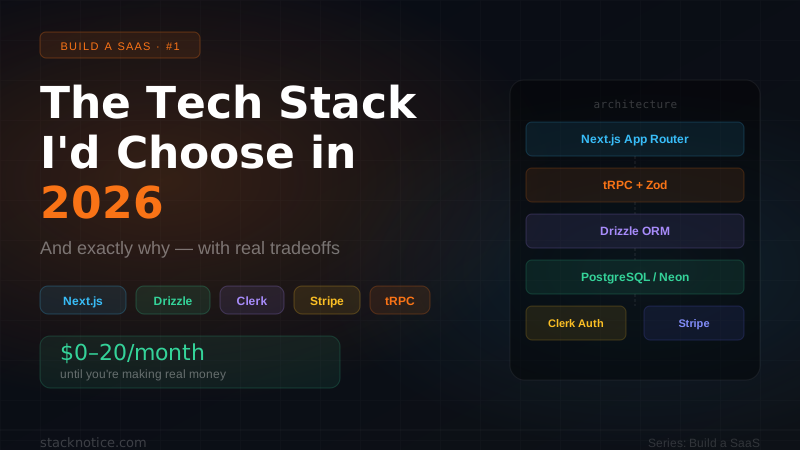
The Full Stack Summary
What It Costs
Pre-revenue:
- Neon: $0 (free tier)
- Clerk: $0 (under 10k MAU) or Better Auth: $0 (always)
- Vercel: $0–20/month
- Sentry: $0 (free tier)
- PostHog: $0 (free tier)
- Total: $0–20/month
$1k–10k MRR:
- Neon: $19/month
- Clerk: $25/month (or Better Auth: $0)
- Vercel: $20/month
- Sentry: $26/month
- Total with Clerk: ~$90/month — under 1% of $10k MRR
$10k–50k MRR:
- Vercel may reach $200+/month here — evaluate Railway migration
- All-in: $300–500/month — still under 1% of revenue at $50k MRR
The real cost pressure doesn't come from tools — it comes from engineering time spent on problems the tools should handle. Cheap auth that requires 3 days to add OAuth is not cheap.
The Rest of the Series
This article covered the decisions. The implementations are in the rest of the series: