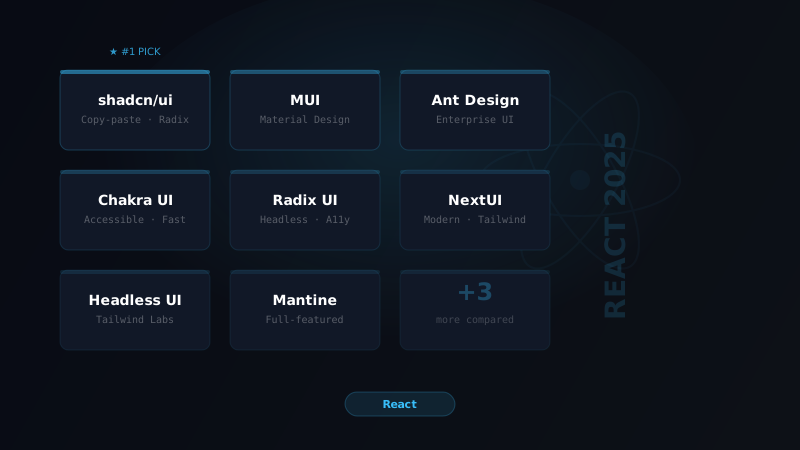
Choosing a React component library is one of the most consequential decisions for your project's velocity, design quality, and long-term maintainability. Get it wrong and you spend months fighting against the library's opinions. Get it right and you ship 3x faster.
This guide covers the 10 best component libraries in 2025 — not based on GitHub stars, but on actual production experience.
How We Evaluated
Each library was scored on:
- DX — developer experience, docs quality, TypeScript support
- Design — how good is the default UI? How customizable?
- Bundle — tree-shaking, SSR support, performance
- Ecosystem — integrations, community, maintenance
1. shadcn/ui — The New Standard
Best for: Most projects in 2025
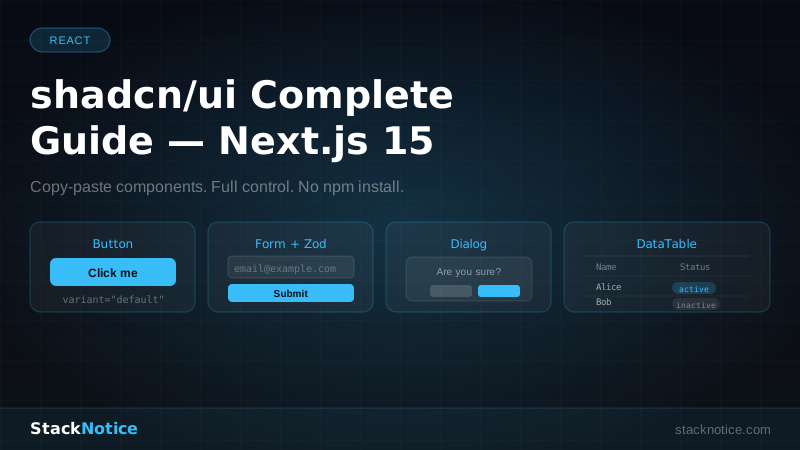
shadcn/ui isn't a component library in the traditional sense — it's a collection of copy-paste components built on Radix UI primitives with Tailwind CSS. You own the code. For the best developer experience, pair it with Next.js Server and Client Components to ensure components render in the right environment.
npx shadcn-ui@latest init
npx shadcn-ui@latest add button
This generates the component directly in your components/ui/ folder. You can modify it freely.
Why it wins: Zero lock-in, perfect Tailwind integration, accessible by default (Radix), and works perfectly with Next.js. The components look good and are trivially customizable. See the complete shadcn/ui guide for dark mode, theming, and form integration patterns.
Trade-off: No npm package to upgrade — updating means re-running add commands or manually merging changes.
2. Radix UI — The Primitive Layer
Best for: Design systems, custom UI
Radix UI provides unstyled, accessible component primitives. No CSS — just behavior and accessibility. Combine it with Tailwind or your own styles.
import * as Dialog from '@radix-ui/react-dialog'

function MyModal() {
  return (
    <Dialog.Root>
      <Dialog.Trigger>Open</Dialog.Trigger>
      <Dialog.Portal>
        <Dialog.Overlay className="bg-black/50 fixed inset-0" />
        <Dialog.Content className="fixed top-1/2 left-1/2 -translate-x-1/2 -translate-y-1/2 bg-white p-6 rounded-xl">
          <Dialog.Title>Title</Dialog.Title>
          <Dialog.Close>Close</Dialog.Close>
        </Dialog.Content>
      </Dialog.Portal>
    </Dialog.Root>
  )
}
Why it wins: Best-in-class accessibility, zero design opinions, composable API. Used under the hood by shadcn/ui, MUI, and many others.
Trade-off: You do all the styling. Not suitable if you need something that looks good immediately.
3. Mantine — The Full Package
Best for: Internal tools, dashboards, full-featured apps
Mantine is the most complete React component library available. 100+ components, built-in form handling, date pickers, rich text editor, charts, notifications — all in one ecosystem.
import { Button, TextInput, Group } from '@mantine/core'

function LoginForm() {
  return (
    <Group>
      <TextInput label="Email" placeholder="you@example.com" />
      <Button type="submit">Sign in</Button>
    </Group>
  )
}
Why it wins: Incredible breadth of components, excellent TypeScript support, v7 switched to CSS modules (zero runtime), and the docs are the best in the industry.
Trade-off: Slightly opinionated visual design. Customization requires learning the Mantine theming system.
4. Tailwind UI — Premium Pre-built Components
Best for: Teams that want polished UI fast
Tailwind UI is a paid library ($299 one-time) from the Tailwind CSS team. It's essentially a collection of copy-paste HTML/JSX components that look exceptionally polished.
// Every component is just Tailwind classes — you paste it and it works
<button className="rounded-md bg-indigo-600 px-3.5 py-2.5 text-sm font-semibold text-white shadow-sm hover:bg-indigo-500">
  Get started
</button>
Why it wins: The best-looking off-the-shelf components. Zero dependency. You copy the code into your project and it's yours forever.
Trade-off: It's paid. Some templates feel repetitive. Not a traditional "library" you import.
5. Headless UI — Tailwind's Primitive Layer
Best for: Tailwind-first projects needing complex components
Headless UI provides unstyled, fully accessible components for Tailwind projects. Think dropdowns, modals, tabs, and comboboxes — the hard-to-build ones.
import { Listbox } from '@headlessui/react'

// Fully styled with Tailwind, fully accessible
<Listbox value={selected} onChange={setSelected}>
  <Listbox.Button className="relative w-full cursor-default rounded-lg bg-white py-2 pl-3 pr-10 text-left shadow-md">
    {selected.name}
  </Listbox.Button>
  <Listbox.Options className="absolute mt-1 max-h-60 w-full overflow-auto rounded-md bg-white py-1 shadow-lg">
    {people.map((person) => (
      <Listbox.Option key={person.id} value={person}>
        {person.name}
      </Listbox.Option>
    ))}
  </Listbox.Options>
</Listbox>
Why it wins: Made by the Tailwind team, zero styling opinions, excellent React + Vue support.
Trade-off: Limited component selection compared to Radix.
6. Ant Design — Enterprise Grade
Best for: Large enterprise applications, B2B dashboards
Ant Design is the dominant React UI library in enterprise contexts. Used by Alibaba, Baidu, and thousands of enterprise companies.
import { Form, Input, Button } from 'antd'

const LoginForm = () => (
  <Form onFinish={onFinish}>
    <Form.Item name="email" rules={[{ required: true }]}>
      <Input placeholder="Email" />
    </Form.Item>
    <Button type="primary" htmlType="submit">Login</Button>
  </Form>
)
Why it wins: Massive component catalog (100+), battle-tested in production, excellent form handling, data tables with virtual scrolling, and Date Picker that actually works.
Trade-off: Large bundle size, Chinese-origin design aesthetics that may not fit Western apps, requires customization to look modern.
7. Chakra UI — The Balanced Choice
Best for: Mid-sized apps, teams that want customization with guardrails
Chakra UI v3 (built on Ark UI primitives) provides a good balance between out-of-the-box good looks and customizability.
import { Button, Input, VStack } from '@chakra-ui/react'

<VStack spacing={4}>
  <Input placeholder="Your email" />
  <Button colorScheme="blue" w="full">Subscribe</Button>
</VStack>
Why it wins: Excellent theming system, good dark mode support, accessible by default, CSS variables under the hood in v3.
Trade-off: v3 is a major breaking change from v2. Migration is significant. Smaller ecosystem than MUI.
8. Material UI (MUI) — The React Giant
Best for: Teams familiar with Material Design, Google-adjacent products
MUI remains the most downloaded React component library. v6 added significant performance improvements and support for the pigment-css zero-runtime styling engine.
import { Button, TextField } from '@mui/material'

<Button variant="contained" color="primary">Click me</Button>
Why it wins: Enormous ecosystem, MUI X for advanced data grids and date pickers, excellent TypeScript types, huge community.
Trade-off: Material Design aesthetic feels dated in 2025. Bundle size is significant without careful tree-shaking. Styling with sx prop is verbose.
9. React Aria (Adobe) — Accessibility First
Best for: Products with serious accessibility requirements
React Aria from Adobe is the most accessibility-focused component library available. Every component is tested against WCAG 2.1 AA standards.
import { Button } from 'react-aria-components'

<Button onPress={() => alert('Pressed!')}>
  Click me
</Button>
Why it wins: Best-in-class accessibility, fully customizable, excellent keyboard navigation, internationalization support built-in.
Trade-off: Steeper learning curve. Styling is entirely your responsibility.
10. Tremor — Data Visualization
Best for: Analytics dashboards, admin panels with charts
Tremor is purpose-built for dashboard UIs with a focus on data visualization. Charts, metrics, KPI cards, and admin tables — all polished out of the box.
import { Card, Metric, Text, AreaChart } from '@tremor/react'

<Card>
  <Text>Total Revenue</Text>
  <Metric>$48,352</Metric>
  <AreaChart data={chartData} index="date" categories={['Revenue']} />
</Card>
Why it wins: The best-looking dashboard components, built on Recharts, great Tailwind integration, and it's free.
Trade-off: Narrow use case — only really valuable for dashboards.
Quick Decision Guide
| Situation | Pick |
|---|---|
| New project, Tailwind stack | shadcn/ui |
| Building a design system | Radix UI |
| Internal tool / admin panel | Mantine |
| Enterprise app | Ant Design or MUI |
| Need beautiful UI fast | Tailwind UI |
| Dashboard with charts | Tremor |
| Strict accessibility requirements | React Aria |
Final Verdict
In 2025, shadcn/ui is the right choice for the vast majority of new projects. It combines the accessibility of Radix UI with the design of Tailwind and gives you full ownership of the code.
For enterprise or internal tooling, Mantine remains the most complete solution. For legacy projects using MUI, the ecosystem improvements in v6 make staying worthwhile.
The era of "pick one and import everything from it" is over. The best teams combine headless primitives (Radix/React Aria) with a styling system (Tailwind) and a few specialized libraries (Tremor for charts, React Hook Form for forms). Make sure to check what's new in React 19 to understand how the new Actions and ref API affect your component patterns, and see the Tailwind CSS v4 migration guide if you're on a Tailwind stack.