Forms are where most React apps get messy fast. You start with a useState for each field, then add validation logic, then error messages, then async submission — and suddenly you have 200 lines of spaghetti for a login form.
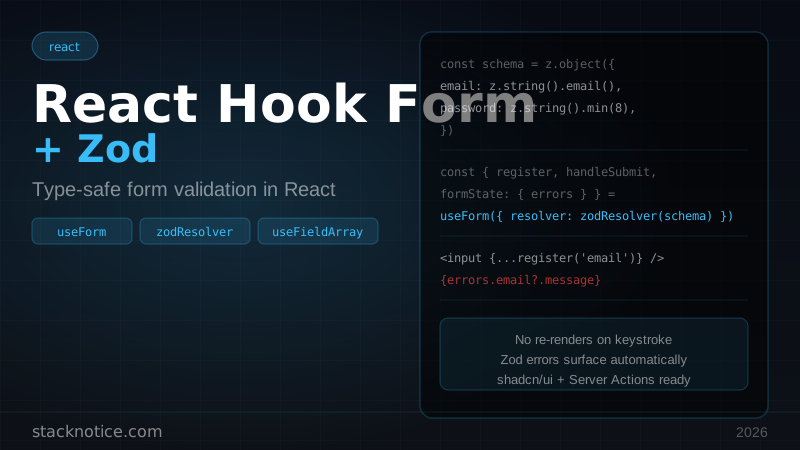
React Hook Form solves the performance problem. Zod solves the type-safe validation problem. Together they're the standard stack for forms in 2026.
Why React Hook Form
React Hook Form uses uncontrolled inputs by default. Unlike Formik or controlled forms, it doesn't re-render the whole component on every keystroke. In a form with 20 fields, that's a significant difference.
The API is also much simpler:
// Controlled (the old way) — re-renders on every keystroke
const [email, setEmail] = useState('')
const [password, setPassword] = useState('')
const [errors, setErrors] = useState({})

// React Hook Form — no re-renders until submit/blur
const { register, handleSubmit, formState: { errors } } = useForm()
Installation
npm install react-hook-form zod @hookform/resolvers@hookform/resolvers is the bridge between React Hook Form and Zod (also supports Yup, Joi, and others).
Basic form with Zod schema
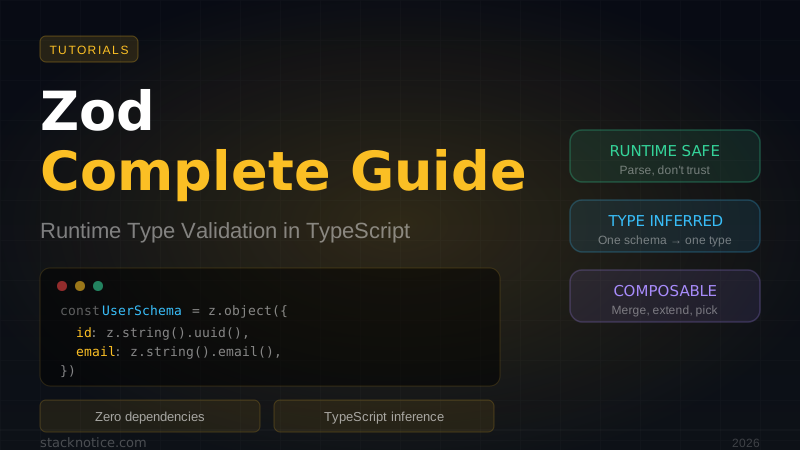
Define your schema first — it's the single source of truth for both validation and TypeScript types:
import { z } from 'zod'

const loginSchema = z.object({
  email: z.string().email('Invalid email address'),
  password: z.string().min(8, 'Password must be at least 8 characters'),
})

type LoginForm = z.infer<typeof loginSchema>
Then wire it to React Hook Form:
'use client'

import { useForm } from 'react-hook-form'
import { zodResolver } from '@hookform/resolvers/zod'
import { z } from 'zod'

const loginSchema = z.object({
  email: z.string().email('Invalid email address'),
  password: z.string().min(8, 'Password must be at least 8 characters'),
})

type LoginForm = z.infer<typeof loginSchema>

export function LoginForm() {
  const {
    register,
    handleSubmit,
    formState: { errors, isSubmitting },
    setError,
  } = useForm<LoginForm>({
    resolver: zodResolver(loginSchema),
  })

  const onSubmit = async (data: LoginForm) => {
    try {
      await signIn(data)
    } catch (err) {
      // Set server-side errors back on the form
      setError('email', { message: 'Invalid credentials' })
    }
  }

  return (
    <form onSubmit={handleSubmit(onSubmit)}>
      <div>
        <input
          {...register('email')}
          type="email"
          placeholder="Email"
        />
        {errors.email && <p>{errors.email.message}</p>}
      </div>

      <div>
        <input
          {...register('password')}
          type="password"
          placeholder="Password"
        />
        {errors.password && <p>{errors.password.message}</p>}
      </div>

      <button type="submit" disabled={isSubmitting}>
        {isSubmitting ? 'Signing in...' : 'Sign in'}
      </button>
    </form>
  )
}
register attaches the input to the form. handleSubmit validates before calling your submit function. errors gives you field-level messages from Zod.
Complex Zod schemas
Optional fields with defaults
const profileSchema = z.object({
  name: z.string().min(2).max(50),
  bio: z.string().max(200).optional(),
  website: z.string().url('Must be a valid URL').optional().or(z.literal('')),
  role: z.enum(['admin', 'user', 'viewer']).default('user'),
  age: z.coerce.number().int().min(18).optional(),  // coerce converts string inputs
})
Cross-field validation with .refine()
const registerSchema = z.object({
  email: z.string().email(),
  password: z.string().min(8),
  confirmPassword: z.string(),
}).refine((data) => data.password === data.confirmPassword, {
  message: "Passwords don't match",
  path: ['confirmPassword'],  // which field gets the error
})
Nested objects
const checkoutSchema = z.object({
  customer: z.object({
    firstName: z.string().min(1, 'Required'),
    lastName: z.string().min(1, 'Required'),
    email: z.string().email(),
  }),
  shipping: z.object({
    address: z.string().min(5),
    city: z.string().min(2),
    country: z.string().length(2),
    zip: z.string().regex(/^\d{5}(-\d{4})?$/, 'Invalid ZIP code'),
  }),
})
Access nested errors with dot notation:
{errors.customer?.email && <p>{errors.customer.email.message}</p>}
{errors.shipping?.zip && <p>{errors.shipping.zip.message}</p>}
Dynamic arrays with useFieldArray
For lists where users can add/remove items:
'use client'

import { useForm, useFieldArray } from 'react-hook-form'
import { zodResolver } from '@hookform/resolvers/zod'
import { z } from 'zod'

const teamSchema = z.object({
  members: z.array(z.object({
    name: z.string().min(1, 'Name required'),
    email: z.string().email('Invalid email'),
    role: z.enum(['owner', 'member', 'viewer']),
  })).min(1, 'Add at least one member'),
})

type TeamForm = z.infer<typeof teamSchema>

export function TeamForm() {
  const { register, control, handleSubmit, formState: { errors } } = useForm<TeamForm>({
    resolver: zodResolver(teamSchema),
    defaultValues: {
      members: [{ name: '', email: '', role: 'member' }],
    },
  })

  const { fields, append, remove } = useFieldArray({
    control,
    name: 'members',
  })

  return (
    <form onSubmit={handleSubmit(console.log)}>
      {fields.map((field, index) => (
        <div key={field.id}>
          <input {...register(`members.${index}.name`)} placeholder="Name" />
          {errors.members?.[index]?.name && (
            <p>{errors.members[index].name.message}</p>
          )}

          <input {...register(`members.${index}.email`)} placeholder="Email" />

          <select {...register(`members.${index}.role`)}>
            <option value="member">Member</option>
            <option value="owner">Owner</option>
            <option value="viewer">Viewer</option>
          </select>

          <button type="button" onClick={() => remove(index)}>Remove</button>
        </div>
      ))}

      <button
        type="button"
        onClick={() => append({ name: '', email: '', role: 'member' })}
      >
        Add member
      </button>

      <button type="submit">Save team</button>
    </form>
  )
}
Integration with shadcn/ui
shadcn/ui components are controlled, so you use Controller instead of register:
'use client'

import { useForm, Controller } from 'react-hook-form'
import { zodResolver } from '@hookform/resolvers/zod'
import {
  Form,
  FormControl,
  FormField,
  FormItem,
  FormLabel,
  FormMessage,
} from '@/components/ui/form'
import { Input } from '@/components/ui/input'
import { Select, SelectContent, SelectItem, SelectTrigger, SelectValue } from '@/components/ui/select'
import { Button } from '@/components/ui/button'

export function ProfileForm() {
  const form = useForm<ProfileForm>({
    resolver: zodResolver(profileSchema),
    defaultValues: { name: '', role: 'user' },
  })

  return (
    <Form {...form}>
      <form onSubmit={form.handleSubmit(onSubmit)}>
        <FormField
          control={form.control}
          name="name"
          render={({ field }) => (
            <FormItem>
              <FormLabel>Name</FormLabel>
              <FormControl>
                <Input placeholder="Your name" {...field} />
              </FormControl>
              <FormMessage />  {/* auto-renders Zod error */}
            </FormItem>
          )}
        />

        <FormField
          control={form.control}
          name="role"
          render={({ field }) => (
            <FormItem>
              <FormLabel>Role</FormLabel>
              <Select onValueChange={field.onChange} defaultValue={field.value}>
                <FormControl>
                  <SelectTrigger>
                    <SelectValue />
                  </SelectTrigger>
                </FormControl>
                <SelectContent>
                  <SelectItem value="admin">Admin</SelectItem>
                  <SelectItem value="user">User</SelectItem>
                </SelectContent>
              </Select>
              <FormMessage />
            </FormItem>
          )}
        />

        <Button type="submit">Save</Button>
      </form>
    </Form>
  )
}
The Form component from shadcn/ui wraps FormProvider, and FormMessage automatically reads from formState.errors. Zero manual error wiring.
Integration with Server Actions
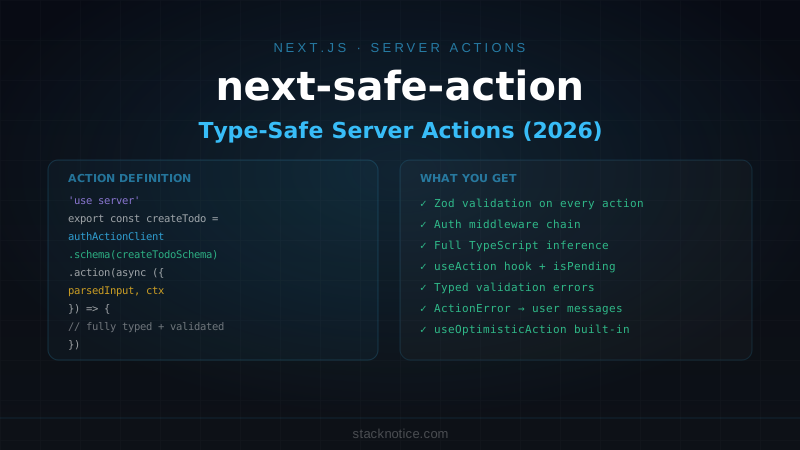
For Next.js Server Actions, you can validate with Zod server-side and return errors back to the form:
// app/actions/profile.ts
'use server'

import { z } from 'zod'

const profileSchema = z.object({
  name: z.string().min(2).max(50),
  bio: z.string().max(200).optional(),
})

export type ProfileActionState = {
  errors?: { name?: string[]; bio?: string[] }
  success?: boolean
}

export async function updateProfile(
  _prev: ProfileActionState,
  formData: FormData
): Promise<ProfileActionState> {
  const result = profileSchema.safeParse({
    name: formData.get('name'),
    bio: formData.get('bio'),
  })

  if (!result.success) {
    return { errors: result.error.flatten().fieldErrors }
  }

  await db.users.update(result.data)
  return { success: true }
}
'use client'
import { useActionState } from 'react'
import { useForm } from 'react-hook-form'
import { zodResolver } from '@hookform/resolvers/zod'
import { updateProfile } from '@/app/actions/profile'
export function ProfileForm() {
const [state, action] = useActionState(updateProfile, {})
const { register, formState: { errors } } = useForm<ProfileForm>({
resolver: zodResolver(profileSchema),
})
return (
<form action={action}>
<input {...register('name')} name="name" />
{/* Client-side Zod errors */}
{errors.name && <p>{errors.name.message}</p>}
{/* Server-side errors */}
{state.errors?.name && <p>{state.errors.name[0]}</p>}
<button type="submit">Save</button>
</form>
)
}Useful form utilities
watch — react to field changes
const { watch } = useForm<Schema>()

// Watch a single field
const country = watch('country')

// Conditionally render based on value
{country === 'US' && <input {...register('state')} placeholder="State" />}

// Watch all fields (use sparingly — triggers re-renders)
const allValues = watch()
setValue — update a field programmatically
const { setValue } = useForm<Schema>()

// After an async operation, set the value
const handleLocationSelect = (coords: Coords) => {
  setValue('latitude', coords.lat)
  setValue('longitude', coords.lng)
  setValue('address', coords.address, { shouldValidate: true })
}
reset — clear the form
const { reset } = useForm<Schema>()

// Reset to empty
reset()

// Reset with specific values (useful after loading data from API)
reset({ name: user.name, bio: user.bio })
trigger — validate a specific field on demand
const { trigger } = useForm<Schema>()

// Validate email before moving to next step
const handleNext = async () => {
  const isValid = await trigger('email')
  if (isValid) setStep(2)
}
File uploads
const uploadSchema = z.object({
  title: z.string().min(1),
  file: z
    .custom<FileList>()
    .refine((files) => files?.length > 0, 'File is required')
    .refine((files) => files?.[0]?.size <= 5_000_000, 'Max file size is 5MB')
    .refine(
      (files) => ['image/jpeg', 'image/png', 'image/webp'].includes(files?.[0]?.type),
      'Only JPEG, PNG, and WebP are allowed'
    ),
})<input
type="file"
accept="image/*"
{...register('file')}
/>
{errors.file && <p>{errors.file.message}</p>}Multi-step form pattern
For multi-step forms, validate only the current step's fields before advancing:
'use client'

import { useState } from 'react'
import { useForm } from 'react-hook-form'
import { zodResolver } from '@hookform/resolvers/zod'

const step1Schema = z.object({ email: z.string().email(), name: z.string().min(2) })
const step2Schema = z.object({ password: z.string().min(8), confirmPassword: z.string() })
  .refine((d) => d.password === d.confirmPassword, {
    message: "Passwords don't match", path: ['confirmPassword']
  })

const fullSchema = step1Schema.merge(step2Schema.omit({ confirmPassword: true }))

export function MultiStepForm() {
  const [step, setStep] = useState(1)

  const form = useForm<z.infer<typeof fullSchema>>({
    resolver: zodResolver(fullSchema),
    mode: 'onBlur',
  })

  const handleNext = async () => {
    const fields = step === 1 ? ['email', 'name'] : ['password']
    const valid = await form.trigger(fields as any)
    if (valid) setStep((s) => s + 1)
  }

  return (
    <form onSubmit={form.handleSubmit(console.log)}>
      {step === 1 && (
        <>
          <input {...form.register('email')} placeholder="Email" />
          <input {...form.register('name')} placeholder="Name" />
          <button type="button" onClick={handleNext}>Next</button>
        </>
      )}
      {step === 2 && (
        <>
          <input {...form.register('password')} type="password" placeholder="Password" />
          <button type="submit">Create account</button>
        </>
      )}
    </form>
  )
}
Validation modes
React Hook Form validates on submit by default. You can change it:
useForm({
  resolver: zodResolver(schema),
  mode: 'onBlur',       // validate when field loses focus
  mode: 'onChange',     // validate on every keystroke (expensive)
  mode: 'onSubmit',     // default — only on submit
  mode: 'onTouched',    // validate on first blur, then onChange
  mode: 'all',          // all of the above
})
For most forms, 'onBlur' is the best UX — errors appear after the user leaves a field, not while they're still typing.
Common mistakes
Mistake 1: Using value instead of defaultValues
// Wrong — React Hook Form is uncontrolled, setting value doesn't work
useForm({ defaultValues: { email: user?.email ?? '' } }) // ✅

// After async data loads, use reset():
useEffect(() => {
  if (user) reset({ email: user.email })
}, [user])
Mistake 2: Missing key in useFieldArray
Always use field.id as the key, not the array index:
{fields.map((field, i) => (
  <div key={field.id}> {/* ✅ not key={i} */}
Mistake 3: Forgetting name attribute for Server Actions
When using action={serverAction}, the input needs a name attribute alongside register:
<input {...register('email')} name="email" />This guide pairs perfectly with the tRPC complete guide — use React Hook Form for client-side validation, tRPC mutations for type-safe submission, and Zod schemas shared between client and server.
For UI components, the shadcn/ui guide covers the Form component primitives in detail. And for server-side form handling, check out React Server Actions for the useActionState integration.