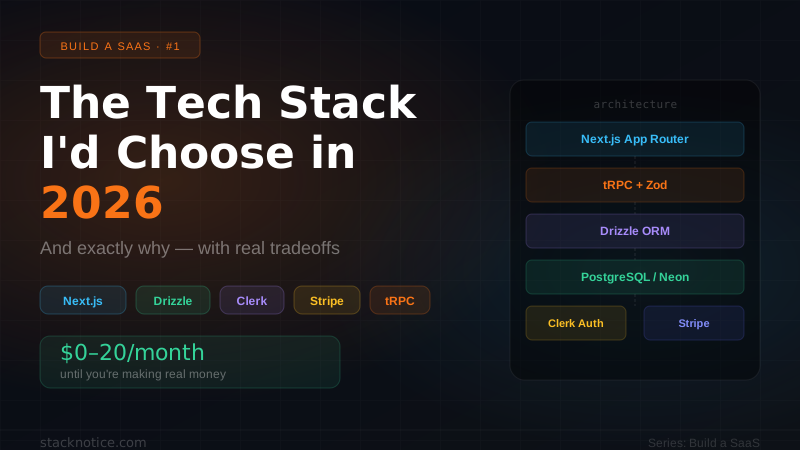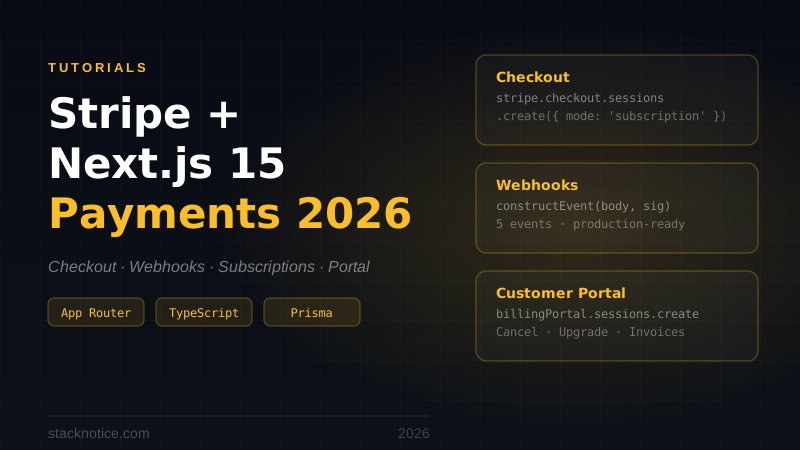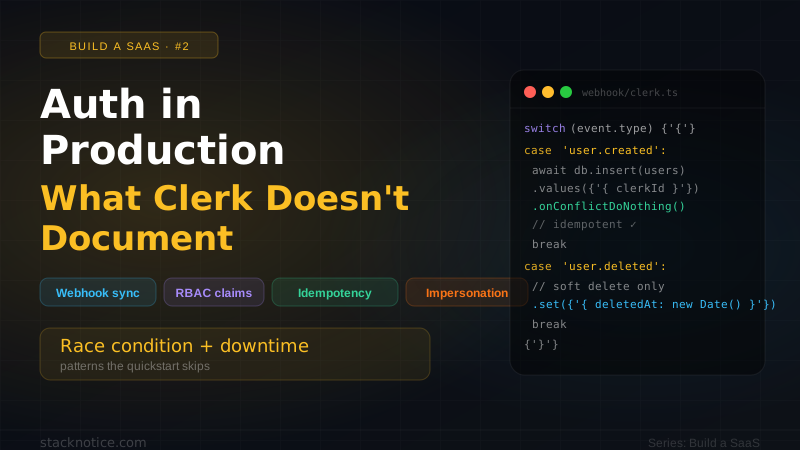
Stripe's documentation shows you how to verify a webhook. It doesn't show you what happens when the same webhook fires twice, when your DB write fails mid-handler, or when a user upgrades and your app still shows the free plan. This guide covers all of that.
This is SaaS Series #4. The series covers real production decisions for building a SaaS:
- The Tech Stack I'd Choose in 2026
- Auth in Production: What Clerk Doesn't Document
- Database Migrations Without Downtime
- Stripe Webhooks and Subscriptions ← you are here
The core problem with Stripe webhooks
Stripe delivers webhooks at least once. That means the same event can arrive multiple times — especially during retries. If your handler isn't idempotent, you'll double-charge, double-provision, or corrupt your subscription state.
The second problem: event ordering is not guaranteed. A customer.subscription.updated can arrive before customer.subscription.created. Your handler needs to handle that.
The third problem: your DB write can fail after Stripe considers the webhook delivered. Stripe marks a webhook as delivered when your endpoint returns 2xx. If your DB write happens after that and throws, Stripe won't retry — and your data is out of sync.
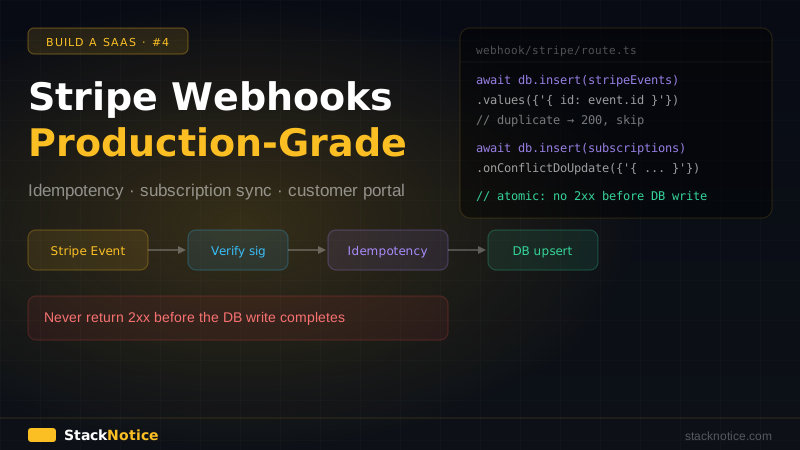
The solution is a pattern that combines:
- Signature verification (is this really from Stripe?)
- Idempotency keys (have I already processed this event?)
- Atomic DB writes (don't return 2xx until data is saved)
Schema: what to store
Before touching the webhook handler, design your schema to reflect Stripe's data model.
// db/schema.ts
import { pgTable, text, timestamp, integer, boolean } from 'drizzle-orm/pg-core'

export const customers = pgTable('customers', {
  id: text('id').primaryKey(), // your internal user ID
  stripeCustomerId: text('stripe_customer_id').unique(),
  email: text('email').notNull(),
  createdAt: timestamp('created_at').defaultNow(),
})

export const subscriptions = pgTable('subscriptions', {
  id: text('id').primaryKey(), // stripe subscription ID
  customerId: text('customer_id')
    .notNull()
    .references(() => customers.id, { onDelete: 'cascade' }),
  stripeCustomerId: text('stripe_customer_id').notNull(),
  status: text('status').notNull(), // active | trialing | past_due | canceled | incomplete
  priceId: text('price_id').notNull(),
  productId: text('product_id').notNull(),
  currentPeriodStart: timestamp('current_period_start').notNull(),
  currentPeriodEnd: timestamp('current_period_end').notNull(),
  cancelAtPeriodEnd: boolean('cancel_at_period_end').default(false),
  canceledAt: timestamp('canceled_at'),
  trialStart: timestamp('trial_start'),
  trialEnd: timestamp('trial_end'),
  updatedAt: timestamp('updated_at').defaultNow().$onUpdate(() => new Date()),
})

// Idempotency: track processed webhook events
export const stripeEvents = pgTable('stripe_events', {
  id: text('id').primaryKey(), // stripe event ID (evt_...)
  type: text('type').notNull(),
  processedAt: timestamp('processed_at').defaultNow(),
})
The stripeEvents table is your idempotency log. Before processing any event, check if it's already there. If yes, return 200 immediately.
The webhook handler
// app/api/webhooks/stripe/route.ts
import { headers } from 'next/headers'
import { NextResponse } from 'next/server'
import Stripe from 'stripe'
import { db } from '@/lib/db'
import { stripeEvents, subscriptions, customers } from '@/db/schema'
import { eq } from 'drizzle-orm'

const stripe = new Stripe(process.env.STRIPE_SECRET_KEY!, {
  apiVersion: '2024-12-18.acacia',
})

export async function POST(req: Request) {
  const body = await req.text()
  const signature = (await headers()).get('stripe-signature')!

  let event: Stripe.Event

  try {
    event = stripe.webhooks.constructEvent(
      body,
      signature,
      process.env.STRIPE_WEBHOOK_SECRET!
    )
  } catch (err) {
    console.error('Webhook signature verification failed:', err)
    return NextResponse.json({ error: 'Invalid signature' }, { status: 400 })
  }

  // Idempotency check — return 200 if already processed
  try {
    await db.insert(stripeEvents).values({
      id: event.id,
      type: event.type,
    })
  } catch {
    // Unique constraint violation = already processed
    return NextResponse.json({ received: true, duplicate: true })
  }

  try {
    switch (event.type) {
      case 'checkout.session.completed':
        await handleCheckoutCompleted(event.data.object as Stripe.Checkout.Session)
        break

      case 'customer.subscription.created':
      case 'customer.subscription.updated':
        await handleSubscriptionUpsert(event.data.object as Stripe.Subscription)
        break

      case 'customer.subscription.deleted':
        await handleSubscriptionDeleted(event.data.object as Stripe.Subscription)
        break

      case 'invoice.payment_succeeded':
        await handlePaymentSucceeded(event.data.object as Stripe.Invoice)
        break

      case 'invoice.payment_failed':
        await handlePaymentFailed(event.data.object as Stripe.Invoice)
        break

      default:
        // Unknown event type — log and ignore, don't fail
        console.log(`Unhandled event type: ${event.type}`)
    }
  } catch (err) {
    console.error(`Error processing event ${event.id}:`, err)
    // Return 500 so Stripe retries — but only if the error isn't our idempotency key
    // The idempotency key is already inserted, so on retry it'll be caught above
    // This means: fix the bug, then manually replay the event from Stripe dashboard
    return NextResponse.json(
      { error: 'Webhook processing failed' },
      { status: 500 }
    )
  }

  return NextResponse.json({ received: true })
}If you return 200 and then the DB throws, Stripe won't retry. Return 500 on DB errors so Stripe retries the event. Your idempotency key is already stored, so retries are safe.
Handling checkout completion
When a user completes checkout, Stripe fires checkout.session.completed. This is where you link the Stripe customer to your user.
async function handleCheckoutCompleted(session: Stripe.Checkout.Session) {
  const userId = session.metadata?.userId
  if (!userId) {
    throw new Error(`No userId in checkout session metadata: ${session.id}`)
  }

  // Link Stripe customer to your user
  await db
    .update(customers)
    .set({ stripeCustomerId: session.customer as string })
    .where(eq(customers.id, userId))

  // The subscription is created in a separate event,
  // but we can also fetch it here for immediate sync
  if (session.subscription) {
    const subscription = await stripe.subscriptions.retrieve(
      session.subscription as string
    )
    await upsertSubscription(userId, subscription)
  }
}Critical: pass userId as metadata when creating the checkout session:
// lib/stripe.ts
export async function createCheckoutSession(userId: string, priceId: string) {
  const session = await stripe.checkout.sessions.create({
    mode: 'subscription',
    payment_method_types: ['card'],
    line_items: [{ price: priceId, quantity: 1 }],
    metadata: { userId }, // ← this is how you connect Stripe to your user
    success_url: `${process.env.NEXT_PUBLIC_APP_URL}/dashboard?success=true`,
    cancel_url: `${process.env.NEXT_PUBLIC_APP_URL}/pricing`,
    // Pre-fill email if you have it
    customer_email: await getUserEmail(userId),
  })

  return session.url!
}
Upserting subscription state
Both created and updated events share the same handler — they both upsert the subscription:
async function handleSubscriptionUpsert(sub: Stripe.Subscription) {
  const stripeCustomerId = sub.customer as string

  // Find the user by Stripe customer ID
  const customer = await db.query.customers.findFirst({
    where: eq(customers.stripeCustomerId, stripeCustomerId),
  })

  if (!customer) {
    // Can happen if checkout.session.completed hasn't been processed yet
    // (event ordering is not guaranteed)
    throw new Error(`No customer found for Stripe customer: ${stripeCustomerId}`)
  }

  await upsertSubscription(customer.id, sub)
}

async function upsertSubscription(userId: string, sub: Stripe.Subscription) {
  const price = sub.items.data[0]?.price
  if (!price) throw new Error(`No price in subscription ${sub.id}`)

  await db
    .insert(subscriptions)
    .values({
      id: sub.id,
      customerId: userId,
      stripeCustomerId: sub.customer as string,
      status: sub.status,
      priceId: price.id,
      productId: price.product as string,
      currentPeriodStart: new Date(sub.current_period_start * 1000),
      currentPeriodEnd: new Date(sub.current_period_end * 1000),
      cancelAtPeriodEnd: sub.cancel_at_period_end,
      canceledAt: sub.canceled_at ? new Date(sub.canceled_at * 1000) : null,
      trialStart: sub.trial_start ? new Date(sub.trial_start * 1000) : null,
      trialEnd: sub.trial_end ? new Date(sub.trial_end * 1000) : null,
    })
    .onConflictDoUpdate({
      target: subscriptions.id,
      set: {
        status: sub.status,
        priceId: price.id,
        productId: price.product as string,
        currentPeriodStart: new Date(sub.current_period_start * 1000),
        currentPeriodEnd: new Date(sub.current_period_end * 1000),
        cancelAtPeriodEnd: sub.cancel_at_period_end,
        canceledAt: sub.canceled_at ? new Date(sub.canceled_at * 1000) : null,
        trialStart: sub.trial_start ? new Date(sub.trial_start * 1000) : null,
        trialEnd: sub.trial_end ? new Date(sub.trial_end * 1000) : null,
        updatedAt: new Date(),
      },
    })
}
Handling cancellations and payment failures
async function handleSubscriptionDeleted(sub: Stripe.Subscription) {
  // Stripe sets status to 'canceled' before sending this event
  // The upsert handles this — status will be 'canceled'
  await handleSubscriptionUpsert(sub)
}

async function handlePaymentSucceeded(invoice: Stripe.Invoice) {
  if (!invoice.subscription) return

  // Refresh the subscription from Stripe to get updated period dates
  const sub = await stripe.subscriptions.retrieve(invoice.subscription as string)
  await handleSubscriptionUpsert(sub)
}

async function handlePaymentFailed(invoice: Stripe.Invoice) {
  if (!invoice.subscription) return

  // Stripe will retry the payment and eventually set status to 'past_due'
  // The subscription.updated event handles this automatically
  // Here you can send a dunning email
  const customer = await db.query.customers.findFirst({
    where: eq(customers.stripeCustomerId, invoice.customer as string),
  })

  if (customer) {
    await sendPaymentFailedEmail(customer.email, invoice.amount_due)
  }
}
Reading subscription in your app
Never hit the Stripe API on every request to check if a user is subscribed. Read from your own DB.
// lib/subscription.ts
import { cache } from 'react'
import { auth } from '@clerk/nextjs/server'
import { db } from '@/lib/db'
import { subscriptions, customers } from '@/db/schema'
import { eq, and } from 'drizzle-orm'

export const getSubscription = cache(async () => {
  const { userId } = await auth()
  if (!userId) return null

  const result = await db
    .select({ subscription: subscriptions })
    .from(subscriptions)
    .innerJoin(customers, eq(subscriptions.customerId, customers.id))
    .where(
      and(
        eq(customers.id, userId),
        // Only return active subscriptions
        // 'trialing' is also valid — user hasn't paid yet but has access
      )
    )
    .orderBy(subscriptions.updatedAt)
    .limit(1)

  return result[0]?.subscription ?? null
})

export async function isPro(): Promise<boolean> {
  const sub = await getSubscription()
  return sub?.status === 'active' || sub?.status === 'trialing'
}

export async function isSubscriptionActive(): Promise<boolean> {
  const sub = await getSubscription()
  if (!sub) return false
  return ['active', 'trialing'].includes(sub.status)
}
Use it in Server Components:
// app/dashboard/page.tsx
import { isPro } from '@/lib/subscription'
import { redirect } from 'next/navigation'

export default async function DashboardPage() {
  const pro = await isPro()

  if (!pro) {
    redirect('/pricing')
  }

  return <Dashboard />
}The cache() wrapper from React deduplicates calls within the same request. Call getSubscription() in multiple components — it only hits the DB once.
Customer portal: self-service management
Let users manage their subscription (upgrade, downgrade, cancel) without you building any UI. Stripe's Customer Portal handles it all.
// app/api/billing/portal/route.ts
import { auth } from '@clerk/nextjs/server'
import { NextResponse } from 'next/server'
import Stripe from 'stripe'
import { db } from '@/lib/db'
import { customers } from '@/db/schema'
import { eq } from 'drizzle-orm'

const stripe = new Stripe(process.env.STRIPE_SECRET_KEY!)

export async function POST() {
  const { userId } = await auth()
  if (!userId) {
    return NextResponse.json({ error: 'Unauthorized' }, { status: 401 })
  }

  const customer = await db.query.customers.findFirst({
    where: eq(customers.id, userId),
  })

  if (!customer?.stripeCustomerId) {
    return NextResponse.json({ error: 'No billing account' }, { status: 404 })
  }

  const portalSession = await stripe.billingPortal.sessions.create({
    customer: customer.stripeCustomerId,
    return_url: `${process.env.NEXT_PUBLIC_APP_URL}/dashboard`,
  })

  return NextResponse.json({ url: portalSession.url })
}
// components/ManageBillingButton.tsx
'use client'
export function ManageBillingButton() {
async function handleClick() {
const res = await fetch('/api/billing/portal', { method: 'POST' })
const { url } = await res.json()
window.location.href = url
}
return (
<button onClick={handleClick}>
Manage Billing
</button>
)
}Configure the portal in your Stripe Dashboard — enable the features you want users to control (cancel, upgrade, update payment method).
Testing with Stripe CLI
Never test webhooks manually. Use the Stripe CLI to forward events to your local dev environment:
# Install Stripe CLI
brew install stripe/stripe-cli/stripe

# Login
stripe login

# Forward webhooks to local dev
stripe listen --forward-to localhost:3000/api/webhooks/stripe
This gives you a local webhook signing secret. Add it to your .env.local:
STRIPE_WEBHOOK_SECRET=whsec_... # from the CLI outputTrigger specific events to test your handlers:
# Simulate a successful subscription
stripe trigger checkout.session.completed

# Simulate payment failure
stripe trigger invoice.payment_failed

# Simulate cancellation
stripe trigger customer.subscription.deleted
For end-to-end testing, use Stripe's test card numbers:
- Success:
4242 4242 4242 4242 - Decline:
4000 0000 0000 0002 - Requires auth:
4000 0025 0000 3155 - Always fails:
4000 0000 0000 9995
Handling the race condition between checkout and subscription events
The most common production bug: checkout.session.completed fires and you try to link the customer, but customer.subscription.created fires before it (or milliseconds after, creating a DB consistency issue).
The safest approach: expand the subscription in the checkout session itself:
export async function createCheckoutSession(userId: string, priceId: string) {
  const session = await stripe.checkout.sessions.create({
    mode: 'subscription',
    payment_method_types: ['card'],
    line_items: [{ price: priceId, quantity: 1 }],
    metadata: { userId },
    // Expand subscription data so we have it immediately
    expand: ['subscription'],
    subscription_data: {
      metadata: { userId }, // also set on subscription for direct lookups
    },
    success_url: `${process.env.NEXT_PUBLIC_APP_URL}/dashboard`,
    cancel_url: `${process.env.NEXT_PUBLIC_APP_URL}/pricing`,
  })

  return session
}
With metadata: { userId } on the subscription itself, your handleSubscriptionUpsert can look up the user directly from the subscription's metadata, bypassing the customer table join entirely:
async function handleSubscriptionUpsert(sub: Stripe.Subscription) {
  // Try metadata first (faster, no join needed)
  const userId = sub.metadata?.userId

  if (userId) {
    await upsertSubscription(userId, sub)
    return
  }

  // Fallback: look up by Stripe customer ID
  const customer = await db.query.customers.findFirst({
    where: eq(customers.stripeCustomerId, sub.customer as string),
  })

  if (!customer) {
    throw new Error(`No customer for Stripe customer: ${sub.customer}`)
  }

  await upsertSubscription(customer.id, sub)
}
Upgrade and downgrade handling
When a user changes plan, Stripe fires customer.subscription.updated with the new price ID. Your upsertSubscription already handles this — it overwrites priceId and productId with the latest values.
The UI side: read the plan from your DB, compare productId against your plan constants:
// lib/plans.ts
export const PLANS = {
  free: {
    name: 'Free',
    productId: null, // no subscription
  },
  pro: {
    name: 'Pro',
    productId: process.env.STRIPE_PRO_PRODUCT_ID!,
    priceId: {
      monthly: process.env.STRIPE_PRO_PRICE_MONTHLY!,
      yearly: process.env.STRIPE_PRO_PRICE_YEARLY!,
    },
  },
  enterprise: {
    name: 'Enterprise',
    productId: process.env.STRIPE_ENTERPRISE_PRODUCT_ID!,
    priceId: {
      monthly: process.env.STRIPE_ENTERPRISE_PRICE_MONTHLY!,
      yearly: process.env.STRIPE_ENTERPRISE_PRICE_YEARLY!,
    },
  },
} as const

export type PlanName = keyof typeof PLANS

export async function getCurrentPlan(): Promise<PlanName> {
  const sub = await getSubscription()
  if (!sub || !['active', 'trialing'].includes(sub.status)) return 'free'

  if (sub.productId === PLANS.enterprise.productId) return 'enterprise'
  if (sub.productId === PLANS.pro.productId) return 'pro'
  return 'free'
}
Production checklist
STRIPE_WEBHOOK_SECRET from the Stripe Dashboard → Webhooks → your endpoint → Signing secret. Different from the CLI secret used in local dev.
Dashboard → Developers → Webhooks → Add endpoint. Select: checkout.session.completed, customer.subscription.created, customer.subscription.updated, customer.subscription.deleted, invoice.payment_succeeded, invoice.payment_failed.
In Stripe Dashboard → Webhooks → your endpoint → find any event → click "Resend". Your handler should return 200 without double-processing.
Use test card 4000 0000 0000 9995 to trigger a payment failure. Verify your user gets an email and subscription status shows past_due.
Cancel a subscription in the Customer Portal. Verify cancelAtPeriodEnd is true and the user retains access until currentPeriodEnd.
Don't pass subscription status from the client side. Always read from your DB in Server Components or Route Handlers. A motivated user can spoof client-side state.
What's next in the series
- SaaS Series #5: Observability from Day 1 — Sentry, PostHog, structured logs
- SaaS Series #6: CI/CD — GitHub Actions, preview deploys, staging environments
For the Stripe API setup, also check the Vercel AI SDK guide — it shows how to gate AI features behind subscription checks.