I've been shipping AI features in production Next.js apps since the Vercel AI SDK was in its early betas. The SDK has matured considerably — but most guides still show you a basic streaming chat and stop there. This one covers the parts that actually matter when you're building something real: tool calling, structured output with Zod, multi-step agentic loops, conversation persistence, and rate limiting that holds up at scale.
What the SDK Actually Solves
Before the SDK existed, adding streaming AI to a Next.js app meant manually constructing SSE responses, writing your own token-by-token client parser, and managing message history in global state. It was all doable, but it was genuinely tedious plumbing for something that should be solved infrastructure.
The SDK solves three distinct problems:
- Server-side generation —
streamText,generateText,streamObject,generateObjecthandle model calls, streaming protocol, and response parsing - Client-side state —
useChatmanages message history, input state, loading indicators, and stream rendering without a singleuseStatefor any of it - Provider abstraction — swap between Claude, GPT-4o, Gemini, or local Ollama by changing one import, with identical API surface
That third point is more useful than it sounds. I've used it to A/B test Claude Sonnet against Claude Haiku on a high-volume endpoint without touching any application logic. The cost difference was significant. The model swap took five minutes.
Setup
npm install ai @ai-sdk/anthropic zod# .env.local
ANTHROPIC_API_KEY=sk-ant-...The ai package is the core SDK. @ai-sdk/anthropic is the provider adapter. There are equivalent packages for OpenAI, Google, Mistral, and others — they all expose the same interface.
Streaming Chat — The Foundation
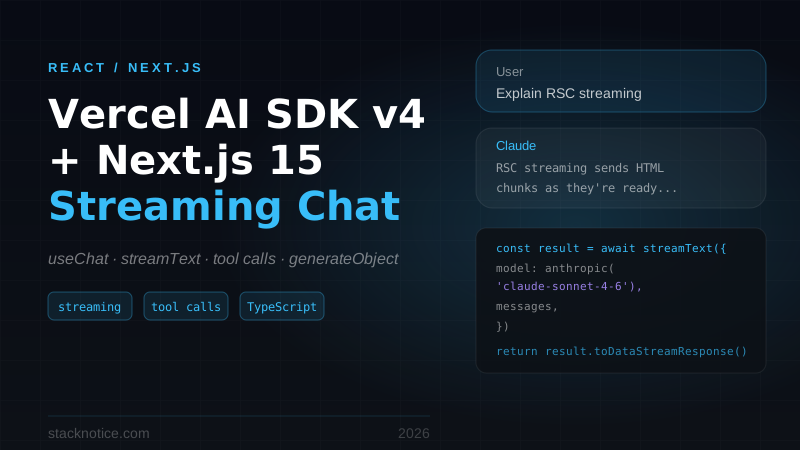
The minimal working version: a route that streams, a hook that renders.
app/api/chat/route.ts
import { streamText } from 'ai'
import { anthropic } from '@ai-sdk/anthropic'

export async function POST(req: Request) {
  const { messages } = await req.json()

  const result = streamText({
    model: anthropic('claude-sonnet-4-6'),
    system: 'You are a helpful assistant. Be concise and direct.',
    messages,
  })

  return result.toDataStreamResponse()
}
app/chat/page.tsx
'use client'

import { useChat } from 'ai/react'

export default function ChatPage() {
  const { messages, input, handleInputChange, handleSubmit, isLoading, stop } = useChat()

  return (
    <div className="flex flex-col h-screen max-w-2xl mx-auto p-4">
      <div className="flex-1 overflow-y-auto space-y-4 mb-4">
        {messages.map((m) => (
          <div
            key={m.id}
            className={`p-3 rounded-xl ${
              m.role === 'user'
                ? 'bg-blue-600 text-white ml-12 self-end'
                : 'bg-gray-100 text-gray-900 mr-12'
            }`}
          >
            <p>{m.content}</p>
          </div>
        ))}
        {isLoading && (
          <div className="p-3 rounded-xl bg-gray-100 mr-12">
            <span className="animate-pulse text-gray-400">Thinking...</span>
          </div>
        )}
      </div>

      <form onSubmit={handleSubmit} className="flex gap-2">
        <input
          value={input}
          onChange={handleInputChange}
          placeholder="Ask anything..."
          className="flex-1 border rounded-xl px-4 py-2 focus:outline-none focus:ring-2 focus:ring-blue-500"
          disabled={isLoading}
        />
        {isLoading ? (
          <button
            type="button"
            onClick={stop}
            className="px-4 py-2 bg-red-500 text-white rounded-xl"
          >
            Stop
          </button>
        ) : (
          <button
            type="submit"
            disabled={!input.trim()}
            className="px-4 py-2 bg-blue-600 text-white rounded-xl disabled:opacity-50"
          >
            Send
          </button>
        )}
      </form>
    </div>
  )
}
useChat sends messages to /api/chat, receives the token stream, and updates the UI token by token. The messages array includes full conversation history — it gets sent back to the server on every request, which is how the model maintains context across turns.
Note that streamText is not awaited — it returns a result object immediately. You call .toDataStreamResponse() on it to get the HTTP response. The actual streaming happens asynchronously as the response body is consumed.
Tool Calling
Tool calling is where the SDK becomes genuinely powerful. You define functions, Claude decides when to call them, and the SDK handles the call/response cycle — execution on your server, result injected back into the conversation.
import { streamText, tool } from 'ai'
import { anthropic } from '@ai-sdk/anthropic'
import { z } from 'zod'
import { db } from '@/lib/db'

export async function POST(req: Request) {
  const { messages } = await req.json()

  const result = streamText({
    model: anthropic('claude-sonnet-4-6'),
    system: 'You are a support assistant with access to our order database.',
    messages,
    tools: {
      lookupOrder: tool({
        description: 'Look up an order by order ID or customer email',
        parameters: z.object({
          identifier: z.string().describe('Order ID (starts with ORD-) or customer email'),
          type: z.enum(['orderId', 'email']).describe('Which identifier type to use'),
        }),
        execute: async ({ identifier, type }) => {
          const order = await db.order.findFirst({
            where: type === 'orderId'
              ? { id: identifier }
              : { customer: { email: identifier } },
            include: {
              items: { include: { product: true } },
              shipment: true,
            },
          })

          if (!order) return { found: false }

          return {
            found: true,
            orderId: order.id,
            status: order.status,
            total: order.total,
            items: order.items.map((i) => ({
              name: i.product.name,
              quantity: i.quantity,
              price: i.price,
            })),
            shipment: order.shipment
              ? { carrier: order.shipment.carrier, tracking: order.shipment.trackingNumber }
              : null,
          }
        },
      }),
    },
  })

  return result.toDataStreamResponse()
}
The model infers when to use lookupOrder from the conversation. If a user says "where's my order ORD-12345?", Claude calls the tool, gets the data, and explains the order status in natural language. You never write that routing logic.
Rendering Tool Invocations
message.toolInvocations gives you access to each tool call and its result:
{messages.map((m) => (
  <div key={m.id} className="space-y-2">
    {m.role === 'assistant' && m.toolInvocations?.map((ti) => (
      <div key={ti.toolCallId} className="text-xs text-gray-400 bg-gray-50 rounded px-3 py-1">
        {ti.state === 'call' && `Calling ${ti.toolName}(${JSON.stringify(ti.args)})...`}
        {ti.state === 'result' && `${ti.toolName} returned ${JSON.stringify(ti.result).slice(0, 80)}...`}
      </div>
    ))}
    {m.content && <p>{m.content}</p>}
  </div>
))}
This is optional — if you don't render toolInvocations, the model's final response still appears. The tool calls are internal to the conversation unless you surface them.
Multi-Step Agents with maxSteps
By default, the model makes one tool call per turn. maxSteps changes this — the model can call a tool, get the result, call another tool based on that result, and continue until it has enough information to respond.
const result = streamText({
  model: anthropic('claude-sonnet-4-6'),
  messages,
  maxSteps: 6,
  tools: {
    searchProducts: tool({
      description: 'Search products by keyword or filter',
      parameters: z.object({
        query: z.string(),
        category: z.string().optional(),
        inStockOnly: z.boolean().default(false),
      }),
      execute: async ({ query, category, inStockOnly }) => {
        return await db.product.findMany({
          where: {
            OR: [
              { name: { contains: query, mode: 'insensitive' } },
              { tags: { has: query } },
            ],
            ...(category && { category }),
            ...(inStockOnly && { stock: { gt: 0 } }),
          },
          take: 5,
          select: { id: true, name: true, price: true, stock: true },
        })
      },
    }),
    getProductDetails: tool({
      description: 'Get full details and reviews for a specific product',
      parameters: z.object({ productId: z.string() }),
      execute: async ({ productId }) => {
        return await db.product.findUnique({
          where: { id: productId },
          include: { reviews: { take: 3, orderBy: { createdAt: 'desc' } } },
        })
      },
    }),
    checkAvailability: tool({
      description: 'Check if a product can be shipped to a specific location',
      parameters: z.object({
        productId: z.string(),
        postalCode: z.string(),
      }),
      execute: async ({ productId, postalCode }) => {
        return await shippingService.checkAvailability(productId, postalCode)
      },
    }),
  },
})
With maxSteps: 6, a user asking "Can you recommend a laptop under $800 that ships to 94102 by Friday?" can trigger: search products → get details on top candidates → check shipping availability — all autonomously, in a single request.
Start with maxSteps: 3 and only increase when you have tool chains that genuinely need it. Each step adds model latency plus your tool's execution time. For most support agents and product searches, 3-4 steps is plenty.
Structured Output with generateObject
generateObject is the right tool when you need data, not prose. The model fills in a Zod schema, the SDK validates the output, and you get a typed TypeScript object back.
import { generateObject } from 'ai'
import { anthropic } from '@ai-sdk/anthropic'
import { z } from 'zod'

const ticketSchema = z.object({
  priority: z.enum(['low', 'medium', 'high', 'critical']),
  category: z.enum(['billing', 'technical', 'account', 'feature-request', 'other']),
  sentiment: z.enum(['positive', 'neutral', 'frustrated', 'angry']),
  summary: z.string().max(200).describe('One-sentence description of the issue'),
  tags: z.array(z.string()).max(5),
  requiresHumanReview: z.boolean(),
  suggestedTemplate: z.string().optional().describe('ID of a canned response template to use, if applicable'),
})

export async function triageTicket(ticketBody: string) {
  const { object } = await generateObject({
    model: anthropic('claude-sonnet-4-6'),
    schema: ticketSchema,
    prompt: `Triage this support ticket:\n\n${ticketBody}`,
  })

  return object
  // Fully typed: { priority: 'high', category: 'billing', sentiment: 'frustrated', ... }
}
If the model output doesn't match the schema, the SDK retries automatically with the validation error as context. You don't need to handle parsing failures — they're an implementation detail the SDK owns.
Streaming Structured Output
For long structured outputs where you want to show partial results as they arrive, streamObject streams the object field by field:
// app/api/generate-report/route.ts
import { streamObject } from 'ai'
import { z } from 'zod'

const reportSchema = z.object({
  title: z.string(),
  executiveSummary: z.string(),
  sections: z.array(z.object({
    heading: z.string(),
    content: z.string(),
    keyPoints: z.array(z.string()),
  })),
  recommendations: z.array(z.string()),
})

export async function POST(req: Request) {
  const { prompt } = await req.json()

  const result = streamObject({
    model: anthropic('claude-sonnet-4-6'),
    schema: reportSchema,
    prompt: `Write a technical analysis report for: ${prompt}`,
  })

  return result.toTextStreamResponse()
}
Consume it on the client with experimental_useObject:
'use client'
import { experimental_useObject as useObject } from 'ai/react'
import { reportSchema } from './schema'

export function ReportGenerator() {
  const { object, submit, isLoading } = useObject({
    api: '/api/generate-report',
    schema: reportSchema,
  })

  return (
    <div className="max-w-3xl mx-auto p-6">
      <button
        onClick={() => submit({ prompt: 'Q3 performance analysis' })}
        disabled={isLoading}
        className="px-4 py-2 bg-blue-600 text-white rounded-lg disabled:opacity-50"
      >
        {isLoading ? 'Generating...' : 'Generate Report'}
      </button>

      {object?.title && (
        <h1 className="text-2xl font-bold mt-6">{object.title}</h1>
      )}
      {object?.executiveSummary && (
        <p className="text-gray-600 mt-2">{object.executiveSummary}</p>
      )}
      {object?.sections?.map((s, i) => s?.heading && (
        <section key={i} className="mt-6">
          <h2 className="text-xl font-semibold">{s.heading}</h2>
          {s.content && <p className="mt-2 text-gray-700">{s.content}</p>}
        </section>
      ))}
    </div>
  )
}
Each field renders as soon as the model generates it. The UX feels much faster than waiting for the full object.
Conversation Persistence
useChat keeps messages in memory. Page reload, history gone. For any real product, you need to persist conversations to a database and restore them on load.
The pattern: save messages server-side using onFinish, load them as initialMessages on mount.
// app/api/conversations/[id]/route.ts
import { db } from '@/lib/db'
import { streamText } from 'ai'
import { anthropic } from '@ai-sdk/anthropic'
import { auth } from '@/lib/auth'

export async function POST(
  req: Request,
  { params }: { params: { id: string } }
) {
  const session = await auth()
  if (!session?.user) {
    return new Response('Unauthorized', { status: 401 })
  }

  const { messages } = await req.json()
  const conversationId = params.id

  // Verify conversation belongs to this user
  const conversation = await db.conversation.findUnique({
    where: { id: conversationId, userId: session.user.id },
  })
  if (!conversation) return new Response('Not found', { status: 404 })

  // Persist incoming user message
  const userMessage = messages[messages.length - 1]
  await db.message.create({
    data: {
      conversationId,
      role: userMessage.role,
      content: userMessage.content,
    },
  })

  const result = streamText({
    model: anthropic('claude-sonnet-4-6'),
    system: conversation.systemPrompt ?? 'You are a helpful assistant.',
    messages,
    onFinish: async ({ text, usage }) => {
      await db.message.create({
        data: {
          conversationId,
          role: 'assistant',
          content: text,
        },
      })

      // Track token usage per conversation for cost attribution
      await db.usageEvent.create({
        data: {
          conversationId,
          userId: session.user.id,
          promptTokens: usage.promptTokens,
          completionTokens: usage.completionTokens,
          model: 'claude-sonnet-4-6',
        },
      })
    },
  })

  return result.toDataStreamResponse()
}
Load history server-side and pass it down:
// app/chat/[id]/page.tsx (Server Component)
async function ConversationPage({ params }: { params: { id: string } }) {
  const session = await auth()
  const messages = await db.message.findMany({
    where: {
      conversationId: params.id,
      conversation: { userId: session.user.id }, // security check
    },
    orderBy: { createdAt: 'asc' },
  })

  return (
    <ChatClient
      conversationId={params.id}
      initialMessages={messages}
    />
  )
}
'use client'
export function ChatClient({ conversationId, initialMessages }: {
conversationId: string
initialMessages: Message[]
}) {
const { messages, input, handleInputChange, handleSubmit } = useChat({
api: `/api/conversations/${conversationId}`,
initialMessages,
})
// render...
}The onFinish callback fires once, synchronously, after the stream completes — the right moment to persist, not mid-stream where you only have partial text.
Rate Limiting with Upstash
Without rate limiting, one user can exhaust your API budget in minutes. Add it before calling the model, per authenticated user.
npm install @upstash/ratelimit @upstash/redisimport { Ratelimit } from '@upstash/ratelimit'
import { Redis } from '@upstash/redis'
import { streamText } from 'ai'
import { anthropic } from '@ai-sdk/anthropic'
import { auth } from '@/lib/auth'
const ratelimit = new Ratelimit({
redis: Redis.fromEnv(),
limiter: Ratelimit.slidingWindow(30, '1 h'), // 30 requests per hour
analytics: true,
})
export async function POST(req: Request) {
const session = await auth()
// Auth check before rate limit — no point rate-limiting unauthenticated requests
if (!session?.user) {
return new Response('Unauthorized', { status: 401 })
}
const { success, remaining, reset } = await ratelimit.limit(session.user.id)
if (!success) {
const minutesUntilReset = Math.ceil((reset - Date.now()) / 1000 / 60)
return Response.json(
{ error: `Rate limit reached. Resets in ${minutesUntilReset} minute(s).` },
{
status: 429,
headers: {
'X-RateLimit-Remaining': '0',
'Retry-After': String(Math.ceil((reset - Date.now()) / 1000)),
},
}
)
}
const { messages } = await req.json()
const result = streamText({
model: anthropic('claude-sonnet-4-6'),
messages,
})
return result.toDataStreamResponse({
headers: { 'X-RateLimit-Remaining': remaining.toString() },
})
}Show the rate limit state on the client:
const { error } = useChat()

{error && (
  <div className="p-3 bg-orange-50 rounded-lg text-orange-800 text-sm">
    {error.message.includes('Rate limit')
      ? error.message
      : 'Something went wrong. Please try again.'}
  </div>
)}
Model Selection by Task Type
Route different task types to different models. The cost difference between Haiku and Sonnet is significant, and many tasks don't need Sonnet.
import { anthropic } from '@ai-sdk/anthropic'

type TaskType = 'autocomplete' | 'chat' | 'analysis' | 'agent'

function modelForTask(task: TaskType) {
  switch (task) {
    case 'autocomplete':
      // Fast, cheap — high-volume simple completions
      return anthropic('claude-haiku-4-5-20251001')
    case 'chat':
      // Good balance for most conversations
      return anthropic('claude-sonnet-4-6')
    case 'analysis':
    case 'agent':
      // Complex reasoning, multi-step tasks
      return anthropic('claude-sonnet-4-6')
  }
}

export async function POST(req: Request) {
  const { messages, task = 'chat' } = await req.json()

  const result = streamText({
    model: modelForTask(task as TaskType),
    messages,
  })

  return result.toDataStreamResponse()
}
At meaningful volume, routing autocomplete to Haiku instead of Sonnet can cut AI costs by 70-80% on those endpoints — with no perceptible quality difference for simple completions.
generateText for Server-Side Tasks
Streaming is for UIs. Background jobs, webhooks, and data enrichment pipelines work better with generateText — it awaits the complete response before returning.
import { generateText } from 'ai'
import { anthropic } from '@ai-sdk/anthropic'

// Called from a webhook handler — no streaming needed
export async function classifyInboundEmail(subject: string, body: string) {
  const { text } = await generateText({
    model: anthropic('claude-haiku-4-5-20251001'),
    system: `Classify inbound emails into exactly one category.
Categories: billing, technical-support, sales, partnership, spam, other.
Return only the category name, nothing else.`,
    prompt: `Subject: ${subject}\n\nBody:\n${body}`,
  })

  return text.trim().toLowerCase()
}

// Called from a batch job to enrich product data
export async function generateProductTags(productDescription: string): Promise<string[]> {
  const { text } = await generateText({
    model: anthropic('claude-haiku-4-5-20251001'),
    system: 'Generate 3-7 relevant search tags for a product. Return only the tags as a JSON array of strings.',
    prompt: productDescription,
  })

  try {
    return JSON.parse(text)
  } catch {
    return []
  }
}
For batch processing, be careful about concurrency. Firing 500 generateText calls simultaneously will hit rate limits. Use a queue or a concurrency-limited mapper:
import pLimit from 'p-limit'

const limit = pLimit(5) // max 5 concurrent requests

const results = await Promise.all(
  products.map((p) =>
    limit(() => generateProductTags(p.description))
  )
)
System Prompt Architecture
For multi-feature apps, manage system prompts in one place rather than scattering strings across routes.
// lib/prompts.ts
export const PROMPTS = {
  support: (companyName: string) => `You are a customer support agent for ${companyName}.
Tone: empathetic, accurate, solution-focused.
If you don't know something, say so and offer to escalate.
Never invent product details, pricing, or policy information.`,

  analyst: `You are a data analyst assistant.
Always ask for context before interpreting numbers in isolation.
Express uncertainty when the data is ambiguous or incomplete.
Format large numbers with appropriate units (K, M, B).`,

  codeReviewer: `You are a senior code reviewer.
Focus on security, performance, and maintainability issues.
Suggest improvements but acknowledge when existing code is acceptable.
Be specific — point to line numbers and explain the why, not just the what.`,
} as const

export type PromptRole = keyof typeof PROMPTS
Validate the role server-side before use:
export async function POST(req: Request) {
  const { messages, role } = await req.json()

  // Validate — never use unvalidated user input as a prompt key
  const validRole: PromptRole = role in PROMPTS ? role : 'support'
  const system = typeof PROMPTS[validRole] === 'function'
    ? (PROMPTS[validRole] as Function)('Acme Inc')
    : PROMPTS[validRole]

  const result = streamText({
    model: anthropic('claude-sonnet-4-6'),
    system,
    messages,
  })

  return result.toDataStreamResponse()
}
Prompt injection is a real threat — never let user input flow directly into a system prompt string without sanitization.
Production Checklist
Before shipping an AI feature:
- Rate limiting per authenticated user ID (IP-only is too coarse)
- Input validation before calling
streamTextorgenerateObject - System prompt defined — never run the model without one
-
onFinishlogging token usage for cost tracking and attribution - Error boundary on the client wrapping
useChatcomponents - Auth check before rate limit check (don't rate-limit unauthenticated requests — reject them)
- Model selection documented per feature area
- API keys in environment variables, not hardcoded
The onFinish token usage data is more valuable than most developers realize. Aggregate it by feature area and you'll quickly see which AI endpoint is burning budget disproportionately — and whether the cost is justified by usage.
Where the SDK Ends
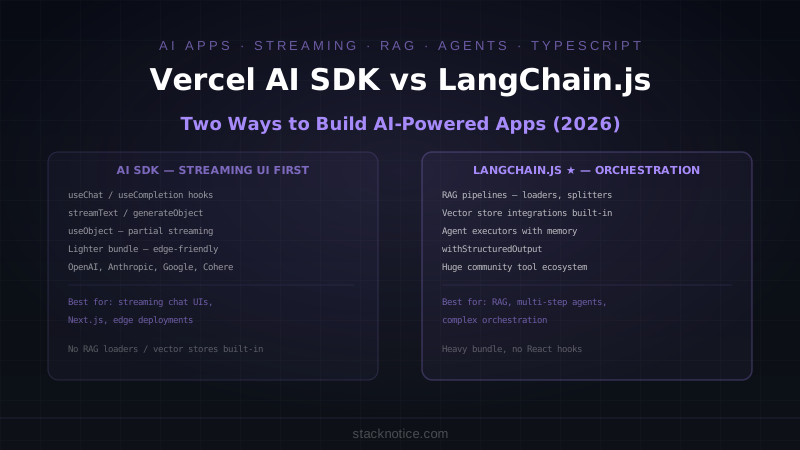
The Vercel AI SDK is a UI layer with solid AI primitives. It handles chat, streaming, tool calls, and structured output well.
What it doesn't handle: complex state machines, agents that spawn sub-agents, approval workflows where a human must confirm before the agent continues, or long-running background tasks with retries. For those patterns you need something like LangGraph.js or a task queue with Inngest. The SDK and those tools aren't mutually exclusive — I've shipped apps where the UI uses useChat and the background processing uses a separate agent framework.
For most Next.js apps adding AI features, the SDK is the right starting point. The useChat + streamText combination removes 80% of the boilerplate, and generateObject with Zod schemas makes structured extraction genuinely pleasant to work with. Start there, and only reach for a heavier framework when you have a concrete reason.
Related: Claude API Complete Guide — direct API usage without the SDK abstraction · Multi-Agent Systems — orchestration patterns for complex agent workflows · Spec-Driven Development with Claude Code — write the spec first, then let AI implement it