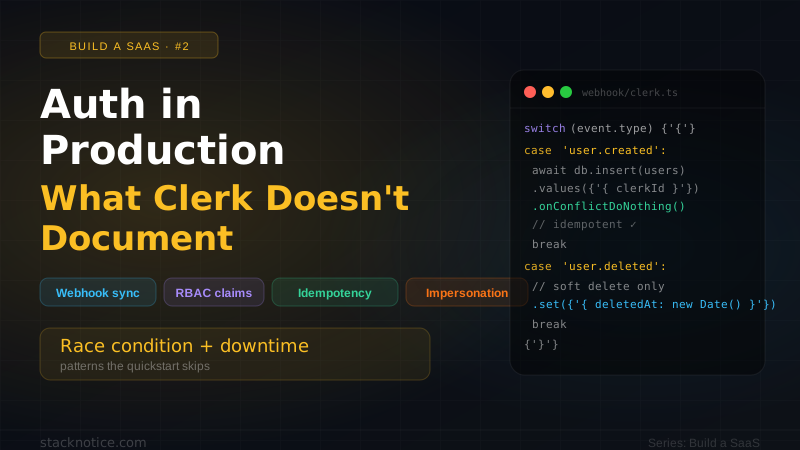
The Clerk quickstart takes 15 minutes. Getting auth right in production takes 15 hours — and most of those hours are spent figuring out things the documentation doesn't cover upfront.
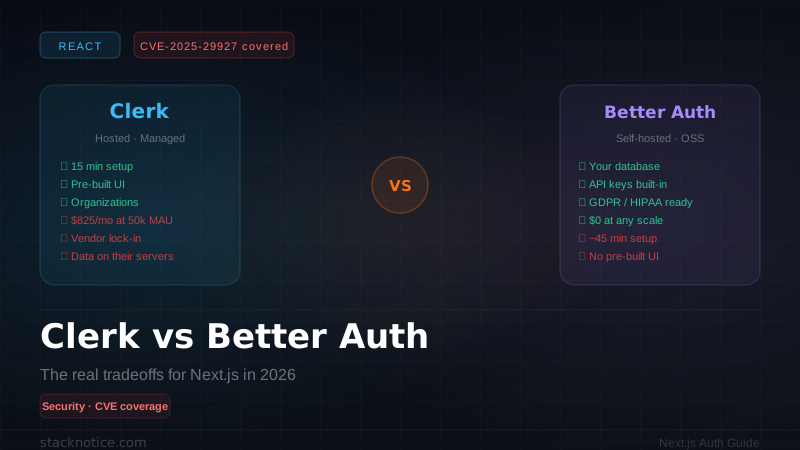
This is the second article in the Build a SaaS from $0 to Real Product series. We're using Clerk as our auth provider (see Clerk vs Better Auth for why), and this article covers everything that comes after npm install @clerk/nextjs.
You've completed the Clerk quickstart — middleware configured, ClerkProvider in layout, basic sign-in working. We're picking up from there.
The problem: Clerk stores users, your app needs users
The first thing that trips everyone up: Clerk is not your database. Clerk stores authentication data — email, password hash, OAuth tokens, MFA state. But your application has users too: plans, preferences, team memberships, usage data, billing records.
The moment you try to SELECT * FROM users WHERE id = ? and reference a Clerk user, you realize you need a sync layer.
There are two approaches:
Option A: Always fetch from Clerk — Use currentUser() everywhere, store nothing in your DB except a clerkId foreign key. Works for simple apps. Falls apart the moment you need to JOIN users with anything.
Option B: Sync Clerk → your DB via webhooks — The right approach for production. Your DB has the full user record, Clerk handles auth, webhooks keep them in sync.
Setting up the sync webhook
Clerk fires webhook events on every user lifecycle action. You need to handle them and mirror the data to your database.
Step 1 — Create the endpoint
import { headers } from 'next/headers'
import { Webhook } from 'svix'
import { WebhookEvent } from '@clerk/nextjs/server'
import { db } from '@/lib/db'
import { users } from '@/lib/db/schema'
import { eq } from 'drizzle-orm'

const WEBHOOK_SECRET = process.env.CLERK_WEBHOOK_SECRET

if (!WEBHOOK_SECRET) {
  throw new Error('CLERK_WEBHOOK_SECRET environment variable is required')
}

export async function POST(req: Request) {
  // 1. Verify the webhook signature (Clerk uses Svix)
  const headersList = await headers()
  const svix_id = headersList.get('svix-id')
  const svix_timestamp = headersList.get('svix-timestamp')
  const svix_signature = headersList.get('svix-signature')

  if (!svix_id || !svix_timestamp || !svix_signature) {
    return new Response('Missing Svix headers', { status: 400 })
  }

  const body = await req.text()
  const wh = new Webhook(WEBHOOK_SECRET)

  let event: WebhookEvent

  try {
    event = wh.verify(body, {
      'svix-id': svix_id,
      'svix-timestamp': svix_timestamp,
      'svix-signature': svix_signature,
    }) as WebhookEvent
  } catch {
    return new Response('Invalid webhook signature', { status: 400 })
  }

  // 2. Handle events idempotently
  const { id: clerkId } = event.data as { id: string }

  switch (event.type) {
    case 'user.created': {
      const data = event.data
      await db.insert(users).values({
        clerkId: data.id,
        email: data.email_addresses[0]?.email_address ?? '',
        name: `${data.first_name ?? ''} ${data.last_name ?? ''}`.trim(),
        imageUrl: data.image_url,
        plan: 'free',
        createdAt: new Date(data.created_at),
      }).onConflictDoNothing() // idempotent — safe to replay
      break
    }

    case 'user.updated': {
      const data = event.data
      await db.update(users)
        .set({
          email: data.email_addresses[0]?.email_address ?? '',
          name: `${data.first_name ?? ''} ${data.last_name ?? ''}`.trim(),
          imageUrl: data.image_url,
          updatedAt: new Date(),
        })
        .where(eq(users.clerkId, data.id))
      break
    }

    case 'user.deleted': {
      if (clerkId) {
        // Soft delete — never hard delete user data
        await db.update(users)
          .set({ deletedAt: new Date() })
          .where(eq(users.clerkId, clerkId))
      }
      break
    }
  }

  return new Response('OK', { status: 200 })
}Webhooks can be delivered more than once. Clerk retries failed deliveries for up to 7 days. Every write in your webhook handler must be idempotent — safe to run multiple times with the same data. Use onConflictDoNothing() for inserts and make updates deterministic.
Step 2 — Your database schema
import { pgTable, text, timestamp, varchar } from 'drizzle-orm/pg-core'

export const users = pgTable('users', {
  id: text('id').primaryKey().$defaultFn(() => crypto.randomUUID()),
  clerkId: varchar('clerk_id', { length: 256 }).unique().notNull(),
  email: varchar('email', { length: 512 }).notNull(),
  name: varchar('name', { length: 256 }),
  imageUrl: text('image_url'),
  plan: varchar('plan', { length: 50 }).notNull().default('free'),
  createdAt: timestamp('created_at').defaultNow().notNull(),
  updatedAt: timestamp('updated_at').defaultNow().notNull(),
  deletedAt: timestamp('deleted_at'), // soft delete
})
Step 3 — Register the webhook in Clerk dashboard
- Go to Clerk Dashboard → Webhooks → Add Endpoint
- URL:
https://yourdomain.com/api/webhooks/clerk - Subscribe to:
user.created,user.updated,user.deleted - Copy the Signing Secret → add as
CLERK_WEBHOOK_SECRETin your env
For local development, use the Svix CLI:
npx svix-cli listen https://your-app.localhost.run/api/webhooks/clerkThe helper you'll use everywhere
Once users are in your DB, you need a way to get the current user's full record — not just the Clerk session. Build this helper once and use it everywhere:
import { auth, currentUser } from '@clerk/nextjs/server'
import { db } from './db'
import { users } from './db/schema'
import { eq } from 'drizzle-orm'
import { redirect } from 'next/navigation'

export async function getAuthUser() {
  const { userId } = await auth()

  if (!userId) {
    redirect('/sign-in')
  }

  const user = await db.query.users.findFirst({
    where: eq(users.clerkId, userId),
  })

  if (!user) {
    // Edge case: user exists in Clerk but not in DB yet
    // (webhook hasn't fired yet — race condition on first sign-in)
    // Trigger a sync manually
    const clerkUser = await currentUser()
    if (!clerkUser) redirect('/sign-in')

    const [created] = await db.insert(users).values({
      clerkId: clerkUser.id,
      email: clerkUser.emailAddresses[0]?.emailAddress ?? '',
      name: `${clerkUser.firstName ?? ''} ${clerkUser.lastName ?? ''}`.trim(),
      imageUrl: clerkUser.imageUrl,
      plan: 'free',
    }).onConflictDoNothing().returning()

    return created
  }

  return user
}When a user signs up and is immediately redirected to the dashboard, the user.created webhook may not have fired yet. Your DB has no record of them. The getAuthUser() helper above handles this by falling back to a manual sync — it creates the user on the spot. This is the correct production pattern.
Usage in any Server Component or Route Handler:
import { getAuthUser } from '@/lib/auth'

export default async function DashboardPage() {
  const user = await getAuthUser() // redirects to /sign-in if not authenticated

  return (
    <div>
      <h1>Welcome, {user.name}</h1>
      <p>Plan: {user.plan}</p>
    </div>
  )
}
RBAC with custom session claims
Clerk's auth() returns userId, orgId, orgRole — but what about your own roles? Maybe a user is an admin in your system, not just in an organization.
The right way to handle this is custom session claims — metadata embedded in the JWT that Clerk issues.
Step 1 — Add metadata when you change a user's role
import { clerkClient } from '@clerk/nextjs/server'
import { db } from '@/lib/db'
import { users } from '@/lib/db/schema'
import { eq } from 'drizzle-orm'
import { getAuthUser } from '@/lib/auth'

export async function POST(req: Request) {
  const currentUser = await getAuthUser()

  // Only admins can promote
  if (currentUser.role !== 'admin') {
    return Response.json({ error: 'Forbidden' }, { status: 403 })
  }

  const { targetUserId } = await req.json()

  // Update in your DB
  await db.update(users)
    .set({ role: 'admin' })
    .where(eq(users.id, targetUserId))

  // Sync to Clerk public metadata (embedded in JWT)
  const client = await clerkClient()
  await client.users.updateUserMetadata(targetUserId, {
    publicMetadata: { role: 'admin' },
  })

  return Response.json({ ok: true })
}
Step 2 — Read the role from the session (no DB query needed)
import { auth } from '@clerk/nextjs/server'

export async function getRole() {
  const { sessionClaims } = await auth()
  // publicMetadata is included in sessionClaims automatically
  return (sessionClaims?.metadata as { role?: string })?.role ?? 'user'
}

export async function requireAdmin() {
  const role = await getRole()
  if (role !== 'admin') {
    throw new Error('Forbidden')
  }
}- publicMetadata: visible to the client, embedded in the JWT. Use for role, plan, features.
- privateMetadata: server-only, not in the JWT. Use for internal flags, provider IDs.
- unsafeMetadata: set by the client. Never trust for auth decisions.
Step 3 — Configure Clerk to include metadata in session claims
In Clerk Dashboard → Sessions → Customize session token, add:
{
  "metadata": "{{user.public_metadata}}"
}
Now sessionClaims.metadata.role is available in every auth() call — zero database queries for role checks.
Organization membership sync (B2B SaaS)
If you're building a workspace-based SaaS, users belong to organizations. You need to sync org membership to your DB for things like billing (charge per org, not per user) and feature access.
// Add these cases to your webhook switch statement:

case 'organizationMembership.created': {
  const { organization, public_user_data } = event.data
  await db.insert(orgMembers).values({
    orgId: organization.id,
    clerkUserId: public_user_data.user_id,
    role: event.data.role,
  }).onConflictDoNothing()
  break
}

case 'organizationMembership.deleted': {
  await db.delete(orgMembers)
    .where(
      and(
        eq(orgMembers.orgId, event.data.organization.id),
        eq(orgMembers.clerkUserId, event.data.public_user_data.user_id)
      )
    )
  break
}

case 'organization.created': {
  await db.insert(organizations).values({
    clerkOrgId: event.data.id,
    name: event.data.name,
    plan: 'free',
    createdAt: new Date(event.data.created_at),
  }).onConflictDoNothing()
  break
}export async function getAuthOrg() {
const { userId, orgId } = await auth()
if (!userId || !orgId) redirect('/select-org')
const org = await db.query.organizations.findFirst({
where: eq(organizations.clerkOrgId, orgId),
with: { members: true },
})
if (!org) redirect('/select-org')
return org
}What happens when Clerk goes down
Clerk has a solid uptime record, but outages happen. What does your app do?
The naive approach: every page calls auth() → if Clerk is down → every page errors.
The resilient approach: cache the session validation result for the duration of a request. Clerk's SDK already does this with React cache, but for API routes you may want explicit fallback behavior:
import { auth } from '@clerk/nextjs/server'

export async function getAuthSafe(timeoutMs = 3000) {
  const timeoutPromise = new Promise<null>((resolve) =>
    setTimeout(() => resolve(null), timeoutMs)
  )

  const authPromise = auth().then(({ userId }) => userId)

  const userId = await Promise.race([authPromise, timeoutPromise])

  return userId
}
For public-facing pages, consider caching the rendered HTML at the edge (Vercel's full-route cache) so authenticated state is not required for the initial render. Protected routes should always verify — there's no safe way to cache auth decisions.
Never store session validation results in a module-level variable or Redis with a long TTL to avoid Clerk calls. If a user's session is revoked (logout, suspicious activity, password change), your cache will keep serving them as authenticated. Always validate per-request.
Admin impersonation
You'll need to debug user issues. Being able to log in as a specific user (without knowing their password) is essential for support.
Clerk has a built-in impersonation feature in the Enterprise plan. For the Pro plan, build it manually:
import { clerkClient, auth } from '@clerk/nextjs/server'
import { getRole } from '@/lib/auth'

export async function POST(req: Request) {
  const role = await getRole()
  if (role !== 'admin') {
    return Response.json({ error: 'Forbidden' }, { status: 403 })
  }

  const { targetUserId } = await req.json()

  // Create a sign-in token for the target user
  const client = await clerkClient()
  const { token } = await client.signInTokens.createSignInToken({
    userId: targetUserId,
    expiresInSeconds: 300, // 5 minutes — short-lived
  })

  // Log the impersonation attempt for audit
  await db.insert(auditLog).values({
    action: 'admin.impersonate',
    actorId: (await auth()).userId!,
    targetId: targetUserId,
    createdAt: new Date(),
  })

  // Return the token — frontend uses it to sign in as that user
  return Response.json({ token })
}Every impersonation must be written to an audit log. This is both a security requirement and essential for debugging — you need to know who was logged in as whom when a support issue occurred.
The middleware you actually want
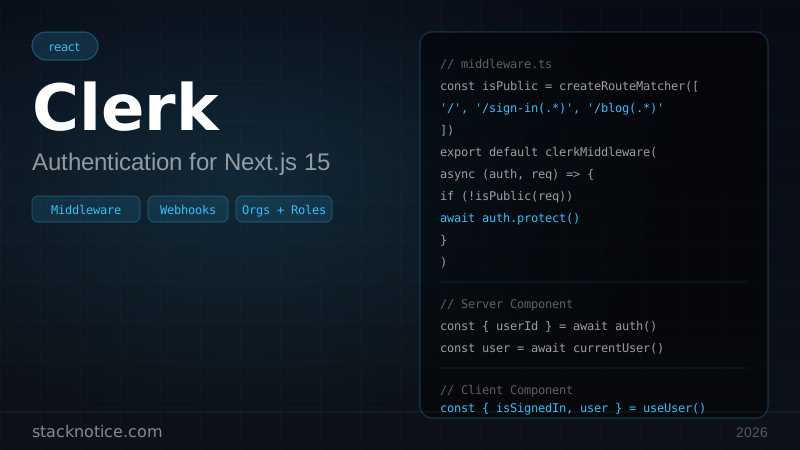
Most examples show a simple clerkMiddleware() call. Production apps need more:
import { clerkMiddleware, createRouteMatcher } from '@clerk/nextjs/server'
import { NextResponse } from 'next/server'

const isPublicRoute = createRouteMatcher([
  '/',
  '/blog(.*)',
  '/pricing',
  '/sign-in(.*)',
  '/sign-up(.*)',
  '/api/webhooks(.*)', // webhooks must be public — Clerk can't auth itself
])

const isAdminRoute = createRouteMatcher(['/admin(.*)'])

export default clerkMiddleware(async (auth, req) => {
  // Public routes — no auth required
  if (isPublicRoute(req)) return NextResponse.next()

  // Everything else — require auth
  const { userId, orgId, sessionClaims } = await auth.protect()

  // Admin routes — require admin role in session claims
  if (isAdminRoute(req)) {
    const role = (sessionClaims?.metadata as any)?.role
    if (role !== 'admin') {
      return NextResponse.redirect(new URL('/dashboard', req.url))
    }
  }

  return NextResponse.next()
})

export const config = {
  matcher: [
    '/((?!_next|[^?]*\\.(?:html?|css|js(?!on)|jpe?g|webp|png|gif|svg|ttf|woff2?|ico|csv|docx?|xlsx?|zip|webmanifest)).*)',
    '/(api|trpc)(.*)',
  ],
}Remember: middleware redirects and checks are UX. Always verify auth again in Server Components and Route Handlers. See the CVE-2025-29927 section in the Clerk vs Better Auth guide for why. If you're evaluating self-hosted auth, the Better Auth complete guide covers the full setup with Next.js.
Environment variables checklist
NEXT_PUBLIC_CLERK_PUBLISHABLE_KEY=pk_live_...
CLERK_SECRET_KEY=sk_live_...
CLERK_WEBHOOK_SECRET=whsec_...

# Optional — customize redirect URLs
NEXT_PUBLIC_CLERK_SIGN_IN_URL=/sign-in
NEXT_PUBLIC_CLERK_SIGN_UP_URL=/sign-up
NEXT_PUBLIC_CLERK_AFTER_SIGN_IN_URL=/dashboard
NEXT_PUBLIC_CLERK_AFTER_SIGN_UP_URL=/onboardingAny env variable without NEXT_PUBLIC_ prefix is server-only in Next.js. The CLERK_SECRET_KEY must stay server-side — it can create sessions, delete users, and access any Clerk data.
Testing your auth setup
Before going to production, verify these scenarios manually:
Sign up with a fresh email. Check that user.created webhook fires, record appears in your DB within 2-3 seconds. Check the race condition path by hitting /dashboard immediately after sign-up.
In Clerk Dashboard → Webhooks → your endpoint → Attempts, manually replay a user.created event. Confirm your DB has no duplicate records.
Create a user, promote them to admin via your API, sign out and sign back in (new session token needed for claims to update), verify they can access /admin routes.
In Clerk Dashboard, revoke a user's active sessions. Confirm they're redirected to sign-in on the next request (within one polling interval, default 5 minutes with JWT templates).
Temporarily return a 500 from your webhook endpoint. Send a user event from Clerk. Restore the endpoint. Verify Clerk retried and your DB is eventually consistent.
What's next in the series
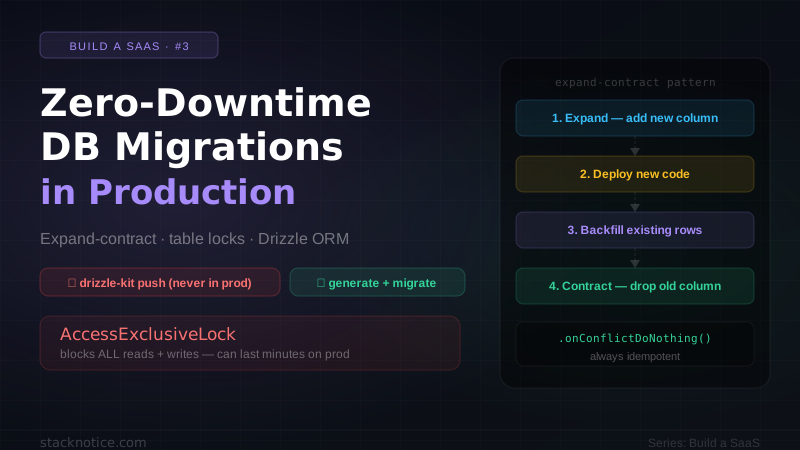
The auth layer is solid. Next up: database migrations without downtime — how to add columns, change types, and rename tables in a live production database without taking your app offline.
If you haven't read it yet, the SaaS stack overview covers why we chose Clerk + Drizzle + Neon and what the full architecture looks like.