Most developers use Claude in isolation — one conversation, one task, done. Then the next day they start over, re-explaining the same context, the same codebase, the same preferences.
Claude Projects changes that. Memory changes that further. Used together, they turn Claude from a stateless assistant into a persistent collaborator that knows your stack, your standards, and your work.
This guide covers both features in full — what they do, how they differ, and how to combine them for maximum productivity.
What Is Claude Projects?
Claude Projects is a feature in Claude.ai that lets you organize your conversations into persistent workspaces. Instead of every conversation being isolated, a Project gives you:
- A shared knowledge base — upload files, documents, code, and specs that all conversations in the project can access
- Project instructions — a system prompt that applies to every conversation automatically
- Conversation history within context — all chats in the project share the same uploaded content
Think of it as a persistent workspace rather than a fresh chat window every time.
How to Create a Project
- Open Claude.ai and click Projects in the left sidebar
- Click New Project
- Give it a name (e.g., "My SaaS Backend", "StackNotice Blog")
- Upload relevant files — architecture docs, API specs, style guides, existing code
- Write your project instructions
That's it. Every conversation you start inside this project has access to everything you uploaded.
What to Upload to a Project
The files you upload become the context Claude reads before responding. Good candidates:
For a software project:
- Architecture diagram or README
- Key source files (auth service, core models, main API routes)
- Database schema
- Coding standards document
- Existing tests for pattern reference
For a content project:
- Brand voice guide
- Target audience description
- Existing articles for tone reference
- SEO keyword list
- Content calendar
For a product:
- Product requirements document
- User research notes
- Competitor analysis
- Feature roadmap
The limit is the context window (up to 200K tokens on Claude Sonnet, 1M on Opus). You can upload more than fits in context — Claude will prioritize the most relevant files based on your question.
Project Instructions: Your Permanent System Prompt
Project instructions are written once and applied to every conversation in the project. This is the most powerful feature.
Bad project instructions (too vague):
You are a helpful coding assistant for my project.
Good project instructions:
You are working on a multi-tenant SaaS platform built with Next.js 15,
TypeScript strict mode, Prisma ORM, and PostgreSQL on Railway.

Standards:
- All API routes use the App Router pattern with route handlers
- Error responses follow RFC 7807 (ProblemDetail)
- Zod for all input validation, never manual checks
- Tests go in __tests__ folders next to the file being tested
- No any types, no console.log (use our logger from lib/logger.ts)
- Tailwind for styling, shadcn/ui for components

When writing code, always check if the pattern already exists in the
uploaded source files and match it exactly.
Now every conversation in this project inherits all of that context automatically. You never explain your stack again.
What Is Claude's Memory Feature?
Memory is a separate feature that works across all your conversations, not just within one project.
When Memory is enabled, Claude automatically saves facts about you between conversations:
- Your preferred programming languages and frameworks
- How you like explanations structured
- Your project names and their purposes
- Preferences you've stated ("I prefer functional components over class components")
You can also manually tell Claude to remember things:
Remember that I always use pnpm, not npm.
Remember that my company's primary database is Aurora PostgreSQL 15.
Remember that I'm a senior engineer with 10 years of Go experience but new to Rust.
Claude stores these and applies them to future conversations automatically.
Viewing and Managing Memories
In Claude.ai: Settings → Memory — you can see everything Claude has saved, edit individual memories, or delete ones that are outdated.
This is important to check periodically. If Claude saved an incorrect assumption early on, it will keep applying it until you remove it.
Projects vs Memory — What's the Difference?
| Feature | Projects | Memory |
|---|---|---|
| Scope | One project's conversations | All conversations |
| Content | Files you upload + instructions | Facts Claude learns about you |
| Duration | As long as the project exists | Persistent across all time |
| Control | You configure explicitly | Claude saves automatically (or you tell it to) |
| Best for | Project-specific context | Personal preferences and background |
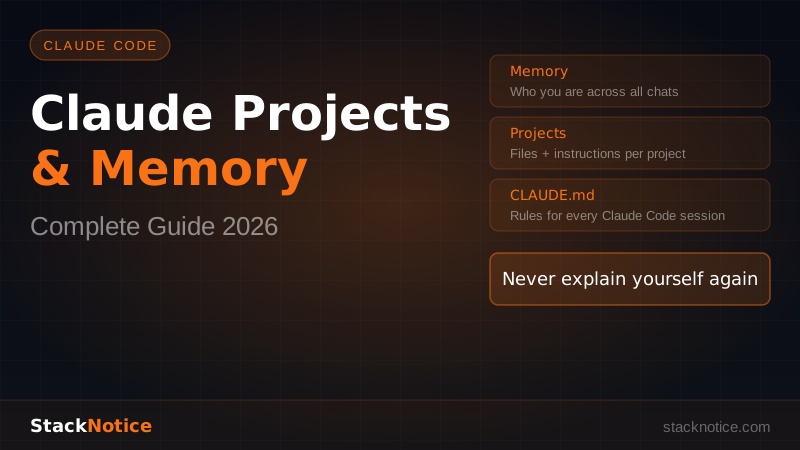
They complement each other. Memory handles who you are and how you work. Projects handle what you're working on right now.
Claude Code and CLAUDE.md: The Third Layer
If you use Claude Code, there's a third persistence layer: CLAUDE.md.
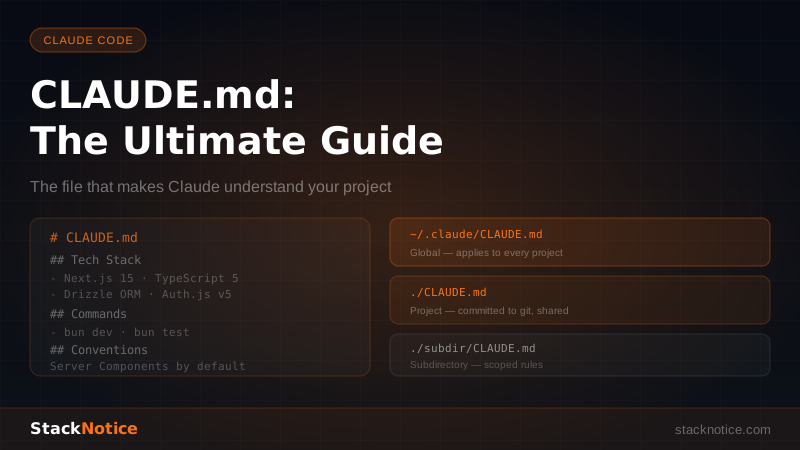
CLAUDE.md is a markdown file you create in your project root. Claude Code reads it automatically at the start of every session. It's the equivalent of Project Instructions, but for terminal-based workflows.
# CLAUDE.md

## Stack
- Next.js 15, TypeScript strict, Prisma, PostgreSQL
- Tailwind CSS + shadcn/ui components

## Rules
- Always use Zod for validation
- Tests go in __tests__ folders
- No console.log — use lib/logger.ts
- Commit before starting any large change session
How the Three Layers Work Together
Here's how a senior developer uses all three:
-
Memory stores: "This developer prefers concise explanations, is expert in React but learning Rust, prefers pnpm."
-
Claude.ai Project stores: The API spec, architecture diagram, and coding standards for the SaaS project they're building.
-
CLAUDE.md in the repo stores: The exact rules Claude Code should follow when editing files — patterns, forbidden patterns, test locations.
Each layer handles a different scope. Together they eliminate the "explain yourself every session" problem completely.
Practical Workflow: Setting Up a New Project
Here's the exact setup that produces the best results:
Step 1: Create the Project in Claude.ai
Name it clearly: "YourAppName — Backend", "Marketing Site", "Mobile App".
Step 2: Write Detailed Project Instructions
Cover:
- Tech stack (languages, frameworks, versions)
- Architecture overview (monolith, microservices, serverless)
- Coding standards
- File structure conventions
- What Claude should always check before suggesting code
Step 3: Upload the Right Files
Don't upload everything — upload the files that establish patterns:
- Main router or controller (shows how routes are structured)
- One complete service (shows business logic patterns)
- One test file (shows testing conventions)
- Schema or types file (shows data models)
- README or architecture doc
Step 4: Create CLAUDE.md in Your Repo
For any repo you work with in Claude Code, add CLAUDE.md with the rules that matter at the file-editing level. See Claude Code hooks and automation for how to combine this with automated checks.
Step 5: Tell Claude What to Remember Globally
In any conversation, manually add global memories:
Remember that my main side project is called Taskwave,
it's a B2B task management SaaS, and I'm the sole developer.
Remember that I always use conventional commits.
Remember that I prefer TypeScript over JavaScript for all new projects.
Real Example: A One-Month Workflow
Week 1: Set up the project with architecture docs and project instructions. First few conversations need small corrections — Claude learns your patterns through the uploaded files.
Week 2: Claude suggests code that matches your existing patterns almost exactly. No more "use the same approach as the existing auth middleware."
Week 3: You're iterating on a new feature. Claude remembers the full context from earlier conversations in the project — no need to re-explain what the feature is supposed to do.
Week 4: You open a conversation to review performance issues. Claude has the schema, the query patterns, the ORM config — it can give specific advice immediately instead of asking you to paste everything.
This is the compounding effect of persistent context. It gets better the longer you use it.
Tips for Getting More Out of Projects
Be explicit when context is outdated. If you changed your stack or refactored something major, update the uploaded files and tell Claude: "I've updated the uploaded schema — the old tables are gone."
Use conversations for experiments, not just tasks. "Thinking out loud" conversations in your project help Claude understand your reasoning patterns, not just your code patterns.
Create separate projects for separate concerns. Don't put your backend and mobile app in the same project. Separate projects means cleaner, more focused context.
Review project instructions quarterly. Your stack evolves. Instructions from six months ago may actively contradict what you're doing now.
Combine with vibe coding workflows. Projects + Memory + precise prompts is the full stack for fast AI-assisted development. The AI knows your context; you focus on describing what you want.
What Projects Can't Do
It doesn't replace good prompts. Even with full context, a vague prompt produces vague output. Projects reduce the context you need to provide, not the precision.
It doesn't know what changed. If you updated a file and didn't re-upload it, Claude is working with stale information. Keep uploads current for active files.
Memory can be wrong. If Claude saved a wrong assumption about you, it will keep applying it. Check your memory settings and correct mistakes early.
Projects don't sync with Claude Code. Your Claude.ai project and your local CLAUDE.md are separate. Changes in one don't reflect in the other automatically. Design them to complement each other, not duplicate each other.
Quick Reference
| Goal | Tool |
|---|---|
| Persistent rules for a codebase | CLAUDE.md |
| Project-wide context and documents | Claude Projects |
| Personal preferences across all work | Claude Memory |
| All three at once | You are dangerous |
Conclusion
Claude Projects and Memory solve the same fundamental problem: starting from zero every session wastes time. The more context Claude has about who you are and what you're building, the less you have to explain, and the better the output.
The setup takes 30 minutes. The payoff compounds over months.
Start with one project for your main codebase. Upload your architecture doc and three key source files. Write project instructions. Add a CLAUDE.md. Tell Claude to remember your preferences.
Then watch how different the next conversation feels.
For the command-line workflow, see getting started with Claude Code. For squeezing the most out of every session, read the tips and tricks guide. For understanding what model to use inside your projects, check the Claude Opus 4 review.