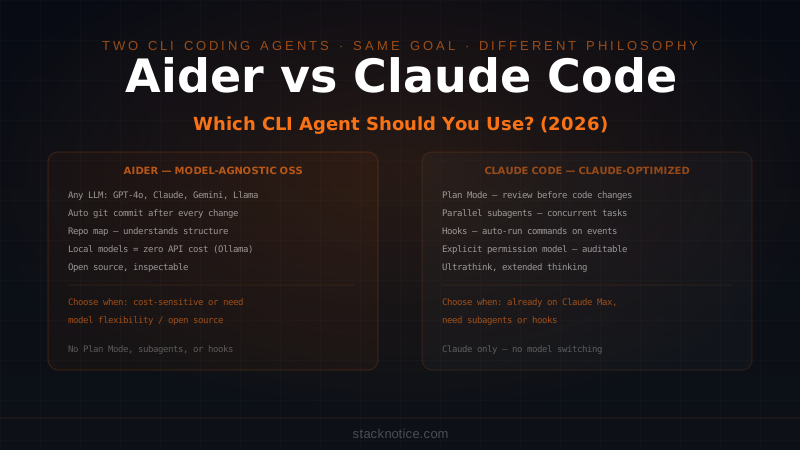
Anthropic's model lineup has always had a clear hierarchy: Haiku for speed, Sonnet for balance, Opus for power. But with claude-opus-4-6, the power tier has gotten meaningfully better — and the gap between Opus and its cheaper siblings is more interesting than ever. If you're evaluating how Opus compares against competing tools, see the 2026 AI coding tools comparison.
This is a developer-focused review. No vague impressions, no marketing language. Just what Opus 4.6 actually does, how to use it in the API, when it's worth the cost, and when it isn't.
What Is Claude Opus 4.6?
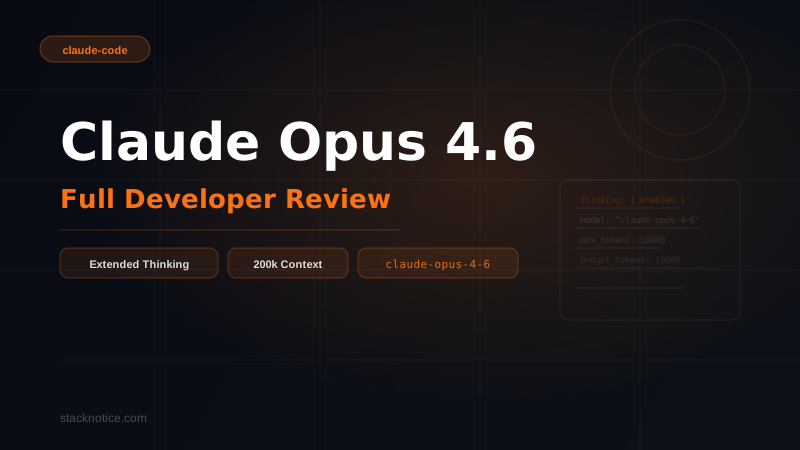
Claude Opus 4.6 is Anthropic's flagship intelligence model — the top of the Claude 4 family. Its model ID for API calls is claude-opus-4-6.
Where Sonnet optimizes for the balance between speed and quality, Opus optimizes for raw capability. It's the model Anthropic uses to push the frontier on complex reasoning, long-context understanding, and tasks that require sustained, multi-step logic chains.
Key specs:
- Model ID:
claude-opus-4-6 - Context window: 200,000 tokens (about 150,000 words — enough to load a large codebase)
- Extended thinking: supported — Opus can reason through problems before answering
- Output tokens: up to 32,000 tokens per response (8,192 default)
- Training cutoff: early 2025
Opus sits above both claude-sonnet-4-5 and claude-haiku-4-5 in capability, and comes with a pricing premium to match.
Extended Thinking: Opus's Most Powerful Feature
Extended thinking is the feature that most separates Opus from Sonnet. When enabled, the model uses a "scratchpad" to reason through a problem before generating its final response. You see the actual chain of thought — not a polished summary, but the raw working.
This matters for:
- Multi-step mathematical or logical problems
- Complex code architecture decisions
- Ambiguous requirements that need careful unpacking
- Tasks where a wrong first step cascades into failure
Enabling Extended Thinking in the API
import Anthropic from "@anthropic-ai/sdk";

const client = new Anthropic();

const response = await client.messages.create({
  model: "claude-opus-4-6",
  max_tokens: 16000,
  thinking: {
    type: "enabled",
    budget_tokens: 10000, // tokens Opus can use for internal reasoning
  },
  messages: [
    {
      role: "user",
      content:
        "Design a database schema for a multi-tenant SaaS application with row-level security. Include the trade-offs for each approach.",
    },
  ],
});

// The response includes both thinking blocks and the final answer
for (const block of response.content) {
  if (block.type === "thinking") {
    console.log("Opus reasoning:", block.thinking);
  } else if (block.type === "text") {
    console.log("Final answer:", block.text);
  }
}
The budget_tokens parameter controls how much token budget Opus can use for internal reasoning before producing the final output. A higher budget means more thorough reasoning — but also higher cost and latency. For most tasks, 5,000–10,000 thinking tokens is a reasonable starting point.
Note: when you enable extended thinking, streaming behaves differently — thinking blocks stream separately from text blocks. Plan your UI accordingly if you're building a user-facing product.
When Extended Thinking Actually Helps
Extended thinking is not a magic button. It improves performance on problems where the answer genuinely requires working through multiple intermediate steps. It doesn't meaningfully help on:
- Simple factual lookups
- Short code completions with obvious solutions
- Creative writing (thinking doesn't make prose better)
- Tasks where speed matters more than depth
The use cases where thinking visibly improves quality: algorithm design, debugging subtle race conditions, designing scalable systems, and anywhere you'd normally reach for a whiteboard.
200k Context Window: What It Actually Means
200,000 tokens translates to roughly:
- ~150,000 words of text
- A full-length technical book
- Thousands of lines of code across dozens of files
- Hours of meeting transcripts
For developers, the most practical application is codebase-level analysis. You can load an entire medium-sized project into a single Opus context, ask it to identify architectural issues, trace a bug across files, or refactor with full awareness of the entire system.
Loading a Full Codebase
import Anthropic from "@anthropic-ai/sdk";
import fs from "fs";
import path from "path";

const client = new Anthropic();

function loadProjectFiles(dir: string, extensions: string[]): string {
  let content = "";
  const files = fs.readdirSync(dir, { withFileTypes: true });

  for (const file of files) {
    if (file.isDirectory() && !file.name.startsWith(".") && file.name !== "node_modules") {
      content += loadProjectFiles(path.join(dir, file.name), extensions);
    } else if (extensions.some((ext) => file.name.endsWith(ext))) {
      const filePath = path.join(dir, file.name);
      const fileContent = fs.readFileSync(filePath, "utf-8");
      content += `\n\n--- FILE: ${filePath} ---\n${fileContent}`;
    }
  }

  return content;
}

const projectCode = loadProjectFiles("./src", [".ts", ".tsx", ".js"]);

const response = await client.messages.create({
  model: "claude-opus-4-6",
  max_tokens: 8192,
  messages: [
    {
      role: "user",
      content: `Here is the full source code of my project:\n\n${projectCode}\n\nIdentify the top 3 architectural issues and suggest concrete refactors for each.`,
    },
  ],
});

console.log(response.content[0].text);
This kind of whole-project analysis is impractical with smaller context windows. With Sonnet or Haiku, you'd need to chunk the codebase and lose cross-file context. With Opus's 200k window, you load everything and ask questions about the whole system.
Full API Usage Examples
Basic Opus Request
import Anthropic from "@anthropic-ai/sdk";

const client = new Anthropic({
  apiKey: process.env.ANTHROPIC_API_KEY,
});

async function askOpus(prompt: string): Promise<string> {
  const message = await client.messages.create({
    model: "claude-opus-4-6",
    max_tokens: 4096,
    messages: [
      {
        role: "user",
        content: prompt,
      },
    ],
  });

  return message.content[0].type === "text" ? message.content[0].text : "";
}

const result = await askOpus(
  "Review this TypeScript function for correctness, edge cases, and performance:\n\n" +
    "function groupBy<T>(arr: T[], key: keyof T): Record<string, T[]> {\n" +
    "  return arr.reduce((acc, item) => {\n" +
    "    const k = String(item[key]);\n" +
    "    (acc[k] = acc[k] || []).push(item);\n" +
    "    return acc;\n" +
    "  }, {} as Record<string, T[]>);\n" +
    "}"
);

console.log(result);
Streaming Response
import Anthropic from "@anthropic-ai/sdk";

const client = new Anthropic();

async function streamOpus(prompt: string): Promise<void> {
  const stream = await client.messages.stream({
    model: "claude-opus-4-6",
    max_tokens: 8192,
    messages: [{ role: "user", content: prompt }],
  });

  for await (const chunk of stream) {
    if (
      chunk.type === "content_block_delta" &&
      chunk.delta.type === "text_delta"
    ) {
      process.stdout.write(chunk.delta.text);
    }
  }

  const finalMessage = await stream.finalMessage();
  console.log("\n\nUsage:", finalMessage.usage);
}

await streamOpus("Explain the trade-offs between optimistic and pessimistic locking in distributed systems.");
System Prompt + Complex Reasoning
const response = await client.messages.create({
  model: "claude-opus-4-6",
  max_tokens: 16000,
  thinking: {
    type: "enabled",
    budget_tokens: 8000,
  },
  system:
    "You are a senior software architect. When reviewing code or designs, always consider: scalability, maintainability, security, and performance. Be specific and actionable.",
  messages: [
    {
      role: "user",
      content: `Review this API design and identify the problems:

POST /api/users/login
POST /api/users/logout
GET  /api/users/getUser?id=123
POST /api/users/updateUser
DELETE /api/users/deleteUser?id=123
GET  /api/products/getAllProducts
POST /api/products/createNewProduct`,
    },
  ],
});
Opus vs Sonnet vs Haiku: When to Use Each
This is the question developers actually need answered. Here's a practical framework:
| Scenario | Model | Reason |
|---|---|---|
| Quick code completion | Haiku | Fast + cheap, accuracy sufficient |
| Standard feature implementation | Sonnet | Best balance, covers 80% of dev work |
| Debugging a subtle production issue | Opus | Needs sustained reasoning, worth the cost |
| Summarizing a PR or document | Haiku/Sonnet | No deep reasoning needed |
| Designing a system from scratch | Opus | Architectural quality matters here |
| Generating boilerplate at scale | Haiku | Volume task, cost adds up fast |
| Full codebase analysis (200k+ tokens) | Opus | Only model practical for this |
| Complex multi-step refactoring plan | Opus | Extended thinking gives better results |
| Chat interface in your SaaS product | Sonnet | User-facing latency matters |
| Batch processing thousands of documents | Haiku | Economics don't work otherwise |
The rule of thumb: use Opus when the quality of the answer directly affects a high-stakes decision and you'd notice if Sonnet got it slightly wrong. Use Sonnet for everything else. Use Haiku when you're running at volume.
The 5x Cost Question
Opus costs roughly 5x more per token than Sonnet (based on Anthropic's published pricing tiers). That's a real cost. But it's only the wrong choice if you're using Opus for tasks where Sonnet would have been good enough.
For a developer spending an hour with Opus on a genuinely hard architectural problem, the API cost is negligible. For an app making thousands of calls per day, the difference is significant and you'd want Sonnet or Haiku by default, escalating to Opus only when the task demands it.
A practical pattern: use Sonnet by default in your app, but route specific high-value requests (complex analysis, debugging escalations, long-document review) to Opus. This keeps costs reasonable while getting premium quality where it counts.
Real Use Cases Where Opus Shines
1. Code Review at Codebase Scale
Feed Opus an entire module or service — not just a single file — and ask it to review for patterns, anti-patterns, consistency, and potential bugs. With 200k context, it holds the full picture and catches issues that only appear when you can see how pieces interact.
2. Technical Documentation Generation
Load your full source code and ask Opus to generate documentation that accurately reflects what the code does — not what you intended it to do. The large context means it reads every edge case and nuance before writing a word.
3. Debugging Hard Problems
You've stared at a bug for two hours. Copy everything relevant — error logs, related files, recent git changes, config — into a single Opus prompt with extended thinking enabled. The reasoning trace often shows you exactly where the wrong assumption lives.
4. Architecture and Design Reviews
Describe your current system with full context: schemas, existing services, pain points, constraints. Ask Opus with extended thinking to design the migration path. The quality of these outputs noticeably exceeds what you get from Sonnet on the same prompt.
5. Long Document Analysis
Legal contracts, technical specs, lengthy RFCs, research papers — paste the full document and ask specific questions. Opus reads the whole thing without chunking, so it can answer questions that require connecting information from different sections.
Limitations Worth Knowing
Latency: Opus is slower than Sonnet, noticeably so at high token counts. For interactive applications where response time matters, this is a real cost. Extended thinking adds further latency.
Cost at volume: The 5x token cost is fine for low-volume, high-value use cases. It becomes a problem if you're trying to run Opus on every request in a production app.
Not always better for simple tasks: On straightforward coding tasks — generate this function, fix this syntax error, explain this concept — Sonnet and Opus perform similarly. Paying for Opus here is waste.
Extended thinking is not always faster to the right answer: Sometimes thinking causes the model to over-elaborate on a problem that had a simple answer. If you consistently find that extended thinking isn't adding value on your specific task type, turn it off.
No real-time data: Like all Claude models, Opus's knowledge has a training cutoff. It doesn't browse the web unless you build that capability yourself with tool use.
Pricing Comparison (Published Tiers)
Anthropic publishes pricing per million tokens on their website. As of this writing, the approximate tiers are:
| Model | Input (per 1M tokens) | Output (per 1M tokens) |
|---|---|---|
| Haiku | $0.25 | $1.25 |
| Sonnet | $3.00 | $15.00 |
| Opus | $15.00 | $75.00 |
These figures are approximate and subject to change — always check Anthropic's pricing page for current rates.
The math at volume is stark: 1 million output tokens with Opus costs $75. The same with Haiku costs $1.25. This is why task routing matters — Opus is the tool for high-value, low-volume, hard problems. Not the default.
Should You Use Claude Opus 4.6?
If you're building AI-assisted tooling for developers, doing serious codebase analysis, or working on problems where getting the right answer on the first try saves hours of debugging — yes, Opus 4.6 is worth it. Pair it with Claude Code for a fully agentic development workflow.
The extended thinking feature is genuinely useful for hard reasoning tasks. The 200k context window is practically enabling for codebase-scale work. The quality ceiling is higher than Sonnet, and that ceiling matters when you're working at the edge of what AI can do well.
If you're building a user-facing chat product, running batch processing, or handling straightforward dev tasks at scale — Sonnet is almost certainly the right call. Same architecture, lower cost, faster response.
The wrong move is picking one model and using it for everything. The right move is using Opus deliberately, for the tasks where its capabilities actually change the outcome.
Try Opus 4.6 yourself: Anthropic Console — you can test any model in the playground before integrating it into your stack.
Related reading: Claude Code Subagents: Run Parallel AI Tasks · How to Add MCP Servers to Claude Code