Most developers use Claude Code at 20% of its capacity. They ask it to write a function, accept the result, move on. That's fine — but it's leaving enormous productivity on the table.
These are the tips that actually changed how I work, not the obvious ones you already know.
1. Write a CLAUDE.md That Actually Works
The single highest-leverage thing you can do. A good CLAUDE.md turns every session into a context-aware collaboration. A bad one is noise Claude ignores.
What to put in:
# CLAUDE.md

## Stack
- Next.js 14 App Router (never suggest Pages Router patterns)
- TypeScript strict — no `any`, no non-null assertions unless proven safe
- Tailwind CSS — no inline styles except dynamic values
- Prisma + PostgreSQL

## Conventions
- API routes always return `{ data: T | null, error: string | null }`
- Use `cn()` from @/lib/utils for className merging
- Components: named exports, never default exports
- File naming: PascalCase for components, kebab-case for utilities

## Testing
- Vitest + React Testing Library
- Always mock at the module boundary, never deep-mock
- Run `npm test` after every change to ensure nothing breaks

## What NOT to do
- Don't add `// TODO` comments — either fix it or open an issue
- Don't use `console.log` in production code — use the logger utility
What NOT to put in: implementation details that are obvious from the code. CLAUDE.md is for rules and conventions, not a tutorial on what React is.
2. Use /init on New Codebases
When you open Claude Code in an unfamiliar repo, run /init before anything else. It reads the project structure, identifies the stack, and generates a starter CLAUDE.md tailored to what it finds.
Takes 60 seconds. Saves you explaining the architecture from scratch every session.
3. Give It Outcomes, Not Instructions
Bad: "Write a function that checks if a string is a valid email."
Good: "Add email validation to the signup form — it should validate on blur, show an inline error, and not submit if invalid. Use the existing Input component."
The first prompt gets you a utility function. The second gets you a working feature. The model is smart enough to figure out how — your job is to specify what precisely.
4. Paste Error Messages Directly Into the Prompt
When you have a bug, don't describe it — paste the full stack trace.
This is failing in production. Here's the Sentry error:

TypeError: Cannot read properties of undefined (reading 'userId')
    at middleware (src/middleware.ts:23:42)
    at async NextServer.handleRequest (node_modules/next/dist/server/next-server.js:...)

The middleware runs on all /api/* routes. The issue appears intermittently.
Fix it without removing the null check we added last week.
Full stack traces give Claude Code the exact execution context. "Fix the bug" gives it nothing.
5. The Three-Step Debug Protocol
When a bug stumps you, use this exact sequence:
Step 1: "Read [file A], [file B], and [file C]. Don't change anything.
         Tell me what you think is causing [symptom]."

Step 2: Review the analysis. Confirm the diagnosis is right.

Step 3: "Fix it. Run the tests after."
The diagnostic step before the fix catches the 30% of cases where the obvious fix is wrong because the real cause is upstream.
6. Use Hooks for Auto-Formatting
Stop manually running Prettier. Add a PostToolUse hook that formats every file Claude Code edits:
// ~/.claude/settings.json
{
  "hooks": {
    "PostToolUse": [
      {
        "matcher": "Edit|Write",
        "hooks": [
          {
            "type": "command",
            "command": "npx prettier --write \"$CLAUDE_TOOL_INPUT_PATH\" 2>/dev/null || true"
          }
        ]
      }
    ]
  }
}
Every file Claude edits comes out formatted. Zero manual intervention.
7. Block Dangerous Commands With PreToolUse Hooks
Prevent Claude Code from doing things you never want:
{
  "hooks": {
    "PreToolUse": [
      {
        "matcher": "Bash",
        "hooks": [
          {
            "type": "command",
            "command": "echo \"$CLAUDE_TOOL_INPUT\" | grep -qE 'git push --force|rm -rf /|DROP TABLE' && echo 'BLOCKED: dangerous command' && exit 1 || exit 0"
          }
        ]
      }
    ]
  }
}
Crude but effective. Extend the pattern to whatever commands are off-limits in your environment.
8. Run Type Checks Automatically
After any edit, validate TypeScript:
{
  "hooks": {
    "PostToolUse": [
      {
        "matcher": "Edit",
        "hooks": [
          {
            "type": "command",
            "command": "cd /path/to/project && npx tsc --noEmit 2>&1 | tail -20"
          }
        ]
      }
    ]
  }
}
If TypeScript fails, Claude Code sees the error output and fixes it in the next loop. Catches type regressions before you even notice them.
9. Use /compact on Long Sessions
After a long session, your context window fills up with implementation details that no longer matter. Run /compact to summarize the conversation so far while keeping the essential context. You get more room for the next task without starting over.
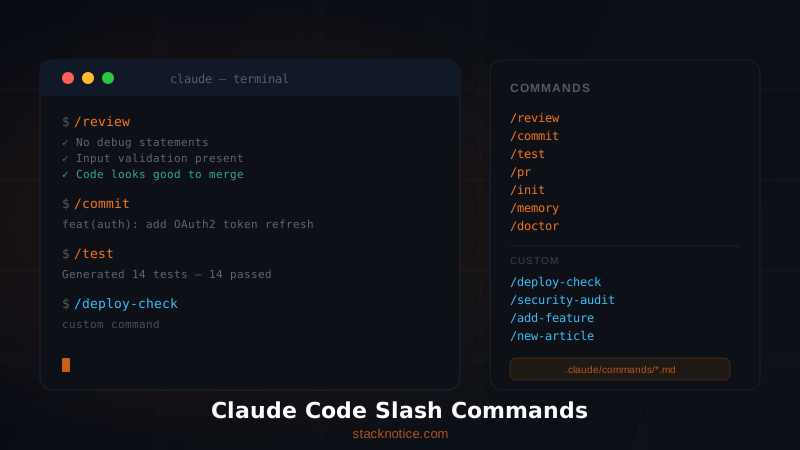
10. Create Custom Slash Commands for Repeated Tasks
If you run the same type of task often, encode it as a reusable slash command:
<!-- .claude/commands/review.md -->
Review the changes I've made since the last commit.
Check for:
1. TypeScript errors (run `npx tsc --noEmit`)
2. ESLint issues (run `npx eslint src/`)
3. Broken tests (run `npm test`)
4. Any obvious logic bugs
5. Missing null checks on external data

Report issues by severity. Fix the critical ones automatically.
Run it with /review. Instant code review, every time.
11. Ask It to Write Tests First
If you're adding a new feature, try this order:
1. "Write the test for [feature]. Don't implement it yet."
2. Review and adjust the tests
3. "Now implement [feature] to make these tests pass."
This is lightweight TDD without the ceremony. The tests force Claude Code to clarify what "done" means before writing a single line of implementation.
12. Use --dangerously-skip-permissions Only in Containers
The flag --dangerously-skip-permissions removes all permission prompts — useful for CI pipelines or automated scripts. Never run it on your local machine unless you're in a sandboxed environment. It's called "dangerously" for a reason.
# CI pipeline only
docker run -e ANTHROPIC_API_KEY=$KEY \
  my-claude-container \
  claude --dangerously-skip-permissions -p "Run the full test suite and fix any failures"
13. Break Large Tasks Into Phases
Claude Code is better at focused tasks than sprawling ones. Instead of:
"Refactor the entire authentication system to use OAuth"
Do this:
Phase 1: "Read the current auth implementation. Map out every file involved.
           Don't change anything."

Phase 2: "Design the new OAuth flow as comments in a new file oauth-plan.md"

Phase 3: "Implement the OAuth provider setup"

Phase 4: "Migrate the login route"

Phase 5: "Update the session handling"

Phase 6: "Run all auth tests and fix failures"
Each phase is verifiable before moving to the next. You catch problems at phase 3, not after 6 phases of work to undo.
14. Reference Files Explicitly
Don't say "the user component." Say src/components/ui/UserCard.tsx. Explicit file paths eliminate ambiguity and prevent Claude Code from editing the wrong file.
# Vague (risky)
"Update the user component to add an avatar"

# Precise (safe)
"Update src/components/ui/UserCard.tsx to add an avatar image.
 The avatar URL comes from the `user.avatarUrl` field.
 Use the existing Image component from next/image."
15. Use "Don't change X" Liberally
When you're fixing one thing, lock down everything else:
"Fix the pagination bug in app/api/posts/route.ts.
 Don't change the response schema.
 Don't touch the Prisma query structure.
 Don't modify the existing error handling."
Constraints prevent Claude Code from "improving" things you didn't ask it to touch.
16. End Sessions With a Summary Request
Before closing a long session:
"Summarize what you changed in this session: which files, what the changes were,
 and any follow-up tasks you'd recommend."
Copy this to your commit message or task tracker. Never lose context between sessions.
17. Chain It Into Your Git Workflow
# Alias in ~/.bashrc or ~/.zshrc
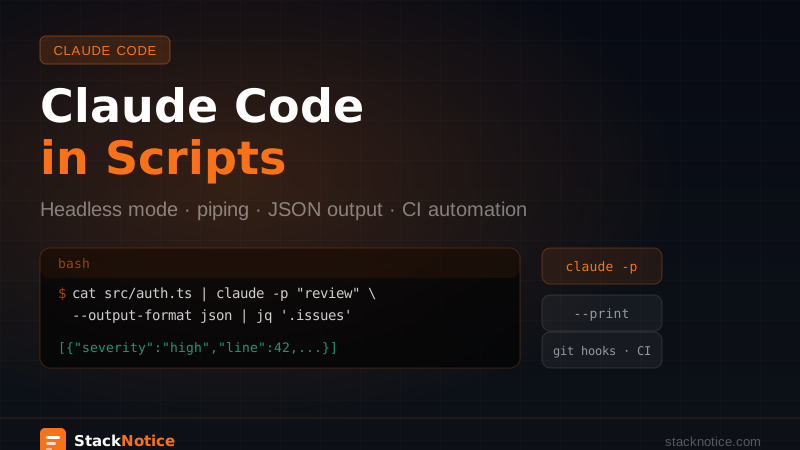
alias cc-commit='claude -p "Review the staged changes (git diff --staged).
  Write a conventional commit message that accurately describes them.
  Format: type(scope): description"'
Consistent commit messages, every time, without thinking about it.
18. Use It for Code Archaeology
New to a legacy codebase? This prompt is worth its weight in gold:
"Read the files in src/services/.
 Explain what each service does, how they interact,
 and identify any obvious tech debt or design issues.
 Don't make changes."
30 minutes of reading codebase documentation becomes 3 minutes of targeted questions.
19. Trust /clear Over /compact for Fresh Starts
If you're switching to a completely different task, use /clear instead of /compact. A full context clear means no cross-contamination from the previous task's assumptions. /compact keeps a summary — great for continuity, not great when you genuinely want a blank slate.
20. Validate Outputs on Critical Code
For anything that handles money, auth, or user data, follow every Claude Code change with:
"You just modified [auth/payment] code.
 Review your own changes critically.
 Are there any security issues, edge cases, or race conditions you introduced?
 Be adversarial — assume an attacker will probe this code."
It finds things you'd miss. Not infallible, but a worthwhile second pass.
21. Use Environment Variables for Sensitive Paths
Never hardcode paths or credentials in prompts that might end up in logs. Parameterize them:
# Set once
export PROJECT_DB_URL="postgresql://..."

# Claude Code can reference env vars in commands it runs
# Your API key and DB URL never appear in conversation history
22. The "Rubber Duck" Pattern for Architecture Decisions
Before writing code, use Claude Code as a thinking partner:
"I need to design a notification system for a SaaS app.
 Users should get email, in-app, and push notifications.
 Current stack: Next.js, Prisma, Redis.

 Don't write any code.
 Give me three architectural approaches with trade-offs for each."
This forces you to think through the decision before committing to an implementation. The code comes after you've chosen the right approach.
23. Iterate With "Almost — Do X Instead"
When a response is close but not right, don't re-explain everything. Just say what's wrong:
"Almost — but use the existing `Button` component from @/components/ui/Button
 instead of a raw <button> tag. Same logic, just swap the element."
Minimal correction, targeted fix. Way faster than re-prompting from scratch.
24. Set Up Desktop Notifications for Long Tasks
Know when a long build or test suite finishes without watching the terminal:
{
  "hooks": {
    "Stop": [
      {
        "hooks": [
          {
            "type": "command",
            "command": "osascript -e 'display notification \"Claude Code done\" with title \"StackNotice Dev\"'"
          }
        ]
      }
    ]
  }
}
macOS-specific (osascript). For Linux use notify-send. For Windows use powershell -Command "..." with the BurntToast module.
25. Review What It Can't Do (Yet)
Claude Code is genuinely bad at:
- Visual design work — it can write Tailwind classes but has no concept of what looks good
- Inferring undocumented business logic — if the rule isn't in the code or CLAUDE.md, it guesses wrong
- Long-running exploration without structure — if you say "improve the codebase," it'll optimize something random
For design, use v0.dev or Figma. For undocumented business logic, write it down in CLAUDE.md. For open-ended exploration, break it into specific hypotheses first.
The Setup That Actually Works
Here's the configuration that maximizes Claude Code's output in a typical TypeScript project:
project-root/
├── CLAUDE.md              ← conventions, stack, what NOT to do
├── .claude/
│   └── commands/
│       ├── review.md      ← /review slash command
│       ├── test.md        ← /test slash command
│       └── deploy.md      ← /deploy checklist
└── ~/.claude/
    └── settings.json      ← global hooks (format, typecheck, notifications)
Spend two hours setting this up once. Save 20 minutes every day after that.
FAQ
Does Claude Code remember things between sessions?
Only through CLAUDE.md. Conversation history is not persisted between sessions. Put everything you need it to know permanently in CLAUDE.md.
Can I run Claude Code on Windows? Yes. Claude Code runs in any terminal. WSL2 gives the best experience on Windows for filesystem-heavy tasks.
What model does Claude Code use? Claude Code defaults to Claude Opus 4 for complex agentic tasks and can use faster models for simpler operations. The model selection is handled automatically based on task complexity. For large parallel tasks, subagents let you run multiple agents simultaneously to go even faster.
Is there a usage dashboard? You can see token usage and costs in your Anthropic console at console.anthropic.com. There's no in-terminal dashboard currently.
What's Next
- Claude Code hooks: full guide to automation — deep dive into the hook system with real examples
- Getting started with Claude Code — if you haven't set it up yet, start here
- Claude Code vs GitHub Copilot vs Cursor — which tool for which job