Andrej Karpathy coined the term in February 2025. Since then, millions of developers have tried it, teams have built real products with it, and the discourse has matured past the initial hype into something more useful: an honest picture of what vibe coding actually is, when it works, and when it blows up.
The short version: vibe coding is one of the most productive shifts in developer workflow since version control. It's also easy to do badly. This guide covers how to do it well.
What Vibe Coding Actually Means
Traditional development: you know what you want → you write the code to achieve it.
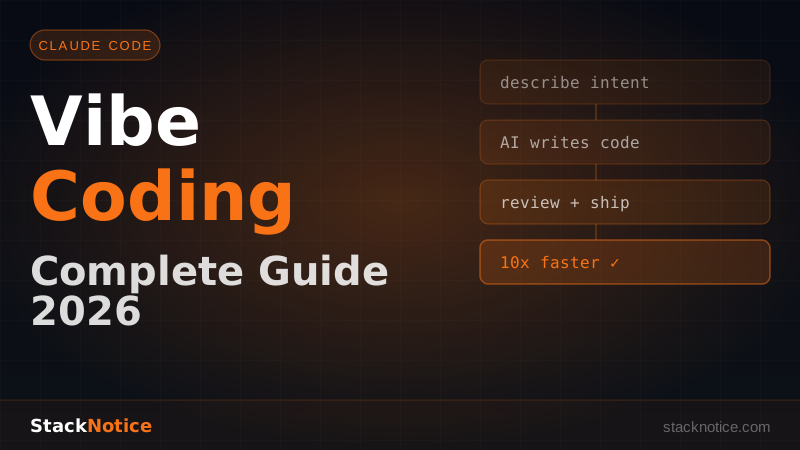
Vibe coding: you know what you want → you describe it precisely → an AI writes the code → you review, test, and ship.
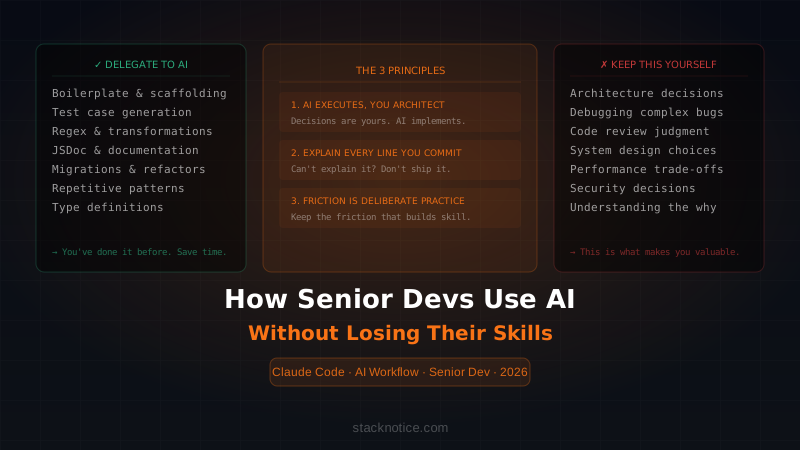
You are not removed from the loop. You're operating at a higher level of abstraction. The architect role, the reviewer role, the decision-maker role — those stay with you. The typing role gets delegated.
Karpathy's original framing:
"There's a new kind of coding I call 'vibe coding', where you fully give in to the vibes, embrace exponentials, and forget that the code even exists. [...] I just see stuff, say stuff, run stuff, and it mostly works."
The phrase that matters: it mostly works. Vibe coding is a workflow with a well-understood failure mode — imprecise input produces imprecise output — and a well-understood upside: most software development tasks are repetitive enough that an AI can implement them correctly from a precise description.
The developer who specifies clearly, reviews critically, and tests thoroughly moves 3-5x faster. The developer who vibe codes vaguely and ships without reviewing moves 3-5x slower and with more bugs.
The Mental Model Shift
The biggest barrier isn't technical — it's psychological.
Most developers are trained to own every line they write. They understand it, they debugged it, they know why it's the way it is. Vibe coding asks you to let go of that ownership at the implementation level while holding it at the design level.
Your job becomes:
- Define the outcome clearly — what does done look like? What edge cases matter?
- Set the constraints — what must the code not do? What dependencies, patterns, standards?
- Review critically — does this do what you asked? Is it secure? Does it match your codebase?
- Iterate precisely — when something's wrong, describe the specific problem
These are senior engineering skills. The developers getting the most out of vibe coding aren't the ones who think least — they're the ones who think most clearly about what they want before they ask for it.
The Workflow With Claude Code
Claude Code reads your entire codebase before responding, edits files directly, and runs commands to verify its own work. It's the tool built for this workflow.
Step 1: Write a Precise Prompt
The quality of output is a direct function of the quality of input.
Vague (bad):
make a user dashboard
Precise (good):
Create a React Server Component `UserDashboard` in `app/dashboard/page.tsx`.

It should:
- Fetch the user's profile and last 5 activity posts using Drizzle
  (see lib/db.ts and schema.ts for the query patterns we use)
- Match the layout pattern from app/settings/page.tsx
- Handle empty posts with a "No activity yet" empty state
- Pass data to a Client Component `DashboardClient` for interactive parts

User type is in types/index.ts. Don't add loading states — we use Suspense
at the layout level.
Context, constraints, reference points, explicit exclusions. The more you give, the closer the first output is to what you actually want.
Step 2: Use Plan Mode for Complex Features
For anything touching multiple files or requiring architectural decisions, activate Plan Mode first (Shift+Tab in Claude Code):
[Plan Mode]

> Add a notification system: email + in-app notifications when
  subscriptions renew, fail, or are cancelled. Resend for email,
  store in DB for in-app. Dashboard shows unread count.
Claude produces a structured plan — files to create, schema changes, API endpoints, email templates. You review the approach before any code is written. This prevents the most expensive mistake in vibe coding: asking for the wrong thing, getting a full implementation of it, and having to start over.
Plan Mode is the spec-driven development pattern applied to AI coding. See spec-driven development with Claude Code for the full approach.
Step 3: Review Every Change
Non-negotiable. Before running any generated code, read it. Look for:
- Security issues — SQL injection, unvalidated input, exposed secrets
- Unexpected behavior — edge cases you didn't specify
- Patterns that diverge from your codebase standards
- Missing error handling
A 5-minute review prevents hours of debugging. Claude is fast, which makes it tempting to skip this. Don't.
Step 4: Test It
> Write unit tests for UserDashboard covering:
  - Renders user name and email
  - Shows last 5 posts sorted by date descending
  - Shows "No activity yet" when posts array is empty
  - Handles database errors gracefully
Testing is one of vibe coding's great strengths. Writing test scaffolding is tedious — the AI does it well and fast. You focus on which cases matter, it writes the implementation.
Step 5: Iterate Precisely
When the output needs changes, describe the problem specifically with a reference to the correct behavior:
> The date formatting in the activity feed doesn't match the rest of the app.
  Check how DateBadge.tsx formats dates (it uses formatRelative from lib/dates.ts)
  and apply the same approach in UserDashboard.
Point to the problem. Reference the correct solution. This produces a targeted fix, not a rewrite.
Real Example: Bulk Delete in One Prompt
Building a bulk delete feature for an existing task manager:
> Add bulk delete to TaskList. Requirements:

  1. Checkbox on each TaskCard — read TaskCard.tsx first to understand structure
  2. "Delete selected (N)" button when any are checked
  3. DELETE /api/tasks/bulk with body { ids: string[] }
  4. Optimistically remove selected tasks from UI, roll back on server error
  5. Match the error toast pattern from hooks/useTasks.ts
  6. Clear selection after successful delete
  7. Keyboard: Escape to clear selection

  Write the backend endpoint too. Start by reading the existing
  task endpoints in app/api/tasks/ to match the pattern.
With subagents, you can run frontend and backend in parallel:
> Launch two subagents:
  - Subagent 1: Frontend changes to TaskList and TaskCard
  - Subagent 2: DELETE /api/tasks/bulk endpoint with validation
  Coordinate on the request/response shape: { ids: string[] }
Two parallel workstreams, same task. The subagent approach cuts the wall-clock time in half for features with clear frontend/backend separation.
When Vibe Coding Delivers the Most
Boilerplate and CRUD — REST endpoints, repository layers, form handling, test scaffolding, Docker configs, CI/CD pipelines. This is mechanical, repetitive work where AI performs best and your time is least valuable.
Tests and documentation — "Write JSDoc for every exported function in this service" takes 30 seconds to prompt and an hour to write manually. "Write integration tests for every endpoint in UserController, happy path and validation errors" produces hours of test coverage in minutes.
Pattern-based refactoring — "Convert all class components to functional components", "Add TypeScript strict types to every function in this file", "Rename user_id to userId throughout the codebase". These are tedious but well-defined.
Config and DevOps — Dockerfile, GitHub Actions, nginx, docker-compose, Vercel configuration. Well-documented, well-understood by the model, boring for humans.
Prototype a feature fast — Working prototype in hours instead of days. The code doesn't need to be perfect; it needs to prove the concept.
When to Slow Down and Review Carefully
Auth and authorization — security logic must be reviewed by someone who understands the threat model. Claude can introduce subtle vulnerabilities. Read every line of auth code it touches.
Data migrations — irreversible operations on production data. Never run a migration from AI output without reading every statement. Check for implicit assumptions about data state.
Financial calculations — rounding, currency handling, tax logic. These require domain expertise and correctness guarantees. Treat AI output as a first draft that needs a human check.
New patterns for your codebase — if Claude introduces a library or pattern that's new to your project, understand it before shipping. "We don't use X here" is a valid response. Tell Claude why: "Use Zustand as in stores/authStore.ts instead of Context API — we avoid Context for performance reasons."
The Mistakes That Kill Productivity
Vague prompts — "fix the performance issue" gives Claude nothing. "The getWorkspaceProjects query in lib/db.ts is causing an N+1 — it's loading related users for each project separately. Rewrite it with a Drizzle join to load everything in one query."
Scope too large — "build me a complete authentication system" produces a mess. Break it into: schema changes, API routes, client setup, sign-in form, sign-up form, session reading. One concrete piece at a time.
Skipping the review — the most expensive mistake. Claude moves fast. Every file it modifies deserves a read before you run anything.
Not committing before starting — always git commit before a vibe coding session. Your undo button is git reset --hard, not Claude.
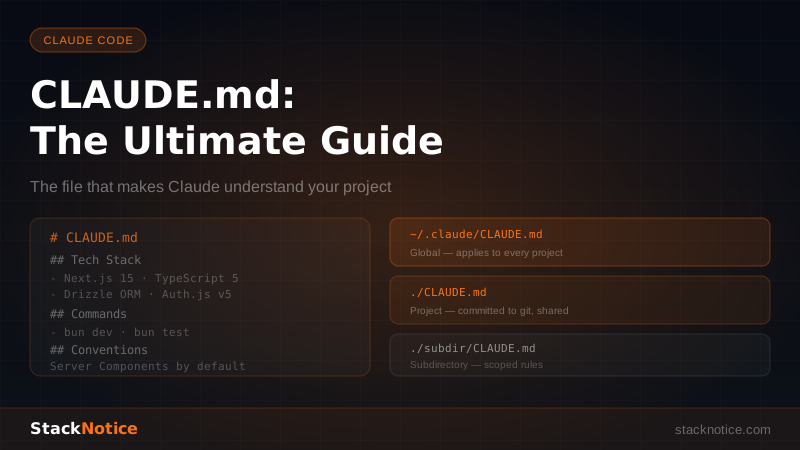
No CLAUDE.md — without it, Claude doesn't know your stack, conventions, or constraints. It makes reasonable assumptions that may be wrong for your project. CLAUDE.md setup takes 20 minutes and pays off in every subsequent session.
Skipping tests — vibe coded features that aren't tested are technical debt. Write tests as part of the session.
Quick Reference
| Use vibe coding for | Review carefully |
|---|---|
| CRUD endpoints and boilerplate | Auth and authorization logic |
| Tests and documentation | Data migrations |
| Pattern-based refactoring | Financial calculations |
| Config and DevOps | Security-sensitive inputs |
| New feature prototypes | Any new library/pattern |
| Codebase exploration | Code touching production data |
Vibe coding is the most significant workflow shift in software development since version control — not because it eliminates engineering judgment, but because it removes the gap between having a clear idea and having working code.
The developers winning with it specify precisely, review critically, test thoroughly, and iterate quickly. None of those are new skills. They're just good engineering, applied to a new workflow.
Start with one concrete task today. Write a precise prompt, read the output, run the tests. See how much faster you move.
The vibe is real. The shipping is faster.