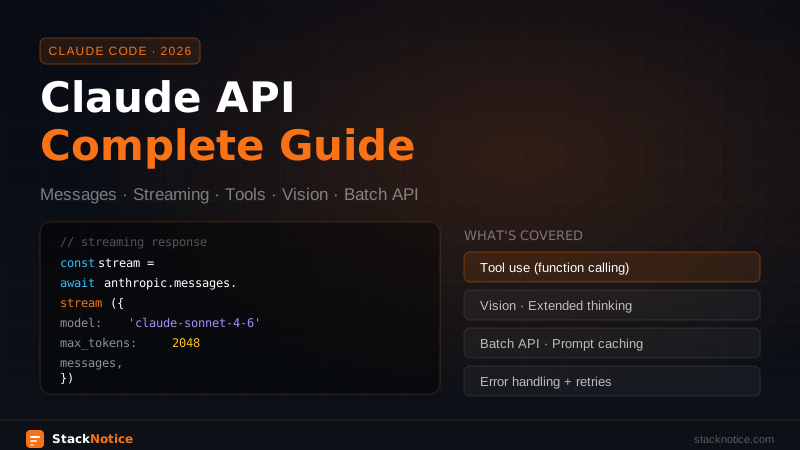
The Claude API is one of the most capable AI APIs available — but there's a gap between getting your first response and shipping something production-ready. This guide covers the full picture: setup, every message type, streaming, tool use, vision, extended thinking, batch processing, error handling, and patterns that work in real applications.
Setup
Install the official SDK:
npm install @anthropic-ai/sdk// lib/anthropic.ts
import Anthropic from '@anthropic-ai/sdk'
export const anthropic = new Anthropic({
apiKey: process.env.ANTHROPIC_API_KEY,
})Store your key in .env.local:
ANTHROPIC_API_KEY=sk-ant-...
Never expose it client-side. All Claude API calls must go through your server (Next.js API route, Server Action, or backend service).
Basic Message Creation
const message = await anthropic.messages.create({
  model: 'claude-sonnet-4-6',
  max_tokens: 1024,
  messages: [
    { role: 'user', content: 'Explain the difference between async/await and Promises in JavaScript.' }
  ],
})

console.log(message.content[0].text)
The response structure:
{
  id: 'msg_...',
  type: 'message',
  role: 'assistant',
  content: [
    { type: 'text', text: '...' }
  ],
  model: 'claude-sonnet-4-6',
  stop_reason: 'end_turn',       // or 'max_tokens', 'tool_use', 'stop_sequence'
  usage: {
    input_tokens: 28,
    output_tokens: 312,
  }
}
Always check stop_reason. If it's max_tokens, the response was cut off — increase max_tokens or paginate.
Model Selection
| Model | Best for | Context |
|---|---|---|
claude-opus-4-6 | Complex reasoning, research, long documents | 200k tokens |
claude-sonnet-4-6 | Production apps, balanced speed/quality | 200k tokens |
claude-haiku-4-5-20251001 | High-volume, fast, cost-sensitive | 200k tokens |
For most production apps, Sonnet is the right default. Use Opus for tasks requiring deep reasoning (code review, complex analysis). Use Haiku for classification, extraction, or any task you're doing at scale.
System Prompts
Set the model's persona, constraints, and context:
const message = await anthropic.messages.create({
  model: 'claude-sonnet-4-6',
  max_tokens: 1024,
  system: `You are a senior TypeScript engineer reviewing code.
Your job is to:
- Identify bugs and potential issues
- Suggest improvements with code examples
- Be direct and specific — no generic advice
- Focus on correctness, then performance, then style`,
  messages: [
    { role: 'user', content: `Review this code:\n\n${code}` }
  ],
})
System prompts are billed as input tokens but cached efficiently across requests (see prompt caching below).
Multi-Turn Conversations
Maintain conversation history manually:
type Message = { role: 'user' | 'assistant'; content: string }

const history: Message[] = []

async function chat(userMessage: string): Promise<string> {
  history.push({ role: 'user', content: userMessage })

  const response = await anthropic.messages.create({
    model: 'claude-sonnet-4-6',
    max_tokens: 1024,
    messages: history,
  })

  const assistantMessage = response.content[0].text
  history.push({ role: 'assistant', content: assistantMessage })

  return assistantMessage
}
The API is stateless — you're responsible for sending the full conversation history on every request. For long conversations, implement a summarization strategy or use a sliding window to stay within the context limit.
Streaming
Streaming is essential for chat UIs — users see the response as it's generated rather than waiting for the full response.
Server-side stream (Node.js / Next.js API route)
// app/api/chat/route.ts
import { anthropic } from '@/lib/anthropic'

export async function POST(req: Request) {
  const { messages } = await req.json()

  const stream = await anthropic.messages.stream({
    model: 'claude-sonnet-4-6',
    max_tokens: 2048,
    messages,
  })

  // Return a ReadableStream to the client
  return new Response(stream.toReadableStream())
}
Client-side consumption
const response = await fetch('/api/chat', {
  method: 'POST',
  headers: { 'Content-Type': 'application/json' },
  body: JSON.stringify({ messages }),
})

const reader = response.body!.getReader()
const decoder = new TextDecoder()
let text = ''

while (true) {
  const { done, value } = await reader.read()
  if (done) break
  text += decoder.decode(value, { stream: true })
  setOutput(text)  // update UI incrementally
}
Using the Vercel AI SDK
If you're in a Next.js app, the Vercel AI SDK wraps the Anthropic SDK and handles the streaming plumbing:
import { anthropic } from '@ai-sdk/anthropic'
import { streamText } from 'ai'

export async function POST(req: Request) {
  const { messages } = await req.json()

  const result = streamText({
    model: anthropic('claude-sonnet-4-6'),
    messages,
  })

  return result.toDataStreamResponse()
}
Tool Use (Function Calling)
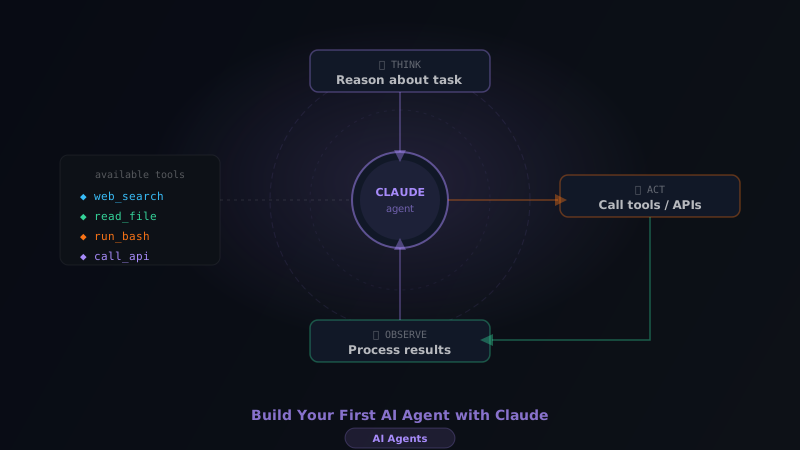
Tools let Claude call functions you define — it outputs a structured call, you run the function, return the result, and Claude uses it in its response.
Define tools
const tools: Anthropic.Tool[] = [
  {
    name: 'get_weather',
    description: 'Get current weather for a city. Returns temperature in Celsius and conditions.',
    input_schema: {
      type: 'object',
      properties: {
        city: {
          type: 'string',
          description: 'The city name, e.g. "London" or "New York"',
        },
        units: {
          type: 'string',
          enum: ['celsius', 'fahrenheit'],
          description: 'Temperature units',
        },
      },
      required: ['city'],
    },
  },
]
The tool-use loop
async function runWithTools(userMessage: string): Promise<string> {
  const messages: Anthropic.MessageParam[] = [
    { role: 'user', content: userMessage }
  ]

  while (true) {
    const response = await anthropic.messages.create({
      model: 'claude-sonnet-4-6',
      max_tokens: 1024,
      tools,
      messages,
    })

    // If stop_reason is 'end_turn', Claude is done
    if (response.stop_reason === 'end_turn') {
      const textBlock = response.content.find(b => b.type === 'text')
      return textBlock?.text ?? ''
    }

    // If stop_reason is 'tool_use', process tool calls
    if (response.stop_reason === 'tool_use') {
      // Add Claude's response (with tool calls) to history
      messages.push({ role: 'assistant', content: response.content })

      // Process each tool call
      const toolResults: Anthropic.ToolResultBlockParam[] = []

      for (const block of response.content) {
        if (block.type !== 'tool_use') continue

        let result: string

        if (block.name === 'get_weather') {
          const input = block.input as { city: string; units?: string }
          const weather = await fetchWeather(input.city, input.units)
          result = JSON.stringify(weather)
        } else {
          result = 'Tool not found'
        }

        toolResults.push({
          type: 'tool_result',
          tool_use_id: block.id,
          content: result,
        })
      }

      // Add tool results and loop again
      messages.push({ role: 'user', content: toolResults })
    }
  }
}
Forcing tool use
// Force Claude to always use a specific tool
{ tool_choice: { type: 'tool', name: 'get_weather' } }

// Force Claude to use at least one tool
{ tool_choice: { type: 'any' } }

// Default: Claude decides (tool_choice: { type: 'auto' })
Vision — Image Input
Claude can analyze images passed as base64 or URL:
import fs from 'fs'

const imageData = fs.readFileSync('./screenshot.png')
const base64Image = imageData.toString('base64')

const message = await anthropic.messages.create({
  model: 'claude-sonnet-4-6',
  max_tokens: 1024,
  messages: [
    {
      role: 'user',
      content: [
        {
          type: 'image',
          source: {
            type: 'base64',
            media_type: 'image/png',  // image/jpeg | image/gif | image/webp
            data: base64Image,
          },
        },
        {
          type: 'text',
          text: 'Identify all the UI components in this screenshot and list any accessibility issues.',
        },
      ],
    },
  ],
})
Using a URL instead:
{
  type: 'image',
  source: {
    type: 'url',
    url: 'https://yourcdn.com/image.png',
  },
}
Image limits: up to 20 images per request, max 5MB each, 8000×8000px max resolution.
Extended Thinking
For complex reasoning tasks (math, logic, planning), Claude can think through the problem before answering. This produces significantly better results on hard problems.
const response = await anthropic.messages.create({
  model: 'claude-opus-4-6',  // Opus or Sonnet support thinking
  max_tokens: 16000,
  thinking: {
    type: 'enabled',
    budget_tokens: 10000,  // max tokens Claude can "think" before responding
  },
  messages: [
    {
      role: 'user',
      content: 'A store sells apples for $0.50 each. If you buy 12 or more, you get 20% off the entire order. Is it cheaper to buy 11 apples or 13 apples?'
    }
  ],
})

// The response has both thinking blocks and text blocks
for (const block of response.content) {
  if (block.type === 'thinking') {
    console.log('Thinking:', block.thinking)
  }
  if (block.type === 'text') {
    console.log('Answer:', block.text)
  }
}
budget_tokens controls how long Claude can think. Longer budget = better reasoning on hard problems, higher cost. Start with 5k–10k for most tasks, increase if results are poor.
Prompt Caching
For repeated requests with a long system prompt, enable caching to reduce cost and latency by up to 90% after the first request:
const message = await anthropic.messages.create({
  model: 'claude-sonnet-4-6',
  max_tokens: 1024,
  system: [
    {
      type: 'text',
      text: veryLongSystemPromptOrDocumentContent,
      cache_control: { type: 'ephemeral' },  // cache this block
    },
  ],
  messages: [{ role: 'user', content: 'Summarize the key points.' }],
})
Cached prompts reduce input cost to ~10% of the original price for cache hits. The cache lasts 5 minutes (TTL refreshes on each hit).
Batch API — High-Volume Processing
For processing large numbers of requests (>100) without worrying about rate limits, use the Batch API. It processes asynchronously and costs 50% less than real-time requests.
// Create a batch
const batch = await anthropic.beta.messages.batches.create({
  requests: documents.map((doc, i) => ({
    custom_id: `doc-${i}`,
    params: {
      model: 'claude-haiku-4-5-20251001',
      max_tokens: 512,
      messages: [
        {
          role: 'user',
          content: `Classify this text as positive, negative, or neutral. Only output the label.\n\n${doc.text}`,
        },
      ],
    },
  })),
})

console.log('Batch ID:', batch.id)

// Poll for completion (or use a webhook)
async function waitForBatch(batchId: string) {
  while (true) {
    const status = await anthropic.beta.messages.batches.retrieve(batchId)

    if (status.processing_status === 'ended') {
      // Stream results
      for await (const result of await anthropic.beta.messages.batches.results(batchId)) {
        if (result.result.type === 'succeeded') {
          console.log(result.custom_id, result.result.message.content[0].text)
        }
      }
      break
    }

    await new Promise(r => setTimeout(r, 5000))  // wait 5s before polling again
  }
}
Token Counting
Before sending a request, check how many tokens it will use:
const tokenCount = await anthropic.messages.countTokens({
  model: 'claude-sonnet-4-6',
  messages: [{ role: 'user', content: longDocument }],
})

console.log('Input tokens:', tokenCount.input_tokens)

if (tokenCount.input_tokens > 180000) {
  // Truncate or split the document
}
Error Handling
The SDK throws typed errors you can handle specifically:
import Anthropic from '@anthropic-ai/sdk'

async function safeCreate(params: Anthropic.MessageCreateParams) {
  try {
    return await anthropic.messages.create(params)
  } catch (error) {
    if (error instanceof Anthropic.APIError) {
      switch (error.status) {
        case 401:
          throw new Error('Invalid API key')
        case 429:
          // Rate limited — implement exponential backoff
          await wait(calculateBackoff(error.headers))
          return safeCreate(params)  // retry
        case 529:
          // Overloaded — retry with delay
          await wait(30000)
          return safeCreate(params)
        default:
          throw error
      }
    }
    throw error
  }
}
For production, use the SDK's built-in retry logic:
const anthropic = new Anthropic({
  apiKey: process.env.ANTHROPIC_API_KEY,
  maxRetries: 3,     // default is 2
  timeout: 60000,    // 60s timeout (default is 10 minutes)
})
Structuring Output with JSON
For applications that need structured data back from Claude, use JSON mode:
const response = await anthropic.messages.create({
  model: 'claude-sonnet-4-6',
  max_tokens: 1024,
  system: 'You are a data extractor. Always respond with valid JSON only, no other text.',
  messages: [
    {
      role: 'user',
      content: `Extract the following fields from this job posting and return as JSON:
{ "title": string, "company": string, "location": string, "salary_range": string | null, "remote": boolean }

Job posting:
${jobPostingText}`,
    },
  ],
})

const data = JSON.parse(response.content[0].text)
For guaranteed structure, use tool use instead — Claude must return the exact schema you define.
Rate Limits and Usage Tiers
Anthropic rate limits by requests per minute (RPM) and tokens per minute (TPM). Your limits increase automatically as you spend more:
- Tier 1 (default): 50 RPM, 40k TPM for Sonnet
- Tier 2 ($40 spent): 1k RPM, 400k TPM
- Tier 3 ($500 spent): 2k RPM, 800k TPM
Monitor your usage in the Anthropic Console. If you're hitting limits in production, use the Batch API for non-realtime work or implement a queue.
Production Checklist
Before going live:
- API key stored in environment variables, not in code
- All Claude calls go through your server (never client-side)
- Error handling with typed catches and retry logic
-
max_tokensset appropriately (not too low to cut off, not too high to waste) -
stop_reasonchecked — handle'max_tokens'case - Input validation before sending to Claude (prompt injection defense)
- Streaming for any response that might take >2 seconds
- Batch API for processing >100 items
- Prompt caching for system prompts >1k tokens that repeat across requests
- Usage monitoring set up in Anthropic Console
When to Use the API vs Claude Code vs Claude.ai
| Use case | Right tool |
|---|---|
| Building a product for users | Claude API |
| Your own development workflow | Claude Code |
| Research, writing, one-off tasks | Claude.ai |
| Multi-agent pipelines | Claude API + subagents pattern |
| Processing 1000+ documents | Batch API |
| Real-time chat | API with streaming |
The Claude API is for building — everything else is for using Claude as an end user.