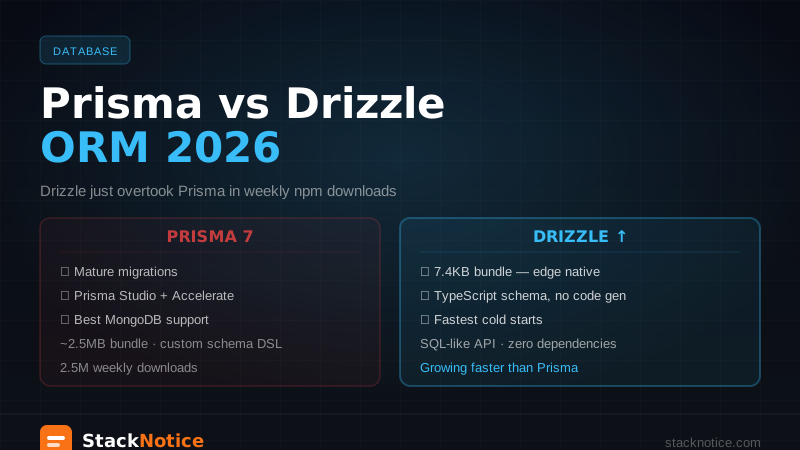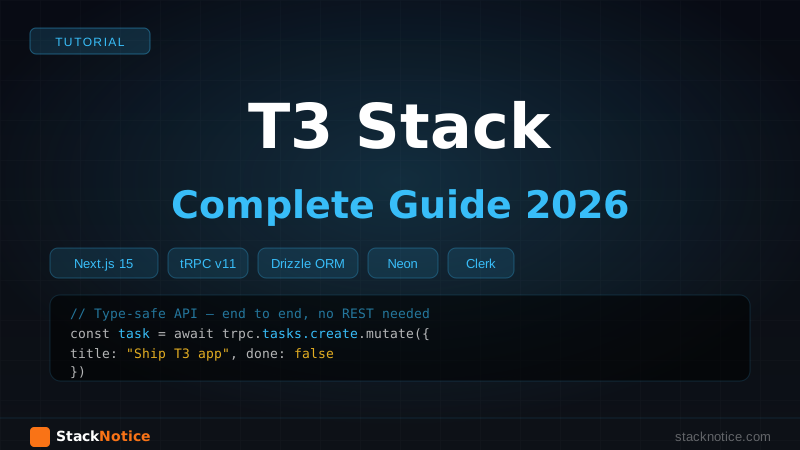
The T3 Stack is still the fastest way to go from zero to a type-safe full-stack TypeScript app. The philosophy hasn't changed: full type safety from database schema to frontend UI, no code generation, no runtime surprises. What has changed is the stack itself — Drizzle ORM has replaced Prisma as the preferred database layer, Neon has replaced PlanetScale, and Clerk is now a first-class auth option alongside NextAuth v5.
This guide builds a real task management app from scratch using the modern T3 Stack in 2026: Next.js 15 App Router, tRPC v11, Drizzle ORM, Neon serverless Postgres, and Clerk auth.
What Makes T3 Different
Most "full-stack Next.js" tutorials end up with:
- A REST API where the types have to be manually kept in sync between server and client
- An ORM that generates types at build time but silently breaks if you forget to run migrations
- Auth that requires 200 lines of configuration before a user can log in
T3 solves all three:
- tRPC — TypeScript types flow from server procedures to client calls automatically. Change a procedure's return type and TypeScript shows you every call site that's now wrong.
- Drizzle — your schema IS your types. The database shape and the TypeScript types are the same file.
- Clerk — auth in 10 minutes, including social logins, MFA, and user management UI.
Project Setup
Scaffold with create-t3-app — choose Drizzle when prompted:
npm create t3-app@latest my-app
# ✔ Will you be using TypeScript? Yes
# ✔ Which packages would you like to enable? tRPC, Tailwind, Drizzle
# ✔ What database ORM do you want to use? Drizzle
# ✔ What database provider do you want to use? PostgreSQL
# ✔ Would you like to use next-auth? No (we'll use Clerk)
Install Clerk:
npm install @clerk/nextjsAdd environment variables:
# .env
DATABASE_URL="postgresql://user:pass@ep-xxx.us-east-1.aws.neon.tech/neondb?sslmode=require"
NEXT_PUBLIC_CLERK_PUBLISHABLE_KEY=pk_test_...
CLERK_SECRET_KEY=sk_test_...
NEXT_PUBLIC_CLERK_SIGN_IN_URL=/sign-in
NEXT_PUBLIC_CLERK_SIGN_UP_URL=/sign-up
Get your DATABASE_URL from Neon — free tier is more than enough to start. See the Neon + Next.js complete guide for setup details.
Clerk Auth Setup
Wrap your app with Clerk's provider:
// app/layout.tsx
import { ClerkProvider } from '@clerk/nextjs'
import { TRPCReactProvider } from '@/trpc/react'

export default function RootLayout({ children }: { children: React.ReactNode }) {
  return (
    <ClerkProvider>
      <html lang="en">
        <body>
          <TRPCReactProvider>{children}</TRPCReactProvider>
        </body>
      </html>
    </ClerkProvider>
  )
}
Protect routes with middleware:
// middleware.ts
import { clerkMiddleware, createRouteMatcher } from '@clerk/nextjs/server'

const isPublicRoute = createRouteMatcher([
  '/',
  '/sign-in(.*)',
  '/sign-up(.*)',
])

export default clerkMiddleware(async (auth, req) => {
  if (!isPublicRoute(req)) {
    await auth.protect()
  }
})

export const config = {
  matcher: ['/((?!_next|[^?]*\\.(?:html?|css|js(?!on)|jpe?g|webp|png|gif|svg|ttf|woff2?|ico|csv|docx?|xlsx?|zip|webmanifest)).*)', '/(api|trpc)(.*)'],
}
Database Schema with Drizzle
Define your schema — this is also your TypeScript type source of truth:
// src/server/db/schema.ts
import {
  pgTable,
  text,
  integer,
  boolean,
  timestamp,
  index,
} from 'drizzle-orm/pg-core'

export const tasks = pgTable(
  'tasks',
  {
    id: text('id').primaryKey().$defaultFn(() => crypto.randomUUID()),
    title: text('title').notNull(),
    description: text('description'),
    completed: boolean('completed').notNull().default(false),
    priority: integer('priority').notNull().default(0), // 0=low, 1=medium, 2=high
    userId: text('user_id').notNull(), // Clerk user ID
    projectId: text('project_id').references(() => projects.id, { onDelete: 'cascade' }),
    dueDate: timestamp('due_date', { withTimezone: true }),
    createdAt: timestamp('created_at', { withTimezone: true }).defaultNow().notNull(),
    updatedAt: timestamp('updated_at', { withTimezone: true })
      .defaultNow()
      .notNull()
      .$onUpdate(() => new Date()),
  },
  (table) => ({
    userIdIdx: index('tasks_user_id_idx').on(table.userId),
    projectIdIdx: index('tasks_project_id_idx').on(table.projectId),
  })
)

export const projects = pgTable('projects', {
  id: text('id').primaryKey().$defaultFn(() => crypto.randomUUID()),
  name: text('name').notNull(),
  color: text('color').notNull().default('#6366f1'),
  userId: text('user_id').notNull(),
  createdAt: timestamp('created_at', { withTimezone: true }).defaultNow().notNull(),
})

// Types inferred directly from schema — no duplication
export type Task = typeof tasks.$inferSelect
export type NewTask = typeof tasks.$inferInsert
export type Project = typeof projects.$inferSelect
export type NewProject = typeof projects.$inferInsert
Push schema to Neon:
npm run db:push
# or for production: npm run db:migrate
The Drizzle client connects to Neon:
// src/server/db/index.ts
import { drizzle } from 'drizzle-orm/neon-http'
import { neon } from '@neondatabase/serverless'
import * as schema from './schema'

const sql = neon(process.env.DATABASE_URL!)
export const db = drizzle(sql, { schema })
tRPC Setup
Create t3-app scaffolds most of this, but here's what the core pieces look like:
// src/server/api/trpc.ts
import { initTRPC, TRPCError } from '@trpc/server'
import { auth } from '@clerk/nextjs/server'
import { db } from '@/server/db'
import superjson from 'superjson'
import { ZodError } from 'zod'

const createTRPCContext = async (opts: { headers: Headers }) => {
  const { userId } = await auth()
  return { db, userId, ...opts }
}

const t = initTRPC.context<typeof createTRPCContext>().create({
  transformer: superjson,
  errorFormatter({ shape, error }) {
    return {
      ...shape,
      data: {
        ...shape.data,
        zodError: error.cause instanceof ZodError ? error.cause.flatten() : null,
      },
    }
  },
})

// Middleware: require authenticated user
const enforceUserIsAuthed = t.middleware(({ ctx, next }) => {
  if (!ctx.userId) {
    throw new TRPCError({ code: 'UNAUTHORIZED' })
  }
  return next({ ctx: { ...ctx, userId: ctx.userId } })
})

export const createTRPCRouter = t.router
export const publicProcedure = t.procedure
export const protectedProcedure = t.procedure.use(enforceUserIsAuthed)
Task Router
Build the tasks CRUD with tRPC procedures:
// src/server/api/routers/tasks.ts
import { z } from 'zod'
import { createTRPCRouter, protectedProcedure } from '@/server/api/trpc'
import { tasks } from '@/server/db/schema'
import { eq, and, desc, asc } from 'drizzle-orm'

export const tasksRouter = createTRPCRouter({
  // Get all tasks for the current user
  getAll: protectedProcedure
    .input(
      z.object({
        projectId: z.string().optional(),
        completed: z.boolean().optional(),
        sortBy: z.enum(['createdAt', 'priority', 'dueDate']).default('createdAt'),
      }).optional()
    )
    .query(async ({ ctx, input }) => {
      const conditions = [eq(tasks.userId, ctx.userId)]

      if (input?.projectId) {
        conditions.push(eq(tasks.projectId, input.projectId))
      }
      if (input?.completed !== undefined) {
        conditions.push(eq(tasks.completed, input.completed))
      }

      return ctx.db.query.tasks.findMany({
        where: and(...conditions),
        orderBy:
          input?.sortBy === 'priority'
            ? desc(tasks.priority)
            : input?.sortBy === 'dueDate'
            ? asc(tasks.dueDate)
            : desc(tasks.createdAt),
        with: { project: true },
      })
    }),

  // Get single task
  getById: protectedProcedure
    .input(z.object({ id: z.string() }))
    .query(async ({ ctx, input }) => {
      const task = await ctx.db.query.tasks.findFirst({
        where: and(eq(tasks.id, input.id), eq(tasks.userId, ctx.userId)),
        with: { project: true },
      })
      if (!task) throw new TRPCError({ code: 'NOT_FOUND' })
      return task
    }),

  // Create task
  create: protectedProcedure
    .input(
      z.object({
        title: z.string().min(1).max(200),
        description: z.string().optional(),
        priority: z.number().int().min(0).max(2).default(0),
        projectId: z.string().optional(),
        dueDate: z.date().optional(),
      })
    )
    .mutation(async ({ ctx, input }) => {
      const [task] = await ctx.db
        .insert(tasks)
        .values({ ...input, userId: ctx.userId })
        .returning()
      return task
    }),

  // Toggle completed
  toggleComplete: protectedProcedure
    .input(z.object({ id: z.string() }))
    .mutation(async ({ ctx, input }) => {
      const task = await ctx.db.query.tasks.findFirst({
        where: and(eq(tasks.id, input.id), eq(tasks.userId, ctx.userId)),
      })
      if (!task) throw new TRPCError({ code: 'NOT_FOUND' })

      const [updated] = await ctx.db
        .update(tasks)
        .set({ completed: !task.completed })
        .where(eq(tasks.id, input.id))
        .returning()
      return updated
    }),

  // Update task
  update: protectedProcedure
    .input(
      z.object({
        id: z.string(),
        title: z.string().min(1).max(200).optional(),
        description: z.string().optional(),
        priority: z.number().int().min(0).max(2).optional(),
        dueDate: z.date().optional().nullable(),
      })
    )
    .mutation(async ({ ctx, input }) => {
      const { id, ...data } = input
      const [updated] = await ctx.db
        .update(tasks)
        .set(data)
        .where(and(eq(tasks.id, id), eq(tasks.userId, ctx.userId)))
        .returning()
      if (!updated) throw new TRPCError({ code: 'NOT_FOUND' })
      return updated
    }),

  // Delete task
  delete: protectedProcedure
    .input(z.object({ id: z.string() }))
    .mutation(async ({ ctx, input }) => {
      await ctx.db
        .delete(tasks)
        .where(and(eq(tasks.id, input.id), eq(tasks.userId, ctx.userId)))
      return { success: true }
    }),
})
Register the router in the root:
// src/server/api/root.ts
import { createTRPCRouter } from '@/server/api/trpc'
import { tasksRouter } from './routers/tasks'
import { projectsRouter } from './routers/projects'

export const appRouter = createTRPCRouter({
  tasks: tasksRouter,
  projects: projectsRouter,
})

export type AppRouter = typeof appRouter
Using tRPC in Components
This is where T3's type safety shines — the client mirrors the server router structure exactly:
// app/dashboard/page.tsx (Server Component)
import { api } from '@/trpc/server'

export default async function DashboardPage() {
  // Fully typed — TypeScript knows the return shape
  const tasks = await api.tasks.getAll({ sortBy: 'priority' })

  return <TaskList tasks={tasks} />
}
// components/TaskList.tsx (Client Component with mutations)
'use client'
import { api } from '@/trpc/react'
import type { Task } from '@/server/db/schema'
export function TaskList({ initialTasks }: { initialTasks: Task[] }) {
const utils = api.useUtils()
// Optimistic updates — task marks complete instantly, syncs with server
const toggleComplete = api.tasks.toggleComplete.useMutation({
onMutate: async ({ id }) => {
await utils.tasks.getAll.cancel()
const prev = utils.tasks.getAll.getData()
utils.tasks.getAll.setData(undefined, (old) =>
old?.map((t) => (t.id === id ? { ...t, completed: !t.completed } : t))
)
return { prev }
},
onError: (_err, _vars, ctx) => {
utils.tasks.getAll.setData(undefined, ctx?.prev)
},
onSettled: () => {
void utils.tasks.getAll.invalidate()
},
})
const deleteTask = api.tasks.delete.useMutation({
onSuccess: () => void utils.tasks.getAll.invalidate(),
})
return (
<ul className="space-y-2">
{initialTasks.map((task) => (
<li key={task.id} className="flex items-center gap-3 rounded-lg border p-3">
<input
type="checkbox"
checked={task.completed}
onChange={() => toggleComplete.mutate({ id: task.id })}
className="h-4 w-4 cursor-pointer rounded"
/>
<span className={task.completed ? 'line-through text-gray-400' : ''}>
{task.title}
</span>
<button
onClick={() => deleteTask.mutate({ id: task.id })}
className="ml-auto text-sm text-red-500 hover:text-red-700"
>
Delete
</button>
</li>
))}
</ul>
)
}Creating Tasks with React Hook Form + Zod
The T3 Stack pairs naturally with React Hook Form and Zod for form validation — see the React Hook Form + Zod guide for patterns. Here's the task creation form:
// components/CreateTaskForm.tsx
'use client'

import { useForm } from 'react-hook-form'
import { zodResolver } from '@hookform/resolvers/zod'
import { z } from 'zod'
import { api } from '@/trpc/react'

const createTaskSchema = z.object({
  title: z.string().min(1, 'Title is required').max(200),
  description: z.string().optional(),
  priority: z.coerce.number().int().min(0).max(2),
})

type CreateTaskInput = z.infer<typeof createTaskSchema>

export function CreateTaskForm({ onSuccess }: { onSuccess?: () => void }) {
  const utils = api.useUtils()

  const { register, handleSubmit, reset, formState: { errors } } = useForm<CreateTaskInput>({
    resolver: zodResolver(createTaskSchema),
    defaultValues: { priority: 0 },
  })

  const createTask = api.tasks.create.useMutation({
    onSuccess: () => {
      void utils.tasks.getAll.invalidate()
      reset()
      onSuccess?.()
    },
  })

  return (
    <form
      onSubmit={handleSubmit((data) => createTask.mutate(data))}
      className="space-y-3"
    >
      <div>
        <input
          {...register('title')}
          placeholder="Task title"
          className="w-full rounded-lg border px-3 py-2 text-sm focus:outline-none focus:ring-2 focus:ring-blue-500"
        />
        {errors.title && (
          <p className="mt-1 text-xs text-red-500">{errors.title.message}</p>
        )}
      </div>

      <select
        {...register('priority')}
        className="w-full rounded-lg border px-3 py-2 text-sm"
      >
        <option value={0}>Low priority</option>
        <option value={1}>Medium priority</option>
        <option value={2}>High priority</option>
      </select>

      <button
        type="submit"
        disabled={createTask.isPending}
        className="w-full rounded-lg bg-blue-600 py-2 text-sm font-medium text-white hover:bg-blue-700 disabled:opacity-50"
      >
        {createTask.isPending ? 'Creating...' : 'Create task'}
      </button>
    </form>
  )
}
Server-Side Rendering with tRPC
Prefetch data on the server to avoid loading states on initial page load — the T3 recommended pattern:
// app/dashboard/page.tsx
import { api, HydrateClient } from '@/trpc/server'

export default async function DashboardPage() {
  // Prefetch — data available to client components immediately
  void api.tasks.getAll.prefetch({ sortBy: 'priority' })
  void api.projects.getAll.prefetch()

  return (
    <HydrateClient>
      <Dashboard />
    </HydrateClient>
  )
}
// components/Dashboard.tsx
'use client'
import { api } from '@/trpc/react'
export function Dashboard() {
// Data is already prefetched — no loading state on first render
const { data: tasks } = api.tasks.getAll.useQuery({ sortBy: 'priority' })
const { data: projects } = api.projects.getAll.useQuery()
return (
<div className="grid grid-cols-3 gap-6">
<aside>
<ProjectList projects={projects ?? []} />
</aside>
<main className="col-span-2">
<TaskList initialTasks={tasks ?? []} />
</main>
</div>
)
}Drizzle Relations
Set up relations for with queries (joins without raw SQL):
// src/server/db/schema.ts (add at bottom)
import { relations } from 'drizzle-orm'

export const projectsRelations = relations(projects, ({ many }) => ({
  tasks: many(tasks),
}))

export const tasksRelations = relations(tasks, ({ one }) => ({
  project: one(projects, {
    fields: [tasks.projectId],
    references: [projects.id],
  }),
}))
Now ctx.db.query.tasks.findMany({ with: { project: true } }) works — returns tasks with their project objects, fully typed.
Deployment on Vercel
The T3 Stack deploys to Vercel with zero configuration. Push to GitHub and connect to Vercel. Add your environment variables in the Vercel dashboard.
For the database, make sure you're on Neon's serverless driver (already configured above) — the HTTP-based client works in Vercel's Edge and Serverless environments without connection pool issues.
T3 Stack vs Building From Scratch
| Aspect | T3 Stack | DIY Next.js |
|---|---|---|
| Type safety | End-to-end, zero config | Manual sync between API and client |
| API layer | tRPC — no REST needed | REST + OpenAPI or GraphQL |
| ORM | Drizzle — schema = types | Any ORM + separate type defs |
| Auth | Clerk or NextAuth — 10 min | Custom auth = weeks |
| Boilerplate | Minimal | Write everything |
| Learning curve | Moderate (tRPC concepts) | Depends on choices |
The T3 Stack isn't the right choice for every project — if you're building a public API consumed by multiple clients, REST or GraphQL makes more sense than tRPC. But for a single Next.js app where you control both frontend and backend, T3 eliminates an entire category of bugs.
Summary
The modern T3 Stack in 2026:
- Next.js 15 App Router — Server Components + streaming + layouts
- tRPC v11 — type-safe API, optimistic updates, prefetching
- Drizzle ORM — schema as source of truth, SQL-first, Neon-native
- Neon — serverless Postgres, scales to zero, free tier for dev
- Clerk — auth in minutes, not days
For tRPC patterns in depth, see the tRPC + Next.js complete guide. For Drizzle schema and migrations, see the Drizzle ORM guide.