Sending transactional email is one of those things every SaaS needs but few guides get right. Nodemailer works until you hit deliverability issues. SendGrid works until you're drowning in configuration. AWS SES works until you're in a sandbox and nothing arrives.
In 2026, the standard answer for Next.js developers is Resend with React Email. This guide covers the full implementation — type-safe setup, real templates, Server Actions, error handling, and testing — the way you'd actually set it up in a production app.
Why Resend
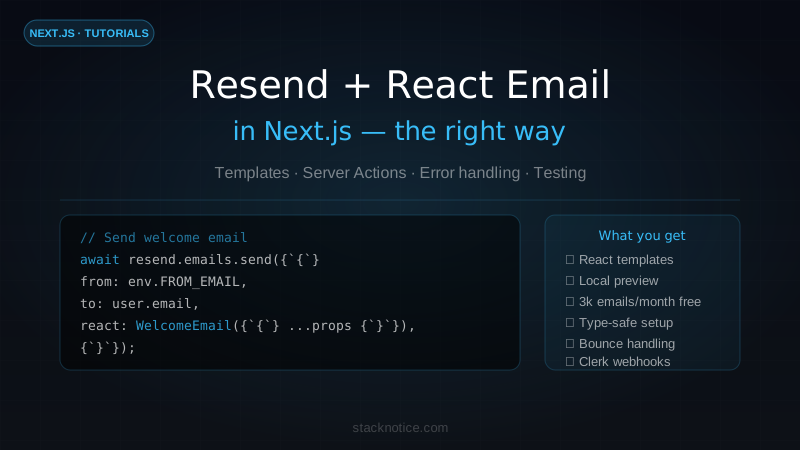
Resend is an email API built specifically for developers. The key differences from older services:
- React Email templates — write email HTML as React components, preview locally in a browser
- Excellent deliverability — built on a proper email infrastructure with reputation management
- Simple API —
resend.emails.send({...})— no complicated SDK setup - Real testing — preview emails locally without sending anything real
- Free tier — 3,000 emails/month, 100/day — plenty for a project in development or early production
For comparison: SendGrid requires domain verification before you can send anything, has a complicated dashboard, and their SDK changed significantly across major versions. Resend works with a single API key and your emails actually arrive in inboxes.
Setup
Install the packages:
npm install resend @react-email/componentsGet your API key from resend.com/api-keys and add it to .env.local:
RESEND_API_KEY=re_xxxxxxxxxxxxxxxxxxxxxxxxxxxxxxxxCreate a validated environment config with Zod so your app fails at startup — not at 2am when the first email fails in production:
// env.ts (root of project)
import { z } from 'zod';

const envSchema = z.object({
  RESEND_API_KEY: z.string().min(1, 'RESEND_API_KEY is required'),
  NEXT_PUBLIC_APP_URL: z.string().url(),
  FROM_EMAIL: z.string().email().default('noreply@yourdomain.com'),
});

export const env = envSchema.parse(process.env);
Create a shared Resend client:
// lib/email.ts
import { Resend } from 'resend';
import { env } from '@/env';

export const resend = new Resend(env.RESEND_API_KEY);
That's the entire setup. One file, one client, ready to use.
For your own domain (not @resend.dev), you need to add DNS records in your Resend dashboard. Resend walks you through SPF, DKIM, and DMARC records — takes about 5 minutes and propagates within an hour. Until then, use onboarding@resend.dev as the sender for testing.
Writing email templates with React Email
React Email lets you write emails as React components with proper HTML email primitives. No more string templates or MJML.
// emails/WelcomeEmail.tsx
import {
  Body,
  Button,
  Container,
  Head,
  Heading,
  Hr,
  Html,
  Img,
  Link,
  Preview,
  Section,
  Text,
} from '@react-email/components';

interface WelcomeEmailProps {
  userName: string;
  userEmail: string;
  loginUrl: string;
}

export function WelcomeEmail({ userName, userEmail, loginUrl }: WelcomeEmailProps) {
  return (
    <Html>
      <Head />
      <Preview>Welcome to StackNotice — let's get you set up.</Preview>
      <Body style={bodyStyle}>
        <Container style={containerStyle}>
          <Heading style={headingStyle}>Welcome, {userName}.</Heading>

          <Text style={textStyle}>
            Your account is ready. You signed up with{' '}
            <strong>{userEmail}</strong>.
          </Text>

          <Section style={sectionStyle}>
            <Button href={loginUrl} style={buttonStyle}>
              Get started
            </Button>
          </Section>

          <Hr style={hrStyle} />

          <Text style={footerStyle}>
            You received this email because you signed up at{' '}
            <Link href="https://stacknotice.com">stacknotice.com</Link>.
          </Text>
        </Container>
      </Body>
    </Html>
  );
}

// Inline styles — required for email client compatibility
const bodyStyle = {
  backgroundColor: '#f6f9fc',
  fontFamily: '-apple-system,BlinkMacSystemFont,"Segoe UI",Roboto,sans-serif',
};

const containerStyle = {
  backgroundColor: '#ffffff',
  margin: '0 auto',
  padding: '40px 20px',
  maxWidth: '560px',
  borderRadius: '8px',
};

const headingStyle = {
  color: '#1a1a1a',
  fontSize: '24px',
  fontWeight: '700',
  margin: '0 0 16px',
};

const textStyle = {
  color: '#444',
  fontSize: '16px',
  lineHeight: '24px',
  margin: '0 0 24px',
};

const sectionStyle = {
  textAlign: 'center' as const,
  margin: '32px 0',
};

const buttonStyle = {
  backgroundColor: '#F97316',
  borderRadius: '6px',
  color: '#fff',
  fontSize: '16px',
  fontWeight: '600',
  padding: '12px 32px',
  textDecoration: 'none',
  display: 'inline-block',
};

const hrStyle = {
  borderColor: '#e6ebf1',
  margin: '32px 0',
};

const footerStyle = {
  color: '#8898aa',
  fontSize: '12px',
  lineHeight: '16px',
};Run npx react-email dev in your project root to start a local preview server. It renders all your email components at localhost:3000 — no real emails sent. You can see exactly how they look before sending anything.
Sending email with Server Actions
Server Actions are the cleanest way to send transactional emails in Next.js 15 — no API route needed for simple cases:
// app/actions/email.ts
'use server';

import { resend } from '@/lib/email';
import { WelcomeEmail } from '@/emails/WelcomeEmail';
import { env } from '@/env';
import { z } from 'zod';

const sendWelcomeSchema = z.object({
  userName: z.string().min(1),
  userEmail: z.string().email(),
});

export async function sendWelcomeEmail(
  input: z.infer<typeof sendWelcomeSchema>
) {
  const parsed = sendWelcomeSchema.safeParse(input);
  if (!parsed.success) {
    return { success: false, error: 'Invalid input' };
  }

  const { userName, userEmail } = parsed.data;
  const loginUrl = `${env.NEXT_PUBLIC_APP_URL}/dashboard`;

  const { error } = await resend.emails.send({
    from: env.FROM_EMAIL,
    to: userEmail,
    subject: `Welcome to StackNotice, ${userName}`,
    react: WelcomeEmail({ userName, userEmail, loginUrl }),
  });

  if (error) {
    console.error('[email] Failed to send welcome email:', error);
    return { success: false, error: error.message };
  }

  return { success: true };
}
Call it from a Server Component or another Server Action — for example, right after creating a user in your database:
// In your signup flow
const user = await db.insert(users).values({ name, email }).returning();

// Send welcome email — non-blocking, don't await if it's not critical
sendWelcomeEmail({ userName: user[0].name, userEmail: user[0].email })
.catch(err => console.error('[email] Welcome email failed:', err));For welcome emails, failing silently is usually fine — the user is already signed up. For password reset emails, you need to await the result and surface errors to the user. Match your error handling to the criticality of the email.
For more on Server Actions patterns, see the React Server Actions guide.
Password reset emails
Password reset is the most critical email flow — the user is locked out if it fails. Always await, always surface errors:
// emails/PasswordResetEmail.tsx
import { Body, Button, Container, Head, Heading, Html, Preview, Text } from '@react-email/components';

interface PasswordResetEmailProps {
  resetUrl: string;
  expiresIn: string; // e.g. "1 hour"
}

export function PasswordResetEmail({ resetUrl, expiresIn }: PasswordResetEmailProps) {
  return (
    <Html>
      <Head />
      <Preview>Reset your StackNotice password</Preview>
      <Body style={{ backgroundColor: '#f6f9fc', fontFamily: 'sans-serif' }}>
        <Container style={{ backgroundColor: '#fff', margin: '0 auto', padding: '40px 20px', maxWidth: '560px', borderRadius: '8px' }}>
          <Heading style={{ color: '#1a1a1a', fontSize: '24px' }}>
            Reset your password
          </Heading>
          <Text style={{ color: '#444', fontSize: '16px', lineHeight: '24px' }}>
            Click the button below to reset your password. This link expires in {expiresIn}.
          </Text>
          <Button
            href={resetUrl}
            style={{ backgroundColor: '#F97316', borderRadius: '6px', color: '#fff', fontSize: '16px', padding: '12px 32px' }}
          >
            Reset password
          </Button>
          <Text style={{ color: '#8898aa', fontSize: '12px', marginTop: '32px' }}>
            If you didn't request this, ignore this email. Your password won't change.
          </Text>
        </Container>
      </Body>
    </Html>
  );
}
// app/actions/email.ts
export async function sendPasswordResetEmail({
email,
resetToken,
}: {
email: string;
resetToken: string;
}) {
const resetUrl = `${env.NEXT_PUBLIC_APP_URL}/reset-password?token=${resetToken}`;
const { error } = await resend.emails.send({
from: env.FROM_EMAIL,
to: email,
subject: 'Reset your password',
react: PasswordResetEmail({ resetUrl, expiresIn: '1 hour' }),
});
if (error) {
// This one you DO throw — the user needs to know it failed
throw new Error(`Failed to send password reset email: ${error.message}`);
}
}Sending from Route Handlers
Some email flows are triggered externally — webhooks from Clerk, Stripe, or background jobs. Use a Route Handler:
// app/api/webhooks/clerk/route.ts
import { Webhook } from 'svix';
import { sendWelcomeEmail } from '@/app/actions/email';

export async function POST(request: Request) {
  const payload = await request.text();
  const headers = Object.fromEntries(request.headers);

  // Verify webhook signature
  const wh = new Webhook(process.env.CLERK_WEBHOOK_SECRET!);
  let event: any;

  try {
    event = wh.verify(payload, headers);
  } catch {
    return new Response('Invalid signature', { status: 400 });
  }

  if (event.type === 'user.created') {
    const { first_name, email_addresses } = event.data;
    const email = email_addresses[0]?.email_address;

    if (email) {
      await sendWelcomeEmail({
        userName: first_name || 'there',
        userEmail: email,
      });
    }
  }

  return new Response('OK');
}
This pattern keeps the auth logic in Clerk, but gives you full control over the email content and timing.
For more on auth integration patterns, the auth in production guide covers the full Clerk + webhooks setup.
Testing without sending real emails
Resend's dashboard includes a testing mode. Any email sent while in test mode shows up in your Resend dashboard under "Emails" but doesn't actually deliver.
For local development, use the React Email preview server:
npx react-email dev --dir emails --port 3001This starts a component explorer at localhost:3001 showing all your email templates rendered in real browser-compatible HTML. You can click links, check mobile rendering, and verify styles — all without sending anything.
For integration tests, mock the Resend client:
// __tests__/email.test.ts
import { vi } from 'vitest';

vi.mock('@/lib/email', () => ({
  resend: {
    emails: {
      send: vi.fn().mockResolvedValue({ data: { id: 'test-id' }, error: null }),
    },
  },
}));

import { sendWelcomeEmail } from '@/app/actions/email';

test('sendWelcomeEmail sends to correct address', async () => {
  const result = await sendWelcomeEmail({
    userName: 'Alice',
    userEmail: 'alice@example.com',
  });

  expect(result.success).toBe(true);
});
Handling failures gracefully
Transactional email has two failure modes: the API call fails, or the email bounces after delivery. Handle both.
// lib/email.ts — add a wrapper with retry logic
import { Resend } from 'resend';
import { env } from '@/env';

export const resend = new Resend(env.RESEND_API_KEY);

interface SendEmailOptions {
  to: string;
  subject: string;
  react: React.ReactElement;
  retries?: number;
}

export async function sendEmail({ to, subject, react, retries = 2 }: SendEmailOptions) {
  let lastError: Error | null = null;

  for (let attempt = 0; attempt <= retries; attempt++) {
    const { data, error } = await resend.emails.send({
      from: env.FROM_EMAIL,
      to,
      subject,
      react,
    });

    if (!error) return { success: true, id: data?.id };

    lastError = new Error(error.message);

    if (attempt < retries) {
      // Exponential backoff: 1s, 2s, 4s
      await new Promise(r => setTimeout(r, 1000 * Math.pow(2, attempt)));
    }
  }

  console.error(`[email] Failed after ${retries + 1} attempts:`, lastError);
  return { success: false, error: lastError?.message };
}
For bounces and complaints, set up a webhook endpoint that Resend calls when delivery events happen:
// app/api/webhooks/resend/route.ts
export async function POST(request: Request) {
  const payload = await request.json();

  switch (payload.type) {
    case 'email.bounced':
      // Mark the email address as bounced in your DB
      // Stop sending to it to protect your sender reputation
      await db.update(users)
        .set({ emailBounced: true })
        .where(eq(users.email, payload.data.to));
      break;

    case 'email.complained':
      // User marked it as spam — unsubscribe them
      await db.update(users)
        .set({ unsubscribed: true })
        .where(eq(users.email, payload.data.to));
      break;
  }

  return new Response('OK');
}
Always check emailBounced and unsubscribed flags before sending:
// Before any email send
const user = await db.query.users.findFirst({ where: eq(users.id, userId) });
if (user?.emailBounced || user?.unsubscribed) return;
Common email templates to build
Invoice / payment receipt — Triggered via Stripe webhook when a payment succeeds. Include the invoice number, amount, billing period, and a link to download the full invoice.
Team invitation — Someone invites a colleague. The email includes the inviter's name, the workspace name, and an accept link that expires in 48 hours.
Weekly digest — Sent via a background job (Inngest or Trigger.dev). Summarizes activity from the past week. Respect the unsubscribed flag.
Subscription renewal warning — Sent 7 days before the next billing date if the card is expiring. Dramatically reduces churn from failed payments.
For background job integration with your email sending, see the background jobs with Inngest guide.
Production checklist
Before going live with real users:
- Domain verified — SPF, DKIM, DMARC records added and propagated in Resend dashboard
- From address uses your domain — not
@resend.dev - Bounce webhook configured — Resend dashboard → Webhooks → add your endpoint
- Bounce/complaint flags in DB — checked before every send
- Password reset expiry — tokens expire (1 hour max), enforced server-side
- No secrets in email content — never include tokens in link-less text where they can be forwarded
- Unsubscribe link — legally required for marketing emails (not required for transactional)
- Test across email clients — Gmail, Apple Mail, Outlook — React Email preview helps but test real clients too
Summary
Resend + React Email is the correct default for transactional email in Next.js in 2026. The setup takes about 30 minutes, templates are maintainable as React components, local preview with npx react-email dev means you never send test emails to real addresses, and the free tier covers anything you'll need while building.
The three patterns you'll use most: Server Action for form-triggered emails (signup, password reset), Route Handler for webhook-triggered emails (Clerk, Stripe), and a background job for scheduled emails (digests, reminders).
Start with the welcome email and password reset. Get the infrastructure right once, and adding new templates is just writing another React component.
For the full Next.js App Router setup that this email infrastructure fits into, see the Next.js App Router complete guide.