Adding a second language to an app sounds like a weekend task. In practice, most developers hit the same wall: the routing changes, the translation files become unmanageable, Server Components don't play nicely with i18n libraries, and the type safety disappears the moment you add a dynamic key. Then you ship, find out a user's browser locale isn't being respected, and debug middleware at 2am.
This guide covers next-intl with the Next.js 15 App Router — the combination that solves all of these problems correctly. Not a toy "Hello World in two languages" — a real setup you can drop into production.
Why next-intl Over the Alternatives
The i18n library landscape for Next.js is crowded. Here's why next-intl is the right pick for App Router projects in 2026:
| Library | App Router | Server Components | Type-safe keys | Middleware |
|---|---|---|---|---|
| next-intl | ✅ Full support | ✅ Native | ✅ | ✅ |
| next-i18next | ❌ Pages Router | ❌ | ❌ | ❌ |
| i18next + react-i18next | ⚠️ Manual config | ❌ | ❌ opt-in | Manual |
| Lingui | ✅ | ✅ | ✅ | Manual |
next-i18next is still widely referenced in older tutorials but it's fundamentally tied to Pages Router. If you're starting a new project or migrating to App Router, it's a dead end.
next-intl was designed for App Router from the ground up. Translations work in Server Components with zero workarounds, middleware handles locale negotiation with one config file, and TypeScript knows every translation key.
The Architecture: How Locale Routing Works
The App Router approach to i18n uses a [locale] dynamic segment at the root of the app/ directory. Every route becomes locale-aware by default:
app/
  [locale]/
    layout.tsx       ← sets lang attribute, wraps NextIntlClientProvider
    page.tsx         ← your home page (locale-aware)
    about/
      page.tsx
    dashboard/
      page.tsx
middleware.ts        ← detects user locale, redirects if needed
messages/
  en.json
  es.json
  fr.json
When a user hits /, the middleware reads their Accept-Language header and redirects to /en/ or /es/ (or whatever matches your supported locales). From that point on, the locale is in the URL — shareable, SEO-friendly, and predictable.
Installation
npm install next-intlThat's the entire dependency. No peer dependencies, no extra config packages.
Step 1: Configure next-intl in next.config.ts
// next.config.ts
import createNextIntlPlugin from 'next-intl/plugin'

const withNextIntl = createNextIntlPlugin()

export default withNextIntl({
  // your existing next config
})
The plugin wires up the request context so translations are available in Server Components without passing props.
Step 2: Create Your Translation Files
// messages/en.json
{
  "nav": {
    "home": "Home",
    "about": "About",
    "dashboard": "Dashboard"
  },
  "home": {
    "hero": {
      "title": "Build faster with type-safe i18n",
      "subtitle": "next-intl gives you translations that TypeScript actually knows about",
      "cta": "Get started"
    },
    "features": {
      "count": "{count, plural, =0 {No features yet} one {# feature} other {# features}}"
    }
  },
  "auth": {
    "signIn": "Sign in",
    "signOut": "Sign out",
    "welcome": "Welcome, {name}!"
  },
  "errors": {
    "notFound": "Page not found",
    "generic": "Something went wrong"
  }
}
// messages/es.json
{
"nav": {
"home": "Inicio",
"about": "Acerca de",
"dashboard": "Panel"
},
"home": {
"hero": {
"title": "Construye más rápido con i18n con tipos",
"subtitle": "next-intl te da traducciones que TypeScript realmente conoce",
"cta": "Empezar"
},
"features": {
"count": "{count, plural, =0 {Sin funciones todavía} one {# función} other {# funciones}}"
}
},
"auth": {
"signIn": "Iniciar sesión",
"signOut": "Cerrar sesión",
"welcome": "Bienvenido, {name}!"
},
"errors": {
"notFound": "Página no encontrada",
"generic": "Algo salió mal"
}
}Step 3: Set Up Type Safety
This is the part most tutorials skip, and it's the most valuable part of using next-intl.
// i18n/request.ts
import { getRequestConfig } from 'next-intl/server'
import { notFound } from 'next/navigation'

const locales = ['en', 'es', 'fr'] as const
export type Locale = (typeof locales)[number]

export default getRequestConfig(async ({ locale }) => {
  if (!locales.includes(locale as Locale)) notFound()

  return {
    messages: (await import(`../messages/${locale}.json`)).default
  }
})
Now create the type declaration that makes TypeScript know every key:
// global.d.ts (or types/next-intl.d.ts)
import en from './messages/en.json'

type Messages = typeof en

declare global {
  interface IntlMessages extends Messages {}
}
From this point, t('nav.home') autocompletes, and t('nav.typo') is a type error. You can't ship a broken translation key.
Step 4: Middleware for Locale Detection
// middleware.ts
import createMiddleware from 'next-intl/middleware'

export default createMiddleware({
  locales: ['en', 'es', 'fr'],
  defaultLocale: 'en',
  localePrefix: 'always', // always show /en/, /es/ in URL
})

export const config = {
  matcher: [
    // Match all pathnames except for internal Next.js routes and static files
    '/((?!_next|_vercel|.*\\..*).*)',
  ]
}
The middleware handles:
- Reading
Accept-Languageheader from the browser - Cookie-based locale persistence (if user switches locale)
- Redirecting
/→/en/(or whichever locale matches) - Passing the resolved locale to your layout and pages
If you want to hide /en/ from URLs (treating English as the default with no prefix), use localePrefix: 'as-needed' instead.
Step 5: The Root Layout with Locale Segment
// app/[locale]/layout.tsx
import { NextIntlClientProvider } from 'next-intl'
import { getMessages } from 'next-intl/server'
import { Inter } from 'next/font/google'

const inter = Inter({ subsets: ['latin'] })

export function generateStaticParams() {
  return [{ locale: 'en' }, { locale: 'es' }, { locale: 'fr' }]
}

export default async function LocaleLayout({
  children,
  params: { locale },
}: {
  children: React.ReactNode
  params: { locale: string }
}) {
  const messages = await getMessages()

  return (
    <html lang={locale}>
      <body className={inter.className}>
        <NextIntlClientProvider messages={messages}>
          {children}
        </NextIntlClientProvider>
      </body>
    </html>
  )
}
getMessages() is a Server Component function — it reads the locale from the request context (set by the middleware) and returns the right translation file. You don't pass locale as a prop to every component.
Step 6: Using Translations in Server Components
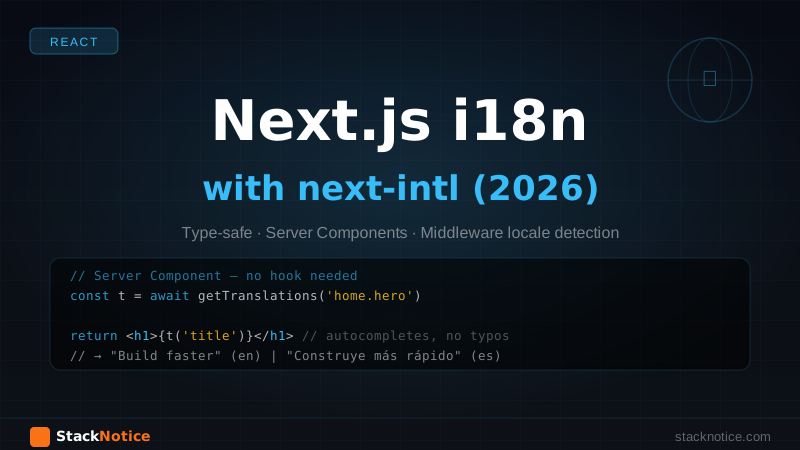
No hooks, no providers in the component itself — just import getTranslations:
// app/[locale]/page.tsx
import { getTranslations } from 'next-intl/server'
import Link from 'next/link'

export default async function HomePage() {
  const t = await getTranslations('home.hero')

  return (
    <main>
      <h1>{t('title')}</h1>
      <p>{t('subtitle')}</p>
      <Link href="/dashboard">{t('cta')}</Link>
    </main>
  )
}
For generating metadata with translated titles:
// app/[locale]/page.tsx
import { getTranslations } from 'next-intl/server'
import type { Metadata } from 'next'

export async function generateMetadata({
  params: { locale }
}: {
  params: { locale: string }
}): Promise<Metadata> {
  const t = await getTranslations({ locale, namespace: 'home.hero' })

  return {
    title: t('title'),
    description: t('subtitle'),
  }
}
Every page gets a translated <title> tag for free. This is what makes next-intl the right choice for SEO-sensitive apps.
Step 7: Using Translations in Client Components
Client Components use the useTranslations hook:
'use client'

import { useTranslations } from 'next-intl'

export function NavBar() {
  const t = useTranslations('nav')

  return (
    <nav>
      <a href="/">{t('home')}</a>
      <a href="/about">{t('about')}</a>
      <a href="/dashboard">{t('dashboard')}</a>
    </nav>
  )
}
The NextIntlClientProvider in the layout passes the pre-loaded messages to the client bundle. There's no extra fetch — the messages travel with the server-rendered HTML.
Pluralization and Interpolation
next-intl uses the ICU message format, which handles pluralization correctly for all languages (not just English where "0 items" vs "1 item" vs "2 items" is trivial):
// In a Server Component
const t = await getTranslations('home.features')

// Pluralization via ICU format
t('count', { count: 0 })  // "No features yet"
t('count', { count: 1 })  // "1 feature"
t('count', { count: 5 })  // "5 features"
Variable interpolation:
const t = await getTranslations('auth')

// "Welcome, Alice!"
t('welcome', { name: user.name })
Rich text (HTML in translations):
// messages/en.json
{
  "terms": {
    "agreement": "By signing up, you agree to our <terms>Terms of Service</terms>"
  }
}
const t = useTranslations('terms')
// Renders the link as an actual anchor
t.rich('agreement', {
terms: (chunks) => <a href="/terms">{chunks}</a>
})Locale Switcher Component
'use client'

import { useLocale } from 'next-intl'
import { useRouter, usePathname } from 'next/navigation'
import { useTransition } from 'react'

const locales = [
  { code: 'en', label: 'English' },
  { code: 'es', label: 'Español' },
  { code: 'fr', label: 'Français' },
]

export function LocaleSwitcher() {
  const locale = useLocale()
  const router = useRouter()
  const pathname = usePathname()
  const [isPending, startTransition] = useTransition()

  function switchLocale(newLocale: string) {
    // Replace the locale segment in the current path
    const segments = pathname.split('/')
    segments[1] = newLocale
    const newPath = segments.join('/')

    startTransition(() => {
      router.replace(newPath)
    })
  }

  return (
    <div className="flex gap-2">
      {locales.map(({ code, label }) => (
        <button
          key={code}
          onClick={() => switchLocale(code)}
          disabled={isPending || code === locale}
          className={code === locale ? 'font-bold opacity-50' : 'hover:underline'}
        >
          {label}
        </button>
      ))}
    </div>
  )
}
This replaces the locale segment in the URL path without a full page reload. The useTransition gives you the loading state so you can show a spinner or disable the button while the navigation completes.
Typed Navigation Helpers
For links and redirects that preserve the current locale, next-intl provides typed navigation utilities:
// navigation.ts
import { createLocalizedPathnameNavigation } from 'next-intl/navigation'

export const { Link, redirect, usePathname, useRouter } =
  createLocalizedPathnameNavigation({
    locales: ['en', 'es', 'fr'],
    pathnames: {
      '/': '/',
      '/about': {
        en: '/about',
        es: '/acerca-de',
        fr: '/a-propos',
      },
      '/dashboard': '/dashboard',
    },
  })
Using the localized Link automatically prefixes the correct locale:
import { Link } from '@/navigation'

// When locale is 'es', renders: <a href="/es/acerca-de">About</a>
<Link href="/about">About</Link>
Localized pathnames are optional but valuable for SEO — Spanish users get /es/acerca-de rather than /es/about, which ranks better in Spanish search results.
Handling Dynamic Routes with i18n
For dynamic routes like /blog/[slug], you don't need to do anything special. The [locale] segment just nests above:
app/[locale]/blog/[slug]/page.tsx
// app/[locale]/blog/[slug]/page.tsx
import { getTranslations } from 'next-intl/server'

export default async function BlogPost({
  params: { locale, slug }
}: {
  params: { locale: string; slug: string }
}) {
  const t = await getTranslations('blog')
  // fetch post by slug...

  return (
    <article>
      <span>{t('readingTime', { minutes: 5 })}</span>
      {/* post content */}
    </article>
  )
}
Date and Number Formatting
next-intl includes locale-aware formatters for dates and numbers, so you don't need a separate library:
import { useFormatter } from 'next-intl'

function ProductCard({ price, createdAt }: Props) {
  const format = useFormatter()

  return (
    <div>
      {/* $29.99 in en, 29,99 € in fr (with currency in locale) */}
      <span>{format.number(price, { style: 'currency', currency: 'USD' })}</span>

      {/* "3 days ago" in the user's language */}
      <time>{format.relativeTime(createdAt)}</time>

      {/* "June 12, 2026" vs "12 juin 2026" */}
      <span>{format.dateTime(createdAt, { dateStyle: 'long' })}</span>
    </div>
  )
}
No Intl.DateTimeFormat boilerplate, no toLocaleDateString bugs, no moment.js.
Structuring Large Translation Files
For apps with many pages, keeping everything in one flat JSON file becomes hard to manage. Split by feature:
messages/
  en/
    common.json      ← nav, auth, errors shared across the app
    home.json        ← homepage copy
    dashboard.json   ← dashboard-specific strings
    blog.json
  es/
    common.json
    home.json
    dashboard.json
    blog.json
Update i18n/request.ts to merge them:
import { getRequestConfig } from 'next-intl/server'

export default getRequestConfig(async ({ locale }) => {
  const [common, home, dashboard, blog] = await Promise.all([
    import(`../messages/${locale}/common.json`),
    import(`../messages/${locale}/home.json`),
    import(`../messages/${locale}/dashboard.json`),
    import(`../messages/${locale}/blog.json`),
  ])

  return {
    messages: {
      ...common.default,
      ...home.default,
      ...dashboard.default,
      ...blog.default,
    }
  }
})
Or load lazily per page — only load the messages the current page needs.
Common Gotchas
The notFound() call in getRequestConfig is important. Without it, an invalid locale like /xyz/dashboard would throw an unhandled error instead of a clean 404.
Don't render <html lang> without the locale. The <html lang={locale}> attribute affects screen readers and browser spell-check. Some tutorials skip it.
Images and locale-specific assets. If you have different hero images per locale, keep them in public/images/en/hero.jpg and reference via the locale in your component. next-intl doesn't handle binary assets — that's your responsibility.
Right-to-left (RTL) languages. If you need Arabic or Hebrew, add dir={locale === 'ar' ? 'rtl' : 'ltr'} to the <html> element and use CSS logical properties (margin-inline-start instead of margin-left) in your styles.
Missing translations. next-intl falls back to the key name if a translation is missing, so t('nav.missing') renders "nav.missing" rather than crashing. In development you'll see a warning in the console. Use this to catch gaps during testing.
Testing Internationalized Routes
With Playwright, test locale routing directly:
// e2e/i18n.spec.ts
import { test, expect } from '@playwright/test'

test('redirects / to default locale', async ({ page }) => {
  await page.goto('/')
  await expect(page).toHaveURL('/en')
})

test('switches locale and preserves path', async ({ page }) => {
  await page.goto('/en/about')
  await page.click('[data-testid="locale-es"]')
  await expect(page).toHaveURL('/es/about')
  await expect(page.locator('h1')).toContainText('Acerca')
})

test('has correct lang attribute', async ({ page }) => {
  await page.goto('/fr/about')
  const lang = await page.$eval('html', el => el.lang)
  expect(lang).toBe('fr')
})
With Vitest for unit testing translation logic:
// __tests__/translations.test.ts
import { describe, it, expect } from 'vitest'
import en from '@/messages/en.json'
import es from '@/messages/es.json'

describe('translations completeness', () => {
  function getKeys(obj: Record<string, unknown>, prefix = ''): string[] {
    return Object.entries(obj).flatMap(([k, v]) =>
      typeof v === 'object' && v !== null
        ? getKeys(v as Record<string, unknown>, `${prefix}${k}.`)
        : [`${prefix}${k}`]
    )
  }

  it('es has all keys that en has', () => {
    const enKeys = getKeys(en).sort()
    const esKeys = getKeys(es).sort()
    expect(esKeys).toEqual(enKeys)
  })
})
This catches missing keys before they reach production — you'll know immediately when you add an English string but forget to translate it.
Production Checklist
-
generateStaticParamsreturns all locales in the root layout -
<html lang={locale}>is set correctly - Middleware matcher excludes
_next,api, and static files - All translation files have the same keys (tested automatically)
-
notFound()is called for invalid locales ingetRequestConfig - Canonical URL and
hreflangtags set for SEO - Locale switcher is accessible (keyboard navigable)
- RTL support if needed (logical CSS properties)
SEO: hreflang Tags
For Google to index all locale versions correctly, add hreflang tags to your layout metadata:
// app/[locale]/layout.tsx
export async function generateMetadata({
  params: { locale }
}: {
  params: { locale: string }
}) {
  return {
    alternates: {
      languages: {
        'en': 'https://yoursite.com/en',
        'es': 'https://yoursite.com/es',
        'fr': 'https://yoursite.com/fr',
        'x-default': 'https://yoursite.com/en',
      }
    }
  }
}
Next.js renders these as <link rel="alternate" hreflang="..."> tags automatically.
Related Guides
If you're building the full stack around this setup, these articles will be useful:
- Next.js App Router Complete Guide — understanding layouts, loading states, and error boundaries before adding i18n
- Next.js Middleware Guide — how middleware works and what else you can do with it (auth, rate limiting, A/B testing)
- Next.js Authentication with NextAuth — combining locale routing with auth middleware
- React Hook Form + Zod Guide — building forms that validate with locale-appropriate error messages
next-intl is the library that finally makes i18n in Next.js App Router feel like a first-class feature rather than a workaround. Type-safe keys, Server Component support, and middleware-based locale detection solve the three hardest problems out of the box.
The [locale] routing pattern is a bit of an adjustment if you've been doing Pages Router i18n, but once it clicks it's cleaner than the old i18n config block in next.config.js. Your routes are self-documenting, your translations are fully typed, and Google gets proper hreflang tags for every locale you support.