Authentication in Next.js has a reputation for being complicated. It doesn't have to be.
Auth.js (formerly NextAuth.js) v5 — designed specifically for the App Router — handles OAuth providers, credentials, session management, and protected routes with minimal boilerplate. This guide builds a complete auth system from scratch.
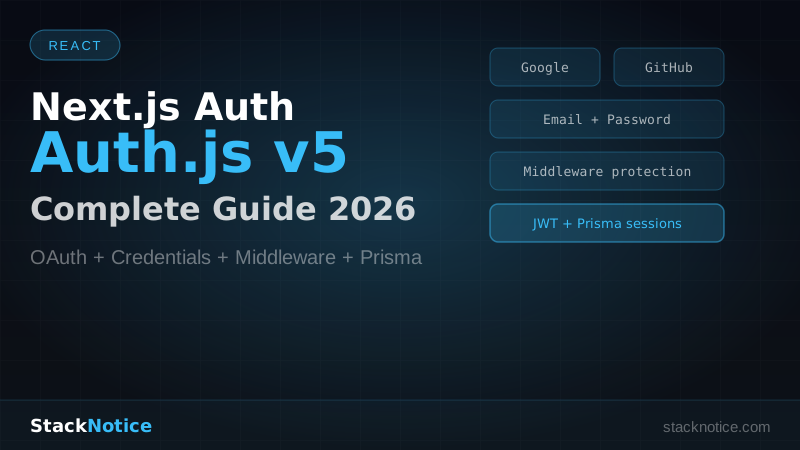
What You'll Build
- Google and GitHub OAuth login
- Email + password credentials
- Session management with JWT and database sessions
- Protected routes via middleware
- User data in PostgreSQL via Prisma
Setup
npx create-next-app@latest my-app --typescript --tailwind --app
cd my-app
npm install next-auth@beta @auth/prisma-adapter prisma @prisma/client bcryptjs
npm install -D @types/bcryptjs
Generate a secret:
npx auth secretThis adds AUTH_SECRET to your .env.local. Never commit this.
Prisma Schema
Auth.js needs specific tables for database sessions, accounts, and users. Use the Auth.js adapter schema:
// prisma/schema.prisma

generator client {
  provider = "prisma-client-js"
}

datasource db {
  provider = "postgresql"
  url      = env("DATABASE_URL")
}

model User {
  id            String    @id @default(cuid())
  name          String?
  email         String    @unique
  emailVerified DateTime?
  image         String?
  password      String?   // null for OAuth users
  createdAt     DateTime  @default(now())
  accounts      Account[]
  sessions      Session[]
}

model Account {
  id                String  @id @default(cuid())
  userId            String
  type              String
  provider          String
  providerAccountId String
  refresh_token     String? @db.Text
  access_token      String? @db.Text
  expires_at        Int?
  token_type        String?
  scope             String?
  id_token          String? @db.Text
  session_state     String?
  user              User    @relation(fields: [userId], references: [id], onDelete: Cascade)

  @@unique([provider, providerAccountId])
}

model Session {
  id           String   @id @default(cuid())
  sessionToken String   @unique
  userId       String
  expires      DateTime
  user         User     @relation(fields: [userId], references: [id], onDelete: Cascade)
}

model VerificationToken {
  identifier String
  token      String
  expires    DateTime

  @@unique([identifier, token])
}
Run the migration:
npx prisma migrate dev --name initAuth.js Configuration
Create the central auth config file:
// auth.ts (project root)

import NextAuth from "next-auth"
import { PrismaAdapter } from "@auth/prisma-adapter"
import Google from "next-auth/providers/google"
import GitHub from "next-auth/providers/github"
import Credentials from "next-auth/providers/credentials"
import bcrypt from "bcryptjs"
import { prisma } from "@/lib/prisma"

export const { handlers, signIn, signOut, auth } = NextAuth({
  adapter: PrismaAdapter(prisma),
  providers: [
    Google({
      clientId: process.env.GOOGLE_CLIENT_ID!,
      clientSecret: process.env.GOOGLE_CLIENT_SECRET!,
    }),
    GitHub({
      clientId: process.env.GITHUB_CLIENT_ID!,
      clientSecret: process.env.GITHUB_CLIENT_SECRET!,
    }),
    Credentials({
      name: "credentials",
      credentials: {
        email: { label: "Email", type: "email" },
        password: { label: "Password", type: "password" },
      },
      async authorize(credentials) {
        if (!credentials?.email || !credentials?.password) {
          return null
        }

        const user = await prisma.user.findUnique({
          where: { email: credentials.email as string },
        })

        if (!user || !user.password) {
          return null
        }

        const passwordMatch = await bcrypt.compare(
          credentials.password as string,
          user.password
        )

        if (!passwordMatch) {
          return null
        }

        return user
      },
    }),
  ],
  session: {
    strategy: "jwt", // use "database" for database sessions
  },
  pages: {
    signIn: "/auth/login",
    error: "/auth/error",
  },
  callbacks: {
    async session({ session, token }) {
      if (session.user && token.sub) {
        session.user.id = token.sub
      }
      return session
    },
    async jwt({ token, user }) {
      if (user) {
        token.sub = user.id
      }
      return token
    },
  },
})
API Route Handler
Auth.js v5 uses a single catch-all route:
// app/api/auth/[...nextauth]/route.ts

import { handlers } from "@/auth"

export const { GET, POST } = handlers
That's the entire API layer. Auth.js handles all OAuth callbacks, token refresh, and session management internally.
Prisma Client Setup
// lib/prisma.ts

import { PrismaClient } from "@prisma/client"

const globalForPrisma = globalThis as unknown as {
  prisma: PrismaClient | undefined
}

export const prisma =
  globalForPrisma.prisma ??
  new PrismaClient({
    log: process.env.NODE_ENV === "development" ? ["error", "warn"] : ["error"],
  })

if (process.env.NODE_ENV !== "production") globalForPrisma.prisma = prisma
User Registration
OAuth users are created automatically. For credentials users, add a registration endpoint:
// app/api/auth/register/route.ts

import { NextRequest, NextResponse } from "next/server"
import bcrypt from "bcryptjs"
import { prisma } from "@/lib/prisma"
import { z } from "zod"

const registerSchema = z.object({
  name: z.string().min(2).max(50),
  email: z.string().email(),
  password: z.string().min(8),
})

export async function POST(request: NextRequest) {
  try {
    const body = await request.json()
    const { name, email, password } = registerSchema.parse(body)

    const existing = await prisma.user.findUnique({ where: { email } })
    if (existing) {
      return NextResponse.json(
        { error: "Email already registered" },
        { status: 409 }
      )
    }

    const hashedPassword = await bcrypt.hash(password, 12)

    const user = await prisma.user.create({
      data: { name, email, password: hashedPassword },
      select: { id: true, name: true, email: true },
    })

    return NextResponse.json(user, { status: 201 })
  } catch (error) {
    if (error instanceof z.ZodError) {
      return NextResponse.json({ error: error.errors }, { status: 400 })
    }
    return NextResponse.json({ error: "Internal server error" }, { status: 500 })
  }
}
Login Page
// app/auth/login/page.tsx

"use client"

import { signIn } from "next-auth/react"
import { useState } from "react"
import { useRouter } from "next/navigation"

export default function LoginPage() {
  const router = useRouter()
  const [email, setEmail] = useState("")
  const [password, setPassword] = useState("")
  const [error, setError] = useState("")
  const [loading, setLoading] = useState(false)

  async function handleCredentialsLogin(e: React.FormEvent) {
    e.preventDefault()
    setLoading(true)
    setError("")

    const result = await signIn("credentials", {
      email,
      password,
      redirect: false,
    })

    setLoading(false)

    if (result?.error) {
      setError("Invalid email or password")
      return
    }

    router.push("/dashboard")
    router.refresh()
  }

  return (
    <div className="min-h-screen flex items-center justify-center">
      <div className="w-full max-w-md space-y-6 p-8">
        <h1 className="text-2xl font-bold">Sign in</h1>

        {/* OAuth providers */}
        <div className="space-y-3">
          <button
            onClick={() => signIn("google", { callbackUrl: "/dashboard" })}
            className="w-full flex items-center justify-center gap-3 border rounded-lg px-4 py-2.5 hover:bg-gray-50 transition"
          >
            Continue with Google
          </button>
          <button
            onClick={() => signIn("github", { callbackUrl: "/dashboard" })}
            className="w-full flex items-center justify-center gap-3 border rounded-lg px-4 py-2.5 hover:bg-gray-50 transition"
          >
            Continue with GitHub
          </button>
        </div>

        <div className="relative">
          <div className="absolute inset-0 flex items-center">
            <div className="w-full border-t" />
          </div>
          <div className="relative flex justify-center text-sm">
            <span className="px-2 bg-white text-gray-500">or</span>
          </div>
        </div>

        {/* Credentials form */}
        <form onSubmit={handleCredentialsLogin} className="space-y-4">
          {error && (
            <p className="text-sm text-red-600 bg-red-50 p-3 rounded-lg">
              {error}
            </p>
          )}
          <input
            type="email"
            placeholder="Email"
            value={email}
            onChange={(e) => setEmail(e.target.value)}
            required
            className="w-full border rounded-lg px-4 py-2.5"
          />
          <input
            type="password"
            placeholder="Password"
            value={password}
            onChange={(e) => setPassword(e.target.value)}
            required
            className="w-full border rounded-lg px-4 py-2.5"
          />
          <button
            type="submit"
            disabled={loading}
            className="w-full bg-black text-white rounded-lg px-4 py-2.5 hover:bg-gray-800 disabled:opacity-50 transition"
          >
            {loading ? "Signing in..." : "Sign in"}
          </button>
        </form>
      </div>
    </div>
  )
}
Protecting Routes with Middleware
This is where Auth.js v5 shines. A single middleware file protects any route pattern:
// middleware.ts (project root)

import { auth } from "@/auth"
import { NextResponse } from "next/server"

export default auth((request) => {
  const { nextUrl, auth: session } = request
  const isLoggedIn = !!session

  const isAuthPage = nextUrl.pathname.startsWith("/auth")
  const isProtected = nextUrl.pathname.startsWith("/dashboard") ||
                      nextUrl.pathname.startsWith("/settings") ||
                      nextUrl.pathname.startsWith("/api/user")

  // Redirect logged-in users away from auth pages
  if (isLoggedIn && isAuthPage) {
    return NextResponse.redirect(new URL("/dashboard", nextUrl))
  }

  // Redirect unauthenticated users to login
  if (!isLoggedIn && isProtected) {
    const loginUrl = new URL("/auth/login", nextUrl)
    loginUrl.searchParams.set("callbackUrl", nextUrl.pathname)
    return NextResponse.redirect(loginUrl)
  }

  return NextResponse.next()
})

export const config = {
  matcher: ["/((?!_next/static|_next/image|favicon.ico).*)"],
}
All routes under /dashboard, /settings, and /api/user are now protected. No auth checks needed in individual pages.
Reading the Session in Server Components
// app/dashboard/page.tsx

import { auth } from "@/auth"
import { redirect } from "next/navigation"

export default async function DashboardPage() {
  const session = await auth()

  if (!session) {
    redirect("/auth/login")
  }

  return (
    <div>
      <h1>Welcome, {session.user?.name}</h1>
      <p>Email: {session.user?.email}</p>
    </div>
  )
}
Reading the Session in Client Components
// components/UserMenu.tsx

"use client"

import { useSession, signOut } from "next-auth/react"

export function UserMenu() {
  const { data: session, status } = useSession()

  if (status === "loading") return <div>Loading...</div>

  if (!session) return null

  return (
    <div className="flex items-center gap-3">
      {session.user?.image && (
        <img
          src={session.user.image}
          alt={session.user.name ?? ""}
          className="w-8 h-8 rounded-full"
        />
      )}
      <span>{session.user?.name}</span>
      <button
        onClick={() => signOut({ callbackUrl: "/" })}
        className="text-sm text-gray-500 hover:text-gray-800"
      >
        Sign out
      </button>
    </div>
  )
}
Wrap your root layout with the session provider:
// app/layout.tsx

import { SessionProvider } from "next-auth/react"
import { auth } from "@/auth"

export default async function RootLayout({
  children,
}: {
  children: React.ReactNode
}) {
  const session = await auth()

  return (
    <html lang="en">
      <body>
        <SessionProvider session={session}>
          {children}
        </SessionProvider>
      </body>
    </html>
  )
}
Environment Variables
# .env.local

DATABASE_URL="postgresql://user:password@localhost:5432/mydb"
AUTH_SECRET="generated-by-npx-auth-secret"

# Google OAuth — console.developers.google.com
GOOGLE_CLIENT_ID="..."
GOOGLE_CLIENT_SECRET="..."

# GitHub OAuth — github.com/settings/applications
GITHUB_CLIENT_ID="..."
GITHUB_CLIENT_SECRET="..."
For Google OAuth: create a project in Google Cloud Console → Enable Google+ API → Create OAuth credentials → Add http://localhost:3000/api/auth/callback/google as authorized redirect URI.
For GitHub: Settings → Developer settings → OAuth Apps → New OAuth App → Set callback URL to http://localhost:3000/api/auth/callback/github.
JWT vs Database Sessions
Auth.js supports two session strategies:
JWT (default): Session stored in a signed cookie. No database reads on each request. Faster, but can't invalidate individual sessions without a denylist.
Database: Session stored in the Session table. Every authenticated request hits the database. Slower but allows immediate invalidation (useful for "sign out everywhere" features).
For most apps, JWT is the right default. Switch to strategy: "database" only if you need server-side session control.
Common Issues
"CLIENT_FETCH_ERROR" in production: Ensure AUTH_SECRET is set in your production environment. Every hosting platform has a different way to set env vars — Vercel uses the dashboard, Railway uses the service settings.
Prisma not finding the adapter: Make sure you installed @auth/prisma-adapter, not the old @next-auth/prisma-adapter.
Infinite redirect loops: Check your middleware matcher. If it's too broad, it intercepts static files and API routes — always exclude _next and favicon.ico.
For the full Next.js stack including API routes, database, and deployment, see the Next.js full-stack TypeScript tutorial. For performance optimization after your app is built, read the Next.js performance guide. For understanding Server vs Client Components — which directly affects how you use sessions — see the server vs client components guide.
Authentication is one of those things you set up once and it runs forever. Get it right with Auth.js and you'll never touch it again.