There are three moments when developers discover Convex. The first is when they're building a collaborative feature and realize they need websockets, a realtime database, subscription logic, and conflict resolution — all for a simple "other users see changes immediately" requirement. The second is when they notice their Supabase realtime subscription setup is more code than the feature itself. The third is when someone shows them that Convex does all of it in about 20 lines.
Convex is a TypeScript-native backend-as-a-service: database, server functions, file storage, and realtime subscriptions in one platform. It's not a drop-in Postgres replacement — it's a different model for thinking about your backend. If your app needs realtime collaboration, live feeds, or any data that multiple users see simultaneously, Convex solves problems that Drizzle + Neon and Supabase both make harder than they should be.
This guide covers the full Convex + Next.js App Router setup, from schema to production.
Convex vs Drizzle+Neon vs Supabase
Before diving in, the honest comparison:
| Convex | Drizzle + Neon | Supabase | |
|---|---|---|---|
| Database model | Document store (TypeScript-first) | SQL (Postgres) | SQL (Postgres) |
| Realtime | Built-in, reactive | Manual (polling or SSE) | Realtime subscriptions |
| Server functions | TypeScript functions, auto-deployed | API routes / Server Actions | Edge functions |
| Schema | TypeScript | TypeScript (Drizzle) | SQL migrations |
| Auth | External (Clerk, Better Auth) | External | Built-in or external |
| Free tier | 1M function calls/month | Neon free + Drizzle free | 500MB DB, 2GB bandwidth |
| Self-hostable | No | Yes (Neon: no; Drizzle: yes) | Yes |
| Best for | Realtime, collaborative apps | Traditional CRUD SaaS | Firebase replacement |
When to choose Convex:
- Live collaboration (like a shared document, whiteboard, or dashboard multiple users edit)
- Activity feeds, chat, notifications
- Apps where "stale data" is unacceptable
- You want server functions without managing API routes
When to choose Drizzle + Neon:
- Traditional CRUD with SQL queries
- Complex joins and aggregations
- You need Postgres-specific features
- Cost-sensitive at scale (Postgres wins here)
When to choose Supabase:
- You want auth + storage + DB in one platform
- You're coming from Firebase
- You need row-level security out of the box
See the Neon Postgres guide and Supabase + Next.js guide for those setups. This guide assumes you've chosen Convex.
Installation
npm create convex@latest
# or add to existing Next.js project:
npm install convex
npx convex dev
npx convex dev launches the Convex development server and opens the dashboard. Your first run will prompt you to create a project and authenticate.
In next.config.ts, no changes needed — Convex works alongside the existing Next.js config.
Project Structure
convex/
  _generated/       ← auto-generated types (never edit)
  schema.ts         ← your database schema
  tasks.ts          ← server functions for tasks
  users.ts          ← server functions for users
  _generated/       ← types Convex generates from your schema
app/
  providers.tsx     ← ConvexClientProvider
  layout.tsx
  dashboard/
    page.tsx
Step 1: Define Your Schema
Convex schemas are TypeScript — no SQL, no separate migration files:
// convex/schema.ts
import { defineSchema, defineTable } from 'convex/server'
import { v } from 'convex/values'

export default defineSchema({
  tasks: defineTable({
    title: v.string(),
    done: v.boolean(),
    userId: v.string(),         // Clerk user ID
    priority: v.union(
      v.literal('low'),
      v.literal('medium'),
      v.literal('high')
    ),
    dueDate: v.optional(v.number()), // Unix timestamp
    createdAt: v.number(),
  })
    .index('by_user', ['userId'])
    .index('by_user_done', ['userId', 'done']),

  comments: defineTable({
    taskId: v.id('tasks'),       // typed reference to tasks table
    userId: v.string(),
    content: v.string(),
    createdAt: v.number(),
  })
    .index('by_task', ['taskId']),
})
The v.id('tasks') type creates a typed foreign key. Convex enforces referential integrity at the schema level. The .index() calls create indexes — query performance comes from the indexes you define here, not from writing CREATE INDEX SQL.
After saving this file, Convex automatically generates TypeScript types in _generated/. Your editor instantly knows the shape of every document in every table.
Step 2: Write Server Functions
Convex has three types of server functions:
- queries — read-only, reactive (clients re-render when data changes)
- mutations — write operations, transactional
- actions — can call external APIs, not reactive
// convex/tasks.ts
import { query, mutation } from './_generated/server'
import { v } from 'convex/values'

export const list = query({
  args: {},
  handler: async (ctx) => {
    const identity = await ctx.auth.getUserIdentity()
    if (!identity) throw new Error('Unauthorized')

    return await ctx.db
      .query('tasks')
      .withIndex('by_user', (q) => q.eq('userId', identity.subject))
      .order('desc')
      .collect()
  },
})

export const create = mutation({
  args: {
    title: v.string(),
    priority: v.union(v.literal('low'), v.literal('medium'), v.literal('high')),
    dueDate: v.optional(v.number()),
  },
  handler: async (ctx, args) => {
    const identity = await ctx.auth.getUserIdentity()
    if (!identity) throw new Error('Unauthorized')

    return await ctx.db.insert('tasks', {
      title: args.title,
      done: false,
      userId: identity.subject,
      priority: args.priority,
      dueDate: args.dueDate,
      createdAt: Date.now(),
    })
  },
})

export const toggle = mutation({
  args: { id: v.id('tasks'), done: v.boolean() },
  handler: async (ctx, args) => {
    const identity = await ctx.auth.getUserIdentity()
    if (!identity) throw new Error('Unauthorized')

    const task = await ctx.db.get(args.id)
    if (!task || task.userId !== identity.subject) {
      throw new Error('Not found or unauthorized')
    }

    await ctx.db.patch(args.id, { done: args.done })
  },
})

export const remove = mutation({
  args: { id: v.id('tasks') },
  handler: async (ctx, args) => {
    const identity = await ctx.auth.getUserIdentity()
    if (!identity) throw new Error('Unauthorized')

    const task = await ctx.db.get(args.id)
    if (!task || task.userId !== identity.subject) {
      throw new Error('Not found or unauthorized')
    }

    await ctx.db.delete(args.id)
  },
})
Notice: no await db.connect(), no connection pool management, no SQL strings. The server functions are pure TypeScript. Convex deploys them automatically when you save.
The ownership check task.userId !== identity.subject is critical — always verify the requesting user owns the document before mutating it.
Step 3: Auth with Clerk
Install Clerk:
npm install @clerk/nextjsConfigure Clerk to work with Convex:
// convex/auth.config.ts
export default {
  providers: [
    {
      domain: process.env.CLERK_JWT_ISSUER_DOMAIN!,
      applicationID: 'convex',
    },
  ],
}
In your Clerk dashboard, go to JWT Templates → Create new → Convex → copy the issuer domain to your .env.local:
CONVEX_DEPLOYMENT=dev:your-deployment-name
NEXT_PUBLIC_CONVEX_URL=https://your-deployment.convex.cloud
NEXT_PUBLIC_CLERK_PUBLISHABLE_KEY=pk_test_...
CLERK_SECRET_KEY=sk_test_...
CLERK_JWT_ISSUER_DOMAIN=https://your-clerk-instance.clerk.accounts.dev
Wrap your app with both providers:
// app/providers.tsx
'use client'

import { ClerkProvider, useAuth } from '@clerk/nextjs'
import { ConvexProviderWithClerk } from 'convex/react-clerk'
import { ConvexReactClient } from 'convex/react'

const convex = new ConvexReactClient(process.env.NEXT_PUBLIC_CONVEX_URL!)

export function Providers({ children }: { children: React.ReactNode }) {
  return (
    <ClerkProvider>
      <ConvexProviderWithClerk client={convex} useAuth={useAuth}>
        {children}
      </ConvexProviderWithClerk>
    </ClerkProvider>
  )
}
// app/layout.tsx
import { Providers } from './providers'
export default function RootLayout({ children }: { children: React.ReactNode }) {
return (
<html lang="en">
<body>
<Providers>{children}</Providers>
</body>
</html>
)
}ConvexProviderWithClerk handles token passing automatically. When Clerk issues a token, Convex receives it and your server functions can call ctx.auth.getUserIdentity() to get the user's identity. For a deeper Clerk setup, see the Clerk + Next.js authentication guide.
Step 4: Reactive Queries in Client Components
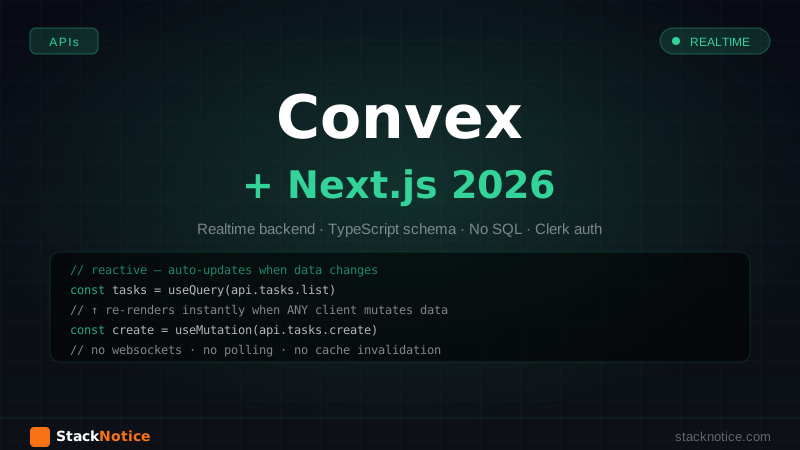
This is where Convex becomes genuinely different. useQuery returns data that automatically updates when the underlying data changes — no polling, no manual refresh, no websocket setup:
'use client'

import { useQuery, useMutation } from 'convex/react'
import { api } from '@/convex/_generated/api'

export function TaskList() {
  const tasks = useQuery(api.tasks.list)
  const toggle = useMutation(api.tasks.toggle)
  const remove = useMutation(api.tasks.remove)

  if (tasks === undefined) return <div>Loading...</div>

  return (
    <ul className="space-y-2">
      {tasks.map((task) => (
        <li key={task._id} className="flex items-center gap-3 p-3 rounded-lg border">
          <input
            type="checkbox"
            checked={task.done}
            onChange={(e) => toggle({ id: task._id, done: e.target.checked })}
          />
          <span className={task.done ? 'line-through opacity-50' : ''}>
            {task.title}
          </span>
          <span className={`ml-auto text-xs px-2 py-0.5 rounded ${
            task.priority === 'high' ? 'bg-red-100 text-red-700' :
            task.priority === 'medium' ? 'bg-yellow-100 text-yellow-700' :
            'bg-gray-100 text-gray-600'
          }`}>
            {task.priority}
          </span>
          <button
            onClick={() => remove({ id: task._id })}
            className="text-gray-400 hover:text-red-500"
          >
            ×
          </button>
        </li>
      ))}
    </ul>
  )
}
When any other user (or another browser tab) calls the toggle mutation, every component using useQuery(api.tasks.list) re-renders with the new data instantly. No websocket code, no subscription management, no cache invalidation. Convex handles all of it.
tasks === undefined (not null) means loading — this is Convex's pattern for distinguishing "loading" from "empty result."
Step 5: Server-Side Preloading
For pages where you want data on first load (no loading spinner):
// app/dashboard/page.tsx
import { preloadQuery } from 'convex/nextjs'
import { api } from '@/convex/_generated/api'
import { auth } from '@clerk/nextjs/server'
import { TaskList } from './_components/TaskList'

export default async function DashboardPage() {
  const { getToken } = auth()
  const token = await getToken({ template: 'convex' })

  const preloadedTasks = await preloadQuery(
    api.tasks.list,
    {},
    { token: token ?? undefined }
  )

  return (
    <main>
      <h1>Dashboard</h1>
      <TaskList preloadedTasks={preloadedTasks} />
    </main>
  )
}
// app/dashboard/_components/TaskList.tsx
'use client'
import { usePreloadedQuery } from 'convex/react'
import { Preloaded } from 'convex/react'
import { api } from '@/convex/_generated/api'
export function TaskList({
preloadedTasks
}: {
preloadedTasks: Preloaded<typeof api.tasks.list>
}) {
// Hydrates from server data, then stays reactive
const tasks = usePreloadedQuery(preloadedTasks)
// ... same render as before
}The component hydrates from the server-preloaded data (no loading spinner) and then becomes reactive — subsequent changes from any source update it automatically.
Filtered and Paginated Queries
// convex/tasks.ts

export const listByPriority = query({
  args: {
    priority: v.union(v.literal('low'), v.literal('medium'), v.literal('high')),
  },
  handler: async (ctx, args) => {
    const identity = await ctx.auth.getUserIdentity()
    if (!identity) throw new Error('Unauthorized')

    return await ctx.db
      .query('tasks')
      .withIndex('by_user', (q) => q.eq('userId', identity.subject))
      .filter((q) => q.eq(q.field('priority'), args.priority))
      .collect()
  },
})

// Paginated version
export const listPaginated = query({
  args: { paginationOpts: paginationOptsValidator },
  handler: async (ctx, args) => {
    const identity = await ctx.auth.getUserIdentity()
    if (!identity) throw new Error('Unauthorized')

    return await ctx.db
      .query('tasks')
      .withIndex('by_user', (q) => q.eq('userId', identity.subject))
      .paginate(args.paginationOpts)
  },
})
// In a client component
import { usePaginatedQuery } from 'convex/react'
const { results, status, loadMore } = usePaginatedQuery(
api.tasks.listPaginated,
{},
{ initialNumItems: 20 }
)loadMore(20) fetches the next 20 items. The list updates reactively as items change across all pages.
File Storage
Convex includes file storage — no separate S3 bucket or UploadThing setup for simple use cases:
// convex/files.ts
import { mutation, query } from './_generated/server'
import { v } from 'convex/values'

export const generateUploadUrl = mutation({
  args: {},
  handler: async (ctx) => {
    const identity = await ctx.auth.getUserIdentity()
    if (!identity) throw new Error('Unauthorized')
    return await ctx.storage.generateUploadUrl()
  },
})

export const saveFile = mutation({
  args: {
    storageId: v.id('_storage'),
    name: v.string(),
    taskId: v.id('tasks'),
  },
  handler: async (ctx, args) => {
    const identity = await ctx.auth.getUserIdentity()
    if (!identity) throw new Error('Unauthorized')

    return await ctx.db.insert('attachments', {
      storageId: args.storageId,
      name: args.name,
      taskId: args.taskId,
      userId: identity.subject,
      createdAt: Date.now(),
    })
  },
})

export const getFileUrl = query({
  args: { storageId: v.id('_storage') },
  handler: async (ctx, args) => {
    return await ctx.storage.getUrl(args.storageId)
  },
})
// Client-side upload
'use client'
import { useMutation } from 'convex/react'
import { api } from '@/convex/_generated/api'
export function FileUpload({ taskId }: { taskId: Id<'tasks'> }) {
const generateUploadUrl = useMutation(api.files.generateUploadUrl)
const saveFile = useMutation(api.files.saveFile)
async function handleUpload(file: File) {
// Get a short-lived upload URL
const uploadUrl = await generateUploadUrl()
// Upload directly to Convex storage
const result = await fetch(uploadUrl, {
method: 'POST',
headers: { 'Content-Type': file.type },
body: file,
})
const { storageId } = await result.json()
// Save the reference in the database
await saveFile({ storageId, name: file.name, taskId })
}
return (
<input
type="file"
onChange={(e) => e.target.files?.[0] && handleUpload(e.target.files[0])}
/>
)
}For large files, high-throughput uploads, or CDN delivery at scale, AWS S3 with CloudFront is still the right choice — see the AWS S3 + Next.js upload guide. But for typical SaaS attachments, Convex storage is simpler.
Actions: Calling External APIs
Queries and mutations can't call external APIs (they're transactional and deterministic). For external calls — sending emails, calling Stripe, hitting an external API — use actions:
// convex/notifications.ts
import { action } from './_generated/server'
import { v } from 'convex/values'
import { api } from './_generated/api'

export const sendTaskDueEmail = action({
  args: { taskId: v.id('tasks') },
  handler: async (ctx, args) => {
    // Actions CAN call external APIs
    const task = await ctx.runQuery(api.tasks.getById, { id: args.taskId })
    if (!task) throw new Error('Task not found')

    await fetch('https://api.resend.com/emails', {
      method: 'POST',
      headers: {
        Authorization: `Bearer ${process.env.RESEND_API_KEY}`,
        'Content-Type': 'application/json',
      },
      body: JSON.stringify({
        from: 'tasks@yourapp.com',
        to: task.userEmail,
        subject: `Task due: ${task.title}`,
        html: `<p>Your task "${task.title}" is due today.</p>`,
      }),
    })
  },
})
Actions can call queries and mutations via ctx.runQuery and ctx.runMutation. They're the bridge between Convex's transactional world and external services.
Scheduled Functions (Cron Jobs)
// convex/crons.ts
import { cronJobs } from 'convex/server'
import { api } from './_generated/api'

const crons = cronJobs()

crons.daily(
  'send due date reminders',
  { hourUTC: 8, minuteUTC: 0 },
  api.notifications.sendDueDateReminders
)

export default crons
Scheduled functions are defined in TypeScript alongside your other server functions. No external cron service, no separate worker process.
Deploying to Production
npx convex deployThat's it. Convex deploys all your server functions and schema changes in one command. The deployment is atomic — either all functions deploy successfully or none do.
For environment variables in production:
npx convex env set RESEND_API_KEY re_...
npx convex env set CLERK_JWT_ISSUER_DOMAIN https://...
Convex manages environment variables separately from Vercel — you set them in Convex, not in the Vercel dashboard (unless they're NEXT_PUBLIC_ variables, which still go in Vercel).
Production Checklist
- All queries check
ctx.auth.getUserIdentity()before returning data - All mutations verify document ownership before patching or deleting
- Indexes defined for every query that filters by
userId -
CONVEX_DEPLOYMENTandNEXT_PUBLIC_CONVEX_URLset in Vercel environment -
CLERK_JWT_ISSUER_DOMAINset in Convex environment (not Vercel) - Rate limiting considered for public-facing mutations
- File size limits enforced before calling
generateUploadUrl
Related Guides
- Clerk + Next.js authentication guide — the auth layer that pairs with Convex
- Neon Postgres + Next.js guide — when you need SQL instead
- Supabase + Next.js guide — the Firebase-alternative comparison
- Next.js realtime with SSE and WebSockets — building realtime without a BaaS
- Drizzle ORM complete guide — SQL-first alternative for complex queries
Convex changes the mental model for building realtime features. Instead of wiring up websockets, managing subscriptions, and manually invalidating caches, you write a query and it stays current. The tradeoff is giving up SQL and self-hosting — if either of those matters for your project, Drizzle + Neon or Supabase is the better call. But for collaborative apps, live dashboards, or anything where "refresh to see new data" is unacceptable, Convex is the cleanest solution in the Next.js ecosystem right now.