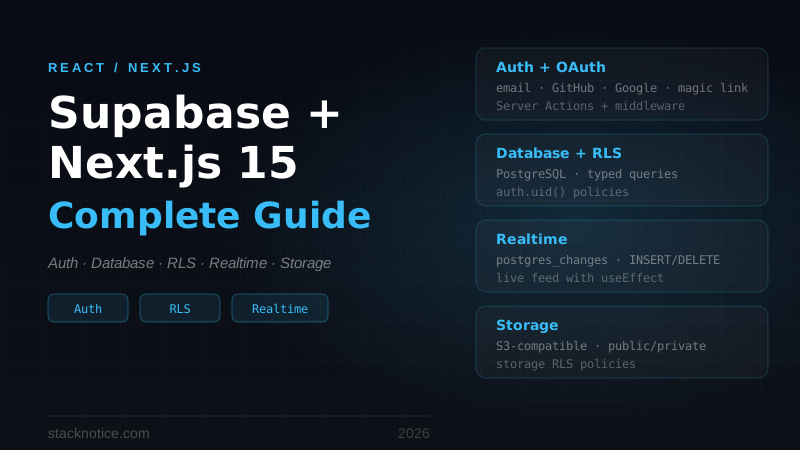
Supabase is an open-source Firebase alternative built on PostgreSQL. It gives you a hosted database, auth, realtime subscriptions, file storage, and auto-generated APIs — all in one platform. Combined with Next.js 15 App Router, it's one of the fastest ways to build a full-stack application that's actually production-ready.
This guide covers the complete setup: auth (email + OAuth), database queries with Row Level Security, realtime subscriptions, file uploads, and middleware-based route protection.
Why Supabase Over Firebase
The main reason devs switch: you get a real SQL database. Supabase runs PostgreSQL, which means complex queries, joins, foreign keys, transactions — things Firebase can't do. Other advantages:
- Row Level Security (RLS) — authorization logic lives in the database, not your backend code
- Open source — self-host if needed, no vendor lock-in
- Real-time — Postgres changes stream to clients via WebSockets
- Auth built-in — email, OAuth, magic links, phone OTP
- Storage — S3-compatible file storage with access policies tied to auth
The free tier (500MB database, 1GB storage, 50k monthly active users) is generous enough to launch with.
Project Setup
npx create-next-app@latest my-app --typescript --tailwind --app
cd my-app
npm install @supabase/supabase-js @supabase/ssr
Create a project at supabase.com and get your keys:
# .env.local
NEXT_PUBLIC_SUPABASE_URL=https://your-project.supabase.co
NEXT_PUBLIC_SUPABASE_ANON_KEY=eyJ...
SUPABASE_SERVICE_ROLE_KEY=eyJ...  # only for server-side admin operations
Supabase Client Setup
With Next.js App Router, you need two clients: one for Server Components (uses cookies) and one for Client Components (uses the browser).
// utils/supabase/server.ts
import { createServerClient } from '@supabase/ssr'
import { cookies } from 'next/headers'

export async function createClient() {
  const cookieStore = await cookies()

  return createServerClient(
    process.env.NEXT_PUBLIC_SUPABASE_URL!,
    process.env.NEXT_PUBLIC_SUPABASE_ANON_KEY!,
    {
      cookies: {
        getAll() {
          return cookieStore.getAll()
        },
        setAll(cookiesToSet) {
          try {
            cookiesToSet.forEach(({ name, value, options }) =>
              cookieStore.set(name, value, options)
            )
          } catch {
            // Called from a Server Component — cookies can't be set
            // Middleware handles session refresh
          }
        },
      },
    }
  )
}
// utils/supabase/client.ts
import { createBrowserClient } from '@supabase/ssr'
export function createClient() {
return createBrowserClient(
process.env.NEXT_PUBLIC_SUPABASE_URL!,
process.env.NEXT_PUBLIC_SUPABASE_ANON_KEY!
)
}Authentication
Email + Password
Server Actions handle form submissions cleanly in App Router:
// app/auth/actions.ts
'use server'

import { createClient } from '@/utils/supabase/server'
import { redirect } from 'next/navigation'

export async function signUp(formData: FormData) {
  const supabase = await createClient()

  const { error } = await supabase.auth.signUp({
    email: formData.get('email') as string,
    password: formData.get('password') as string,
    options: {
      data: { full_name: formData.get('name') as string },
    },
  })

  if (error) return { error: error.message }
  redirect('/dashboard')
}

export async function signIn(formData: FormData) {
  const supabase = await createClient()

  const { error } = await supabase.auth.signInWithPassword({
    email: formData.get('email') as string,
    password: formData.get('password') as string,
  })

  if (error) return { error: error.message }
  redirect('/dashboard')
}

export async function signOut() {
  const supabase = await createClient()
  await supabase.auth.signOut()
  redirect('/login')
}
OAuth (Google, GitHub)
// app/auth/actions.ts (add to existing)
export async function signInWithGitHub() {
  const supabase = await createClient()

  const { data, error } = await supabase.auth.signInWithOAuth({
    provider: 'github',
    options: {
      redirectTo: `${process.env.NEXT_PUBLIC_SITE_URL}/auth/callback`,
    },
  })

  if (error) return { error: error.message }
  if (data.url) redirect(data.url)
}
Create the OAuth callback route:
// app/auth/callback/route.ts
import { createClient } from '@/utils/supabase/server'
import { NextResponse } from 'next/server'

export async function GET(request: Request) {
  const { searchParams, origin } = new URL(request.url)
  const code = searchParams.get('code')

  if (code) {
    const supabase = await createClient()
    const { error } = await supabase.auth.exchangeCodeForSession(code)
    if (!error) return NextResponse.redirect(`${origin}/dashboard`)
  }

  return NextResponse.redirect(`${origin}/login?error=auth_failed`)
}
Enable GitHub (or Google) in your Supabase dashboard under Authentication → Providers. You'll need to set up an OAuth app in GitHub and paste the client ID + secret into Supabase.
Login Page
// app/login/page.tsx
import { signIn, signInWithGitHub } from '@/app/auth/actions'

export default function LoginPage() {
  return (
    <div className="min-h-screen flex items-center justify-center">
      <div className="w-full max-w-md space-y-6">
        <h1 className="text-2xl font-bold text-center">Sign in</h1>

        <form action={signIn} className="space-y-4">
          <input
            name="email"
            type="email"
            placeholder="Email"
            required
            className="w-full rounded-lg border px-4 py-2"
          />
          <input
            name="password"
            type="password"
            placeholder="Password"
            required
            className="w-full rounded-lg border px-4 py-2"
          />
          <button
            type="submit"
            className="w-full rounded-lg bg-green-600 py-2 text-white font-medium"
          >
            Sign in
          </button>
        </form>

        <div className="relative">
          <div className="absolute inset-0 flex items-center">
            <div className="w-full border-t" />
          </div>
          <div className="relative flex justify-center text-sm">
            <span className="bg-white px-2 text-gray-500">or</span>
          </div>
        </div>

        <form action={signInWithGitHub}>
          <button
            type="submit"
            className="w-full rounded-lg border py-2 font-medium flex items-center justify-center gap-2"
          >
            Continue with GitHub
          </button>
        </form>
      </div>
    </div>
  )
}
Middleware — Route Protection
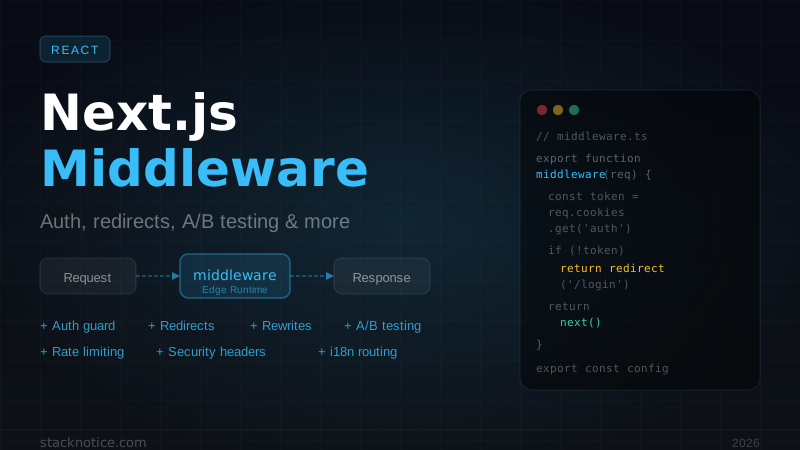
The middleware refreshes the auth session on every request and redirects unauthenticated users:
// middleware.ts
import { createServerClient } from '@supabase/ssr'
import { NextResponse, type NextRequest } from 'next/server'

const protectedRoutes = ['/dashboard', '/settings', '/profile']

export async function middleware(request: NextRequest) {
  let supabaseResponse = NextResponse.next({ request })

  const supabase = createServerClient(
    process.env.NEXT_PUBLIC_SUPABASE_URL!,
    process.env.NEXT_PUBLIC_SUPABASE_ANON_KEY!,
    {
      cookies: {
        getAll() {
          return request.cookies.getAll()
        },
        setAll(cookiesToSet) {
          cookiesToSet.forEach(({ name, value }) =>
            request.cookies.set(name, value)
          )
          supabaseResponse = NextResponse.next({ request })
          cookiesToSet.forEach(({ name, value, options }) =>
            supabaseResponse.cookies.set(name, value, options)
          )
        },
      },
    }
  )

  // IMPORTANT: always call getUser() — never getSession()
  // getSession() doesn't validate the JWT
  const {
    data: { user },
  } = await supabase.auth.getUser()

  const isProtected = protectedRoutes.some((route) =>
    request.nextUrl.pathname.startsWith(route)
  )

  if (!user && isProtected) {
    const loginUrl = new URL('/login', request.url)
    loginUrl.searchParams.set('redirect', request.nextUrl.pathname)
    return NextResponse.redirect(loginUrl)
  }

  return supabaseResponse
}

export const config = {
  matcher: ['/((?!_next/static|_next/image|favicon.ico).*)'],
}Important: always use supabase.auth.getUser() instead of supabase.auth.getSession() in middleware. getUser() validates the JWT against the Supabase server — getSession() only reads from cookies and can be spoofed.
Database
Schema
Create your tables in the Supabase dashboard (SQL Editor) or via migration files:
-- profiles table (extends auth.users)
CREATE TABLE profiles (
  id UUID REFERENCES auth.users(id) ON DELETE CASCADE PRIMARY KEY,
  full_name TEXT,
  avatar_url TEXT,
  bio TEXT,
  updated_at TIMESTAMP WITH TIME ZONE DEFAULT NOW()
);

-- posts table
CREATE TABLE posts (
  id UUID DEFAULT gen_random_uuid() PRIMARY KEY,
  user_id UUID REFERENCES auth.users(id) ON DELETE CASCADE NOT NULL,
  title TEXT NOT NULL,
  content TEXT NOT NULL,
  published BOOLEAN DEFAULT false,
  created_at TIMESTAMP WITH TIME ZONE DEFAULT NOW(),
  updated_at TIMESTAMP WITH TIME ZONE DEFAULT NOW()
);

-- Automatically create profile on sign up
CREATE OR REPLACE FUNCTION handle_new_user()
RETURNS TRIGGER AS $$
BEGIN
  INSERT INTO profiles (id, full_name, avatar_url)
  VALUES (
    NEW.id,
    NEW.raw_user_meta_data->>'full_name',
    NEW.raw_user_meta_data->>'avatar_url'
  );
  RETURN NEW;
END;
$$ LANGUAGE plpgsql SECURITY DEFINER;

CREATE TRIGGER on_auth_user_created
  AFTER INSERT ON auth.users
  FOR EACH ROW EXECUTE FUNCTION handle_new_user();
Row Level Security
RLS lets the database enforce authorization. Enable it, then write policies:
-- Enable RLS
ALTER TABLE posts ENABLE ROW LEVEL SECURITY;
ALTER TABLE profiles ENABLE ROW LEVEL SECURITY;

-- Posts: anyone can read published posts
CREATE POLICY "Public read published posts"
ON posts FOR SELECT
USING (published = true);

-- Posts: authenticated users can read their own drafts
CREATE POLICY "Users read own posts"
ON posts FOR SELECT
USING (auth.uid() = user_id);

-- Posts: users can create their own posts
CREATE POLICY "Users create own posts"
ON posts FOR INSERT
WITH CHECK (auth.uid() = user_id);

-- Posts: users can update/delete their own posts
CREATE POLICY "Users update own posts"
ON posts FOR UPDATE
USING (auth.uid() = user_id);

CREATE POLICY "Users delete own posts"
ON posts FOR DELETE
USING (auth.uid() = user_id);

-- Profiles: anyone can read profiles
CREATE POLICY "Public profiles are viewable"
ON profiles FOR SELECT
USING (true);

-- Profiles: users can update their own profile
CREATE POLICY "Users update own profile"
ON profiles FOR UPDATE
USING (auth.uid() = id);
With RLS, your API queries don't need manual WHERE user_id = currentUser.id — the database handles it automatically based on the authenticated session.
Querying Data
In Server Components:
// lib/posts.ts
import { createClient } from '@/utils/supabase/server'

export async function getPublishedPosts() {
  const supabase = await createClient()

  const { data, error } = await supabase
    .from('posts')
    .select(`
      id,
      title,
      content,
      created_at,
      author:profiles(full_name, avatar_url)
    `)
    .eq('published', true)
    .order('created_at', { ascending: false })

  if (error) throw error
  return data
}

export async function getMyPosts() {
  const supabase = await createClient()

  const { data: { user } } = await supabase.auth.getUser()
  if (!user) return []

  const { data, error } = await supabase
    .from('posts')
    .select('*')
    .eq('user_id', user.id)
    .order('created_at', { ascending: false })

  if (error) throw error
  return data
}

export async function createPost(title: string, content: string, published = false) {
  const supabase = await createClient()

  const { data, error } = await supabase
    .from('posts')
    .insert({ title, content, published })
    .select()
    .single()

  if (error) throw error
  return data
}
Use in a Server Component:
// app/dashboard/page.tsx
import { getMyPosts } from '@/lib/posts'

export default async function DashboardPage() {
  const posts = await getMyPosts()

  return (
    <div>
      <h1 className="text-2xl font-bold mb-6">My Posts</h1>
      {posts.map((post) => (
        <article key={post.id} className="border rounded-lg p-4 mb-4">
          <h2 className="text-lg font-semibold">{post.title}</h2>
          <span className={`text-sm ${post.published ? 'text-green-600' : 'text-gray-400'}`}>
            {post.published ? 'Published' : 'Draft'}
          </span>
        </article>
      ))}
    </div>
  )
}
Realtime Subscriptions
Supabase streams database changes to the client via WebSockets. Use this for live feeds, notifications, or collaborative features.
// components/RealtimePosts.tsx
'use client'

import { createClient } from '@/utils/supabase/client'
import { useEffect, useState } from 'react'

type Post = {
  id: string
  title: string
  content: string
  created_at: string
}

export function RealtimePosts({ initialPosts }: { initialPosts: Post[] }) {
  const [posts, setPosts] = useState(initialPosts)

  useEffect(() => {
    const supabase = createClient()

    const channel = supabase
      .channel('public:posts')
      .on(
        'postgres_changes',
        { event: 'INSERT', schema: 'public', table: 'posts', filter: 'published=eq.true' },
        (payload) => {
          setPosts((prev) => [payload.new as Post, ...prev])
        }
      )
      .on(
        'postgres_changes',
        { event: 'DELETE', schema: 'public', table: 'posts' },
        (payload) => {
          setPosts((prev) => prev.filter((p) => p.id !== payload.old.id))
        }
      )
      .subscribe()

    return () => {
      supabase.removeChannel(channel)
    }
  }, [])

  return (
    <div className="space-y-4">
      {posts.map((post) => (
        <article key={post.id} className="border rounded-lg p-4">
          <h2 className="font-semibold">{post.title}</h2>
          <p className="text-gray-600 text-sm mt-1">{post.content}</p>
        </article>
      ))}
    </div>
  )
}
Load initial data server-side, then hydrate with realtime:
// app/posts/page.tsx
import { getPublishedPosts } from '@/lib/posts'
import { RealtimePosts } from '@/components/RealtimePosts'

export default async function PostsPage() {
  const posts = await getPublishedPosts()
  return <RealtimePosts initialPosts={posts} />
}
File Storage
Upload avatars, images, or documents:
// lib/storage.ts
import { createClient } from '@/utils/supabase/server'

export async function uploadAvatar(userId: string, file: File): Promise<string> {
  const supabase = await createClient()

  const ext = file.name.split('.').pop()
  const path = `${userId}/avatar.${ext}`

  const { error: uploadError } = await supabase.storage
    .from('avatars')
    .upload(path, file, {
      upsert: true,
      contentType: file.type,
    })

  if (uploadError) throw uploadError

  const { data } = supabase.storage.from('avatars').getPublicUrl(path)
  return data.publicUrl
}

export async function deleteFile(bucket: string, path: string) {
  const supabase = await createClient()
  const { error } = await supabase.storage.from(bucket).remove([path])
  if (error) throw error
}
Create the avatars bucket in Supabase Dashboard → Storage → New Bucket. Set it to public if avatar URLs should be readable without auth.
Storage RLS (in SQL Editor):
-- Anyone can view avatars
CREATE POLICY "Public avatar access"
ON storage.objects FOR SELECT
USING (bucket_id = 'avatars');

-- Users can upload their own avatar
CREATE POLICY "Users upload own avatar"
ON storage.objects FOR INSERT
WITH CHECK (
  bucket_id = 'avatars' AND
  (storage.foldername(name))[1] = auth.uid()::text
);
TypeScript Types
Generate types from your Supabase schema with the CLI:
npx supabase gen types typescript --project-id your-project-id > types/database.tsUse them for fully typed queries:
import type { Database } from '@/types/database'

type Post = Database['public']['Tables']['posts']['Row']
type PostInsert = Database['public']['Tables']['posts']['Insert']
Re-run whenever you change your schema.
Getting the Current User
In a Server Component or Server Action:
import { createClient } from '@/utils/supabase/server'

const supabase = await createClient()
const { data: { user } } = await supabase.auth.getUser()

if (!user) {
  // not authenticated
}
In a Client Component:
'use client'
import { createClient } from '@/utils/supabase/client'
import { useEffect, useState } from 'react'
import type { User } from '@supabase/supabase-js'

export function UserAvatar() {
  const [user, setUser] = useState<User | null>(null)

  useEffect(() => {
    const supabase = createClient()
    supabase.auth.getUser().then(({ data }) => setUser(data.user))

    const { data: { subscription } } = supabase.auth.onAuthStateChange(
      (_, session) => setUser(session?.user ?? null)
    )

    return () => subscription.unsubscribe()
  }, [])

  if (!user) return null
  return <img src={user.user_metadata.avatar_url} className="w-8 h-8 rounded-full" />
}
App Structure
app/
  auth/
    actions.ts          — signIn, signUp, signOut, OAuth
    callback/route.ts   — OAuth callback
  login/page.tsx
  dashboard/page.tsx    — protected
  posts/page.tsx        — public
utils/
  supabase/
    server.ts           — createClient for server
    client.ts           — createClient for browser
lib/
  posts.ts              — database queries
  storage.ts            — file uploads
types/
  database.ts           — generated Supabase types
middleware.ts           — session refresh + route protection
Common Mistakes
Using getSession() instead of getUser() in middleware. Session data from cookies is not validated. Always use getUser() which hits the Supabase API.
Forgetting RLS. By default, tables without RLS are accessible to anyone with the anon key. Enable RLS on every table that holds user data.
Not refreshing the session in middleware. Without the middleware pattern above, sessions expire and users get logged out. The middleware refreshes the token on every request.
Using the service role key in the browser. The service role key bypasses RLS entirely. Keep it server-side only and never expose it to the client.
Supabase gives you a serious production-ready backend without running your own infrastructure. For authentication patterns in more detail, see the Next.js authentication with Auth.js guide — the two approaches are different but complementary depending on your needs. For the underlying Next.js patterns being used here, see the server vs client components guide and the Next.js 15 full-stack TypeScript tutorial.