Documentation has a specific failure mode: it gets written once, goes stale within weeks, and becomes actively misleading within months. Nobody wants to write it, nobody wants to update it, and the people who need it most are the ones joining the project after the original authors have moved on.
Claude Code doesn't fix the cultural problem. It does fix the effort problem. If generating a JSDoc annotation or updating a README takes thirty seconds instead of fifteen minutes, the math changes.
This guide covers practical workflows — not aspirational ones.
Start with a Documentation Audit
Before generating anything, get a picture of where you actually stand. A one-shot Claude Code prompt does this fast:
Read through src/ and tell me:
1. Which files have zero JSDoc/TSDoc on exported functions
2. Which files have outdated JSDoc (types that don't match the implementation)
3. Whether README.md accurately describes the current entry points and exports
4. What's in the codebase that isn't mentioned in any documentation

Output as a plain list, one issue per line.
This is useful even on a codebase you know well — Claude often catches things like a function whose JSDoc says it returns string when it now returns string | null.
JSDoc and TSDoc Generation
The most immediate win. Take any undocumented function and let Claude annotate it:
// Before: no docs
export async function createInvite(
  workspaceId: string,
  email: string,
  role: 'admin' | 'member' | 'viewer',
  expiresInDays?: number
): Promise<{ token: string; expiresAt: Date; link: string }> {
  const existing = await db.query.invites.findFirst({
    where: (i, { and, eq }) => and(
      eq(i.workspaceId, workspaceId),
      eq(i.email, email),
      eq(i.status, 'pending')
    ),
  })

  if (existing) throw new ConflictError('Invite already pending for this email')

  const token = generateSecureToken()
  const expiresAt = addDays(new Date(), expiresInDays ?? 7)

  const invite = await db.insert(schema.invites).values({
    workspaceId, email, role, token, expiresAt, status: 'pending',
  }).returning().then(rows => rows[0])

  return {
    token: invite.token,
    expiresAt: invite.expiresAt,
    link: `${process.env.APP_URL}/invite/${invite.token}`,
  }
}
Prompt:
Read src/lib/invites.ts and add TSDoc comments to every exported function.
Follow this format:
- One-sentence summary on the first line
- @param for each parameter with type and what it represents
- @returns describing the shape of the return value
- @throws for any explicitly thrown errors
- @example with a realistic usage example

Do not change any implementation code. Only add the JSDoc blocks.
Claude's output:
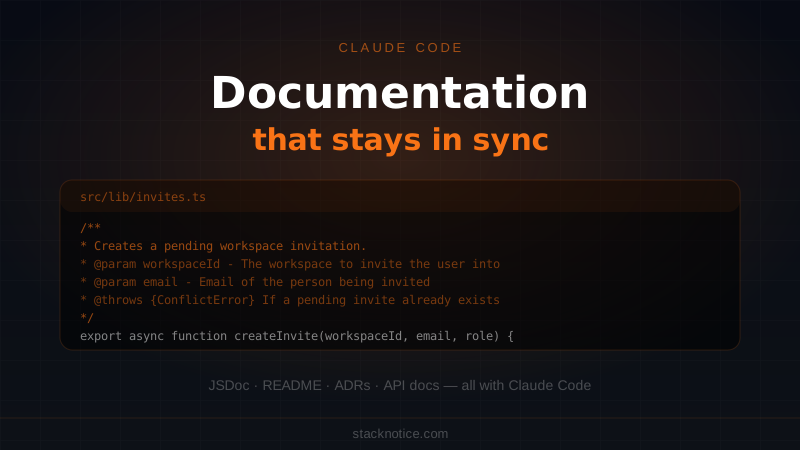
/**
 * Creates a pending workspace invitation and returns a tokenized invite link.
 *
 * @param workspaceId - The workspace to invite the user into
 * @param email - Email address of the person being invited
 * @param role - Permission level granted when the invite is accepted
 * @param expiresInDays - Days until the invite expires (default: 7)
 * @returns Object containing the raw token, expiry date, and full invite URL
 * @throws {ConflictError} If a pending invite already exists for this email in the workspace
 *
 * @example
 * const invite = await createInvite('ws_abc123', 'alice@example.com', 'member')
 * // Send invite.link via email
 * // invite.expiresAt tells you when to show a "resend" option
 */
export async function createInvite(
  // ... same implementation
Batch JSDoc for an entire directory
# Using headless mode to document every file in src/lib/
for file in src/lib/*.ts; do
  echo "Documenting $file..."
  cat "$file" | claude -p \
    "Add TSDoc to every exported function and type. Do not change implementation.
     Output the complete file with documentation added." \
    --output-format text > "$file.tmp" && mv "$file.tmp" "$file"
done
Review each file after — Claude occasionally makes wrong assumptions about what a parameter represents when the name is ambiguous. The code review is fast; writing from scratch isn't.
For more on headless scripting patterns, see the Claude Code headless scripting guide.
README Generation
A README that was written at project kickoff is almost never accurate six months later. The structure changed, the commands changed, the environment variables changed.
Read the entire project — package.json, src/, .env.example, and any existing README.md.

Generate a README.md with these sections:
1. What this project does (one paragraph, from the code's actual behavior)
2. Prerequisites (Node version, required env vars with descriptions from .env.example)
3. Setup (exact commands, no guessing)
4. Running locally (dev and test commands from package.json scripts)
5. Project structure (only top-level directories, what each contains)
6. Environment variables (table: name, required/optional, description, example value)
7. Deployment (only if there's a Dockerfile or CI config, describe what it does)

Be accurate. If you're not sure about something, say so rather than guessing.
The key instruction is "be accurate, not complete." A README that says "I'm not sure about the deployment step — check with the team" is more useful than one that confidently describes the wrong deploy process.
Keeping README in sync with code
Add a check to your pre-push hook:
#!/bin/bash
# .git/hooks/pre-push

# Check if any src files changed relative to main
CHANGED=$(git diff --name-only origin/main...HEAD -- src/)

if [ -n "$CHANGED" ]; then
  echo "src/ changed. Checking if README needs updating..."

  NEEDS_UPDATE=$(echo "$CHANGED" | claude -p \
    "These files changed in this PR: $CHANGED
     Read README.md. Does it reference any of these files or concepts that might
     now be inaccurate? Answer with YES or NO and one sentence explaining why." \
    --output-format text)

  if echo "$NEEDS_UPDATE" | grep -q "^YES"; then
    echo "⚠️  README may need updating:"
    echo "$NEEDS_UPDATE"
    echo "Update README.md or confirm it's still accurate before pushing."
    exit 1
  fi
fi
This doesn't auto-update the README — it asks you to verify. Auto-updating documentation without review is how you get confidently wrong docs.
Architectural Decision Records (ADRs)
ADRs document why a decision was made, not just what was decided. They're the most valuable form of documentation and the least likely to be written. Claude Code makes them fast:
We just made this architectural decision:

Decision: Use Drizzle ORM instead of Prisma for all new database queries.

Context from the codebase: [paste relevant code or describe the situation]

Write an ADR in this format:
# ADR-[number]: [Short title]
Date: [today]
Status: Accepted

## Context
[Why was this decision needed]

## Decision
[What was decided]

## Consequences
### Positive
[Benefits]
### Negative
[Trade-offs and costs]
### Risks
[What could go wrong]

## Alternatives Considered
[Other options and why they weren't chosen]
Store these in docs/decisions/ or adr/. They're most valuable when found by someone six months later asking "why is this done this way."
Auto-ADR prompt from git history
# Generate an ADR draft from a recent significant commit
COMMIT_HASH="abc123"
DIFF=$(git show "$COMMIT_HASH")

claude -p "$(cat <<EOF
This commit made significant architectural changes:

$DIFF

Write a draft ADR (Architectural Decision Record) explaining:
- What problem this change solves
- What decision was made
- What the trade-offs are

Format as markdown. Be specific to what the diff actually shows, not generic.
EOF
)" --output-format text > docs/decisions/draft-adr-$(date +%Y%m%d).md

echo "Draft ADR written. Review and edit before committing."
PostToolUse Hook: Auto-Remind on Doc Changes
Claude Code hooks fire on tool events. Use a PostToolUse hook to remind Claude to check documentation when it edits implementation files:
// .claude/settings.json
{
  "hooks": {
    "PostToolUse": [
      {
        "matcher": "Edit|Write",
        "hooks": [
          {
            "type": "command",
            "command": "node -e \"const f = process.env.TOOL_INPUT_FILE || ''; if (f.includes('/src/') && !f.includes('.test.') && !f.includes('.md')) { console.log('📝 Implementation changed: check if JSDoc and README need updating for ' + f); }\""
          }
        ]
      }
    ]
  }
}
This prints a reminder in Claude's context every time it edits a source file. It doesn't force anything — it just makes the question visible.
For more on hook patterns, see the Claude Code hooks guide.
CLAUDE.md Documentation Rules
Add documentation expectations directly to CLAUDE.md so they apply to every session:
# CLAUDE.md

## Documentation rules

### When adding or changing a function:
- Add or update TSDoc on every exported function you touch
- Format: summary → @param → @returns → @throws (if applicable) → @example
- Don't add docs to private/internal functions unless they're non-obvious

### When adding a new module:
- Add a file-level comment explaining what the module is responsible for
- Format: `/** [module purpose — one sentence] */`

### When the change affects:
- Environment variables → update .env.example and the README env table
- CLI commands → update README setup section
- New dependencies → add to README prerequisites if they require setup

### What not to document:
- Implementation details that are obvious from the code
- Internal state variables
- Test setup functions
Now every Claude Code session in this project automatically follows these rules without being reminded.
Generating API Documentation
For REST APIs and route handlers, Claude can generate OpenAPI-compatible descriptions:
Read all files in app/api/ and generate an API reference in markdown.

For each endpoint:
- Method and path
- Description of what it does
- Request body schema (if applicable) as a TypeScript type
- Query parameters with types and descriptions
- Response format with example
- Authentication requirements (read from the middleware)
- Possible error codes

Group by resource (users, workspaces, invites, etc.)
This won't replace Swagger/OpenAPI tooling for teams that need it, but for internal docs or a public README it's faster than writing by hand.
The Stale Documentation Problem, Revisited
The real issue isn't generating documentation — it's keeping it current. A few patterns that help:
Rule of minimum viable docs: only document what changes frequently or what isn't obvious from the code. Over-documented code creates maintenance overhead without proportional value.
Link to source, don't duplicate: instead of describing a complex algorithm in a README, link to the file. See src/lib/pricing.ts for the billing calculation logic. The code is the source of truth; the documentation describes what and why, not how.
Version your ADRs, not your tutorials: your ADRs should never be deleted (only superseded). Your setup instructions will need updates every few months. Treat them differently.
Use Claude Code on old docs: periodically run this:
Read docs/ and compare against the current src/.
List any documentation that references code, APIs, or behaviors
that no longer exist or have changed significantly.
This surfaces outdated docs faster than a human review would.
For the foundational CLAUDE.md setup that makes documentation rules stick across sessions, see the CLAUDE.md ultimate guide. For applying these patterns when joining an existing codebase, see the existing codebase guide.