TypeScript gives you compile-time type safety. Zod gives you runtime type safety. These are two completely different things — and most TypeScript apps only have the first one.
When a request hits your API, TypeScript types are erased. The data coming in could be anything. If you access body.userId without validating it first, you're trusting the caller — and that trust breaks at the worst times.
Zod solves this. You define a schema, parse the input against it, and get back fully-typed, validated data. If the input doesn't match, you get a structured error. No more as SomeType casts. No more if (!body.userId) throw new Error.
In 2026, Zod is the standard validation library for TypeScript. It ships inside tRPC, Hono, React Hook Form resolvers, Drizzle, and almost every major TypeScript framework or library. This guide covers everything you need to use it effectively.
Parse at the boundary — any time data enters your system from outside (API request, form, env vars, external API response) run it through a Zod schema. Internal function calls between typed modules don't need it.
Why Zod Instead of alternatives
There are other validation libraries: Yup, Joi, Valibot, Typebox. Here's why Zod dominates:
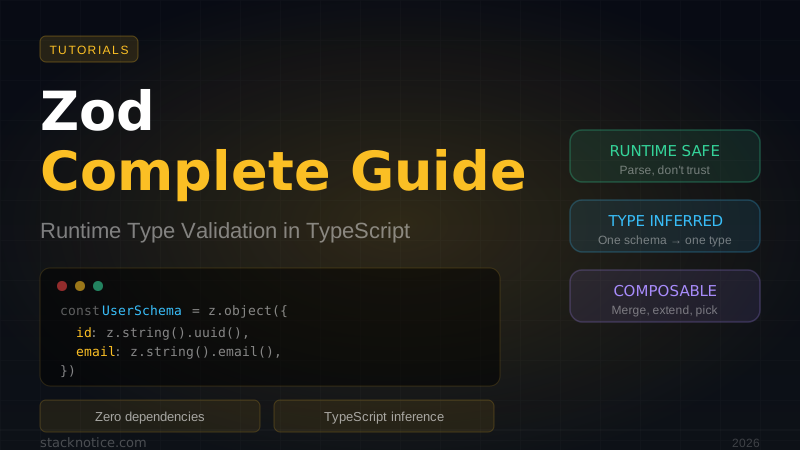
Type inference is first-class. You define a schema once and get a TypeScript type for free — no duplication between your schema and your types:
const UserSchema = z.object({ id: z.string(), name: z.string() })
type User = z.infer<typeof UserSchema>
// type User = { id: string; name: string }
Zero dependencies. Zod is 8KB gzipped with no runtime dependencies.
Works everywhere. Node.js, Deno, Bun, browser, edge workers. No polyfills needed.
Composable. Schemas are just values. You can merge, extend, pick, omit, and transform them programmatically.
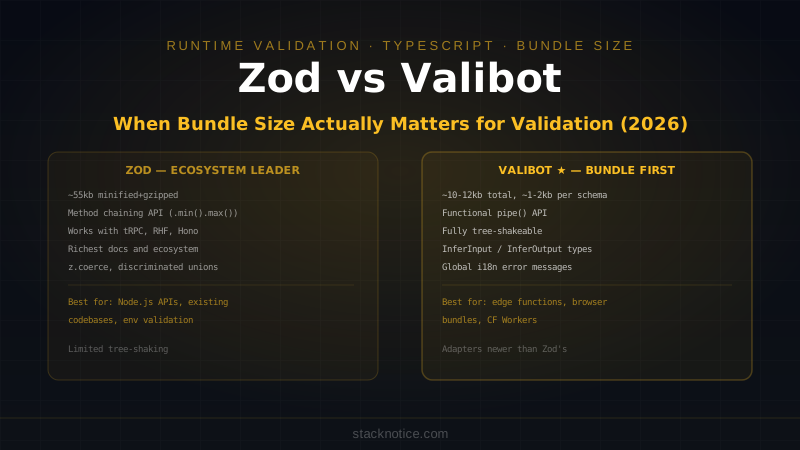
Valibot is the main competitor — smaller bundle, modular imports. Worth considering for edge functions where bytes matter. Zod remains the better choice for most apps due to ecosystem support.
Install
npm install zodThat's it. No peer dependencies, no config.
Primitives
Every Zod schema starts from primitives:
import { z } from 'zod'

z.string()
z.number()
z.boolean()
z.date()
z.bigint()
z.symbol()
z.undefined()
z.null()
z.any()
z.unknown()
z.never()
z.void()
Parse with .parse() (throws on failure) or .safeParse() (returns a result object):
const result = z.string().safeParse(42)
// { success: false, error: ZodError }

const value = z.string().parse('hello')
// 'hello'

z.string().parse(42)
// throws ZodError: Expected string, received number
Always prefer .safeParse() in production — throwing uncaught errors from validation is a sign of poor error handling.
Never use .parse() directly in API route handlers. If the input is invalid it throws an unhandled exception. Use .safeParse() and return a 400 response explicitly.
String Validations
Zod's string type comes with built-in validators:
z.string().min(1)
z.string().max(100)
z.string().length(10)
z.string().email()
z.string().url()
z.string().uuid()
z.string().cuid()
z.string().cuid2()
z.string().startsWith('https://')
z.string().endsWith('.com')
z.string().includes('@')
z.string().regex(/^[a-z]+$/)
z.string().trim()
z.string().toLowerCase()
z.string().toUpperCase()
z.string().datetime()   // ISO 8601
z.string().ip()         // IPv4 or IPv6
z.string().emoji()
Custom error messages on any validator:
z.string().email({ message: 'Enter a valid email address' })
z.string().min(8, { message: 'Password must be at least 8 characters' })
Number Validations
z.number().int()
z.number().positive()
z.number().negative()
z.number().nonnegative()
z.number().min(1)
z.number().max(100)
z.number().multipleOf(5)
z.number().finite()
z.number().safe()      // Number.MIN_SAFE_INTEGER to MAX_SAFE_INTEGER
Coerce: Converting Form Data
HTML forms send everything as strings. z.coerce converts before validating:
const schema = z.object({
  age: z.coerce.number().int().min(0).max(120),
  active: z.coerce.boolean(),
  createdAt: z.coerce.date(),
})

schema.parse({ age: '25', active: 'true', createdAt: '2024-01-01' })
// { age: 25, active: true, createdAt: Date }
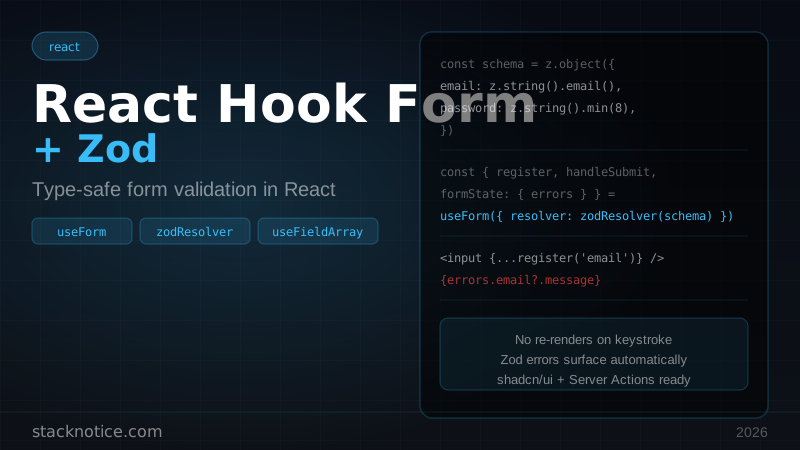
This is essential when working with form submissions and URL search params. See the React Hook Form + Zod guide for the full forms integration.
Objects
const ProductSchema = z.object({
  id: z.string().uuid(),
  name: z.string().min(1).max(200),
  price: z.number().positive(),
  category: z.string(),
  inStock: z.boolean().default(true),
  tags: z.array(z.string()).default([]),
})

type Product = z.infer<typeof ProductSchema>
Optional and Nullable
z.string().optional()          // string | undefined
z.string().nullable()          // string | null
z.string().nullish()           // string | null | undefined
z.string().optional().default('hello')  // defaults to 'hello' if undefined
Object Methods
const Base = z.object({ id: z.string(), createdAt: z.date() })

// Add fields
const Extended = Base.extend({ name: z.string() })

// Merge two objects
const Merged = Base.merge(z.object({ role: z.string() }))

// Pick specific fields
const IdOnly = Base.pick({ id: true })

// Omit fields
const WithoutDate = Base.omit({ createdAt: true })

// Make all fields optional
const PartialBase = Base.partial()

// Make all fields required
const RequiredBase = Base.required()

// Deep partial
const DeepPartial = Base.deepPartial()
Strip, Strict, and Passthrough
By default, Zod strips unknown keys. You can change this:
const schema = z.object({ name: z.string() })

// Strip unknown keys (default)
schema.parse({ name: 'Alice', extra: true })
// { name: 'Alice' }

// Throw on unknown keys
schema.strict().parse({ name: 'Alice', extra: true })
// ZodError: Unrecognized key(s) in object: 'extra'

// Keep unknown keys
schema.passthrough().parse({ name: 'Alice', extra: true })
// { name: 'Alice', extra: true }
Arrays
z.array(z.string())
z.array(z.string()).min(1)
z.array(z.string()).max(10)
z.array(z.string()).length(5)
z.array(z.string()).nonempty()    // same as min(1) but type is [string, ...string[]]
Enums
// Zod enum (preferred)
const StatusSchema = z.enum(['draft', 'published', 'archived'])
type Status = z.infer<typeof StatusSchema>
// 'draft' | 'published' | 'archived'

// Native enum
enum Direction { Up = 'UP', Down = 'DOWN' }
const DirectionSchema = z.nativeEnum(Direction)

// Get the values array
StatusSchema.options
// ['draft', 'published', 'archived']
Unions and Discriminated Unions
// Union
const StringOrNumber = z.union([z.string(), z.number()])

// Shorthand
const StringOrNumber2 = z.string().or(z.number())

// Discriminated union (more efficient — Zod picks the right schema from the discriminant)
const EventSchema = z.discriminatedUnion('type', [
  z.object({ type: z.literal('click'), x: z.number(), y: z.number() }),
  z.object({ type: z.literal('keypress'), key: z.string() }),
  z.object({ type: z.literal('scroll'), delta: z.number() }),
])

type Event = z.infer<typeof EventSchema>
Use discriminated unions whenever you have a type or kind field that determines the shape of the object. It's faster and gives better error messages.
Transformations
.transform() modifies the output after successful parsing:
const TrimmedEmail = z.string().email().trim().toLowerCase()

const SlugSchema = z.string()
  .min(1)
  .transform(val => val.toLowerCase().replace(/\s+/g, '-'))

SlugSchema.parse('Hello World')
// 'hello-world'

// Transform to a different type
const NumberFromString = z.string().transform(val => parseInt(val, 10))
type Out = z.infer<typeof NumberFromString>
// number (output type is different from input)
When you transform, the input and output types differ. Use z.input<typeof Schema> and z.output<typeof Schema> to get both:
type Input = z.input<typeof NumberFromString>   // string
type Output = z.output<typeof NumberFromString>  // number
Refinements
.refine() adds custom validation logic that can't be expressed with built-in validators:
const PasswordSchema = z.string()
  .min(8)
  .refine(val => /[A-Z]/.test(val), {
    message: 'Must contain at least one uppercase letter',
  })
  .refine(val => /[0-9]/.test(val), {
    message: 'Must contain at least one number',
  })

// Cross-field validation with superRefine
const SignupSchema = z.object({
  password: z.string().min(8),
  confirmPassword: z.string(),
}).superRefine((data, ctx) => {
  if (data.password !== data.confirmPassword) {
    ctx.addIssue({
      code: z.ZodIssueCode.custom,
      message: 'Passwords do not match',
      path: ['confirmPassword'],
    })
  }
})
Use .superRefine() when you need to add multiple issues or set the error path manually (for form field-level errors).
Async Refinements
Zod supports async validation with .parseAsync() and .safeParseAsync():
const UniqueUsernameSchema = z.string().min(3).refine(
  async (username) => {
    const exists = await db.user.findUnique({ where: { username } })
    return !exists
  },
  { message: 'Username is already taken' }
)

const result = await UniqueUsernameSchema.safeParseAsync('alice')
Handling ZodError
ZodError has an .issues array with detailed information about what failed:
const result = z.object({
  email: z.string().email(),
  age: z.number().min(18),
}).safeParse({ email: 'not-an-email', age: 15 })

if (!result.success) {
  console.log(result.error.issues)
  // [
  //   { code: 'invalid_string', path: ['email'], message: 'Invalid email' },
  //   { code: 'too_small', path: ['age'], message: 'Number must be greater than or equal to 18' },
  // ]

  // Flatten to a simple { fieldName: string[] } map (great for forms)
  console.log(result.error.flatten().fieldErrors)
  // { email: ['Invalid email'], age: ['Number must be greater than or equal to 18'] }

  // Format to a nested error object
  console.log(result.error.format())
}
API Route Validation in Next.js
The most common Zod pattern in a Next.js app — validate every request body before touching it:
import { z } from 'zod'
import { NextRequest, NextResponse } from 'next/server'

const CreatePostSchema = z.object({
  title: z.string().min(1).max(200),
  content: z.string().min(1),
  category: z.enum(['react', 'typescript', 'ai']),
  tags: z.array(z.string()).max(5).default([]),
  published: z.boolean().default(false),
})

export async function POST(req: NextRequest) {
  const body = await req.json()

  const result = CreatePostSchema.safeParse(body)
  if (!result.success) {
    return NextResponse.json(
      { error: 'Invalid request', details: result.error.flatten().fieldErrors },
      { status: 400 }
    )
  }

  const { title, content, category, tags, published } = result.data
  // result.data is fully typed — no type assertions needed

  const post = await db.post.create({
    data: { title, content, category, tags, published },
  })

  return NextResponse.json(post, { status: 201 })
}
URL Search Params Validation
// app/blog/page.tsx
import { z } from 'zod'

const SearchParamsSchema = z.object({
  page: z.coerce.number().int().min(1).default(1),
  limit: z.coerce.number().int().min(1).max(100).default(20),
  category: z.enum(['react', 'typescript', 'ai']).optional(),
  q: z.string().optional(),
})

interface PageProps {
  searchParams: Record<string, string | string[]>
}

export default async function BlogPage({ searchParams }: PageProps) {
  const result = SearchParamsSchema.safeParse(searchParams)
  if (!result.success) {
    // Fall back to defaults — searchParams from URL can be anything
    const params = SearchParamsSchema.parse({})
    return renderPosts(params)
  }

  return renderPosts(result.data)
}
Zod with tRPC
tRPC uses Zod for input validation. Every procedure has an .input() call that accepts a Zod schema:
// server/trpc/routers/posts.ts
import { z } from 'zod'
import { router, publicProcedure, protectedProcedure } from '../trpc'

export const postsRouter = router({
  list: publicProcedure
    .input(z.object({
      page: z.number().int().min(1).default(1),
      category: z.string().optional(),
    }))
    .query(async ({ input }) => {
      // input is fully typed: { page: number, category?: string }
      return db.post.findMany({
        where: { category: input.category },
        skip: (input.page - 1) * 20,
        take: 20,
      })
    }),

  create: protectedProcedure
    .input(z.object({
      title: z.string().min(1).max(200),
      content: z.string().min(10),
      tags: z.array(z.string()).max(5),
    }))
    .mutation(async ({ input, ctx }) => {
      return db.post.create({
        data: { ...input, authorId: ctx.user.id },
      })
    }),
})
The tRPC + Next.js guide covers the full setup.
Zod with Hono
Hono has a first-party Zod validator middleware:
import { Hono } from 'hono'
import { zValidator } from '@hono/zod-validator'
import { z } from 'zod'

const app = new Hono()

const createUserSchema = z.object({
  name: z.string().min(1),
  email: z.string().email(),
  role: z.enum(['admin', 'user']).default('user'),
})

app.post(
  '/users',
  zValidator('json', createUserSchema),
  async (c) => {
    const body = c.req.valid('json')
    // body is fully typed
    const user = await createUser(body)
    return c.json(user, 201)
  }
)

// Validate query params
const listQuerySchema = z.object({
  page: z.coerce.number().default(1),
  limit: z.coerce.number().max(100).default(20),
})

app.get(
  '/users',
  zValidator('query', listQuerySchema),
  async (c) => {
    const { page, limit } = c.req.valid('query')
    const users = await getUsers({ page, limit })
    return c.json(users)
  }
)
The Hono validator automatically returns a 400 response with error details if validation fails. No boilerplate needed.
Reusable Schema Patterns
Build a library of common schemas to reuse across your app:
import { z } from 'zod'

export const IdSchema = z.string().uuid()
export const SlugSchema = z.string().regex(/^[a-z0-9-]+$/).min(1).max(100)
export const EmailSchema = z.string().email().toLowerCase().trim()
export const UrlSchema = z.string().url()
export const DateRangeSchema = z.object({
  from: z.coerce.date(),
  to: z.coerce.date(),
}).refine(data => data.from <= data.to, {
  message: 'Start date must be before end date',
  path: ['to'],
})

export const PaginationSchema = z.object({
  page: z.coerce.number().int().min(1).default(1),
  limit: z.coerce.number().int().min(1).max(100).default(20),
})

// Reuse in any schema
export const CreatePostSchema = z.object({
  slug: SlugSchema,
  authorEmail: EmailSchema,
  publishedAt: z.coerce.date().optional(),
  ...PaginationSchema.partial().shape,
})
Environment Variable Validation
Validating env vars at startup is the single highest ROI use of Zod. One schema catches every missing or malformed variable before a single request hits your server.
One of the most underused Zod patterns: validate your env vars at startup so you fail fast with a clear error instead of crashing at runtime:
import { z } from 'zod'

const envSchema = z.object({
  NODE_ENV: z.enum(['development', 'production', 'test']),
  DATABASE_URL: z.string().url(),
  NEXTAUTH_SECRET: z.string().min(32),
  NEXTAUTH_URL: z.string().url(),
  OPENAI_API_KEY: z.string().startsWith('sk-').optional(),
  STRIPE_SECRET_KEY: z.string().startsWith('sk_').optional(),
})

const parsed = envSchema.safeParse(process.env)
if (!parsed.success) {
  console.error('Invalid environment variables:')
  console.error(parsed.error.flatten().fieldErrors)
  process.exit(1)
}

export const env = parsed.data
// env.DATABASE_URL is type string, not string | undefined
This prevents an entire class of production errors where the app starts successfully but crashes when it first tries to use a missing env variable.
Schema Composition Patterns
// Base schemas for each entity
const TimestampsSchema = z.object({
  createdAt: z.date(),
  updatedAt: z.date(),
})

const UserBaseSchema = z.object({
  id: IdSchema,
  email: EmailSchema,
  name: z.string(),
  role: z.enum(['admin', 'user']),
})

// Full entity (from DB)
const UserSchema = UserBaseSchema.merge(TimestampsSchema)

// Create input (from client)
const CreateUserSchema = UserBaseSchema.omit({ id: true })

// Update input (all optional)
const UpdateUserSchema = UserBaseSchema.omit({ id: true }).partial()

// Public-facing (strip sensitive fields)
const PublicUserSchema = UserBaseSchema.omit({ role: true })
Performance: Precompile Schemas
Zod schemas are compiled once when the module loads. Keep schemas at module level, not inside functions:
// Good: compiled once
const Schema = z.object({ name: z.string() })
function handler(body: unknown) {
  return Schema.parse(body)
}

// Bad: compiled on every call
function handler(body: unknown) {
  const Schema = z.object({ name: z.string() })
  return Schema.parse(body)
}
Zod 4 Preview
Zod 4 is in beta as of early 2026 with significant improvements:
- ~100x faster parsing for complex schemas
z.json()type for arbitrary JSON valuesz.interface()— likez.object()but doesn't strip unknown keys by defaultz.template()— template literal types in Zod- Smaller bundle: core is now under 5KB
For new projects, the v3 → v4 migration is minimal. The API is largely the same.
Common Patterns Summary
// Validate and type in one step
function validate<T>(schema: z.ZodSchema<T>, data: unknown): T {
  const result = schema.safeParse(data)
  if (!result.success) {
    throw new Error(result.error.flatten().formErrors.join(', '))
  }
  return result.data
}

// Strip undefined values before parsing
const clean = (obj: object) =>
  Object.fromEntries(Object.entries(obj).filter(([, v]) => v !== undefined))

// Infer input/output types
type CreateInput = z.input<typeof CreatePostSchema>
type CreateOutput = z.output<typeof CreatePostSchema>
What to Use Zod For (and What Not To)
Use Zod for:
- API request/response validation
- Form validation (via React Hook Form resolver)
- Environment variable validation
- Parsing external data (webhooks, third-party APIs)
- URL search params
- User input in general
Don't use Zod for:
- Internal function calls between well-typed modules — TypeScript already handles this
- Large binary data — Zod is for JSON-shaped data, not files
- High-frequency hot paths where parsing thousands of simple values per millisecond — consider manual checks
Conclusion
Zod is the missing piece between TypeScript's compile-time safety and runtime reality. You define the shape once, get the type for free, and validate at the boundary where untrusted data enters your system.
The combination of Zod + tRPC eliminates an entire category of bugs. The combination of Zod + React Hook Form eliminates form validation boilerplate. The combination of Zod + Hono gives you a typed, validated API with almost no ceremony.
If you're writing as SomeType more than twice a week, you need more Zod in your stack.
Next steps:
- React Hook Form + Zod — full forms integration
- tRPC + Next.js complete guide — end-to-end type safety
- Hono.js complete guide — typed edge APIs with
@hono/zod-validator