Express was written in 2010. Fastify arrived in 2016. Then in 2022 a framework called Hono appeared — and it runs everywhere: Cloudflare Workers, Bun, Node.js, Deno, AWS Lambda, and the browser. It's 14KB, it's faster than every framework it competes with in edge environments, and it has a type-safe RPC client that rivals tRPC in simplicity.
In 2026, Hono is the default choice for anyone building APIs on the edge. This guide covers everything from setup to production.
Why Hono
Hono means "flame" in Japanese. The performance numbers justify the name.
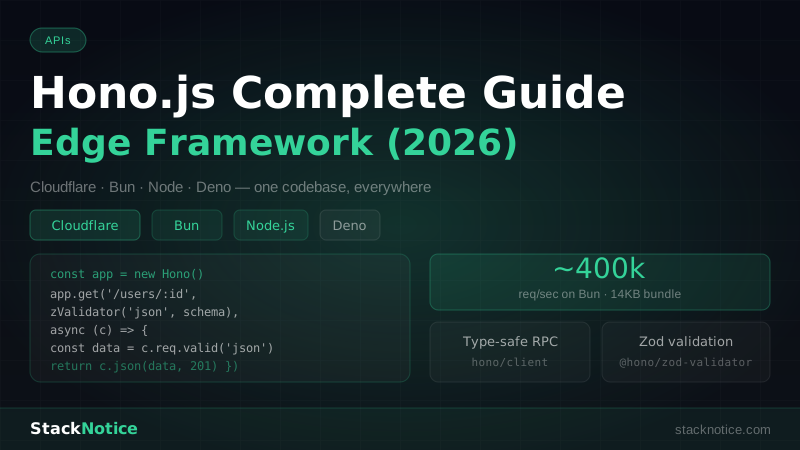
On Cloudflare Workers, Hono handles ~1 million requests/sec in benchmarks. On Bun, Bun.serve() with Hono sits at ~400,000 req/sec — more than twice Fastify, more than four times Express.
But speed isn't the main reason to use Hono. The reasons are:
Multi-runtime: one codebase, deploy anywhere. Write your API once, run it on Cloudflare Workers for zero cold starts, Node.js for VPS deployments, Bun for local development, AWS Lambda for serverless. Same code.
Type-safe RPC client: the hono/client package generates a fully typed client from your router definition. No OpenAPI spec, no codegen — just TypeScript.
First-class middleware: authentication, CORS, rate limiting, JWT, compression — all available as official middleware packages.
Tiny bundle: 14KB. Cloudflare Workers has a 1MB bundle limit. Hono leaves you 986KB for your actual code.
Installation
# On Bun (recommended)
bun create hono@latest my-api
# choose: bun

# On Node.js
npm create hono@latest my-api
# choose: nodejs

# Or install directly
bun add hono
Basic Routing
// src/index.ts
import { Hono } from 'hono'

const app = new Hono()

app.get('/', (c) => c.text('Hello World'))

app.get('/users/:id', (c) => {
  const id = c.req.param('id')
  return c.json({ id, name: 'Alice' })
})

app.post('/users', async (c) => {
  const body = await c.req.json()
  return c.json({ created: true, user: body }, 201)
})

app.delete('/users/:id', (c) => {
  return c.json({ deleted: c.req.param('id') })
})

export default app
The context object c gives you everything: c.req for the request, c.json(), c.text(), c.html(), c.redirect() for responses.
Running Hono
On Bun:
// src/index.ts
import { Hono } from 'hono'

const app = new Hono()
app.get('/', (c) => c.text('OK'))

export default {
  port: 3000,
  fetch: app.fetch,
}
bun run src/index.tsOn Node.js:
import { serve } from '@hono/node-server'
import { Hono } from 'hono'

const app = new Hono()
app.get('/', (c) => c.text('OK'))

serve({ fetch: app.fetch, port: 3000 }, () => {
  console.log('Listening on http://localhost:3000')
})
On Cloudflare Workers:
import { Hono } from 'hono'

const app = new Hono()
app.get('/', (c) => c.text('OK'))

export default app // Workers picks up the default export
The same application code works on all three. Only the entry file differs.
Input Validation with Zod
Install the Zod validator middleware:
bun add @hono/zod-validator zodimport { Hono } from 'hono'
import { zValidator } from '@hono/zod-validator'
import { z } from 'zod'
const app = new Hono()
const createUserSchema = z.object({
name: z.string().min(2).max(100),
email: z.string().email(),
role: z.enum(['user', 'admin']).default('user'),
})
app.post(
'/users',
zValidator('json', createUserSchema),
async (c) => {
const data = c.req.valid('json') // fully typed!
// data.name, data.email, data.role — all TypeScript-safe
const user = await db.insert(users).values(data).returning()
return c.json(user[0], 201)
}
)If validation fails, Hono automatically returns a 400 with the Zod error details. No manual try/catch needed.
You can validate query params and headers too:
const querySchema = z.object({
  page: z.coerce.number().int().positive().default(1),
  limit: z.coerce.number().int().max(100).default(20),
  search: z.string().optional(),
})

app.get('/posts', zValidator('query', querySchema), async (c) => {
  const { page, limit, search } = c.req.valid('query')
  // ...
})
Routing — Grouping and Nesting
Use Hono instances as sub-routers:
// routes/users.ts
import { Hono } from 'hono'
import { zValidator } from '@hono/zod-validator'
import { z } from 'zod'

const users = new Hono()

users.get('/', async (c) => {
  const allUsers = await db.select().from(usersTable)
  return c.json(allUsers)
})

users.get('/:id', async (c) => {
  const id = c.req.param('id')
  const user = await db.select().from(usersTable).where(eq(usersTable.id, id))
  if (!user.length) return c.json({ error: 'Not found' }, 404)
  return c.json(user[0])
})

users.post('/', zValidator('json', createUserSchema), async (c) => {
  const data = c.req.valid('json')
  const [user] = await db.insert(usersTable).values(data).returning()
  return c.json(user, 201)
})

export { users }
// routes/posts.ts
import { Hono } from 'hono'
const posts = new Hono()
// ... similar pattern
export { posts }// src/index.ts
import { Hono } from 'hono'
import { users } from './routes/users'
import { posts } from './routes/posts'
const app = new Hono()
app.route('/users', users)
app.route('/posts', posts)
export default appMiddleware
Hono middleware runs before route handlers. Apply globally or per-route.
Built-in middleware
import { Hono } from 'hono'
import { cors } from 'hono/cors'
import { logger } from 'hono/logger'
import { compress } from 'hono/compress'
import { prettyJSON } from 'hono/pretty-json'
import { requestId } from 'hono/request-id'

const app = new Hono()

// Global middleware
app.use('*', logger())
app.use('*', compress())
app.use('*', requestId())
app.use(
  '/api/*',
  cors({
    origin: ['https://myapp.com', 'http://localhost:3000'],
    allowHeaders: ['Content-Type', 'Authorization'],
    allowMethods: ['GET', 'POST', 'PUT', 'DELETE'],
  })
)
Authentication middleware
import { Hono } from 'hono'
import { jwt } from 'hono/jwt'

const app = new Hono()

// Protect specific routes
app.use('/api/*', jwt({ secret: process.env.JWT_SECRET! }))

app.get('/api/profile', (c) => {
  const payload = c.get('jwtPayload')
  return c.json({ user: payload })
})
Custom middleware
import { createMiddleware } from 'hono/factory'

// Auth middleware that injects user into context
const authMiddleware = createMiddleware<{
  Variables: { userId: string; role: 'user' | 'admin' }
}>(async (c, next) => {
  const token = c.req.header('Authorization')?.replace('Bearer ', '')

  if (!token) {
    return c.json({ error: 'Unauthorized' }, 401)
  }

  try {
    const payload = await verifyToken(token)
    c.set('userId', payload.sub)
    c.set('role', payload.role)
    await next()
  } catch {
    return c.json({ error: 'Invalid token' }, 401)
  }
})

// Admin-only middleware
const adminOnly = createMiddleware(async (c, next) => {
  const role = c.get('role')
  if (role !== 'admin') {
    return c.json({ error: 'Forbidden' }, 403)
  }
  await next()
})

// Use them
app.use('/api/*', authMiddleware)
app.delete('/api/users/:id', adminOnly, async (c) => {
  const userId = c.get('userId') // typed!
  // ...
})
Context Variables — Type-Safe State
Define the shape of context variables for full TypeScript support:
type Env = {
  Variables: {
    userId: string
    role: 'user' | 'admin'
    db: DrizzleDb
  }
  Bindings: {
    // Cloudflare Worker bindings
    DATABASE_URL: string
    JWT_SECRET: string
  }
}

const app = new Hono<Env>()

app.use('*', async (c, next) => {
  const db = createDb(c.env.DATABASE_URL) // Cloudflare env
  c.set('db', db)
  await next()
})

app.get('/profile', async (c) => {
  const db = c.get('db')      // typed as DrizzleDb
  const userId = c.get('userId') // typed as string
  // ...
})
The RPC Client — Type-Safe End-to-End
This is where Hono gets genuinely impressive. Define your routes with explicit types, and get a fully typed client automatically.
// server: src/routes/posts.ts
import { Hono } from 'hono'
import { zValidator } from '@hono/zod-validator'
import { z } from 'zod'

const createPostSchema = z.object({
  title: z.string().min(1).max(200),
  content: z.string().min(10),
  published: z.boolean().default(false),
})

const posts = new Hono()
  .get('/', async (c) => {
    const posts = await db.select().from(postsTable)
    return c.json({ posts })
  })
  .post('/', zValidator('json', createPostSchema), async (c) => {
    const data = c.req.valid('json')
    const [post] = await db.insert(postsTable).values(data).returning()
    return c.json({ post }, 201)
  })
  .get('/:id', async (c) => {
    const id = c.req.param('id')
    const [post] = await db.select().from(postsTable).where(eq(postsTable.id, id))
    if (!post) return c.json({ error: 'Not found' }, 404)
    return c.json({ post })
  })

export { posts }
export type PostsRoute = typeof posts
// src/index.ts
import { Hono } from 'hono'
import { posts } from './routes/posts'
const app = new Hono().route('/posts', posts)
export default app
export type AppType = typeof app// client: use in Next.js frontend
import { hc } from 'hono/client'
import type { AppType } from '../api/src/index'
const client = hc<AppType>('http://localhost:3000')
// Fully typed — TypeScript knows the shape of every response
const res = await client.posts.$get()
const { posts } = await res.json() // posts: Post[]
const created = await client.posts.$post({
json: {
title: 'Hello',
content: 'World content here',
published: true,
},
})
const { post } = await created.json() // post: PostNo code generation. No schema files. Your TypeScript types flow automatically from server to client.
Error Handling
import { Hono } from 'hono'
import { HTTPException } from 'hono/http-exception'

const app = new Hono()

// Throw typed HTTP errors anywhere
app.get('/users/:id', async (c) => {
  const user = await db.query.users.findFirst({
    where: eq(users.id, c.req.param('id')),
  })

  if (!user) {
    throw new HTTPException(404, { message: 'User not found' })
  }

  return c.json(user)
})

// Global error handler
app.onError((err, c) => {
  if (err instanceof HTTPException) {
    return c.json({ error: err.message }, err.status)
  }

  console.error(err)
  return c.json({ error: 'Internal server error' }, 500)
})

// 404 handler
app.notFound((c) => {
  return c.json({ error: `Route ${c.req.url} not found` }, 404)
})
Rate Limiting
bun add @hono/rate-limiterimport { rateLimiter } from 'hono-rate-limiter'
app.use(
'/api/*',
rateLimiter({
windowMs: 15 * 60 * 1000, // 15 minutes
limit: 100,
standardHeaders: 'draft-6',
keyGenerator: (c) => c.req.header('x-forwarded-for') ?? 'anonymous',
})
)Deploy to Cloudflare Workers
bun add -d wrangler# wrangler.toml
name = "my-api"
main = "src/index.ts"
compatibility_date = "2026-01-01"
[vars]
JWT_SECRET = "change-in-production"
[[d1_databases]]
binding = "DB"
database_name = "my-db"
database_id = "your-database-id"bun run wrangler deployYour API is now running on Cloudflare's 300+ global PoPs with zero cold starts. The free tier handles 100,000 requests/day.
Hono + Drizzle on Cloudflare D1
Cloudflare D1 is SQLite at the edge. Combine it with Drizzle ORM for type-safe queries:
import { Hono } from 'hono'
import { drizzle } from 'drizzle-orm/d1'
import { users } from './schema'

type Bindings = {
  DB: D1Database
}

const app = new Hono<{ Bindings: Bindings }>()

app.get('/users', async (c) => {
  const db = drizzle(c.env.DB)
  const allUsers = await db.select().from(users)
  return c.json(allUsers)
})

export default app
Hono vs Express vs Fastify
| Feature | Hono | Express | Fastify |
|---|---|---|---|
| Bundle size | 14KB | 57KB | 77KB |
| Edge runtime | Yes | No | No |
| TypeScript | First-class | Bolt-on | First-class |
| RPC client | Yes | No | No |
| Req/sec (Bun) | ~400k | ~60k | ~200k |
| Middleware | Official + community | Massive ecosystem | Official + community |
Express wins on ecosystem age and middleware availability. Fastify wins for Node.js-only high-throughput servers. Hono wins when you want edge deployment, TypeScript from the start, and a typed client.
When to Use Hono
Use Hono when:
- Building an API for Cloudflare Workers or edge deployment
- You want a typed client without tRPC's boilerplate
- Building with Bun — the combo is phenomenal
- Microservices that need to start fast with zero cold start
- You want Express simplicity with modern TypeScript
Consider alternatives when:
- You need Express's massive middleware ecosystem (thousands of packages)
- Your team is already deep in Fastify or NestJS
- You're building a monolith where Next.js Server Actions work fine
For full-stack Next.js apps where you control both frontend and backend, Next.js Server Actions may be enough. For standalone APIs, especially on the edge, Hono is the best option in 2026.
For deploying APIs and understanding the trade-offs between serverless and VPS hosting, see the Vercel vs Netlify vs Railway hosting comparison.