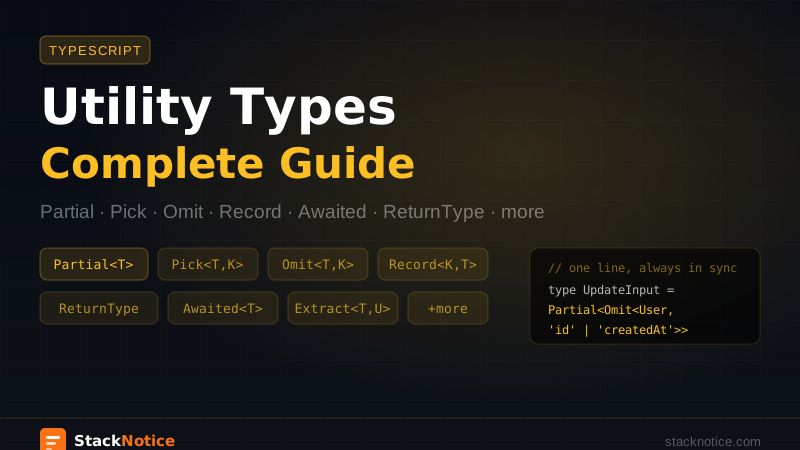
TypeScript ships with a set of generic utility types that transform existing types into new ones. They eliminate repetitive type definitions and make your types more precise without writing more code.
Most developers know Partial and Pick. Most are missing Awaited, Extract, and the composed patterns that make utility types genuinely powerful. This guide covers all of them with real examples.
Why Utility Types Exist
Without utility types, you copy and modify types by hand:
interface User {
  id: string
  email: string
  name: string
  createdAt: Date
  role: 'admin' | 'member' | 'viewer'
}

// Without utility types — manual, goes out of sync:
interface UserUpdateInput {
  email?: string
  name?: string
  role?: 'admin' | 'member' | 'viewer'
}

// With utility types — derived, always in sync:
type UserUpdateInput = Partial<Omit<User, 'id' | 'createdAt'>>
One line vs. maintaining a parallel interface that silently breaks the moment someone adds a field to User.
Partial<T>
Makes all properties optional.
interface User {
  id: string
  email: string
  name: string
  role: 'admin' | 'member'
}

type UserUpdate = Partial<User>
// { id?: string; email?: string; name?: string; role?: 'admin' | 'member' }
Real use case — update functions that receive only the changed fields:
async function updateUser(id: string, data: Partial<Omit<User, 'id'>>) {
  return db.user.update({
    where: { id },
    data,
  })
}

// Both valid:
await updateUser('123', { name: 'Alice' })
await updateUser('123', { email: 'alice@example.com', role: 'admin' })
Required<T>
The opposite of Partial — makes all properties required, removing optional modifiers.
interface Config {
  apiUrl?: string
  timeout?: number
  retries?: number
}

type ResolvedConfig = Required<Config>
// { apiUrl: string; timeout: number; retries: number }
Useful after validation — once you've confirmed all fields are present, assert the complete type:
function resolveConfig(input: Config): Required<Config> {
  return {
    apiUrl: input.apiUrl ?? 'https://api.example.com',
    timeout: input.timeout ?? 5000,
    retries: input.retries ?? 3,
  }
}
Readonly<T>
Makes all properties readonly — TypeScript will error on any mutation after creation.
interface AppConfig {
  apiUrl: string
  featureFlags: Record<string, boolean>
}

function getConfig(): Readonly<AppConfig> {
  return {
    apiUrl: process.env.API_URL!,
    featureFlags: { newDashboard: true },
  }
}

const config = getConfig()
config.apiUrl = 'something-else' // TS Error: Cannot assign to 'apiUrl' because it is a read-only property
Useful for configuration objects and constants that shouldn't mutate after initialization.
Pick<T, K>
Creates a new type with only the selected properties.
interface User {
  id: string
  email: string
  name: string
  passwordHash: string
  createdAt: Date
}

// Safe to send to the client — no password hash
type PublicUser = Pick<User, 'id' | 'email' | 'name'>
Common in server actions — return only what the client needs:
export async function getCurrentUser(): Promise<Pick<User, 'id' | 'email' | 'name'> | null> {
  const session = await getSession()
  if (!session) return null

  return db.user.findUnique({
    where: { id: session.userId },
    select: { id: true, email: true, name: true },
  })
}
The select in Prisma aligns naturally with Pick — both express "only these fields."
Omit<T, K>
The inverse of Pick — creates a type with the listed properties removed.
interface Post {
  id: string
  title: string
  content: string
  authorId: string
  publishedAt: Date | null
  createdAt: Date
  updatedAt: Date
}

// Everything except auto-generated fields
type CreatePostInput = Omit<Post, 'id' | 'createdAt' | 'updatedAt'>

// Everything except server-managed fields
type UpdatePostInput = Partial<Omit<Post, 'id' | 'createdAt' | 'updatedAt' | 'authorId'>>Use Pick when you want a small subset of a large type. Use Omit when you want everything except a few fields. Pick names what you want. Omit names what you don't.
Record<K, T>
Creates an object type with keys of type K and values of type T.
type Role = 'admin' | 'member' | 'viewer'

const permissions: Record<Role, string[]> = {
  admin: ['read', 'write', 'delete'],
  member: ['read', 'write'],
  viewer: ['read'],
}
// TypeScript errors if any role key is missing
Better than { [key: string]: T } because it enforces exhaustive keys when K is a union:
type PageKey = 'home' | 'about' | 'contact'

const meta: Record<PageKey, { title: string; description: string }> = {
  home: { title: 'Home', description: 'Welcome' },
  about: { title: 'About us', description: 'Our story' },
  contact: { title: 'Contact', description: 'Get in touch' },
  // TS error if any key is missing
}
Exclude<T, U> and Extract<T, U>
These work on union types, not object types.
Exclude<T, U> removes from T the members assignable to U:
type Status = 'draft' | 'published' | 'archived' | 'deleted'

type ActiveStatus = Exclude<Status, 'archived' | 'deleted'>
// 'draft' | 'published'
Extract<T, U> keeps only the members of T assignable to U:
type InactiveStatus = Extract<Status, 'archived' | 'deleted'>
// 'archived' | 'deleted'
Real use case — filtering discriminated union events by type prefix:
type AppEvent =
  | { type: 'user.created'; userId: string }
  | { type: 'user.deleted'; userId: string }
  | { type: 'post.published'; postId: string }
  | { type: 'payment.failed'; orderId: string }

type UserEvent = Extract<AppEvent, { type: `user.${string}` }>
// { type: 'user.created'; userId: string } | { type: 'user.deleted'; userId: string }

function handleUserEvent(event: UserEvent) {
  // Fully type-safe — only receives user events
  if (event.type === 'user.created') {
    sendWelcomeEmail(event.userId)
  }
}
NonNullable<T>
Removes null and undefined from a type.
type MaybeUser = User | null | undefined

type DefinitelyUser = NonNullable<MaybeUser>
// User
Most useful after filtering arrays:
const maybeUsers: (User | null)[] = await Promise.all(ids.map(getUser))

const users: User[] = maybeUsers.filter(
  (u): u is NonNullable<typeof u> => u !== null
)
Or with a typed assertion helper:
function assertDefined<T>(value: T | null | undefined, label = 'value'): T {
  if (value == null) throw new Error(`Expected ${label} to be defined`)
  return value
}

const user: User = assertDefined(await getUser(id), 'user')
ReturnType<T> and Parameters<T>
ReturnType<T> extracts the return type of a function type without calling it:
async function getUser(id: string) {
  return db.user.findUnique({ where: { id } })
}

type UserResult = Awaited<ReturnType<typeof getUser>>
// User | null
Useful when you're consuming a function you don't control and don't want to import its return type explicitly:
import { auth } from '@clerk/nextjs/server'

// Get the type without importing it explicitly
type AuthResult = Awaited<ReturnType<typeof auth>>
Parameters<T> extracts the parameter types as a tuple:
function createPost(title: string, content: string, authorId: string) {
  // ...
}

type CreatePostParams = Parameters<typeof createPost>
// [string, string, string]

type TitleParam = Parameters<typeof createPost>[0]
// string
Practical use — wrapping a function with the exact same signature:
function withLogging<T extends (...args: unknown[]) => unknown>(
  fn: T,
  name: string
): (...args: Parameters<T>) => ReturnType<T> {
  return (...args: Parameters<T>) => {
    console.log(`[${name}]`, args)
    return fn(...args) as ReturnType<T>
  }
}

const trackedCreatePost = withLogging(createPost, 'createPost')
Awaited<T>
Unwraps nested promises recursively. Essential for async utility type work.
type Nested = Promise<Promise<Promise<string>>>

type Unwrapped = Awaited<Nested>
// string
The most common use — getting the resolved type of an async function or Promise.all:
async function fetchDashboardData() {
  const [user, posts, stats] = await Promise.all([
    getUser(),
    getPosts(),
    getStats(),
  ])
  return { user, posts, stats }
}

type DashboardData = Awaited<ReturnType<typeof fetchDashboardData>>
// { user: User; posts: Post[]; stats: Stats }
Combine it with ReturnType constantly — they're almost always paired in async codebases.
Combining Utility Types
The real power comes from composition. Real-world type problems rarely fit a single utility type.
Input types from a stored entity:
interface Post {
  id: string
  title: string
  content: string
  authorId: string
  publishedAt: Date | null
  createdAt: Date
  updatedAt: Date
}

type CreatePostInput = Omit<Post, 'id' | 'createdAt' | 'updatedAt'>
type UpdatePostInput = Partial<Omit<Post, 'id' | 'createdAt' | 'updatedAt' | 'authorId'>>
type PostResponse = Omit<Post, 'authorId'>
Form values from an API type:
interface UserProfile {
  id: string
  email: string
  name: string
  bio: string | null
  avatarUrl: string | null
}

// Form edits only these fields, all optional while typing
type ProfileFormValues = Partial<Pick<UserProfile, 'name' | 'bio' | 'avatarUrl'>>
Event handler types without re-importing:
type ButtonProps = {
  onClick: (event: React.MouseEvent<HTMLButtonElement>) => void
  children: React.ReactNode
  disabled?: boolean
}

type ClickHandler = ButtonProps['onClick']
type ClickEvent = Parameters<ClickHandler>[0]
// React.MouseEvent<HTMLButtonElement>
With Zod
Zod infers TypeScript types from schemas, and utility types let you derive variants without duplicating schema definitions:
import { z } from 'zod'

const userSchema = z.object({
  id: z.string(),
  email: z.string().email(),
  name: z.string(),
  role: z.enum(['admin', 'member', 'viewer']),
})

type User = z.infer<typeof userSchema>

// Derive variants from the inferred type
type UserPatch = Partial<Omit<User, 'id'>>

// Or use Zod's own transformations:
const userUpdateSchema = userSchema.omit({ id: true }).partial()
type UserUpdate = z.infer<typeof userUpdateSchema>
See the Zod complete guide for more on combining Zod with TypeScript types.
With React Hook Form
Utility types integrate cleanly with react-hook-form schema patterns:
import { useForm } from 'react-hook-form'
import { zodResolver } from '@hookform/resolvers/zod'
import { z } from 'zod'

const profileSchema = z.object({
  name: z.string().min(2),
  bio: z.string().optional(),
})

type ProfileFormValues = z.infer<typeof profileSchema>

// ReturnType gives you the full form return type for shared hooks
type ProfileForm = ReturnType<typeof useForm<ProfileFormValues>>
See the React Hook Form guide for the full pattern.
Quick Reference
| Utility Type | What it does | Common use case |
|---|---|---|
Partial<T> | All properties optional | Update input types |
Required<T> | All properties required | Post-validation types |
Readonly<T> | All properties readonly | Config objects |
Pick<T, K> | Keep listed properties | Public API responses |
Omit<T, K> | Remove listed properties | Create/update inputs |
Record<K, T> | Object with typed keys | Lookup tables, maps |
Exclude<T, U> | Remove union members | Filter status types |
Extract<T, U> | Keep union members | Narrow event types |
NonNullable<T> | Remove null/undefined | After null checks |
ReturnType<T> | Return type of function | Reuse return types |
Parameters<T> | Parameter tuple | Function wrappers |
Awaited<T> | Unwrap promises | Async return types |
The goal isn't memorizing every utility type — it's recognizing when you're copying a type definition by hand and asking: is there a utility type for this? Usually there is.
For what changed in recent TypeScript versions that affects utility type behavior, see the TypeScript 6 migration guide.