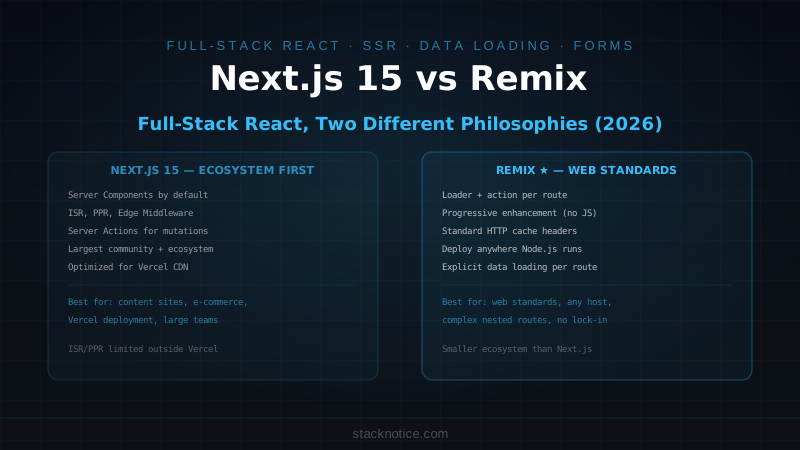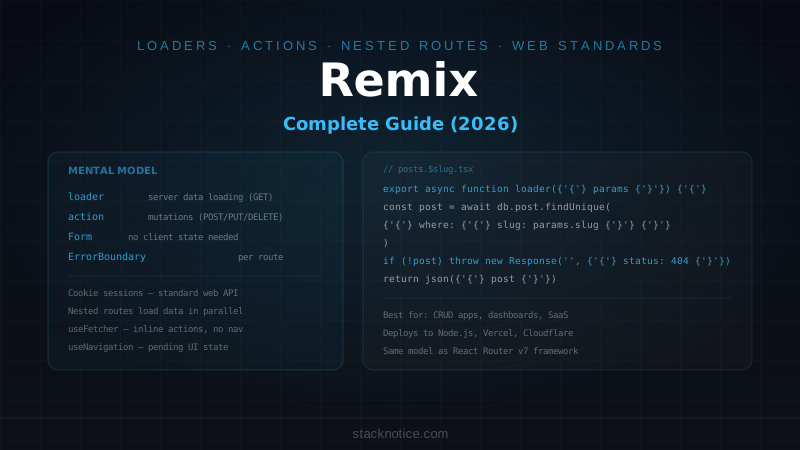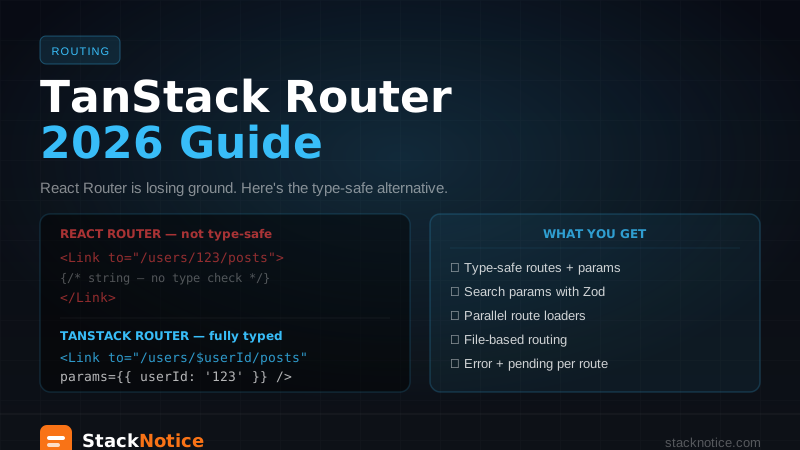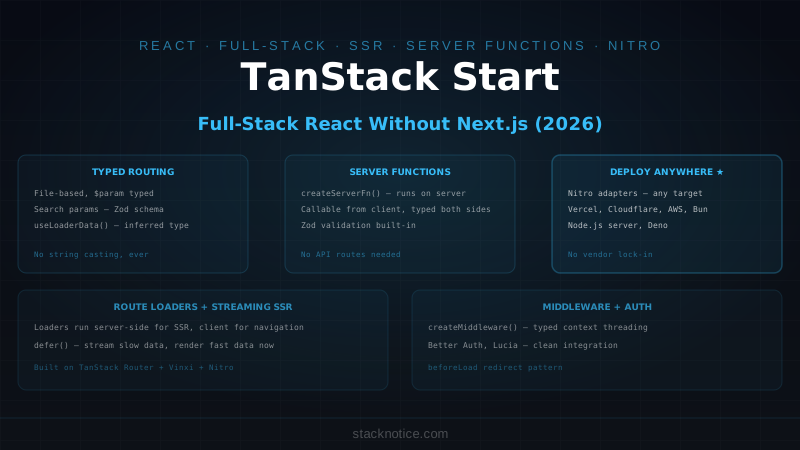
Next.js has dominated the full-stack React space for years. TanStack Start is the first serious alternative built from scratch for the current era — type-safe routing, server functions with real TypeScript inference, and a deployment model that runs anywhere Nitro runs.
TanStack Start is not a clone of Next.js. It's built on three pieces you may already know: TanStack Router for client-side routing, Vinxi as the application bundler, and Nitro as the server engine. Each piece is replaceable; together they produce something that competes directly with Next.js App Router and Remix.
What TanStack Start Gives You
Before diving into code, the features that actually matter:
- Type-safe routing — route params are typed end-to-end, no string casting
- Server functions — call backend code from the frontend with full TypeScript inference, no API routes required
- File-based routing — same mental model as Next.js, built on TanStack Router conventions
- Streaming SSR — built-in React Suspense streaming, no configuration needed
- Deploy anywhere — Nitro adapters cover Vercel, Cloudflare Workers, AWS Lambda, Node.js, Bun
- No vendor lock-in — unlike Next.js, TanStack Start has no proprietary primitives
Project Setup
# Create a new project (official template)
npx create-tsrouter-app@latest my-app --template start-basic
cd my-app
npm install
npm run dev
Project structure after creation:
my-app/
├── app/
│   ├── routes/
│   │   ├── __root.tsx          # Root layout — always rendered
│   │   ├── index.tsx           # /
│   │   ├── about.tsx           # /about
│   │   └── posts/
│   │       ├── index.tsx       # /posts
│   │       └── $postId.tsx     # /posts/:postId — typed param
│   ├── client.tsx              # Client entry
│   ├── router.tsx              # Router configuration
│   └── ssr.tsx                 # Server entry
├── app.config.ts               # Vinxi config — adapters, plugins
└── package.json
File-Based Routing
TanStack Start inherits TanStack Router's routing conventions. Routes are files, params are $-prefixed, layouts are nested.
// app/routes/__root.tsx — rendered for every route
import { createRootRoute, Outlet, Link } from '@tanstack/react-router'

export const Route = createRootRoute({
  component: () => (
    <div>
      <nav>
        <Link to="/" activeOptions={{ exact: true }}>Home</Link>
        <Link to="/posts">Posts</Link>
      </nav>
      <Outlet />
    </div>
  )
})
// app/routes/posts/$postId.tsx — dynamic segment, fully typed
import { createFileRoute } from '@tanstack/react-router'
import { fetchPost } from '../serverFunctions/posts'
export const Route = createFileRoute('/posts/$postId')({
// loader runs on server for SSR, on client for navigation
loader: ({ params }) => fetchPost(params.postId), // params.postId is string, typed
component: PostPage,
})
function PostPage() {
const post = Route.useLoaderData() // typed from loader return
const { postId } = Route.useParams() // typed, no casting
return (
<article>
<h1>{post.title}</h1>
<p>{post.content}</p>
</article>
)
}The key difference from Next.js: Route.useLoaderData() is typed from the loader's return type automatically. No async params workarounds, no manual typing of dynamic segments.
Server Functions
Server functions are TanStack Start's equivalent of Next.js Server Actions. They're regular TypeScript functions that run on the server but can be called from the client — with full type inference on both sides.
// app/serverFunctions/posts.ts
import { createServerFn } from '@tanstack/start'
import { z } from 'zod'
import { db } from '../lib/db'

// A server function — runs on server, callable from client
export const fetchPost = createServerFn({ method: 'GET' })
  .validator(z.object({ postId: z.string() }))
  .handler(async ({ data }) => {
    const post = await db.query.posts.findFirst({
      where: (posts, { eq }) => eq(posts.id, data.postId),
      with: { author: true, tags: true }
    })
    if (!post) throw new Error('Post not found')
    return post
  })

// Mutation server function — POST method
export const createPost = createServerFn({ method: 'POST' })
  .validator(z.object({
    title: z.string().min(1).max(200),
    content: z.string().min(1),
    tags: z.array(z.string()).optional()
  }))
  .handler(async ({ data, context }) => {
    // context.user is available if you set up middleware
    const post = await db.insert(posts).values({
      ...data,
      authorId: context.user.id,
      createdAt: new Date()
    }).returning()
    return post[0]
  })
Calling from a route component:
// app/routes/posts/new.tsx
import { createFileRoute, useNavigate } from '@tanstack/react-router'
import { createPost } from '../serverFunctions/posts'
import { useServerFn } from '@tanstack/start'

export const Route = createFileRoute('/posts/new')({
  component: NewPostPage,
})

function NewPostPage() {
  const navigate = useNavigate()
  const create = useServerFn(createPost)

  async function handleSubmit(e: React.FormEvent<HTMLFormElement>) {
    e.preventDefault()
    const data = new FormData(e.currentTarget)
    const post = await create({
      data: {
        title: data.get('title') as string,
        content: data.get('content') as string,
      }
    })
    navigate({ to: '/posts/$postId', params: { postId: post.id } })
  }

  return (
    <form onSubmit={handleSubmit}>
      <input name="title" placeholder="Title" required />
      <textarea name="content" placeholder="Content" required />
      <button type="submit">Publish</button>
    </form>
  )
}
Compared to Next.js Server Actions, TanStack Start server functions have better TypeScript inference out of the box — you don't need to manually type the action's return value in the client.
Loaders: Data Fetching That Works on Both Sides
Route loaders run on the server during SSR and on the client during client-side navigation. This is the same model as Remix — one data-fetching primitive that adapts to context.
// app/routes/posts/index.tsx
import { createFileRoute } from '@tanstack/react-router'
import { fetchPosts } from '../serverFunctions/posts'

export const Route = createFileRoute('/posts/')({
  // loader data is available synchronously in the component
  loader: async () => {
    const posts = await fetchPosts({ data: { limit: 20 } })
    return { posts }
  },
  // pendingComponent shown during client-side navigation
  pendingComponent: () => <div>Loading...</div>,
  // errorComponent shown when loader throws
  errorComponent: ({ error }) => <div>Error: {error.message}</div>,
  component: PostsList,
})

function PostsList() {
  const { posts } = Route.useLoaderData()

  return (
    <ul>
      {posts.map(post => (
        <li key={post.id}>
          <Link to="/posts/$postId" params={{ postId: post.id }}>
            {post.title}
          </Link>
        </li>
      ))}
    </ul>
  )
}
Parallel loading across nested routes — another Remix idea TanStack Start inherits:
// Parent and child loaders run in parallel automatically
// /posts loads the post list
// /posts/$postId loads the specific post
// No waterfalls
Middleware
TanStack Start has server middleware that runs before route handlers and server functions. This is where auth, logging, and request context live.
// app/middleware/auth.ts
import { createMiddleware } from '@tanstack/start'
import { getSession } from '../lib/auth'

export const authMiddleware = createMiddleware().server(async ({ next, context }) => {
  const session = await getSession()
  return next({
    context: {
      ...context,
      user: session?.user ?? null,
      isAuthenticated: !!session?.user,
    }
  })
})

// Middleware for specific server functions
export const requireAuth = createMiddleware()
  .middleware([authMiddleware])
  .server(async ({ next, context }) => {
    if (!context.isAuthenticated) {
      throw new Error('Unauthorized')
    }
    return next()
  })
Using middleware in server functions:
// app/serverFunctions/posts.ts
export const deletePost = createServerFn({ method: 'POST' })
  .middleware([requireAuth])  // user is guaranteed to be in context
  .validator(z.object({ postId: z.string() }))
  .handler(async ({ data, context }) => {
    // context.user is typed and non-null here
    await db.delete(posts)
      .where(
        and(
          eq(posts.id, data.postId),
          eq(posts.authorId, context.user.id)
        )
      )
  })
Streaming SSR
TanStack Start supports React Suspense streaming. Wrap async data in <Suspense> and it streams progressively to the client:
// app/routes/dashboard.tsx
import { createFileRoute, defer } from '@tanstack/react-router'
import { Suspense } from 'react'
import { fetchDashboardStats, fetchRecentActivity } from '../serverFunctions/dashboard'

export const Route = createFileRoute('/dashboard')({
  loader: async () => {
    // fetchDashboardStats is awaited — blocks initial render
    // fetchRecentActivity is deferred — streams later
    const [stats, activityPromise] = await Promise.all([
      fetchDashboardStats({ data: {} }),
      defer(fetchRecentActivity({ data: {} }))
    ])
    return { stats, activityPromise }
  },
  component: Dashboard,
})

function Dashboard() {
  const { stats, activityPromise } = Route.useLoaderData()

  return (
    <div>
      {/* Renders immediately — stats were awaited */}
      <StatsPanel stats={stats} />

      {/* Streams in when ready */}
      <Suspense fallback={<ActivitySkeleton />}>
        <Await promise={activityPromise}>
          {(activity) => <ActivityFeed activity={activity} />}
        </Await>
      </Suspense>
    </div>
  )
}
Search Params — Typed, Always
TanStack Router's typed search params carry through to TanStack Start. URL state is fully typed without manual parsing:
// app/routes/posts/index.tsx
import { createFileRoute } from '@tanstack/react-router'
import { z } from 'zod'

const searchSchema = z.object({
  page: z.number().default(1),
  tag: z.string().optional(),
  sort: z.enum(['newest', 'popular']).default('newest'),
})

export const Route = createFileRoute('/posts/')({
  validateSearch: searchSchema,
  loader: async ({ search }) => {
    // search.page, search.tag, search.sort are all typed
    return fetchPosts({ data: { ...search } })
  },
  component: PostsList,
})

function PostsList() {
  const search = Route.useSearch()  // typed from schema
  const navigate = useNavigate()

  function setPage(page: number) {
    navigate({
      search: (prev) => ({ ...prev, page })  // typed update
    })
  }

  // ...
}
Contrast with Next.js useSearchParams() which returns URLSearchParams — strings only, no validation, manual casting everywhere.
Deployment
TanStack Start uses Nitro as its server engine, which means the same Nitro adapter system:
// app.config.ts — Vinxi configuration
import { defineConfig } from '@tanstack/start/config'

export default defineConfig({
  server: {
    // Nitro preset — change this to target different platforms
    preset: 'vercel',  // or 'cloudflare-pages', 'aws-lambda', 'bun', 'node-server'
  },
  vite: {
    plugins: [] // Vite plugins work here
  }
})
Deploying to different platforms is a config change, not a rewrite. This is a genuine advantage over Next.js, where switching from Vercel to a self-hosted Node.js server requires non-trivial changes.
# Build for production
npm run build

# Vercel — automatic when you push (if preset: 'vercel')
# Cloudflare Pages — push + Pages project configured
# Node.js server
node .output/server/index.mjs
Integrating with tRPC
TanStack Start's server functions handle most use cases, but if you're already using tRPC in a Next.js project and want to migrate, tRPC works as an HTTP handler within TanStack Start:
// app/routes/api/trpc.$.tsx — catch-all route for tRPC
import { createFileRoute } from '@tanstack/react-router'
import { fetchRequestHandler } from '@trpc/server/adapters/fetch'
import { appRouter } from '../../server/trpc/router'
import { createContext } from '../../server/trpc/context'

export const Route = createFileRoute('/api/trpc/$')({
  // This route acts as an API endpoint
})

export function handler(request: Request) {
  return fetchRequestHandler({
    endpoint: '/api/trpc',
    req: request,
    router: appRouter,
    createContext,
  })
}
For greenfield projects, TanStack Start's native server functions are simpler than adding tRPC. For migrations from Next.js with an existing tRPC setup, running tRPC as an adapter means you don't need to rewrite the backend.
TanStack Start vs Next.js App Router
The honest comparison after building real apps in both:
| TanStack Start | Next.js App Router | |
|---|---|---|
| Routing type-safety | ✅ End-to-end typed params | Partial — params is Promise<{}> |
| Search param types | ✅ Zod schema, automatic | Manual casting |
| Server data fetching | Server functions | Server Components + Actions |
| Vendor lock-in | None (Nitro adapters) | Vercel-optimized |
| Ecosystem maturity | Growing (2026 stable) | Mature |
| React ecosystem | Full — any library | Some friction with use client |
| Deploy targets | Anywhere Nitro runs | Vercel-optimized, others possible |
| Learning curve | TanStack Router concepts | React Server Components |
When Next.js is still the right choice:
- You need the full Vercel ecosystem (ISR, Edge Middleware, image optimization)
- The team already knows Next.js deeply
- You're using next/image, next/font, or other Next.js-specific primitives heavily
- Large codebase with existing Next.js patterns — not worth migrating
When TanStack Start wins:
- Type safety is the top priority — typed params and search params matter
- You want to deploy to Cloudflare Workers or other non-Vercel targets
- You're already using TanStack Router and want a full-stack story
- You want server-side data fetching without the React Server Components mental model
- You've tried Remix but want more TypeScript integration
Authentication Pattern
Auth in TanStack Start follows the middleware pattern. Better Auth integrates cleanly:
// app/lib/auth.ts
import { betterAuth } from 'better-auth'
import { drizzleAdapter } from 'better-auth/adapters/drizzle'
import { db } from './db'

export const auth = betterAuth({
  database: drizzleAdapter(db, { provider: 'pg' }),
  emailAndPassword: { enabled: true },
  socialProviders: {
    github: {
      clientId: process.env.GITHUB_CLIENT_ID!,
      clientSecret: process.env.GITHUB_CLIENT_SECRET!,
    }
  }
})

// app/lib/session.ts — get session in middleware
import { auth } from './auth'
import { getHeaders } from '@tanstack/start/server'

export async function getSession() {
  return auth.api.getSession({ headers: await getHeaders() })
}
Auth routes:
// app/routes/api/auth.$.tsx — Better Auth handles all auth routes
export function handler(request: Request) {
  return auth.handler(request)
}
Protected routes via beforeLoad:
// app/routes/dashboard.tsx
import { createFileRoute, redirect } from '@tanstack/react-router'
import { getSession } from '../lib/session'

export const Route = createFileRoute('/dashboard')({
  beforeLoad: async () => {
    const session = await getSession()
    if (!session) {
      throw redirect({ to: '/login' })
    }
    return { user: session.user }
  },
  loader: ({ context }) => {
    // context.user is available from beforeLoad
    return fetchDashboard({ data: { userId: context.user.id } })
  },
  component: Dashboard,
})
Where TanStack Start Fits in the React Ecosystem
TanStack Start is mature and production-ready as of 2026. The v1 release is stable, the server function API is settled, and major companies are running it in production. It's not experimental — it's a deliberate full-stack answer to Next.js from the team that built TanStack Query and TanStack Router.
For React full-stack options in 2026:
- Next.js — still the default, most ecosystem support, Vercel-optimized
- Remix — excellent data loading model, less TypeScript integration
- TanStack Start — best TypeScript experience, most flexible deployment, newer ecosystem
For new projects where type safety is a first-class requirement and you don't want to be tied to Vercel's infrastructure, TanStack Start is the serious alternative Next.js finally has.
For server actions patterns that work in TanStack Start and Next.js both, the patterns translate more cleanly than the framework differences suggest.