TanStack Query (formerly React Query) is the standard for server state management in React. It handles caching, background refetching, loading states, and error handling so you don't have to. Version 5 shipped with significant breaking changes and a cleaner API — and if you're still writing useEffect + useState to fetch data, this guide will change how you think about data fetching entirely.
What TanStack Query actually solves
Every React developer has written this:
const [data, setData] = useState(null)
const [loading, setLoading] = useState(true)
const [error, setError] = useState(null)

useEffect(() => {
  fetch('/api/posts')
    .then(res => res.json())
    .then(data => {
      setData(data)
      setLoading(false)
    })
    .catch(err => {
      setError(err)
      setLoading(false)
    })
}, [])
This misses: caching, deduplication, background refetching, pagination, optimistic updates, stale data management. TanStack Query handles all of it.
The key mental model: server state is different from client state. Server state lives remotely, can be stale, and needs to be synchronized. TanStack Query is built specifically for this. For UI state (modals, form inputs, selected tabs), use Zustand or useState.
Installation
npm install @tanstack/react-query
npm install -D @tanstack/react-query-devtools
Setup: QueryClient and QueryClientProvider
Wrap your app with the provider:
// app/providers.tsx
'use client'

import { QueryClient, QueryClientProvider } from '@tanstack/react-query'
import { ReactQueryDevtools } from '@tanstack/react-query-devtools'
import { useState } from 'react'

export function Providers({ children }: { children: React.ReactNode }) {
  const [queryClient] = useState(
    () =>
      new QueryClient({
        defaultOptions: {
          queries: {
            staleTime: 60 * 1000, // 1 minute
            retry: 1,
          },
        },
      })
  )

  return (
    <QueryClientProvider client={queryClient}>
      {children}
      <ReactQueryDevtools initialIsOpen={false} />
    </QueryClientProvider>
  )
}
// app/layout.tsx
import { Providers } from './providers'
export default function RootLayout({ children }: { children: React.ReactNode }) {
return (
<html>
<body>
<Providers>{children}</Providers>
</body>
</html>
)
}Why useState for QueryClient: Creating the client inside the component without useState would recreate it on every render. Using useState with a factory function ensures it's created once.
useQuery: fetching data
The core hook:
import { useQuery } from '@tanstack/react-query'

interface Post {
  id: number
  title: string
  body: string
  userId: number
}

async function getPosts(): Promise<Post[]> {
  const res = await fetch('/api/posts')
  if (!res.ok) throw new Error('Failed to fetch posts')
  return res.json()
}

export function PostsList() {
  const { data, isPending, isError, error } = useQuery({
    queryKey: ['posts'],
    queryFn: getPosts,
  })

  if (isPending) return <div>Loading...</div>
  if (isError) return <div>Error: {error.message}</div>

  return (
    <ul>
      {data.map(post => (
        <li key={post.id}>{post.title}</li>
      ))}
    </ul>
  )
}
Query keys
Query keys identify and deduplicate requests. They can be strings or arrays:
// Static query
useQuery({ queryKey: ['posts'], queryFn: getPosts })

// Dynamic query — refetches when userId changes
useQuery({
  queryKey: ['posts', { userId }],
  queryFn: () => getPostsByUser(userId),
})

// With search params
useQuery({
  queryKey: ['posts', { search, page, sortBy }],
  queryFn: () => searchPosts({ search, page, sortBy }),
})
TanStack Query refetches automatically when the key changes. Design keys like a URL: most general to most specific.
enabled: conditional fetching
Only fetch when a condition is met:
const { data: user } = useQuery({
  queryKey: ['user', userId],
  queryFn: () => getUser(userId),
  enabled: !!userId, // don't fetch if userId is undefined
})

// Dependent query: fetch posts only after user is loaded
const { data: posts } = useQuery({
  queryKey: ['posts', user?.id],
  queryFn: () => getPostsByUser(user!.id),
  enabled: !!user?.id,
})
Migrating from v4: breaking changes
If you're on v4, these are the changes that will break your code:
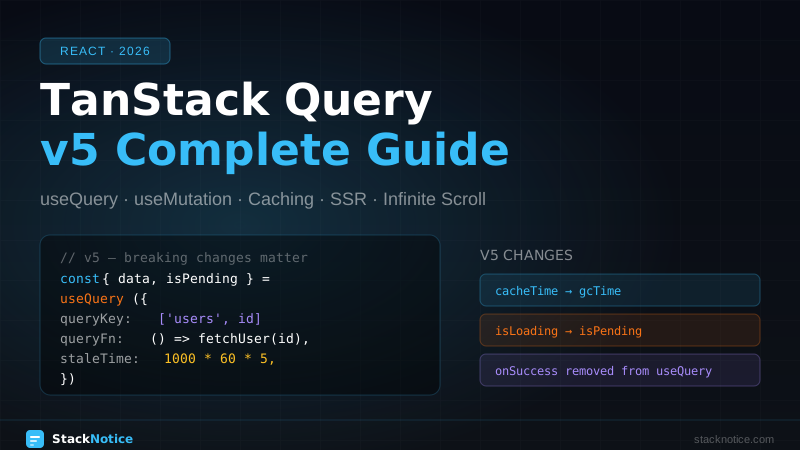
cacheTime renamed to gcTime
// v4
new QueryClient({ defaultOptions: { queries: { cacheTime: 5 * 60 * 1000 } } })

// v5
new QueryClient({ defaultOptions: { queries: { gcTime: 5 * 60 * 1000 } } })
gcTime (garbage collection time) is how long inactive query data stays in the cache before being deleted. Default is 5 minutes.
isLoading vs isPending
This is the most confusing change:
// v5 semantics:
isPending  // true when there's no cached data, regardless of fetch status
isLoading  // true when isPending AND isFetching (shorthand for first load)
isFetching // true whenever a fetch is in-flight (including background refetch)
In practice: use isPending for "no data yet — show skeleton". Use isFetching for "show a spinner that data is being updated".
const { data, isPending, isFetching } = useQuery({ ... })

if (isPending) return <Skeleton />  // first load, no data

return (
  <div>
    {isFetching && <RefreshSpinner />}  // background refresh indicator
    <DataTable data={data} />
  </div>
)onSuccess, onError, onSettled removed from useQuery
In v4, you could pass callbacks to useQuery:
// v4 — REMOVED in v5
useQuery({
  queryKey: ['user'],
  queryFn: getUser,
  onSuccess: (data) => toast.success(`Welcome, ${data.name}`),
  onError: (error) => toast.error(error.message),
})
In v5, use useEffect for side effects based on query data:
// v5 — correct pattern
const { data, isError, error } = useQuery({
  queryKey: ['user'],
  queryFn: getUser,
})

useEffect(() => {
  if (data) toast.success(`Welcome, ${data.name}`)
}, [data])

useEffect(() => {
  if (isError) toast.error(error.message)
}, [isError, error])
Or use the QueryCache callbacks for global handling:
const queryClient = new QueryClient({
  queryCache: new QueryCache({
    onError: (error) => {
      toast.error(`Something went wrong: ${error.message}`)
    },
  }),
})
keepPreviousData replaced with placeholderData
import { keepPreviousData } from '@tanstack/react-query'

// v4
useQuery({ queryKey: ['posts', page], queryFn: ..., keepPreviousData: true })

// v5
useQuery({
  queryKey: ['posts', page],
  queryFn: getPosts,
  placeholderData: keepPreviousData, // imported function
})
This keeps previous data visible while new page data loads — perfect for pagination.
useMutation: creating, updating, deleting
import { useMutation, useQueryClient } from '@tanstack/react-query'

async function createPost(post: { title: string; body: string }) {
  const res = await fetch('/api/posts', {
    method: 'POST',
    headers: { 'Content-Type': 'application/json' },
    body: JSON.stringify(post),
  })
  if (!res.ok) throw new Error('Failed to create post')
  return res.json()
}

export function CreatePostForm() {
  const queryClient = useQueryClient()

  const mutation = useMutation({
    mutationFn: createPost,
    onSuccess: (newPost) => {
      // Invalidate and refetch
      queryClient.invalidateQueries({ queryKey: ['posts'] })
      toast.success('Post created!')
    },
    onError: (error) => {
      toast.error(error.message)
    },
  })

  return (
    <form
      onSubmit={(e) => {
        e.preventDefault()
        const formData = new FormData(e.currentTarget)
        mutation.mutate({
          title: formData.get('title') as string,
          body: formData.get('body') as string,
        })
      }}
    >
      <input name="title" />
      <textarea name="body" />
      <button type="submit" disabled={mutation.isPending}>
        {mutation.isPending ? 'Creating...' : 'Create Post'}
      </button>
      {mutation.isError && <p>{mutation.error.message}</p>}
    </form>
  )
}Important: onSuccess, onError, and onSettled still work in useMutation — they were only removed from useQuery.
Caching, stale time, and refetch behavior
Understanding these three values is key to controlling TanStack Query's behavior:
useQuery({
  queryKey: ['posts'],
  queryFn: getPosts,
  staleTime: 5 * 60 * 1000,  // data is fresh for 5 min — no background refetch
  gcTime: 30 * 60 * 1000,    // keep in cache for 30 min after unmounting
  refetchOnWindowFocus: true, // refetch when user returns to tab (default: true)
  refetchOnMount: true,       // refetch when component mounts (default: true)
  refetchInterval: false,     // polling interval, false = disabled
})
The flow:
- Component mounts → check cache
- If data exists and is fresh (
staleTimenot expired) → return cached data, no fetch - If data is stale → return cached data immediately AND refetch in background
- If no cached data → show
isPending, fetch
For data that rarely changes (user roles, config), use a long staleTime:
const { data: config } = useQuery({
  queryKey: ['app-config'],
  queryFn: getAppConfig,
  staleTime: Infinity, // never consider stale
})
Pagination
import { keepPreviousData } from '@tanstack/react-query'

function PostsList() {
  const [page, setPage] = useState(1)

  const { data, isPending, isPlaceholderData } = useQuery({
    queryKey: ['posts', { page }],
    queryFn: () => getPosts({ page, limit: 10 }),
    placeholderData: keepPreviousData,
  })

  return (
    <div>
      <ul>
        {data?.posts.map(post => <li key={post.id}>{post.title}</li>)}
      </ul>
      <div>
        <button
          onClick={() => setPage(p => Math.max(1, p - 1))}
          disabled={page === 1}
        >
          Previous
        </button>
        <span>Page {page} of {data?.totalPages}</span>
        <button
          onClick={() => setPage(p => p + 1)}
          disabled={isPlaceholderData || page === data?.totalPages}
        >
          Next
        </button>
      </div>
    </div>
  )
}
isPlaceholderData is true when showing data from the previous page while the next page loads. Disable the Next button in this state to prevent double-clicks.
Infinite scroll with useInfiniteQuery
import { useInfiniteQuery } from '@tanstack/react-query'
import { useRef, useEffect } from 'react'

async function getInfinitePosts({ pageParam }: { pageParam: number }) {
  const res = await fetch(`/api/posts?page=${pageParam}&limit=10`)
  return res.json() as Promise<{ posts: Post[]; nextPage: number | null }>
}

function InfinitePostsList() {
  const {
    data,
    fetchNextPage,
    hasNextPage,
    isFetchingNextPage,
  } = useInfiniteQuery({
    queryKey: ['posts', 'infinite'],
    queryFn: getInfinitePosts,
    initialPageParam: 1,
    getNextPageParam: (lastPage) => lastPage.nextPage,
  })

  const loadMoreRef = useRef<HTMLDivElement>(null)

  useEffect(() => {
    const observer = new IntersectionObserver(
      (entries) => {
        if (entries[0].isIntersecting && hasNextPage && !isFetchingNextPage) {
          fetchNextPage()
        }
      },
      { threshold: 0.1 }
    )
    if (loadMoreRef.current) observer.observe(loadMoreRef.current)
    return () => observer.disconnect()
  }, [hasNextPage, isFetchingNextPage, fetchNextPage])

  const allPosts = data?.pages.flatMap(page => page.posts) ?? []

  return (
    <div>
      {allPosts.map(post => (
        <PostCard key={post.id} post={post} />
      ))}
      <div ref={loadMoreRef}>
        {isFetchingNextPage && <Spinner />}
        {!hasNextPage && <p>No more posts</p>}
      </div>
    </div>
  )
}
initialPageParam is required in v5. getNextPageParam receives the last page's data and returns the next cursor/page number, or undefined/null to stop fetching.
useSuspenseQuery: React Suspense integration
In v5, use useSuspenseQuery instead of the suspense option:
import { useSuspenseQuery } from '@tanstack/react-query'

// This component can throw — must be wrapped in Suspense
function PostsContent() {
  const { data } = useSuspenseQuery({
    queryKey: ['posts'],
    queryFn: getPosts,
  })

  // data is always defined here — no isPending check needed
  return <PostsList posts={data} />
}

// Parent component
function PostsPage() {
  return (
    <ErrorBoundary fallback={<ErrorMessage />}>
      <Suspense fallback={<PostsSkeleton />}>
        <PostsContent />
      </Suspense>
    </ErrorBoundary>
  )
}
useSuspenseQuery guarantees data is defined — no loading state check needed. The suspense boundary handles the loading UI, and the error boundary handles errors.
Optimistic updates
Show the updated UI immediately before the server confirms:
const queryClient = useQueryClient()

const mutation = useMutation({
  mutationFn: (updatedPost: Post) => updatePost(updatedPost),

  onMutate: async (updatedPost) => {
    // Cancel in-flight queries
    await queryClient.cancelQueries({ queryKey: ['posts', updatedPost.id] })

    // Snapshot current data for rollback
    const previousPost = queryClient.getQueryData<Post>(['posts', updatedPost.id])

    // Optimistically update
    queryClient.setQueryData<Post>(['posts', updatedPost.id], updatedPost)

    return { previousPost }
  },

  onError: (err, updatedPost, context) => {
    // Roll back on error
    if (context?.previousPost) {
      queryClient.setQueryData(['posts', updatedPost.id], context.previousPost)
    }
  },

  onSettled: (_, __, updatedPost) => {
    // Refetch to ensure consistency with server
    queryClient.invalidateQueries({ queryKey: ['posts', updatedPost.id] })
  },
})
Prefetching
Prefetch data before the user navigates to it — hover to prefetch is a common pattern:
const queryClient = useQueryClient()

function PostLink({ postId }: { postId: number }) {
  return (
    <Link
      href={`/posts/${postId}`}
      onMouseEnter={() => {
        queryClient.prefetchQuery({
          queryKey: ['post', postId],
          queryFn: () => getPost(postId),
          staleTime: 10_000,
        })
      }}
    >
      View Post
    </Link>
  )
}
In Next.js, prefetch on the server using HydrationBoundary:
// app/posts/page.tsx — Server Component
import { dehydrate, HydrationBoundary, QueryClient } from '@tanstack/react-query'

export default async function PostsPage() {
  const queryClient = new QueryClient()

  await queryClient.prefetchQuery({
    queryKey: ['posts'],
    queryFn: getPosts,
  })

  return (
    <HydrationBoundary state={dehydrate(queryClient)}>
      <PostsList />
    </HydrationBoundary>
  )
}
The client receives pre-fetched data and won't show a loading state on initial render.
Manually updating cache
Sometimes you already have the data from a mutation response and don't need to refetch:
const mutation = useMutation({
  mutationFn: createPost,
  onSuccess: (newPost) => {
    // Option 1: invalidate and refetch
    queryClient.invalidateQueries({ queryKey: ['posts'] })

    // Option 2: manually add to cache (no extra request)
    queryClient.setQueryData<Post[]>(['posts'], (old) => {
      return old ? [newPost, ...old] : [newPost]
    })
  },
})
Use option 2 when the API returns the created resource and you want to avoid an extra network request.
Global error handling
Set up global error handling in the QueryClient:
import { QueryCache, MutationCache } from '@tanstack/react-query'

const queryClient = new QueryClient({
  queryCache: new QueryCache({
    onError: (error, query) => {
      // Only show toast for queries that already have data (background refetch errors)
      if (query.state.data !== undefined) {
        toast.error(`Background sync failed: ${error.message}`)
      }
    },
  }),
  mutationCache: new MutationCache({
    onError: (error) => {
      toast.error(error.message)
    },
  }),
})
Zustand vs TanStack Query vs useState
| Scenario | Use |
|---|---|
| API data, user lists, posts | TanStack Query |
| Auth state, shopping cart, UI prefs | Zustand |
| Form input, dialog open/closed | useState |
| Multiple components share API data | TanStack Query (automatic dedup) |
| Real-time data | TanStack Query + refetchInterval or Supabase Realtime |
| Derived from server data | TanStack Query select option |
The rule: if it comes from a server, it's server state — use TanStack Query. If it's UI state that doesn't need to be fetched, use Zustand or useState.
Quick reference
// Install
npm install @tanstack/react-query

// Provider setup
<QueryClientProvider client={queryClient}>{children}</QueryClientProvider>

// Fetch
const { data, isPending, isFetching, isError, error } = useQuery({
  queryKey: ['posts'],
  queryFn: getPosts,
  staleTime: 60_000,
})

// Mutate
const { mutate, isPending } = useMutation({
  mutationFn: createPost,
  onSuccess: () => queryClient.invalidateQueries({ queryKey: ['posts'] }),
})

// Paginate
useQuery({ queryKey: ['posts', page], ..., placeholderData: keepPreviousData })

// Infinite
useInfiniteQuery({ initialPageParam: 1, getNextPageParam: (last) => last.nextPage })

// Suspense
useSuspenseQuery({ queryKey: ['posts'], queryFn: getPosts })

// Prefetch on server
await queryClient.prefetchQuery({ queryKey: [...], queryFn: ... })
<HydrationBoundary state={dehydrate(queryClient)}>...</HydrationBoundary>
TanStack Query pairs naturally with Drizzle ORM on the server side and Supabase for real-time data. For client state alongside your server state, see the Zustand complete guide. For the full Next.js setup this sits inside, see Next.js full-stack TypeScript tutorial. If you're exploring file-based routing, the TanStack Router complete guide covers the TanStack ecosystem approach to routing.