Full-stack development with Next.js has matured significantly. The App Router is stable, Server Actions are the accepted way to mutate data, and Prisma remains the go-to ORM for TypeScript-first teams. If you want to build something real in 2026 — not a toy demo — this tutorial walks you through every step.
We're building a link shortener: you paste a long URL, get a short code, and can view click stats. It is simple enough to finish in an afternoon but touches every layer of the stack — database, server-side logic, client interactivity, and deployment.
What we'll use:
- Next.js 15 (App Router)
- TypeScript 5
- Prisma 6 + PostgreSQL
- Tailwind CSS v4
- Zod for validation
- Server Actions for mutations
- Vercel for deployment (with Vercel Postgres)
- NextAuth v5 for basic auth (bonus section)
By the end you'll have a live URL shortener at yourdomain.vercel.app.
1. Project Setup
Bootstrap the project with the official CLI. Answer the prompts as shown:
npx create-next-app@latest shortlink --typescript --tailwind --eslint --app --src-dir --import-alias "@/*"
cd shortlink
Your tsconfig.json will already have "strict": true — keep it. Strict mode catches real bugs before they hit production.
Check your Next.js version:
npx next --version
# Next.js 15.x
If you are curious about what changed between versions, see our article on what's new in Next.js 16 and Turbopack — most of those improvements are already landing in the 15.x release channel.
Install additional dependencies upfront:
npm install prisma @prisma/client zod
npm install -D @types/node
For Tailwind v4 specifically, the setup is slightly different from v3. If you are migrating an existing project rather than starting fresh, check our Tailwind CSS v4 migration guide for the full diff.
Your initial directory looks like this:
shortlink/
  src/
    app/
      layout.tsx
      page.tsx
      globals.css
  prisma/          ← we'll create this
  .env.local       ← we'll create this
  package.json
  tsconfig.json
2. Database Setup with Prisma
Initialize Prisma and point it at PostgreSQL:
npx prisma init --datasource-provider postgresqlThis creates prisma/schema.prisma and adds DATABASE_URL to your .env file. Move that variable to .env.local so Next.js picks it up correctly, and add .env to your .gitignore if it isn't there already.
# .env.local
DATABASE_URL="postgresql://USER:PASSWORD@HOST:5432/shortlink?schema=public"
For local development, run PostgreSQL via Docker:
docker run --name shortlink-db \
  -e POSTGRES_PASSWORD=postgres \
  -e POSTGRES_DB=shortlink \
  -p 5432:5432 \
  -d postgres:16-alpine
Then set:
DATABASE_URL="postgresql://postgres:postgres@localhost:5432/shortlink?schema=public"
3. Data Model and Migrations
Open prisma/schema.prisma and replace the default content:
// prisma/schema.prisma
generator client {
  provider = "prisma-client-js"
}

datasource db {
  provider = "postgresql"
  url      = env("DATABASE_URL")
}

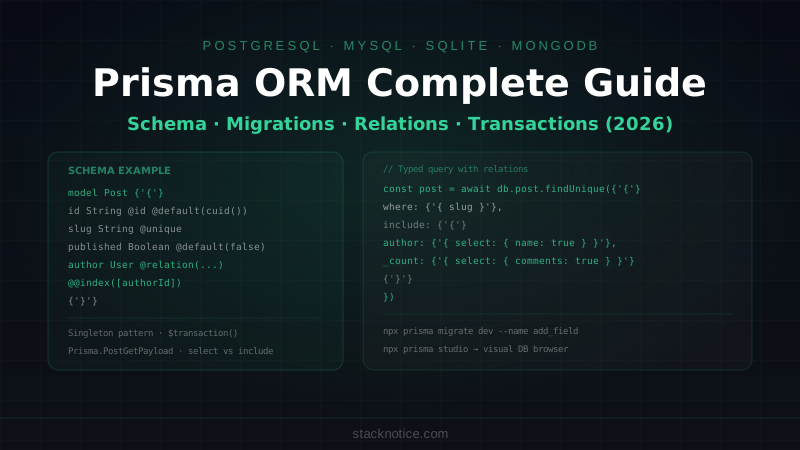
model Link {
  id        String   @id @default(cuid())
  slug      String   @unique
  url       String
  clicks    Int      @default(0)
  createdAt DateTime @default(now())
  updatedAt DateTime @updatedAt

  @@index([slug])
}
Run the migration:
npx prisma migrate dev --name initThis creates the Link table and generates the Prisma Client. Every time you change the schema you run this command — it keeps migrations versioned in prisma/migrations/.
Generate (or regenerate) the client after schema changes:
npx prisma generateCreate a singleton Prisma client to avoid exhausting connections in development (Next.js hot-reloads modules):
// src/lib/prisma.ts
import { PrismaClient } from "@prisma/client";

const globalForPrisma = globalThis as unknown as {
  prisma: PrismaClient | undefined;
};

export const prisma =
  globalForPrisma.prisma ??
  new PrismaClient({
    log: process.env.NODE_ENV === "development" ? ["query", "error"] : ["error"],
  });

if (process.env.NODE_ENV !== "production") {
  globalForPrisma.prisma = prisma;
}
This pattern is the official Prisma recommendation for Next.js. Without it, every hot reload opens a new database connection and you hit the pool limit within minutes.
4. TypeScript Types and Validation
Prisma generates types automatically from your schema. You can infer them:
// src/types/link.ts
import type { Link } from "@prisma/client";

// The full DB row
export type LinkRow = Link;

// What the form submits
export type CreateLinkInput = {
  url: string;
  slug?: string;
};
For runtime validation, use Zod. It integrates naturally with TypeScript and gives you parse errors instead of silent failures:
// src/lib/validators.ts
import { z } from "zod";

export const createLinkSchema = z.object({
  url: z
    .string()
    .url({ message: "Enter a valid URL including https://" })
    .max(2048, "URL is too long"),
  slug: z
    .string()
    .min(3, "Slug must be at least 3 characters")
    .max(50, "Slug too long")
    .regex(/^[a-z0-9-]+$/, "Only lowercase letters, numbers, and hyphens")
    .optional(),
});

export type CreateLinkSchema = z.infer<typeof createLinkSchema>;
z.infer<> gives you the TypeScript type for free — no duplicated interface definitions.
5. Server Components: Reading Data
The home page lists all saved links. Because this is a Server Component, it fetches data directly — no useEffect, no loading spinner, no API route.
// src/app/page.tsx
import { prisma } from "@/lib/prisma";
import type { LinkRow } from "@/types/link";
import { CreateLinkForm } from "@/components/CreateLinkForm";
import { LinkCard } from "@/components/LinkCard";

export default async function HomePage() {
  const links: LinkRow[] = await prisma.link.findMany({
    orderBy: { createdAt: "desc" },
    take: 50,
  });

  return (
    <main className="min-h-screen bg-gray-950 text-white">
      <div className="mx-auto max-w-2xl px-4 py-16">
        <h1 className="mb-2 text-4xl font-bold tracking-tight">
          ShortLink
        </h1>
        <p className="mb-10 text-gray-400">
          Paste a URL. Get a short link. Track clicks.
        </p>

        <CreateLinkForm />

        <section className="mt-12 space-y-3">
          {links.length === 0 && (
            <p className="text-center text-gray-500">
              No links yet. Create one above.
            </p>
          )}
          {links.map((link) => (
            <LinkCard key={link.id} link={link} />
          ))}
        </section>
      </div>
    </main>
  );
}
The await prisma.link.findMany() call runs on the server at request time. The HTML that reaches the browser already has the data in it. No client-side fetch needed.
For a deeper look at when to use Server vs Client Components — and the tradeoffs involved — see our Next.js Server vs Client Components guide.
6. Server Actions: Writing Data
Server Actions replace API routes for mutations. They run on the server, accept FormData or plain objects, and can be called directly from forms or event handlers.
// src/app/actions.ts
"use server";

import { revalidatePath } from "next/cache";
import { redirect } from "next/navigation";
import { prisma } from "@/lib/prisma";
import { createLinkSchema } from "@/lib/validators";
import { nanoid } from "nanoid";

export type ActionState = {
  error?: string;
  success?: boolean;
};

export async function createLink(
  _prevState: ActionState,
  formData: FormData
): Promise<ActionState> {
  const raw = {
    url: formData.get("url") as string,
    slug: (formData.get("slug") as string) || undefined,
  };

  const parsed = createLinkSchema.safeParse(raw);

  if (!parsed.success) {
    return {
      error: parsed.error.errors[0].message,
    };
  }

  const { url, slug } = parsed.data;
  const finalSlug = slug ?? nanoid(7);

  try {
    await prisma.link.create({
      data: {
        url,
        slug: finalSlug,
      },
    });
  } catch (err: unknown) {
    // Unique constraint violation
    if (
      err instanceof Error &&
      err.message.includes("Unique constraint")
    ) {
      return { error: "That slug is already taken. Choose another." };
    }
    return { error: "Something went wrong. Please try again." };
  }

  revalidatePath("/");
  return { success: true };
}

export async function deleteLink(id: string): Promise<void> {
  await prisma.link.delete({ where: { id } });
  revalidatePath("/");
}
Install nanoid for random slug generation:
npm install nanoidKey points about this file:
"use server"at the top marks every export as a Server ActionrevalidatePath("/")tells Next.js to purge the cached page so the list refreshes- Zod's
safeParsegives you typed validation without throwing - Error handling distinguishes user errors (duplicate slug) from system errors
7. Client Components: Interactivity
The form needs client-side state for the pending UI and error display. This is the correct boundary — use a Client Component only for the interactive piece, not the whole page.
// src/components/CreateLinkForm.tsx
"use client";

import { useActionState, useRef } from "react";
import { createLink, type ActionState } from "@/app/actions";

const initialState: ActionState = {};

export function CreateLinkForm() {
  const [state, formAction, isPending] = useActionState(
    createLink,
    initialState
  );
  const formRef = useRef<HTMLFormElement>(null);

  // Reset form on success
  if (state.success && formRef.current) {
    formRef.current.reset();
  }

  return (
    <form
      ref={formRef}
      action={formAction}
      className="rounded-xl border border-gray-800 bg-gray-900 p-6"
    >
      <div className="space-y-4">
        <div>
          <label
            htmlFor="url"
            className="mb-1 block text-sm font-medium text-gray-300"
          >
            Destination URL
          </label>
          <input
            id="url"
            name="url"
            type="url"
            required
            placeholder="https://example.com/very/long/url"
            className="w-full rounded-lg border border-gray-700 bg-gray-800 px-4 py-2.5 text-white placeholder-gray-500 focus:border-sky-500 focus:outline-none focus:ring-1 focus:ring-sky-500"
          />
        </div>

        <div>
          <label
            htmlFor="slug"
            className="mb-1 block text-sm font-medium text-gray-300"
          >
            Custom slug{" "}
            <span className="text-gray-500">(optional)</span>
          </label>
          <div className="flex items-center gap-2">
            <span className="text-gray-500 text-sm">shortlink.app/</span>
            <input
              id="slug"
              name="slug"
              type="text"
              placeholder="my-link"
              className="flex-1 rounded-lg border border-gray-700 bg-gray-800 px-4 py-2.5 text-white placeholder-gray-500 focus:border-sky-500 focus:outline-none focus:ring-1 focus:ring-sky-500"
            />
          </div>
        </div>

        {state.error && (
          <p className="rounded-lg bg-red-950 px-4 py-2 text-sm text-red-400">
            {state.error}
          </p>
        )}

        {state.success && (
          <p className="rounded-lg bg-green-950 px-4 py-2 text-sm text-green-400">
            Link created successfully.
          </p>
        )}

        <button
          type="submit"
          disabled={isPending}
          className="w-full rounded-lg bg-sky-600 px-6 py-3 font-semibold text-white transition hover:bg-sky-500 disabled:cursor-not-allowed disabled:opacity-50"
        >
          {isPending ? "Creating..." : "Shorten URL"}
        </button>
      </div>
    </form>
  );
}
useActionState is the React 19 hook for Server Actions — it manages the pending state and the action's return value. No manual useState for loading, no try/catch in the component.
Now the LinkCard component:
// src/components/LinkCard.tsx
"use client";

import { useState } from "react";
import { deleteLink } from "@/app/actions";
import type { LinkRow } from "@/types/link";

type Props = {
  link: LinkRow;
};

export function LinkCard({ link }: Props) {
  const [copied, setCopied] = useState(false);

  const shortUrl = `${process.env.NEXT_PUBLIC_BASE_URL ?? ""}/${link.slug}`;

  async function handleCopy() {
    await navigator.clipboard.writeText(shortUrl);
    setCopied(true);
    setTimeout(() => setCopied(false), 2000);
  }

  return (
    <div className="flex items-center justify-between rounded-xl border border-gray-800 bg-gray-900 px-5 py-4">
      <div className="min-w-0 flex-1">
        <p className="font-medium text-sky-400">/{link.slug}</p>
        <p className="truncate text-sm text-gray-500">{link.url}</p>
        <p className="mt-1 text-xs text-gray-600">
          {link.clicks} clicks ·{" "}
          {new Date(link.createdAt).toLocaleDateString()}
        </p>
      </div>

      <div className="ml-4 flex gap-2">
        <button
          onClick={handleCopy}
          className="rounded-lg bg-gray-800 px-3 py-1.5 text-xs font-medium text-gray-300 hover:bg-gray-700"
        >
          {copied ? "Copied!" : "Copy"}
        </button>
        <form action={deleteLink.bind(null, link.id)}>
          <button
            type="submit"
            className="rounded-lg bg-gray-800 px-3 py-1.5 text-xs font-medium text-red-400 hover:bg-red-950"
          >
            Delete
          </button>
        </form>
      </div>
    </div>
  );
}
Add NEXT_PUBLIC_BASE_URL to .env.local:
NEXT_PUBLIC_BASE_URL=http://localhost:3000
8. The Redirect Route
A link shortener needs to redirect. Create a dynamic route segment:
// src/app/[slug]/route.ts
import { NextRequest, NextResponse } from "next/server";
import { prisma } from "@/lib/prisma";

export async function GET(
  _req: NextRequest,
  { params }: { params: Promise<{ slug: string }> }
) {
  const { slug } = await params;

  const link = await prisma.link.findUnique({
    where: { slug },
  });

  if (!link) {
    return NextResponse.redirect(new URL("/", _req.url));
  }

  // Increment click count asynchronously — don't await it
  prisma.link.update({
    where: { id: link.id },
    data: { clicks: { increment: 1 } },
  }).catch(console.error);

  return NextResponse.redirect(link.url, { status: 302 });
}
Note the params: Promise<{ slug: string }> signature — Next.js 15 made params asynchronous. You must await params before accessing its properties. This is a common pitfall when upgrading from Next.js 14.
9. Error Handling and Loading States
Next.js App Router has built-in conventions for error and loading UI:
// src/app/loading.tsx
export default function Loading() {
  return (
    <main className="flex min-h-screen items-center justify-center bg-gray-950">
      <div className="h-8 w-8 animate-spin rounded-full border-2 border-sky-500 border-t-transparent" />
    </main>
  );
}
// src/app/error.tsx
"use client";
type Props = {
error: Error & { digest?: string };
reset: () => void;
};
export default function Error({ error, reset }: Props) {
return (
<main className="flex min-h-screen flex-col items-center justify-center bg-gray-950 text-white">
<h2 className="mb-4 text-xl font-semibold">Something went wrong</h2>
<p className="mb-6 text-sm text-gray-400">{error.message}</p>
<button
onClick={reset}
className="rounded-lg bg-sky-600 px-5 py-2 text-sm font-medium hover:bg-sky-500"
>
Try again
</button>
</main>
);
}error.tsx must be a Client Component because it uses the reset function (a React callback). loading.tsx is a Server Component and shows automatically while the page's async data is resolving.
10. Bonus: Basic Auth with NextAuth v5
Install NextAuth v5 (currently in release candidate, widely used in production):
npm install next-auth@betaCreate the auth config:
// src/auth.ts
import NextAuth from "next-auth";
import GitHub from "next-auth/providers/github";

export const { handlers, signIn, signOut, auth } = NextAuth({
  providers: [
    GitHub({
      clientId: process.env.AUTH_GITHUB_ID!,
      clientSecret: process.env.AUTH_GITHUB_SECRET!,
    }),
  ],
  callbacks: {
    authorized({ auth }) {
      return !!auth?.user;
    },
  },
});
Add the route handler:
// src/app/api/auth/[...nextauth]/route.ts
import { handlers } from "@/auth";

export const { GET, POST } = handlers;
Protect routes with middleware:
// src/middleware.ts
import { auth } from "@/auth";
import { NextResponse } from "next/server";

export default auth((req) => {
  if (!req.auth) {
    return NextResponse.redirect(new URL("/api/auth/signin", req.url));
  }
});

export const config = {
  matcher: ["/"],
};
Add to .env.local:
AUTH_SECRET=your-random-secret-here  # openssl rand -base64 32
AUTH_GITHUB_ID=your-github-client-id
AUTH_GITHUB_SECRET=your-github-client-secret
Register a GitHub OAuth app at github.com/settings/developers. Set the callback URL to http://localhost:3000/api/auth/callback/github for local dev and add your Vercel URL for production.
11. Deployment to Vercel
Option 1: Vercel Postgres (simplest)
- Push your repo to GitHub
- Import the project on vercel.com
- In the Vercel dashboard, go to Storage → Create → Postgres
- Click "Connect to Project" — Vercel auto-injects
DATABASE_URLandPOSTGRES_*env vars - Add your other env vars (
AUTH_SECRET,AUTH_GITHUB_ID, etc.) - Deploy
Vercel Postgres uses Neon under the hood. Connection pooling is handled automatically via @neondatabase/serverless — no extra setup needed.
Option 2: Supabase
Supabase gives you a free PostgreSQL database with a generous free tier:
- Create a project at supabase.com
- Go to Settings → Database → Connection string (URI mode)
- Add
?pgbouncer=true&connection_limit=1to the URL for serverless functions - Add to Vercel as
DATABASE_URL
DATABASE_URL="postgresql://postgres:[password]@db.[ref].supabase.co:6543/postgres?pgbouncer=true&connection_limit=1"
Run migrations against the remote DB before deploying:
DATABASE_URL="your-production-url" npx prisma migrate deploymigrate deploy (not migrate dev) runs existing migrations without creating new ones. Use this in CI/CD.
If you want to compare hosting options in detail — including pricing, DX, and cold start behavior — see our guide to Vercel vs Netlify vs Railway for Next.js hosting.
Vercel configuration
Add a vercel.json only if you need custom settings. For most projects the defaults work:
{
  "buildCommand": "npx prisma generate && next build"
}
This ensures Prisma Client is generated before the build runs. Without this, Vercel builds fail because the generated client is not committed to git (and should not be).
12. Common Pitfalls
1. Forgetting await params in Next.js 15
// Wrong — params is a Promise in Next.js 15+
export default function Page({ params }: { params: { slug: string } }) {
  const { slug } = params; // TypeScript error
}

// Correct
export default async function Page({
  params,
}: {
  params: Promise<{ slug: string }>;
}) {
  const { slug } = await params;
}
2. Importing Server-only code into Client Components
If you import prisma into a "use client" file, Next.js will try to bundle the Prisma Client for the browser and fail. Keep all DB access in Server Components, Server Actions, or Route Handlers.
3. Multiple Prisma Client instances in development
Always use the singleton pattern shown in src/lib/prisma.ts. Hot reload creates new module instances; without the global check you exhaust your connection pool.
4. Not calling revalidatePath after mutations
After a Server Action modifies data, call revalidatePath("/") (or the specific path) to invalidate the cache. Without it, the page still shows stale data after the action succeeds.
5. Using migrate dev in production
migrate dev creates new migration files and can prompt you interactively. In production CI/CD, always use migrate deploy.
13. What to Build Next
Once the basics work, extend the app:
- Analytics page: a
/statsroute showing click-over-time charts using Recharts or Tremor - QR codes: generate QR codes server-side with the
qrcodenpm package - Custom domains: map a user's domain to their links using Vercel's Domains API
- Rate limiting: add Upstash Redis rate limiting on link creation to prevent abuse
- Prisma Pulse: real-time updates when click counts change, using Prisma's CDC feature
FAQ
Do I need a separate API layer?
Not for this stack. Server Actions handle mutations directly and Server Components handle reads. API routes are still useful for webhooks, third-party integrations, or if you need a public API — but for internal data flow they add unnecessary complexity.
Can I use this with a different database?
Prisma supports MySQL, SQLite, MongoDB, CockroachDB, and SQL Server. Change the provider in schema.prisma and update your DATABASE_URL. The rest of the code stays the same.
Is Prisma suitable for production?
Yes. Prisma is used in production at scale by companies like Mercedes-Benz, Zalando, and Linear. The main caveat is N+1 queries — use include and select to fetch related data in a single query rather than looping.
What about edge runtime?
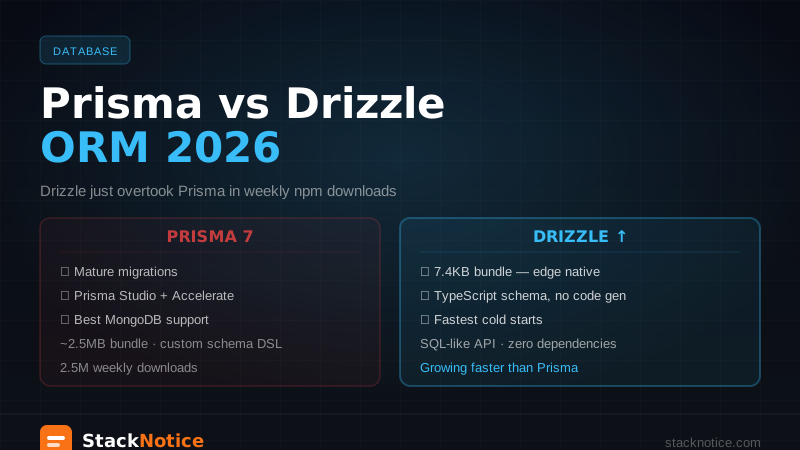
Prisma's standard client does not support the Vercel Edge runtime (which runs V8 isolates, not Node.js). If you need edge-compatible DB access, use @prisma/adapter-neon with the Neon serverless driver, or switch to Drizzle ORM which supports edge out of the box.
How do I handle database migrations in CI/CD?
Add a postinstall or a build step: npx prisma migrate deploy && npx prisma generate. On Vercel, the buildCommand override in vercel.json is the right place for this.
Conclusion
You now have a full-stack Next.js 15 + TypeScript application: a database-backed link shortener with Server Components for reads, Server Actions for mutations, proper TypeScript types from Prisma, Zod validation, and deployment on Vercel.
The patterns here — Server Actions, the Prisma singleton, useActionState, revalidatePath — are stable, production-tested, and will carry you through most full-stack projects in 2026. The stack is intentionally boring: boring technology is reliable technology.
From here, add auth, analytics, and rate limiting to turn this into something you could charge for.