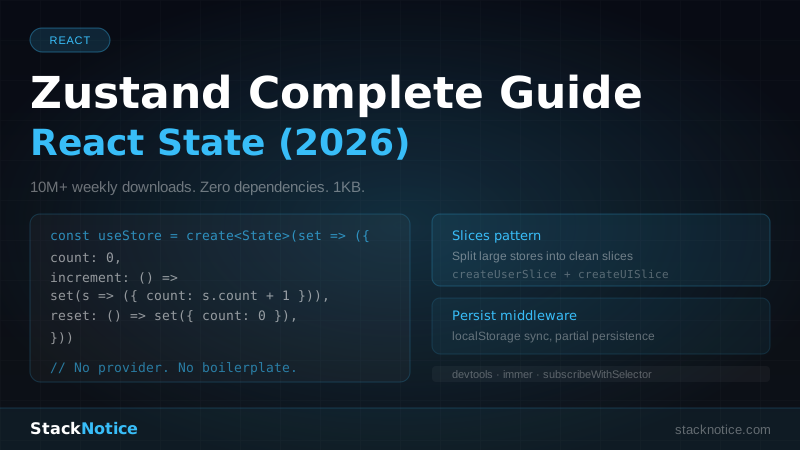
If you've ever wrestled with Redux boilerplate or hit the performance wall with Context API, Zustand is what you've been looking for. It has over 10 million weekly npm downloads, ships with zero dependencies, and adds up to 1KB to your bundle. It's the state management library that React developers actually enjoy using.
This guide covers everything: stores, TypeScript patterns, slices for large apps, persist middleware, devtools, and how to think about Zustand alongside server state in a Next.js 15 app.
Why Zustand (and not the alternatives)
Context API is fine for infrequent updates like themes or auth state. The moment you put frequently changing data in context, every consumer re-renders. There's no selector system, no way to subscribe to only part of the state.
Redux Toolkit is excellent but verbose. For most apps, the boilerplate-to-value ratio is poor. Slices, reducers, selectors, createAsyncThunk — it's a lot of ceremony for what is often simple shared state.
Zustand sits in the sweet spot:
- No providers wrapping your app
- Selector-based subscriptions (components only re-render for the state they use)
- Works outside React (in utility functions, event handlers, anywhere)
- TypeScript-first
- Works in Next.js App Router without any special setup
Installation
bun add zustand
# or
npm install zustand
That's it. No peer dependencies. No Redux middleware to configure.
Your First Store
A Zustand store is created with create. It returns a hook you use directly in components.
// store/counter.ts
import { create } from 'zustand'

interface CounterState {
  count: number
  increment: () => void
  decrement: () => void
  reset: () => void
}

export const useCounterStore = create<CounterState>((set) => ({
  count: 0,
  increment: () => set((state) => ({ count: state.count + 1 })),
  decrement: () => set((state) => ({ count: state.count - 1 })),
  reset: () => set({ count: 0 }),
}))
Using it in a component:
'use client'
import { useCounterStore } from '@/store/counter'

export function Counter() {
  const count = useCounterStore((state) => state.count)
  const increment = useCounterStore((state) => state.increment)

  return (
    <div>
      <p>{count}</p>
      <button onClick={increment}>+1</button>
    </div>
  )
}
The selector (state) => state.count means this component only re-renders when count changes — not when other parts of the store update.
The Right TypeScript Pattern
Define the state interface separately from the store. This makes it easier to type actions and reference state in complex setters.
// store/cart.ts
import { create } from 'zustand'

interface CartItem {
  id: string
  name: string
  price: number
  quantity: number
}

interface CartState {
  items: CartItem[]
  total: number
  // Actions
  addItem: (item: Omit<CartItem, 'quantity'>) => void
  removeItem: (id: string) => void
  updateQuantity: (id: string, quantity: number) => void
  clearCart: () => void
}

export const useCartStore = create<CartState>((set, get) => ({
  items: [],
  total: 0,

  addItem: (item) => {
    const existing = get().items.find((i) => i.id === item.id)

    if (existing) {
      set((state) => ({
        items: state.items.map((i) =>
          i.id === item.id ? { ...i, quantity: i.quantity + 1 } : i
        ),
      }))
    } else {
      set((state) => ({
        items: [...state.items, { ...item, quantity: 1 }],
      }))
    }

    // Recalculate total
    set((state) => ({
      total: state.items.reduce((sum, i) => sum + i.price * i.quantity, 0),
    }))
  },

  removeItem: (id) => {
    set((state) => ({
      items: state.items.filter((i) => i.id !== id),
      total: state.items
        .filter((i) => i.id !== id)
        .reduce((sum, i) => sum + i.price * i.quantity, 0),
    }))
  },

  updateQuantity: (id, quantity) => {
    if (quantity <= 0) {
      get().removeItem(id)
      return
    }
    set((state) => ({
      items: state.items.map((i) => (i.id === id ? { ...i, quantity } : i)),
      total: state.items
        .map((i) => (i.id === id ? { ...i, quantity } : i))
        .reduce((sum, i) => sum + i.price * i.quantity, 0),
    }))
  },

  clearCart: () => set({ items: [], total: 0 }),
}))
Notice get() — it reads the current state without subscribing to it. Perfect for use inside actions.
Selectors — The Key to Performance
Don't subscribe to the whole store. Always use selectors.
// Wrong — re-renders on any state change
const store = useCartStore()

// Right — only re-renders when items.length changes
const itemCount = useCartStore((state) => state.items.length)

// Right — only re-renders when total changes
const total = useCartStore((state) => state.total)

// Computed value inline
const hasItems = useCartStore((state) => state.items.length > 0)
For derived values that depend on multiple fields, compute them in the selector:
const cartSummary = useCartStore((state) => ({
  count: state.items.length,
  total: state.total,
  isEmpty: state.items.length === 0,
}))
Zustand uses shallow comparison by default for object selectors. If you return a new object every render, use the useShallow helper:
import { useShallow } from 'zustand/react/shallow'

const { count, total } = useCartStore(
  useShallow((state) => ({ count: state.items.length, total: state.total }))
)
Using the Store Outside React
One of Zustand's best features: you can read and write state anywhere, not just in components.
// In a utility function
import { useCartStore } from '@/store/cart'

export function formatCartForCheckout() {
  const { items, total } = useCartStore.getState()
  return {
    lineItems: items.map((item) => ({ id: item.id, qty: item.quantity })),
    total,
  }
}

// Subscribe to changes outside React
const unsubscribe = useCartStore.subscribe(
  (state) => state.total,
  (total) => {
    console.log('Cart total changed:', total)
  }
)
Slices Pattern for Large Apps
When your store grows, split it into slices. Each slice is a function that takes set and get and returns part of the state.
// store/slices/user.slice.ts
import { StateCreator } from 'zustand'

export interface UserSlice {
  user: { id: string; name: string; email: string } | null
  setUser: (user: UserSlice['user']) => void
  clearUser: () => void
}

export const createUserSlice: StateCreator<UserSlice> = (set) => ({
  user: null,
  setUser: (user) => set({ user }),
  clearUser: () => set({ user: null }),
})
// store/slices/ui.slice.ts
import { StateCreator } from 'zustand'
export interface UISlice {
sidebarOpen: boolean
theme: 'light' | 'dark'
toggleSidebar: () => void
setTheme: (theme: UISlice['theme']) => void
}
export const createUISlice: StateCreator<UISlice> = (set) => ({
sidebarOpen: false,
theme: 'light',
toggleSidebar: () => set((state) => ({ sidebarOpen: !state.sidebarOpen })),
setTheme: (theme) => set({ theme }),
})// store/app.store.ts
import { create } from 'zustand'
import { createUserSlice, UserSlice } from './slices/user.slice'
import { createUISlice, UISlice } from './slices/ui.slice'
type AppStore = UserSlice & UISlice
export const useAppStore = create<AppStore>()((...args) => ({
...createUserSlice(...args),
...createUISlice(...args),
}))Each slice can now be used and tested independently, but lives in one store.
Persist Middleware
Persist state to localStorage (or any storage) with the persist middleware:
// store/preferences.ts
import { create } from 'zustand'
import { persist, createJSONStorage } from 'zustand/middleware'

interface PreferencesState {
  theme: 'light' | 'dark' | 'system'
  language: string
  notificationsEnabled: boolean
  setTheme: (theme: PreferencesState['theme']) => void
  setLanguage: (lang: string) => void
  toggleNotifications: () => void
}

export const usePreferencesStore = create<PreferencesState>()(
  persist(
    (set) => ({
      theme: 'system',
      language: 'en',
      notificationsEnabled: true,
      setTheme: (theme) => set({ theme }),
      setLanguage: (language) => set({ language }),
      toggleNotifications: () =>
        set((state) => ({ notificationsEnabled: !state.notificationsEnabled })),
    }),
    {
      name: 'user-preferences', // localStorage key
      storage: createJSONStorage(() => localStorage),
      // Partial persistence — only persist specific fields
      partialize: (state) => ({
        theme: state.theme,
        language: state.language,
      }),
    }
  )
)
In Next.js 15 with SSR, avoid hydration mismatches by checking if the store has rehydrated:
'use client'
import { usePreferencesStore } from '@/store/preferences'
import { useEffect, useState } from 'react'

export function ThemeToggle() {
  const [hydrated, setHydrated] = useState(false)
  const theme = usePreferencesStore((state) => state.theme)
  const setTheme = usePreferencesStore((state) => state.setTheme)

  useEffect(() => {
    setHydrated(true)
  }, [])

  if (!hydrated) return null // or a skeleton

  return (
    <button onClick={() => setTheme(theme === 'dark' ? 'light' : 'dark')}>
      {theme === 'dark' ? 'Light mode' : 'Dark mode'}
    </button>
  )
}
Alternatively, use the onRehydrateStorage callback:
persist(
  (set) => ({ ... }),
  {
    name: 'user-preferences',
    onRehydrateStorage: () => (state) => {
      console.log('Rehydrated:', state)
    },
  }
)
Devtools Middleware
Connect to Redux DevTools for time-travel debugging:
import { create } from 'zustand'
import { devtools } from 'zustand/middleware'

export const useCartStore = create<CartState>()(
  devtools(
    (set, get) => ({
      // ... your store
    }),
    { name: 'CartStore' } // name in DevTools
  )
)
Install the Redux DevTools browser extension. Every state change shows up with the action name, diff, and history. You can time-travel to any previous state.
Name your actions for clearer DevTools output:
addItem: (item) => {
  set(
    (state) => ({ items: [...state.items, item] }),
    false, // replace? false = merge
    'cart/addItem' // action name in DevTools
  )
},
Combining Devtools + Persist
Compose middleware with proper TypeScript:
import { create } from 'zustand'
import { devtools, persist } from 'zustand/middleware'

export const useCartStore = create<CartState>()(
  devtools(
    persist(
      (set, get) => ({
        // store implementation
      }),
      { name: 'cart-storage' }
    ),
    { name: 'CartStore' }
  )
)
Zustand with Next.js 15 App Router
In the App Router, stores are singleton by default — they're shared across all requests on the server. For client-only stores (theme, cart, UI state), add 'use client' to the component using them and you're fine.
For stores that need per-request isolation on the server, use the context pattern:
// store/provider.tsx
'use client'
import { createContext, useContext, useRef } from 'react'
import { createStore, useStore } from 'zustand'

// Factory instead of singleton
const createCartStore = () => createStore<CartState>((set, get) => ({
  items: [],
  // ...
}))

type CartStore = ReturnType<typeof createCartStore>
const CartContext = createContext<CartStore | null>(null)

export function CartProvider({ children }: { children: React.ReactNode }) {
  const store = useRef(createCartStore()).current
  return <CartContext.Provider value={store}>{children}</CartContext.Provider>
}

export function useCartStore<T>(selector: (state: CartState) => T) {
  const store = useContext(CartContext)
  if (!store) throw new Error('Missing CartProvider')
  return useStore(store, selector)
}
Most apps don't need this — if your store only holds client-side state (cart, UI preferences, auth state synced from cookies), the singleton pattern works perfectly.
Async Actions and Loading States
Zustand doesn't have built-in async handling, but it's trivial to implement:
interface ProductsState {
  products: Product[]
  loading: boolean
  error: string | null
  fetchProducts: () => Promise<void>
}

export const useProductsStore = create<ProductsState>((set) => ({
  products: [],
  loading: false,
  error: null,

  fetchProducts: async () => {
    set({ loading: true, error: null })
    try {
      const res = await fetch('/api/products')
      if (!res.ok) throw new Error('Failed to fetch')
      const products = await res.json()
      set({ products, loading: false })
    } catch (error) {
      set({ error: (error as Error).message, loading: false })
    }
  },
}))
That said, for server data (products from an API, user data from a database), use React Query or the Vercel AI SDK — they handle caching, deduplication, background refetching, and pagination out of the box. Zustand is for client state: UI state, user preferences, cart, modals, filters.
When to Use Zustand vs Alternatives
| Use case | Best tool |
|---|---|
| UI state (modals, sidebar, theme) | Zustand |
| User preferences | Zustand + persist |
| Cart, multi-step forms | Zustand |
| Server data (products, posts, users) | TanStack Query |
| Form state | React Hook Form |
| Auth state | Context API or Zustand |
| URL state (filters, pagination) | useSearchParams |
The rule of thumb: if the data comes from a server and needs to stay in sync with it, use a server-state library. If it's purely client-side state that the user owns, Zustand is ideal.
Full Real-World Example: Auth Store
Here's a complete auth store for a Next.js 15 app using Auth.js v5:
// store/auth.store.ts
import { create } from 'zustand'
import { persist } from 'zustand/middleware'

interface User {
  id: string
  name: string
  email: string
  role: 'user' | 'admin'
  avatar?: string
}

interface AuthState {
  user: User | null
  isAuthenticated: boolean
  // Actions
  setUser: (user: User) => void
  logout: () => void
  updateProfile: (data: Partial<Pick<User, 'name' | 'avatar'>>) => void
}

export const useAuthStore = create<AuthState>()(
  persist(
    (set) => ({
      user: null,
      isAuthenticated: false,

      setUser: (user) => set({ user, isAuthenticated: true }),

      logout: () => set({ user: null, isAuthenticated: false }),

      updateProfile: (data) =>
        set((state) => ({
          user: state.user ? { ...state.user, ...data } : null,
        })),
    }),
    {
      name: 'auth-storage',
      partialize: (state) => ({ user: state.user }),
    }
  )
)

// Selector hooks for common use cases
export const useUser = () => useAuthStore((state) => state.user)
export const useIsAdmin = () =>
  useAuthStore((state) => state.user?.role === 'admin')
export const useIsAuthenticated = () =>
  useAuthStore((state) => state.isAuthenticated)
Creating named selector hooks like useUser and useIsAdmin keeps component code clean and makes refactoring easier — change the store shape in one place.
Zustand is Not Magic
A few things to keep in mind:
Don't overuse it. Component local state (useState) is faster and simpler for state that only one component needs. Lift to Zustand when two or more components need the same state.
Don't put server data in Zustand. Fetching products in Zustand and then manually invalidating it is reinventing React Query, poorly. Use the right tool.
Mutations should call set synchronously where possible. Avoid setting state multiple times in a row — batch it into one set call.
For deeper architectural patterns in a full Next.js 15 SaaS app, see the Next.js full-stack TypeScript tutorial and the Drizzle ORM + Next.js 15 guide.