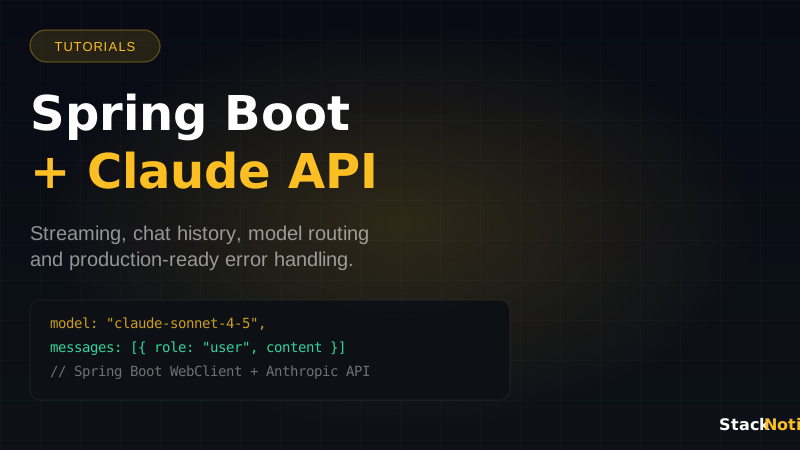
Java developers building AI-powered applications have a clear path in 2026: the Anthropic API is REST-based, well-documented, and pairs cleanly with Spring Boot's ecosystem. Whether you're adding a chat endpoint, building a document analysis service, or wiring Claude into an existing backend, the integration is straightforward once you understand the patterns.
This guide covers everything from a basic Spring Boot controller that calls Claude to production-ready patterns with streaming, chat history, retry logic, and model routing. All code is real and runnable — no toy examples. If you're building AI agents on top of this stack, also check our guide to building your first AI agent with Claude.
Project Setup
Start with a standard Spring Boot 3.x project. You need spring-boot-starter-web and spring-boot-starter-webflux (for streaming), plus Jackson for JSON handling.
<!-- pom.xml -->
<dependencies>
  <dependency>
    <groupId>org.springframework.boot</groupId>
    <artifactId>spring-boot-starter-web</artifactId>
  </dependency>
  <dependency>
    <groupId>org.springframework.boot</groupId>
    <artifactId>spring-boot-starter-webflux</artifactId>
  </dependency>
  <dependency>
    <groupId>org.springframework.boot</groupId>
    <artifactId>spring-boot-starter-validation</artifactId>
  </dependency>
  <dependency>
    <groupId>com.fasterxml.jackson.core</groupId>
    <artifactId>jackson-databind</artifactId>
  </dependency>
  <dependency>
    <groupId>org.projectlombok</groupId>
    <artifactId>lombok</artifactId>
    <optional>true</optional>
  </dependency>
</dependencies>
Add your API key to application.yml:
anthropic:
  api-key: ${ANTHROPIC_API_KEY}
  base-url: https://api.anthropic.com
  default-model: claude-sonnet-4-5
  max-tokens: 4096
Configuration Bean
Create a WebClient bean configured for the Anthropic API:
@Configuration
public class AnthropicConfig {

    @Value("${anthropic.api-key}")
    private String apiKey;

    @Value("${anthropic.base-url}")
    private String baseUrl;

    @Bean
    public WebClient anthropicWebClient() {
        return WebClient.builder()
            .baseUrl(baseUrl)
            .defaultHeader("x-api-key", apiKey)
            .defaultHeader("anthropic-version", "2023-06-01")
            .defaultHeader("content-type", "application/json")
            .codecs(configurer -> configurer
                .defaultCodecs()
                .maxInMemorySize(10 * 1024 * 1024)) // 10MB for large responses
            .build();
    }
}
Request and Response Models
Define the DTOs that map to Anthropic's API contract:
// Request models
@Data
@Builder
public class AnthropicRequest {
    private String model;
    @JsonProperty("max_tokens")
    private int maxTokens;
    private List<Message> messages;
    private String system;

    @Data
    @Builder
    public static class Message {
        private String role; // "user" or "assistant"
        private String content;
    }
}

// Response models
@Data
public class AnthropicResponse {
    private String id;
    private String type;
    private String role;
    private List<ContentBlock> content;
    private String model;
    @JsonProperty("stop_reason")
    private String stopReason;
    private Usage usage;

    @Data
    public static class ContentBlock {
        private String type;
        private String text;
    }

    @Data
    public static class Usage {
        @JsonProperty("input_tokens")
        private int inputTokens;
        @JsonProperty("output_tokens")
        private int outputTokens;
    }
}

// Your application-level DTO
@Data
@Builder
public class ChatRequest {
    @NotBlank
    private String message;
    private List<ChatMessage> history;
    private String systemPrompt;
}

@Data
@Builder
@AllArgsConstructor
@NoArgsConstructor
public class ChatMessage {
    private String role;
    private String content;
}
The Claude Service
The core service wraps all API communication:
@Service
@Slf4j
public class ClaudeService {

    private final WebClient anthropicWebClient;

    @Value("${anthropic.default-model}")
    private String defaultModel;

    @Value("${anthropic.max-tokens}")
    private int defaultMaxTokens;

    public ClaudeService(WebClient anthropicWebClient) {
        this.anthropicWebClient = anthropicWebClient;
    }

    /**
     * Single-turn completion — no history, no streaming.
     * Use for: document analysis, code review, classification.
     */
    public String complete(String prompt) {
        return complete(prompt, null, defaultModel);
    }

    public String complete(String prompt, String systemPrompt, String model) {
        AnthropicRequest request = AnthropicRequest.builder()
            .model(model)
            .maxTokens(defaultMaxTokens)
            .system(systemPrompt)
            .messages(List.of(
                AnthropicRequest.Message.builder()
                    .role("user")
                    .content(prompt)
                    .build()
            ))
            .build();

        AnthropicResponse response = anthropicWebClient.post()
            .uri("/v1/messages")
            .bodyValue(request)
            .retrieve()
            .onStatus(HttpStatusCode::isError, this::handleErrorResponse)
            .bodyToMono(AnthropicResponse.class)
            .block();

        if (response == null || response.getContent().isEmpty()) {
            throw new ClaudeServiceException("Empty response from Claude API");
        }

        log.debug("Claude usage — input: {} tokens, output: {} tokens",
            response.getUsage().getInputTokens(),
            response.getUsage().getOutputTokens());

        return response.getContent().get(0).getText();
    }

    /**
     * Multi-turn conversation with history.
     * Use for: chat interfaces, iterative workflows.
     */
    public String chat(String message, List<ChatMessage> history, String systemPrompt) {
        List<AnthropicRequest.Message> messages = new ArrayList<>();

        // Add conversation history
        if (history != null) {
            history.forEach(h -> messages.add(
                AnthropicRequest.Message.builder()
                    .role(h.getRole())
                    .content(h.getContent())
                    .build()
            ));
        }

        // Add current user message
        messages.add(AnthropicRequest.Message.builder()
            .role("user")
            .content(message)
            .build());

        AnthropicRequest request = AnthropicRequest.builder()
            .model(defaultModel)
            .maxTokens(defaultMaxTokens)
            .system(systemPrompt)
            .messages(messages)
            .build();

        AnthropicResponse response = anthropicWebClient.post()
            .uri("/v1/messages")
            .bodyValue(request)
            .retrieve()
            .onStatus(HttpStatusCode::isError, this::handleErrorResponse)
            .bodyToMono(AnthropicResponse.class)
            .block();

        return response.getContent().get(0).getText();
    }

    /**
     * Streaming response as Server-Sent Events.
     * Use for: real-time chat UI, long-form generation.
     */
    public Flux<String> stream(String message, String systemPrompt) {
        AnthropicRequest request = AnthropicRequest.builder()
            .model(defaultModel)
            .maxTokens(defaultMaxTokens)
            .system(systemPrompt)
            .messages(List.of(
                AnthropicRequest.Message.builder()
                    .role("user")
                    .content(message)
                    .build()
            ))
            .build();

        // Add stream: true to the request
        Map<String, Object> streamRequest = new HashMap<>();
        streamRequest.put("model", request.getModel());
        streamRequest.put("max_tokens", request.getMaxTokens());
        streamRequest.put("messages", request.getMessages());
        streamRequest.put("stream", true);
        if (request.getSystem() != null) {
            streamRequest.put("system", request.getSystem());
        }

        return anthropicWebClient.post()
            .uri("/v1/messages")
            .bodyValue(streamRequest)
            .retrieve()
            .bodyToFlux(String.class)
            .filter(line -> line.startsWith("data: "))
            .map(line -> line.substring(6))
            .filter(data -> !data.equals("[DONE]"))
            .flatMap(this::extractStreamedText);
    }

    private Flux<String> extractStreamedText(String data) {
        try {
            JsonNode node = new ObjectMapper().readTree(data);
            String type = node.path("type").asText();
            if ("content_block_delta".equals(type)) {
                String text = node.path("delta").path("text").asText("");
                return Flux.just(text).filter(t -> !t.isEmpty());
            }
        } catch (Exception e) {
            log.debug("Skipping non-parseable SSE line");
        }
        return Flux.empty();
    }

    private Mono<Throwable> handleErrorResponse(ClientResponse response) {
        return response.bodyToMono(String.class)
            .map(body -> {
                log.error("Anthropic API error {}: {}", response.statusCode(), body);
                if (response.statusCode().value() == 429) {
                    return new RateLimitException("Claude API rate limit exceeded");
                }
                return new ClaudeServiceException("API error: " + response.statusCode() + " — " + body);
            });
    }
}
REST Controllers
Expose the service through clean Spring MVC endpoints:
@RestController
@RequestMapping("/api/claude")
@Validated
@Slf4j
public class ClaudeController {

    private final ClaudeService claudeService;

    public ClaudeController(ClaudeService claudeService) {
        this.claudeService = claudeService;
    }

    /**
     * Simple one-shot completion
     */
    @PostMapping("/complete")
    public ResponseEntity<CompletionResponse> complete(
            @RequestBody @Valid CompletionRequest request) {

        String result = claudeService.complete(
            request.getPrompt(),
            request.getSystemPrompt(),
            request.getModel() != null ? request.getModel() : "claude-sonnet-4-5"
        );

        return ResponseEntity.ok(CompletionResponse.builder()
            .text(result)
            .build());
    }

    /**
     * Multi-turn chat with history
     */
    @PostMapping("/chat")
    public ResponseEntity<CompletionResponse> chat(
            @RequestBody @Valid ChatRequest request) {

        String result = claudeService.chat(
            request.getMessage(),
            request.getHistory(),
            request.getSystemPrompt()
        );

        return ResponseEntity.ok(CompletionResponse.builder()
            .text(result)
            .build());
    }

    /**
     * Streaming endpoint — returns SSE
     */
    @GetMapping(value = "/stream", produces = MediaType.TEXT_EVENT_STREAM_VALUE)
    public Flux<ServerSentEvent<String>> stream(
            @RequestParam String message,
            @RequestParam(required = false) String systemPrompt) {

        return claudeService.stream(message, systemPrompt)
            .map(text -> ServerSentEvent.<String>builder()
                .data(text)
                .build())
            .doOnError(e -> log.error("Streaming error", e));
    }
}
Model Routing Pattern
For production apps, you rarely want a single model hardcoded. Route based on task complexity:
@Component
public class ModelRouter {

    // Simple tasks: fast and cheap
    private static final String FAST_MODEL = "claude-haiku-4-5-20251001";
    // Standard dev work: best balance
    private static final String BALANCED_MODEL = "claude-sonnet-4-5";
    // Hard problems: max intelligence
    private static final String POWERFUL_MODEL = "claude-opus-4-6";

    /**
     * Route a task to the appropriate model.
     * Keep Opus for high-value, low-volume tasks.
     * See: stacknotice.com/blog/claude-opus-4-review-1m-context-window
     */
    public String routeModel(TaskType taskType) {
        return switch (taskType) {
            case CLASSIFICATION, SUMMARIZATION, EXTRACTION -> FAST_MODEL;
            case CODE_GENERATION, CODE_REVIEW, CHAT -> BALANCED_MODEL;
            case ARCHITECTURE_REVIEW, COMPLEX_DEBUGGING, SYSTEM_DESIGN -> POWERFUL_MODEL;
        };
    }

    public enum TaskType {
        CLASSIFICATION, SUMMARIZATION, EXTRACTION,
        CODE_GENERATION, CODE_REVIEW, CHAT,
        ARCHITECTURE_REVIEW, COMPLEX_DEBUGGING, SYSTEM_DESIGN
    }
}
Use it in your service:
@Service
public class DocumentAnalysisService {

    private final ClaudeService claudeService;
    private final ModelRouter modelRouter;

    public DocumentSummary summarize(String document) {
        // Summarization doesn't need Opus — use Haiku
        String model = modelRouter.routeModel(ModelRouter.TaskType.SUMMARIZATION);
        String summary = claudeService.complete(
            "Summarize the following document in 3 bullet points:\n\n" + document,
            "You are a concise technical summarizer. Be specific and factual.",
            model
        );
        return DocumentSummary.builder().summary(summary).build();
    }

    public ArchitectureReview reviewArchitecture(String systemDescription) {
        // Architecture review needs Opus — quality changes the outcome
        String model = modelRouter.routeModel(ModelRouter.TaskType.ARCHITECTURE_REVIEW);
        String review = claudeService.complete(
            "Review this system architecture for scalability, security, and maintainability:\n\n" + systemDescription,
            "You are a senior software architect. Be specific. Identify concrete issues with actionable fixes.",
            model
        );
        return ArchitectureReview.builder().review(review).build();
    }
}
Error Handling and Retry Logic
The Anthropic API occasionally returns 529 (overloaded) or 429 (rate limited). Handle these properly:
@Component
public class ResilientClaudeClient {

    private final ClaudeService claudeService;

    public ResilientClaudeClient(ClaudeService claudeService) {
        this.claudeService = claudeService;
    }

    public String completeWithRetry(String prompt, String systemPrompt) {
        int maxAttempts = 3;
        long backoffMs = 1000;

        for (int attempt = 1; attempt <= maxAttempts; attempt++) {
            try {
                return claudeService.complete(prompt, systemPrompt, "claude-sonnet-4-5");
            } catch (RateLimitException e) {
                if (attempt == maxAttempts) throw e;
                log.warn("Rate limited on attempt {}. Backing off {}ms", attempt, backoffMs);
                sleep(backoffMs);
                backoffMs *= 2; // exponential backoff
            } catch (ClaudeServiceException e) {
                if (attempt == maxAttempts) throw e;
                log.warn("API error on attempt {}: {}", attempt, e.getMessage());
                sleep(backoffMs);
            }
        }
        throw new ClaudeServiceException("All retry attempts exhausted");
    }

    private void sleep(long ms) {
        try { Thread.sleep(ms); }
        catch (InterruptedException e) { Thread.currentThread().interrupt(); }
    }
}
For Spring applications, you can also use Spring Retry:
@Service
public class ClaudeServiceWithRetry {

    @Retryable(
        retryFor = { RateLimitException.class, ClaudeServiceException.class },
        maxAttempts = 3,
        backoff = @Backoff(delay = 1000, multiplier = 2)
    )
    public String complete(String prompt) {
        return claudeService.complete(prompt);
    }

    @Recover
    public String fallback(Exception e, String prompt) {
        log.error("All Claude retries failed for prompt: {}", prompt, e);
        return "Service temporarily unavailable. Please try again.";
    }
}
Add Spring Retry to your pom.xml:
<dependency>
    <groupId>org.springframework.retry</groupId>
    <artifactId>spring-retry</artifactId>
</dependency>
Testing Your Integration
Unit test the service with a mocked WebClient:
@ExtendWith(MockitoExtension.class)
class ClaudeServiceTest {

    @Mock
    private WebClient anthropicWebClient;
    @Mock
    private WebClient.RequestBodyUriSpec requestBodyUriSpec;
    @Mock
    private WebClient.RequestBodySpec requestBodySpec;
    @Mock
    private WebClient.ResponseSpec responseSpec;

    @InjectMocks
    private ClaudeService claudeService;

    @Test
    void complete_returnsTextFromResponse() {
        AnthropicResponse mockResponse = new AnthropicResponse();
        AnthropicResponse.ContentBlock block = new AnthropicResponse.ContentBlock();
        block.setText("Hello from Claude");
        mockResponse.setContent(List.of(block));
        mockResponse.setUsage(new AnthropicResponse.Usage());

        when(anthropicWebClient.post()).thenReturn(requestBodyUriSpec);
        when(requestBodyUriSpec.uri("/v1/messages")).thenReturn(requestBodySpec);
        when(requestBodySpec.bodyValue(any())).thenReturn(requestBodySpec);
        when(requestBodySpec.retrieve()).thenReturn(responseSpec);
        when(responseSpec.onStatus(any(), any())).thenReturn(responseSpec);
        when(responseSpec.bodyToMono(AnthropicResponse.class))
            .thenReturn(Mono.just(mockResponse));

        String result = claudeService.complete("Hello");

        assertThat(result).isEqualTo("Hello from Claude");
    }
}
For integration tests, use WireMock to stub the Anthropic API:
@SpringBootTest(webEnvironment = SpringBootTest.WebEnvironment.RANDOM_PORT)
@WireMockTest
class ClaudeIntegrationTest {

    @Test
    void completeEndpoint_returnsClaudeResponse(WireMockRuntimeInfo wmRuntimeInfo) {
        stubFor(post(urlEqualTo("/v1/messages"))
            .willReturn(okJson("""
                {
                  "content": [{"type": "text", "text": "Test response"}],
                  "usage": {"input_tokens": 10, "output_tokens": 5}
                }
                """)));

        // Test your controller
    }
}
Production Configuration
For production, add connection pooling and timeouts:
@Bean
public WebClient anthropicWebClient() {
    HttpClient httpClient = HttpClient.create()
        .option(ChannelOption.CONNECT_TIMEOUT_MILLIS, 5000)
        .responseTimeout(Duration.ofSeconds(60)) // Claude can be slow on long responses
        .doOnConnected(conn -> conn
            .addHandlerLast(new ReadTimeoutHandler(60))
            .addHandlerLast(new WriteTimeoutHandler(10)));

    return WebClient.builder()
        .baseUrl(baseUrl)
        .clientConnector(new ReactorClientHttpConnector(httpClient))
        .defaultHeader("x-api-key", apiKey)
        .defaultHeader("anthropic-version", "2023-06-01")
        .defaultHeader("content-type", "application/json")
        .build();
}
Log token usage in production to track costs:
@Aspect
@Component
@Slf4j
public class ClaudeUsageAspect {

    @Around("execution(* com.yourapp.service.ClaudeService.*(..))")
    public Object logUsage(ProceedingJoinPoint pjp) throws Throwable {
        long start = System.currentTimeMillis();
        Object result = pjp.proceed();
        long elapsed = System.currentTimeMillis() - start;
        log.info("Claude call [{}] completed in {}ms", pjp.getSignature().getName(), elapsed);
        return result;
    }
}
Connecting Claude to Your Database with MCP
For more advanced use cases — giving Claude access to your live database, GitHub repos, or internal tools — you can use the Model Context Protocol alongside your Spring Boot API. MCP lets Claude read and write to real services rather than just generating text. The how-to guide for MCP servers covers the setup in detail.
The Spring Boot integration handles the application logic; MCP handles the tool access. Both can coexist in a production AI workflow.
What to Build Next
This setup gives you:
- A reliable Spring Boot service wrapping the Claude API
- Streaming for real-time UIs
- Model routing for cost efficiency
- Retry logic for production resilience
- Unit and integration test patterns
From here, the natural next step is adding AI agents — Claude calling tools in a loop to complete multi-step tasks. The service layer you built here becomes the foundation for that agent architecture.
The Anthropic API is REST. Spring Boot handles REST well. The integration is less complex than it sounds — and the results of running Claude in your Java backend are immediately practical.