Before MCP, connecting an AI model to an external tool meant writing a custom integration — every time, for every combination of model and tool. Ten models, twenty tools: two hundred integrations to maintain. MCP solves this permanently.
The Model Context Protocol is an open standard that gives any AI model a universal way to connect to external tools, databases, and services. Think of it as USB-C for AI: one standard connector, everything works with everything.
The Problem MCP Solves
Every serious AI application hits the same wall: the model knows a lot, but it can't act on anything outside its context window.
Without MCP:
- Want Claude to query your database? Write a custom connector.
- Want it to create GitHub issues? Write another integration.
- Want it to read from Notion? Another one.
- Switch from Claude to GPT-4? Rewrite all of them.
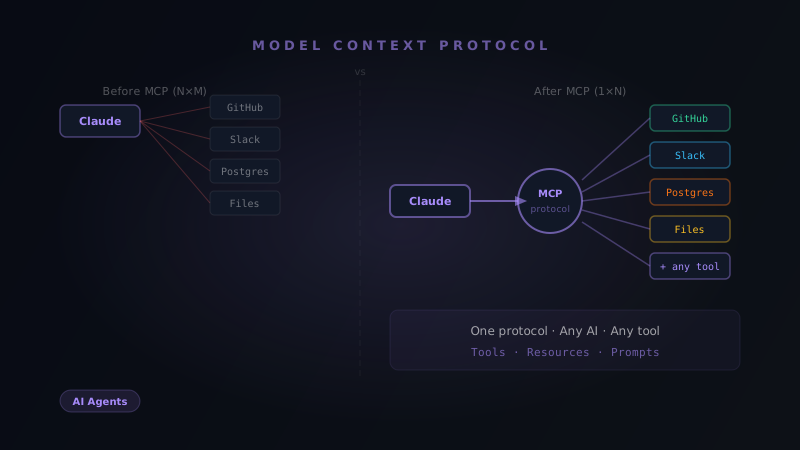
This is the N × M problem: N models times M tools equals an explosion of brittle, one-off integrations.
MCP collapses it to N + M: each tool exposes one MCP server, each model implements one MCP client. Done.
Before MCP:                    After MCP:

Claude ──────── GitHub         Claude ─── MCP Client ─┐
Claude ──────── Notion                                 ├── GitHub MCP Server
Claude ──────── Postgres       GPT-4 ── MCP Client ──┤
GPT-4 ───────── GitHub                                 ├── Notion MCP Server
GPT-4 ───────── Notion        Gemini ── MCP Client ──┘── Postgres MCP Server
GPT-4 ───────── Postgres

200 integrations               5 integrations
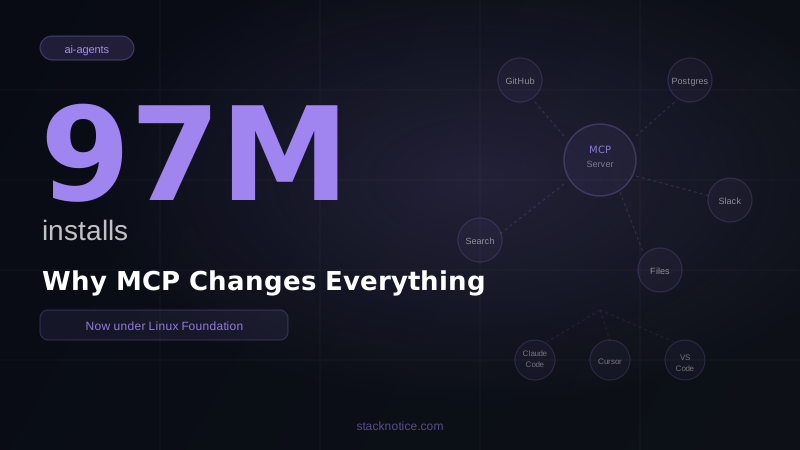
Anthropic introduced MCP in November 2024. By early 2026, OpenAI, Google, and Microsoft had adopted it, with over 500 MCP servers available in public registries. Adoption grew 340% in 2025 alone — and recently hit 97 million installs.
How MCP Works
MCP has three layers:
Host — the application running the AI (Claude Code, Claude Desktop, a custom app)
Client — lives inside the host, handles communication with MCP servers
Server — an external process that exposes capabilities to the AI
┌─────────────────────────────────┐
│  Host (Claude Code)             │
│  ┌──────────────────────────┐   │
│  │  MCP Client              │   │
│  │  - Discovers servers     │   │
│  │  - Translates requests   │   │
│  │  - Routes responses      │   │
│  └──────────┬───────────────┘   │
└─────────────┼───────────────────┘
              │ MCP Protocol
    ┌─────────┴──────────┐
    │                    │
┌───▼──────┐      ┌──────▼──────┐
│ GitHub   │      │  Postgres   │
│  MCP     │      │   MCP       │
│ Server   │      │  Server     │
└──────────┘      └─────────────┘
The Three Primitives
Every MCP server exposes capabilities through three building blocks:
Resources — read-only data the AI can access
database://customers/42         → customer record
file://project/README.md        → file contents
api://github/repos/myrepo/prs   → open pull requests
Tools — actions with side effects the AI can execute
create_github_issue(title, body, labels)
run_sql_query(query)
send_slack_message(channel, message)
Prompts — reusable templates for common interactions
code_review_prompt(diff)        → structured review template
summarize_document(url)         → document summary template
The AI decides when to use each capability. You don't hardcode "query the database when the user asks about customers." The model figures that out from context.
Setting Up MCP Servers in Claude Code
Adding a remote MCP server (HTTP)
claude mcp add --transport http notion https://mcp.notion.com/mcpThat's it. Claude Code now has access to your Notion workspace.
Adding a local MCP server (stdio)
Local servers run as processes on your machine — better for tools that need direct system access:
claude mcp add --transport stdio postgres \
  node /path/to/postgres-mcp-server/index.js
Checking what's installed
claude mcp listnotion http https://mcp.notion.com/mcp ✓ connected
postgres stdio node /path/to/server ✓ connected
github http https://api.github.com/mcp ✓ connected
Scopes: local, project, and user
MCP servers can be configured at different scopes:
# User scope — available in all your projects
claude mcp add --scope user github https://api.github.com/mcp

# Project scope — stored in .mcp.json, shared with team
claude mcp add --scope project postgres postgres://localhost:5432/mydb

# Local scope — your machine only, overrides project config
claude mcp add --scope local postgres postgres://localhost:5432/dev_db
Local overrides project, which overrides user. This means your team shares the same server list, but each person can override specific servers for their local setup.
The project-scoped .mcp.json looks like this:
{
  "mcpServers": {
    "postgres": {
      "transport": "stdio",
      "command": "node",
      "args": ["/shared/postgres-mcp/index.js"],
      "env": {
        "DATABASE_URL": "${DATABASE_URL}"
      }
    },
    "github": {
      "transport": "http",
      "url": "https://api.github.com/mcp"
    }
  }
}
The Best MCP Servers in 2026
For developers
GitHub — Create issues, review PRs, manage repos, read code
claude mcp add --transport http github https://api.github.com/mcpUse it: "Create a GitHub issue for this bug with proper labels and assigned to @username"
Playwright — Browser automation and testing
claude mcp add --transport stdio playwright npx @playwright/mcpUse it: "Open the app in a browser, fill out the form, and tell me if the validation works"
Sentry — Read production errors directly
claude mcp add --transport http sentry https://mcp.sentry.io/mcpUse it: "What are the top 5 errors in production this week? Find their root cause in the code."
Supabase / Postgres — Direct database access
claude mcp add --transport stdio supabase \
  npx @supabase/mcp-server-supabase --project-url YOUR_URL --service-key YOUR_KEY
Use it: "How many users signed up in the last 7 days? Break it down by country."
Filesystem — Enhanced file operations beyond the built-in
claude mcp add --transport stdio filesystem \
  npx @modelcontextprotocol/server-filesystem /path/to/allowed/dir
For content and productivity
Notion — Read and write to your workspace
claude mcp add --transport http notion https://mcp.notion.com/mcpSlack — Post messages, read channels, search conversations
claude mcp add --transport http slack https://mcp.slack.com/mcpFigma — Read design specs, export assets, check component names
claude mcp add --transport http figma https://mcp.figma.com/mcpUsing MCP Servers in Practice
Once connected, you interact with MCP capabilities through natural language. Claude figures out which server to use:
> What are the 3 most recent failing tests in CI?
→ Claude calls the GitHub MCP server, reads workflow runs, returns results
> The Sentry error from 2 hours ago — find it in the codebase and fix it
→ Claude calls Sentry MCP to get error details, searches the codebase, applies the fix
> Create a Notion page summarizing today's completed tasks from GitHub
→ Claude calls GitHub MCP to list closed issues, calls Notion MCP to create the page
The model orchestrates multiple MCP servers in a single response without you specifying how.
Building Your Own MCP Server
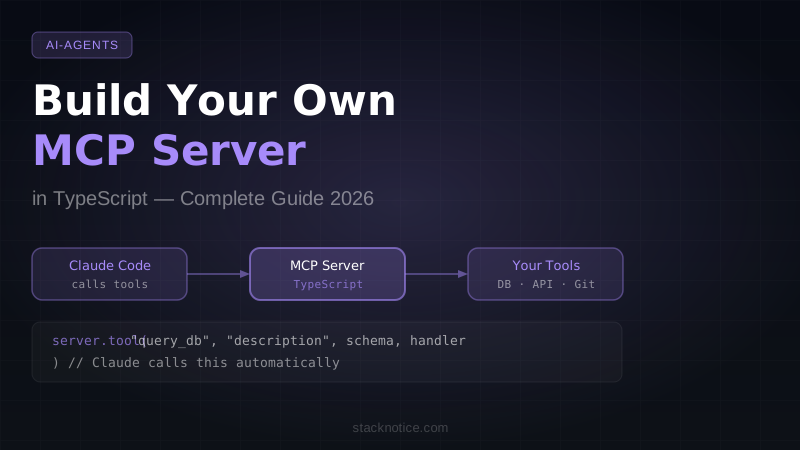
If you have an internal tool or API that Claude should have access to, building an MCP server takes about 30 minutes.
Here's a minimal TypeScript MCP server that exposes one tool:
import { Server } from "@modelcontextprotocol/sdk/server/index.js";
import { StdioServerTransport } from "@modelcontextprotocol/sdk/server/stdio.js";
import {
  CallToolRequestSchema,
  ListToolsRequestSchema,
} from "@modelcontextprotocol/sdk/types.js";

const server = new Server(
  { name: "my-internal-api", version: "1.0.0" },
  { capabilities: { tools: {} } }
);

// Declare what tools this server has
server.setRequestHandler(ListToolsRequestSchema, async () => ({
  tools: [
    {
      name: "get_customer",
      description: "Fetch a customer record from the internal CRM",
      inputSchema: {
        type: "object",
        properties: {
          customer_id: { type: "string", description: "The customer ID" },
        },
        required: ["customer_id"],
      },
    },
  ],
}));

// Handle tool calls
server.setRequestHandler(CallToolRequestSchema, async (request) => {
  if (request.params.name === "get_customer") {
    const { customer_id } = request.params.arguments as { customer_id: string };

    // Your actual business logic here
    const customer = await fetchFromCRM(customer_id);

    return {
      content: [{ type: "text", text: JSON.stringify(customer, null, 2) }],
    };
  }

  throw new Error(`Unknown tool: ${request.params.name}`);
});

async function fetchFromCRM(id: string) {
  // Replace with your actual CRM API call
  return { id, name: "Acme Corp", plan: "Enterprise", mrr: 5000 };
}

const transport = new StdioServerTransport();
await server.connect(transport);
Install the SDK:
npm install @modelcontextprotocol/sdkBuild and register:
npx tsc
claude mcp add --transport stdio my-crm node dist/index.js
Now Claude can answer "What's the MRR for customer ID 1234?" by calling your internal CRM — without any code changes to Claude itself.
MCP vs Direct API Calls
You might wonder: why MCP instead of just giving Claude code to call your API?
| Direct API in context | MCP Server | |
|---|---|---|
| Setup | Write the code in every prompt | Once, then reusable |
| Reusability | Zero — tied to that conversation | Every session, every project |
| Token efficiency | Burns context on boilerplate | Only passes results |
| Multi-model | Rewrite for each model | One server, all MCP clients |
| Team sharing | Manual | .mcp.json in the repo |
| Security | API keys in prompts | Keys in server env vars |
For one-off scripts, inline code is fine. For anything you'll use more than once, MCP wins.
Security Considerations
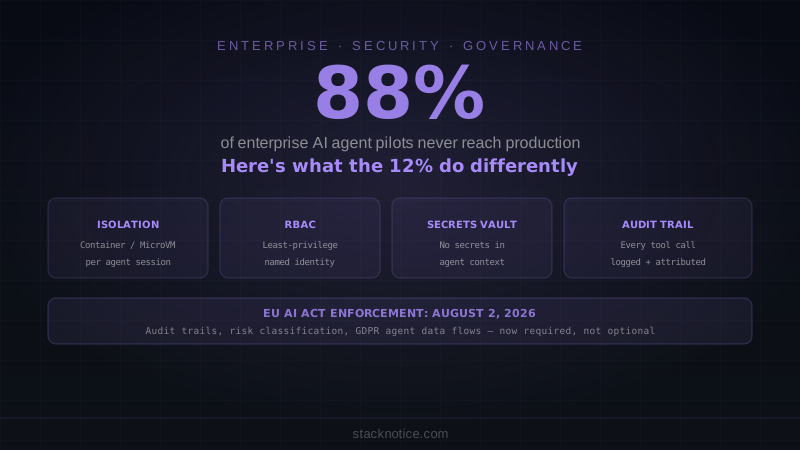
MCP servers can have real side effects — creating issues, running queries, posting messages. A few things to keep in mind:
Principle of least privilege — give your MCP server only the permissions it needs. A server for reading Slack shouldn't have write access.
Validate inputs — always validate tool arguments in your server before executing them. Don't trust that the AI sent valid data.
Environment variables for secrets — never hardcode API keys in MCP server code. Use process.env and keep keys in .env files excluded from git.
Project scoping — use .mcp.json for team-shared servers with ${ENV_VAR} placeholders, so each developer provides their own credentials.
Quick Decision Guide
| You want Claude to... | Use this MCP server |
|---|---|
| Manage GitHub repos and PRs | GitHub MCP |
| Query your database | Postgres / Supabase MCP |
| Test UI in a browser | Playwright MCP |
| Monitor production errors | Sentry MCP |
| Write to your docs | Notion MCP |
| Read design specs | Figma MCP |
| Access your internal API | Build a custom MCP server |
What's Next
MCP is the foundation layer. Once you have a few servers connected, the next step is building multi-agent workflows — where Claude orchestrates multiple tools across multiple steps to complete complex tasks automatically. See how to add MCP servers to Claude Code for the practical setup guide, or build your first AI agent to start leveraging these tools in code.
The combination of MCP (tool access) + Claude Code hooks (lifecycle automation) + CLAUDE.md (project context) is what turns Claude Code from a capable assistant into an autonomous development partner.