The most common mistake with React state management isn't reaching for Zustand too early — it's reaching for Context incorrectly, then blaming Context for problems that come from misusing it.
Context isn't broken. It's just frequently misapplied. And Zustand isn't a universal upgrade — it solves specific problems that Context genuinely has.
This guide explains what each actually does, the re-render problem that makes Context painful at scale, and a clear decision framework for choosing between them.
What React Context Actually Does
Context has one job: make a value available to any component in a subtree without passing it through props.
// Create the context
const ThemeContext = createContext<'light' | 'dark'>('light')

// Provide the value
function App() {
  return (
    <ThemeContext.Provider value="dark">
      <Sidebar />
      <Main />
    </ThemeContext.Provider>
  )
}

// Consume it anywhere in the subtree
function Button() {
  const theme = useContext(ThemeContext)
  return <button className={theme === 'dark' ? 'bg-zinc-800' : 'bg-white'}>Click</button>
}
That's all it is. No built-in subscriptions, no selectors, no optimized re-render logic — just a mechanism for passing a value down a component tree without prop drilling.
The Re-Render Problem
Here's where Context trips people up: every component that calls useContext(SomeContext) re-renders whenever the context value changes — even if the specific piece of data that component cares about didn't change.
interface AppState {
  user: User | null
  theme: 'light' | 'dark'
  sidebarOpen: boolean
  notifications: Notification[]
}

const AppContext = createContext<AppState>(/* ... */)

function Navbar() {
  const { user } = useContext(AppContext) // subscribes to the entire context
  return <nav>{user?.name}</nav>
}

function Sidebar() {
  const { sidebarOpen } = useContext(AppContext) // also subscribes to everything
  return <aside className={sidebarOpen ? 'w-64' : 'w-0'}>...</aside>
}
When notifications updates (say, a new notification arrives every 30 seconds), both Navbar and Sidebar re-render — even though neither cares about notifications. They subscribed to the whole context object.
This is the source of most Context performance complaints. The fix isn't switching to Zustand — it's splitting the context.
The Real Fix: Split Your Context
One big context object is the actual problem. Split it by update frequency:
// Separate contexts for separate concerns
const UserContext = createContext<User | null>(null)
const ThemeContext = createContext<'light' | 'dark'>('light')
const UIContext = createContext<{ sidebarOpen: boolean; toggleSidebar: () => void }>({
  sidebarOpen: false,
  toggleSidebar: () => {},
})
const NotificationContext = createContext<Notification[]>([])

function Navbar() {
  const user = useContext(UserContext) // only re-renders when user changes
  return <nav>{user?.name}</nav>
}

function Sidebar() {
  const { sidebarOpen } = useContext(UIContext) // only re-renders when UI state changes
  return <aside className={sidebarOpen ? 'w-64' : 'w-0'}>...</aside>
}
Now each component only re-renders when its specific context updates. Notifications updating 30 times per day doesn't touch Navbar or Sidebar at all.
Most React Context performance problems are actually solved by this split — not by adding a state management library.
When Context Is the Right Choice
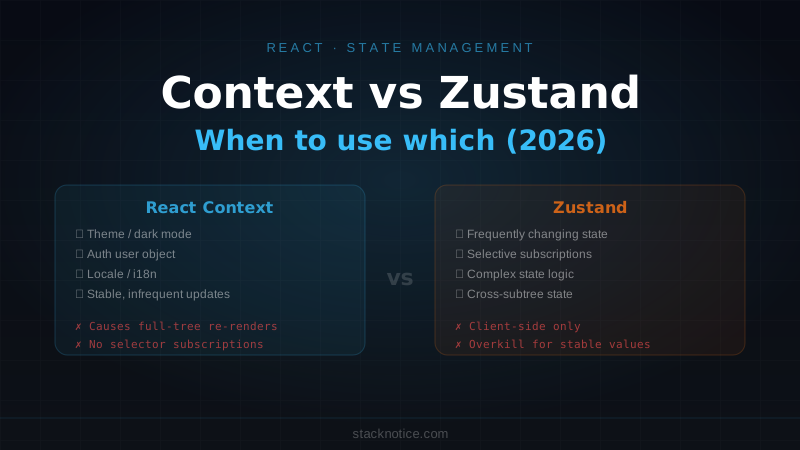
Context excels for values that change infrequently or that a large portion of the component tree genuinely needs:
Theme and appearance settings
type Theme = 'light' | 'dark' | 'system'

interface ThemeContextValue {
  theme: Theme
  resolvedTheme: 'light' | 'dark'
  setTheme: (theme: Theme) => void
}

const ThemeContext = createContext<ThemeContextValue | null>(null)

export function ThemeProvider({ children }: { children: React.ReactNode }) {
  const [theme, setTheme] = useState<Theme>('system')
  const systemTheme = useSystemTheme()
  const resolvedTheme = theme === 'system' ? systemTheme : theme

  return (
    <ThemeContext.Provider value={{ theme, resolvedTheme, setTheme }}>
      {children}
    </ThemeContext.Provider>
  )
}

export function useTheme() {
  const ctx = useContext(ThemeContext)
  if (!ctx) throw new Error('useTheme must be inside ThemeProvider')
  return ctx
}
Theme changes rarely. Every component that uses it re-rendering on theme change is fine — you want that.
Auth user object
interface AuthContextValue {
  user: User | null
  isLoading: boolean
  signOut: () => Promise<void>
}

const AuthContext = createContext<AuthContextValue | null>(null)

export function useAuth() {
  const ctx = useContext(AuthContext)
  if (!ctx) throw new Error('useAuth must be inside AuthProvider')
  return ctx
}
The auth user changes once (sign in) or once (sign out). Broadcasting that to everything is correct behavior.
Locale and i18n
const LocaleContext = createContext<{ locale: string; t: (key: string) => string } | null>(null)Changes maybe once per session when the user switches language. Context is ideal.
The common thread: these are values that are stable most of the time and represent information that most of the app genuinely needs.
When Context Causes Real Problems
Context struggles when:
1. The value changes frequently
// Bad: mouse position updating 60fps through context
const MouseContext = createContext({ x: 0, y: 0 })

function Tracker() {
  const [pos, setPos] = useState({ x: 0, y: 0 })

  // This causes every consumer to re-render at 60fps
  return (
    <MouseContext.Provider value={pos}>
      {children}
    </MouseContext.Provider>
  )
}
2. Consumers need selective subscriptions
If 20 components use a context but each cares about a different field, splitting helps. But if the object is complex enough that splitting it means 10 contexts, you're fighting the grain of the API.
3. State logic is complex
Context doesn't have built-in support for slices, derived state, or subscriptions to specific fields. You have to build that yourself with useReducer + useMemo + memo(), which gets verbose quickly.
4. State needs to be shared across unrelated subtrees
Context is hierarchical — it lives in a provider that wraps a subtree. If two unrelated parts of the app need the same state, you end up hoisting the provider very high (possibly to the root), which defeats the granularity benefits.
Where Zustand Fixes the Actual Problem
Zustand's core advantage: components subscribe to specific slices of the store, not the whole thing.
import { create } from 'zustand'

interface AppStore {
  user: User | null
  sidebarOpen: boolean
  notifications: Notification[]
  setUser: (user: User | null) => void
  toggleSidebar: () => void
  addNotification: (n: Notification) => void
}

const useAppStore = create<AppStore>((set) => ({
  user: null,
  sidebarOpen: false,
  notifications: [],
  setUser: (user) => set({ user }),
  toggleSidebar: () => set((s) => ({ sidebarOpen: !s.sidebarOpen })),
  addNotification: (n) => set((s) => ({ notifications: [...s.notifications, n] })),
}))
Now each component subscribes to exactly what it needs:
function Navbar() {
  // Only re-renders when user changes — sidebarOpen and notifications are ignored
  const user = useAppStore((s) => s.user)
  return <nav>{user?.name}</nav>
}

function Sidebar() {
  // Only re-renders when sidebarOpen changes
  const { sidebarOpen, toggleSidebar } = useAppStore((s) => ({
    sidebarOpen: s.sidebarOpen,
    toggleSidebar: s.toggleSidebar,
  }))
  return (
    <aside className={sidebarOpen ? 'w-64' : 'w-0'}>
      <button onClick={toggleSidebar}>Close</button>
    </aside>
  )
}

function NotificationBell() {
  // Only re-renders when notifications change
  const count = useAppStore((s) => s.notifications.length)
  return <span>{count}</span>
}
Each component re-renders only when its specific slice changes. NotificationBell updating every 30 seconds doesn't touch Navbar or Sidebar.
This selector-based subscription is what Context fundamentally can't do without extra infrastructure.
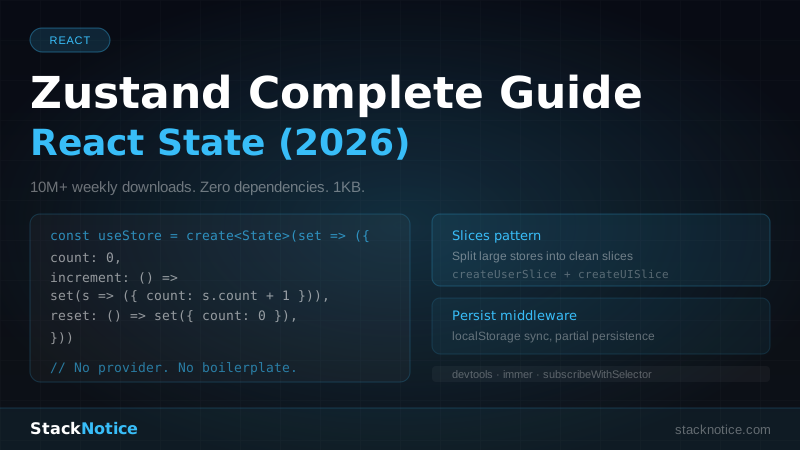
For a full Zustand setup including slices, devtools, and persistence, see the Zustand complete guide.
Combining Context and Zustand
They aren't mutually exclusive. A common production setup:
// Context: auth (stable, needs to be available during SSR)
const AuthContext = createContext<AuthContextValue | null>(null)

// Context: theme (stable, read by every component)
const ThemeContext = createContext<ThemeContextValue | null>(null)

// Zustand: client-side UI state (complex, selective subscriptions needed)
const useUIStore = create<UIStore>(/* ... */)

// Zustand: app data that changes frequently
const useDataStore = create<DataStore>(/* ... */)
Use Context for values that are:
- Stable most of the time
- Available server-side (important for RSC and SSR)
- Read by almost the whole tree
Use Zustand for values that are:
- Client-side only
- Updated frequently
- Consumed by specific components that need selective subscriptions
Jotai and Other Alternatives
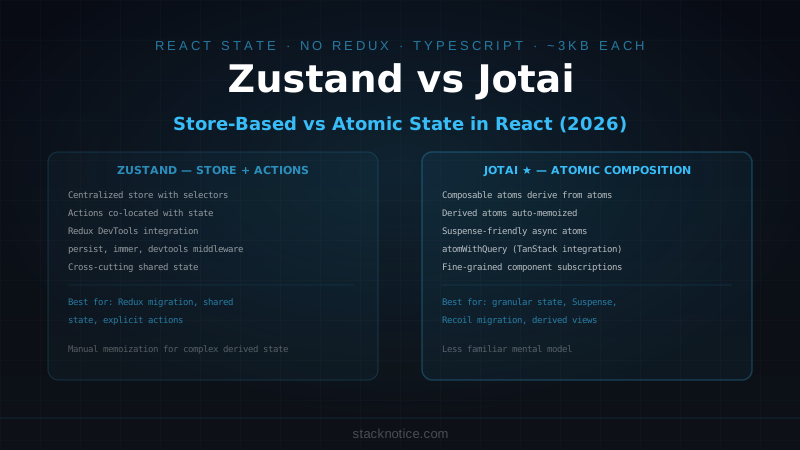
Jotai takes a different approach: atoms instead of a single store. Each piece of state is a separate atom, and components subscribe to specific atoms.
import { atom, useAtom } from 'jotai'

const sidebarOpenAtom = atom(false)
const notificationsAtom = atom<Notification[]>([])

function Sidebar() {
  const [sidebarOpen, setSidebarOpen] = useAtom(sidebarOpenAtom)
  // ...
}
Jotai is a natural fit when your state is many independent pieces that rarely need to be read together. Zustand is better when state pieces are logically related and you want a single source of truth with clear actions.
Valtio wraps state in a Proxy and tracks access automatically — no selectors needed. Useful if you find selector functions verbose.
For most applications, Zustand hits the right balance of explicitness and power.
The Decision Framework
New state needed
│
├── Is it stable? (changes rarely — theme, auth user, locale)
│   └── YES → React Context
│
├── Is it server-side readable? (SSR, RSC)
│   └── YES → React Context
│
├── Is it simple prop drilling you want to avoid?
│   └── YES → React Context (with split contexts)
│
├── Does it change frequently?
│   └── YES → Zustand
│
├── Do different components need different slices?
│   └── YES → Zustand
│
├── Is the logic complex? (derived state, middleware, devtools)
│   └── YES → Zustand
│
└── Is it server state? (fetched data, cache, background refetching)
    └── YES → TanStack Query (not Context or Zustand)
That last branch matters: server state (data from an API) is a different category entirely. Neither Context nor Zustand is the right tool for it — TanStack Query handles caching, background refetching, and stale-while-revalidate semantics that Context and Zustand don't.
Summary
Context has one real limitation: no selective subscriptions. Every consumer re-renders on every value change. For stable, infrequently-changing values, this doesn't matter. For frequently-changing values or large stores with many consumers, it becomes a problem.
Zustand solves that specific problem with selector functions. It doesn't replace Context for everything — it replaces Context for the cases where Context's re-render behavior creates visible performance issues.
The pattern that works: Context for auth, theme, locale. Zustand for client-side application state. TanStack Query for server state. Each doing the job it was designed for.
For more on React performance patterns and when re-renders actually matter, see the React anti-patterns and performance guide.