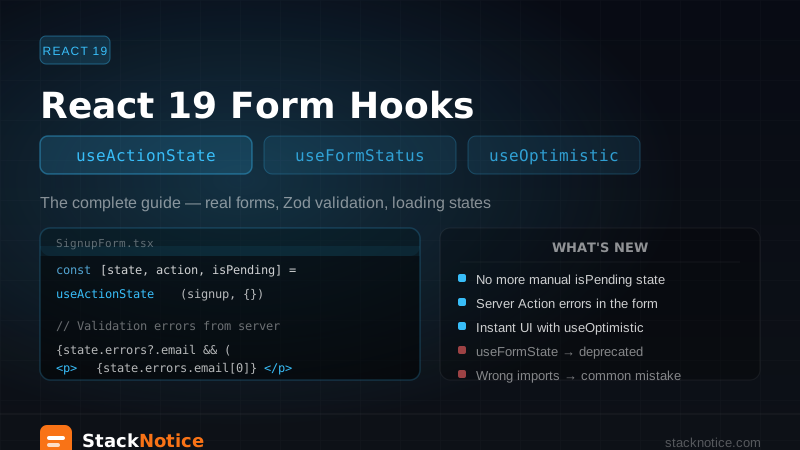
React 19 shipped four new hooks specifically for forms: useActionState, useFormStatus, useOptimistic, and useFormState (deprecated). If you've tried to upgrade an existing codebase or written a new form and hit confusing import errors or unexpected behavior, this guide covers how all of them actually work — together, in real code.
The problem React 19 solved
In React 18, handling a form with a Server Action involved a lot of boilerplate:
// React 18 pattern — repetitive and error-prone
const [isPending, setIsPending] = useState(false);
const [error, setError] = useState<string | null>(null);
const [success, setSuccess] = useState(false);

async function handleSubmit(e: React.FormEvent) {
  e.preventDefault();
  setIsPending(true);
  try {
    await submitForm(formData);
    setSuccess(true);
  } catch (err) {
    setError('Something went wrong');
  } finally {
    setIsPending(false);
  }
}
React 19 replaces this pattern with hooks that integrate directly with Server Actions and native <form> elements — no e.preventDefault(), no manual state management for loading and errors.
useActionState — the one you'll use most
useActionState is the main hook for form state management. It replaces the deprecated useFormState from react-dom.
Important: import it from react, not react-dom.
import { useActionState } from 'react'; // ✅ React 19
// NOT: import { useFormState } from 'react-dom'; // ❌ deprecated
How it works
const [state, action, isPending] = useActionState(serverAction, initialState);state— the value returned by your Server Action (orinitialStateon the first render)action— the enhanced action to pass to<form action={action}>isPending—truewhile the action is in flight
A real signup form
// app/actions/auth.ts
'use server';

import { z } from 'zod';

const signupSchema = z.object({
  email: z.string().email('Invalid email'),
  password: z.string().min(8, 'Password must be at least 8 characters'),
  name: z.string().min(1, 'Name is required'),
});

export type SignupState = {
  errors?: {
    email?: string[];
    password?: string[];
    name?: string[];
  };
  message?: string;
  success?: boolean;
};

export async function signup(
  prevState: SignupState,
  formData: FormData
): Promise<SignupState> {
  const parsed = signupSchema.safeParse({
    email: formData.get('email'),
    password: formData.get('password'),
    name: formData.get('name'),
  });

  if (!parsed.success) {
    return {
      errors: parsed.error.flatten().fieldErrors,
    };
  }

  // Create the user
  try {
    await createUser(parsed.data);
    return { success: true, message: 'Account created!' };
  } catch (error) {
    return { message: 'An error occurred. Please try again.' };
  }
}
// app/signup/page.tsx
'use client';
import { useActionState } from 'react';
import { signup, type SignupState } from '@/app/actions/auth';
const initialState: SignupState = {};
export default function SignupPage() {
const [state, action, isPending] = useActionState(signup, initialState);
if (state.success) {
return <p>Account created! Check your email.</p>;
}
return (
<form action={action}>
<div>
<input name="name" type="text" placeholder="Name" required />
{state.errors?.name && (
<p className="text-red-500 text-sm">{state.errors.name[0]}</p>
)}
</div>
<div>
<input name="email" type="email" placeholder="Email" required />
{state.errors?.email && (
<p className="text-red-500 text-sm">{state.errors.email[0]}</p>
)}
</div>
<div>
<input name="password" type="password" placeholder="Password" required />
{state.errors?.password && (
<p className="text-red-500 text-sm">{state.errors.password[0]}</p>
)}
</div>
{state.message && <p className="text-red-500">{state.message}</p>}
<button type="submit" disabled={isPending}>
{isPending ? 'Creating account...' : 'Sign up'}
</button>
</form>
);
}The Server Action receives prevState as the first argument (always — this is required for useActionState to work) and formData as the second. The return value becomes the new state.
Defining a SignupState type and using it for both the action return type and useActionState initial value gives you full type safety throughout the form — errors are typed, state.errors?.email autocompletes correctly.
useFormStatus — loading states in child components
useFormStatus reads the status of the nearest parent <form>. The key constraint: it must be called in a child component of the form, not in the form component itself.
import { useFormStatus } from 'react-dom'; // ✅ stays in react-domThe SubmitButton pattern
// components/SubmitButton.tsx
'use client';

import { useFormStatus } from 'react-dom';

export function SubmitButton({ children }: { children: React.ReactNode }) {
  const { pending } = useFormStatus();

  return (
    <button
      type="submit"
      disabled={pending}
      className={pending ? 'opacity-60 cursor-not-allowed' : ''}
    >
      {pending ? 'Saving...' : children}
    </button>
  );
}
// Use it inside any form
<form action={action}>
<input name="email" />
<SubmitButton>Save changes</SubmitButton>
</form>useFormStatus also exposes data (the FormData being submitted), method, and action — but pending is what you'll use 95% of the time.
Why it must be a child component
useFormStatus works by reading React context from the parent <form>. If you call it in the same component that renders the <form>, you're outside the form's provider — React can't read the context, so pending is always false.
// ❌ Wrong — useFormStatus in the same component as the form
function MyForm() {
  const { pending } = useFormStatus(); // always false
  return <form><button disabled={pending}>Submit</button></form>;
}

// ✅ Correct — useFormStatus in a child
function SubmitButton() {
  const { pending } = useFormStatus(); // works correctly
  return <button disabled={pending}>Submit</button>;
}
function MyForm() {
  return <form><SubmitButton /></form>;
}
useOptimistic — instant UI updates
useOptimistic lets you show an optimistic UI update immediately while the server processes the action. If the action fails, React rolls back automatically.
import { useOptimistic } from 'react';

const [optimisticState, addOptimistic] = useOptimistic(
  currentState,
  updateFunction
);
Real example: an instant todo list
// app/todos/page.tsx
'use client';

import { useOptimistic, useActionState } from 'react';
import { addTodo, deleteTodo, type TodoState } from '@/app/actions/todos';

type Todo = { id: string; text: string; pending?: boolean };

export function TodoList({ initialTodos }: { initialTodos: Todo[] }) {
  const [optimisticTodos, addOptimisticTodo] = useOptimistic(
    initialTodos,
    (state: Todo[], newTodo: Todo) => [...state, newTodo]
  );

  const [state, action] = useActionState(addTodo, {});

  async function handleAddTodo(formData: FormData) {
    const text = formData.get('text') as string;
    if (!text.trim()) return;

    // Show immediately in the UI
    addOptimisticTodo({ id: crypto.randomUUID(), text, pending: true });

    // Then send to server (addTodo is a Server Action)
    await action(formData);
  }

  return (
    <div>
      <ul>
        {optimisticTodos.map(todo => (
          <li
            key={todo.id}
            style={{ opacity: todo.pending ? 0.5 : 1 }}
          >
            {todo.text}
            {todo.pending && ' (saving...)'}
          </li>
        ))}
      </ul>

      <form action={handleAddTodo}>
        <input name="text" placeholder="New todo" />
        <SubmitButton>Add</SubmitButton>
      </form>
    </div>
  );
}
The optimistic todo appears instantly with opacity: 0.5 while the server saves it. Once the server responds, React replaces the optimistic entry with the real one (with a real ID from the database).
Call addOptimistic inside a Server Action, startTransition, or an action passed to a form. If you call it in a regular event handler, it won't work correctly.
Combining all three in a real feature
Here's a more complete example: a settings form that uses all three hooks.
// app/settings/ProfileForm.tsx
'use client';

import { useActionState, useOptimistic } from 'react';
import { useFormStatus } from 'react-dom';
import { updateProfile, type ProfileState } from '@/app/actions/profile';

function SaveButton() {
  const { pending } = useFormStatus();
  return (
    <button type="submit" disabled={pending}>
      {pending ? 'Saving...' : 'Save profile'}
    </button>
  );
}

type Profile = { name: string; bio: string };

export function ProfileForm({ profile }: { profile: Profile }) {
  const [optimisticProfile, setOptimisticProfile] = useOptimistic(
    profile,
    (_: Profile, updated: Profile) => updated
  );

  const [state, action] = useActionState(updateProfile, {} as ProfileState);

  async function handleSubmit(formData: FormData) {
    // Optimistic update — show new values immediately
    setOptimisticProfile({
      name: formData.get('name') as string,
      bio: formData.get('bio') as string,
    });
    await action(formData);
  }

  return (
    <div>
      {/* Live preview of the profile as the user edits */}
      <div className="preview">
        <h2>{optimisticProfile.name}</h2>
        <p>{optimisticProfile.bio}</p>
      </div>

      <form action={handleSubmit}>
        <input name="name" defaultValue={profile.name} />
        <textarea name="bio" defaultValue={profile.bio} />

        {state.error && <p className="error">{state.error}</p>}
        {state.success && <p className="success">Saved!</p>}

        <SaveButton />
      </form>
    </div>
  );
}
Migrating from useFormState
If you're upgrading from React 18 with useFormState:
// Before (React 18 / react-dom)
import { useFormState } from 'react-dom';
const [state, action] = useFormState(serverAction, initialState);

// After (React 19 / react)
import { useActionState } from 'react';
const [state, action, isPending] = useActionState(serverAction, initialState);
The main differences:
- Import from
reactinstead ofreact-dom - Returns three values instead of two —
isPendingis now built in useFormStateis still exported for backwards compatibility but is deprecated — it logs a warning in development
Common mistakes
Mistake 1: Importing useActionState from react-dom
// ❌ Wrong import — useActionState doesn't exist in react-dom
import { useActionState } from 'react-dom';

// ✅ Correct
import { useActionState } from 'react';
Mistake 2: useFormStatus in the form component itself
Already covered above — it must be in a child. The fix: extract your submit button into its own component.
Mistake 3: Server Action without prevState parameter
useActionState always passes prevState as the first argument to your Server Action. If you forget it, formData will actually be the state object, not the form data.
// ❌ Missing prevState
export async function createPost(formData: FormData) { ... }

// ✅ Correct
export async function createPost(prevState: PostState, formData: FormData) { ... }
Mistake 4: Not marking the form component as 'use client'
useActionState and useFormStatus are client hooks. The form component must be a Client Component. The Server Action itself stays on the server.
Quick reference
| Hook | Package | Purpose |
|---|---|---|
useActionState | react | Form state from Server Actions, replaces useFormState |
useFormStatus | react-dom | Submit button loading state, must be in child component |
useOptimistic | react | Instant UI update before server responds |
useFormState | react-dom | Deprecated — migrate to useActionState |
Related: React Server Actions Complete Guide — the foundation for these hooks · React Hook Form + Zod Guide — when you need more control than native form actions · Next.js App Router Complete Guide — understanding the architecture these hooks live in