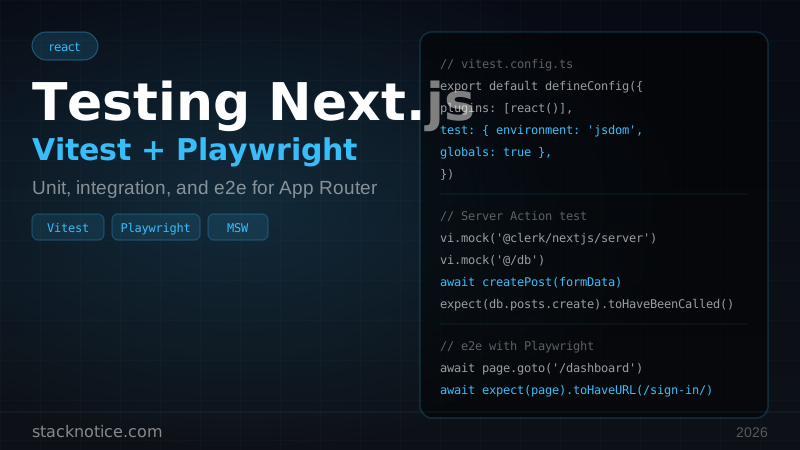
Testing Next.js apps has historically been painful. Jest's config for App Router is a wall of transforms and mocks. Server Components don't render with @testing-library/react out of the box. The workarounds are fragile.
The 2026 answer: Vitest for unit and integration tests, Playwright for end-to-end. They cover different layers cleanly, the config is minimal, and both work natively with TypeScript and ESM.
This guide goes from zero to a working test suite with CI, covering what actually matters: Client Components, Server logic, Server Actions, and full browser tests.
Why Vitest instead of Jest
| Vitest | Jest | |
|---|---|---|
| Speed | 10–20x faster | Slow (CommonJS transform) |
| ESM | Native | Requires transform config |
| TypeScript | Native | Requires ts-jest or babel |
| API | Same as Jest | — |
| Config | Minimal | Complex for Next.js |
| Watch mode | Instant HMR | Full re-run |
Vitest uses Vite under the hood, which means it processes your files the same way your bundler does. You drop the jest.config.js maze and get a single vitest.config.ts.
Install
npm install -D vitest @vitejs/plugin-react @testing-library/react @testing-library/user-event @testing-library/jest-dom jsdomvitest.config.ts
import { defineConfig } from 'vitest/config'
import react from '@vitejs/plugin-react'
import path from 'path'

export default defineConfig({
  plugins: [react()],
  test: {
    environment: 'jsdom',
    globals: true,
    setupFiles: ['./vitest.setup.ts'],
  },
  resolve: {
    alias: {
      '@': path.resolve(__dirname, './'),
    },
  },
})
The globals: true option makes describe, it, expect available without imports — same as Jest's default.
vitest.setup.ts:
import '@testing-library/jest-dom'This adds matchers like toBeInTheDocument(), toHaveValue(), toBeVisible().
package.json scripts:
{
  "scripts": {
    "test": "vitest",
    "test:run": "vitest run",
    "test:coverage": "vitest run --coverage"
  }
}
vitest starts in watch mode. vitest run runs once (for CI).
Testing Client Components
Client Components are the easiest to test — they're just React components.
// app/components/counter.tsx
'use client'

import { useState } from 'react'

export function Counter({ initial = 0 }: { initial?: number }) {
  const [count, setCount] = useState(initial)
  return (
    <div>
      <p>Count: {count}</p>
      <button onClick={() => setCount(c => c + 1)}>Increment</button>
      <button onClick={() => setCount(c => c - 1)}>Decrement</button>
    </div>
  )
}
// app/components/counter.test.tsx
import { render, screen } from '@testing-library/react'
import userEvent from '@testing-library/user-event'
import { Counter } from './counter'
describe('Counter', () => {
it('renders initial count', () => {
render(<Counter initial={5} />)
expect(screen.getByText('Count: 5')).toBeInTheDocument()
})
it('increments on button click', async () => {
const user = userEvent.setup()
render(<Counter />)
await user.click(screen.getByRole('button', { name: 'Increment' }))
expect(screen.getByText('Count: 1')).toBeInTheDocument()
})
it('decrements below zero', async () => {
const user = userEvent.setup()
render(<Counter initial={1} />)
await user.click(screen.getByRole('button', { name: 'Decrement' }))
await user.click(screen.getByRole('button', { name: 'Decrement' }))
expect(screen.getByText('Count: -1')).toBeInTheDocument()
})
})Use userEvent from @testing-library/user-event instead of fireEvent — it simulates real browser events including pointer events, keyboard, and focus.
Testing components with hooks and context
For components that rely on context providers (Clerk, React Query, etc.), wrap them in the test:
import { QueryClient, QueryClientProvider } from '@tanstack/react-query'
import { render } from '@testing-library/react'

function createWrapper() {
  const queryClient = new QueryClient({
    defaultOptions: { queries: { retry: false } },
  })
  return ({ children }: { children: React.ReactNode }) => (
    <QueryClientProvider client={queryClient}>{children}</QueryClientProvider>
  )
}

it('shows data after load', async () => {
  render(<MyComponent />, { wrapper: createWrapper() })
  // ...
})
Or create a shared renderWithProviders utility to avoid repeating this in every test file.
Testing Server Component logic
True Server Components — async functions that fetch data — don't render with jsdom. The practical approach is to test the data fetching layer separately from the component tree.
Extract your data fetching into functions:
// lib/posts.ts
import { db } from '@/db'

export async function getPostsByUser(userId: string) {
  return db.posts.findMany({
    where: { authorId: userId, published: true },
    orderBy: { createdAt: 'desc' },
  })
}

export async function getPostById(id: string) {
  const post = await db.posts.findUnique({ where: { id } })
  if (!post) throw new Error(`Post ${id} not found`)
  return post
}
Test these functions directly:
// lib/posts.test.ts
import { describe, it, expect, vi, beforeEach } from 'vitest'
import { getPostsByUser, getPostById } from './posts'

// Mock the db module
vi.mock('@/db', () => ({
  db: {
    posts: {
      findMany: vi.fn(),
      findUnique: vi.fn(),
    },
  },
}))

import { db } from '@/db'

describe('getPostsByUser', () => {
  beforeEach(() => {
    vi.clearAllMocks()
  })

  it('returns published posts for a user', async () => {
    const mockPosts = [
      { id: '1', title: 'Hello', authorId: 'user-1', published: true },
    ]
    vi.mocked(db.posts.findMany).mockResolvedValue(mockPosts as any)

    const posts = await getPostsByUser('user-1')

    expect(db.posts.findMany).toHaveBeenCalledWith({
      where: { authorId: 'user-1', published: true },
      orderBy: { createdAt: 'desc' },
    })
    expect(posts).toHaveLength(1)
  })
})

describe('getPostById', () => {
  it('throws when post not found', async () => {
    vi.mocked(db.posts.findUnique).mockResolvedValue(null)
    await expect(getPostById('missing')).rejects.toThrow('Post missing not found')
  })
})
This pattern tests everything that matters about your Server Component — the data logic — without needing to render React on the server in tests.
Testing Server Actions
Server Actions are async functions marked with 'use server'. They're plain async functions, so you test them directly.
// app/actions/posts.ts
'use server'

import { auth } from '@clerk/nextjs/server'
import { db } from '@/db'
import { z } from 'zod'

const schema = z.object({
  title: z.string().min(1).max(200),
  content: z.string().min(10),
})

export async function createPost(formData: FormData) {
  const { userId } = await auth()
  if (!userId) throw new Error('Unauthorized')

  const raw = {
    title: formData.get('title'),
    content: formData.get('content'),
  }

  const { title, content } = schema.parse(raw)
  return db.posts.create({ data: { title, content, authorId: userId } })
}
// app/actions/posts.test.ts
import { describe, it, expect, vi } from 'vitest'
import { createPost } from './posts'
// Mock auth and db
vi.mock('@clerk/nextjs/server', () => ({
auth: vi.fn(),
}))
vi.mock('@/db', () => ({
db: { posts: { create: vi.fn() } },
}))
import { auth } from '@clerk/nextjs/server'
import { db } from '@/db'
describe('createPost', () => {
it('throws when not authenticated', async () => {
vi.mocked(auth).mockResolvedValue({ userId: null } as any)
const formData = new FormData()
formData.set('title', 'Test')
formData.set('content', 'Content here')
await expect(createPost(formData)).rejects.toThrow('Unauthorized')
})
it('creates post for authenticated user', async () => {
vi.mocked(auth).mockResolvedValue({ userId: 'user-1' } as any)
vi.mocked(db.posts.create).mockResolvedValue({ id: 'post-1' } as any)
const formData = new FormData()
formData.set('title', 'My Post')
formData.set('content', 'Long enough content here')
await createPost(formData)
expect(db.posts.create).toHaveBeenCalledWith({
data: { title: 'My Post', content: 'Long enough content here', authorId: 'user-1' },
})
})
it('throws on validation failure', async () => {
vi.mocked(auth).mockResolvedValue({ userId: 'user-1' } as any)
const formData = new FormData()
formData.set('title', '') // empty title fails validation
formData.set('content', 'Short')
await expect(createPost(formData)).rejects.toThrow()
})
})The 'use server' directive is stripped by the build tool — in tests, it's just an async function.
Mocking API calls with MSW
For components that call APIs, use MSW (Mock Service Worker) to intercept requests at the network level — no need to mock fetch manually.
npm install -D msw// tests/mocks/handlers.ts
import { http, HttpResponse } from 'msw'
export const handlers = [
http.get('/api/posts', () => {
return HttpResponse.json([
{ id: '1', title: 'First Post' },
{ id: '2', title: 'Second Post' },
])
}),
http.post('/api/posts', async ({ request }) => {
const body = await request.json()
return HttpResponse.json({ id: '3', ...body }, { status: 201 })
}),
]// tests/mocks/server.ts
import { setupServer } from 'msw/node'
import { handlers } from './handlers'
export const server = setupServer(...handlers)// vitest.setup.ts
import '@testing-library/jest-dom'
import { server } from './tests/mocks/server'
beforeAll(() => server.listen({ onUnhandledRequest: 'error' }))
afterEach(() => server.resetHandlers())
afterAll(() => server.close())Now your components call the real fetch in tests, and MSW intercepts it:
it('displays posts from API', async () => {
  render(<PostList />)
  expect(await screen.findByText('First Post')).toBeInTheDocument()
  expect(screen.getByText('Second Post')).toBeInTheDocument()
})
Code coverage
npm install -D @vitest/coverage-v8// vitest.config.ts
export default defineConfig({
test: {
coverage: {
provider: 'v8',
reporter: ['text', 'html', 'lcov'],
exclude: [
'node_modules/',
'.next/',
'vitest.setup.ts',
'**/*.d.ts',
'**/types.ts',
],
thresholds: {
lines: 80,
functions: 80,
},
},
},
})Run with npm run test:coverage. The HTML report goes to coverage/index.html.
Playwright for end-to-end tests
Unit tests cover logic. Playwright covers the full user journey in a real browser — authentication, navigation, form submission, database side effects.
npm init playwright@latestThis creates playwright.config.ts, tests/ folder, and installs browsers.
playwright.config.ts:
import { defineConfig, devices } from '@playwright/test'

export default defineConfig({
  testDir: './e2e',
  fullyParallel: true,
  forbidOnly: !!process.env.CI,
  retries: process.env.CI ? 2 : 0,
  workers: process.env.CI ? 1 : undefined,
  reporter: 'html',
  use: {
    baseURL: 'http://localhost:3000',
    trace: 'on-first-retry',
  },
  projects: [
    { name: 'chromium', use: { ...devices['Desktop Chrome'] } },
  ],
  webServer: {
    command: 'npm run build && npm start',
    url: 'http://localhost:3000',
    reuseExistingServer: !process.env.CI,
  },
})
The webServer config automatically starts your Next.js production build before tests run.
Writing e2e tests
// e2e/auth.spec.ts
import { test, expect } from '@playwright/test'

test('redirects to sign-in when not authenticated', async ({ page }) => {
  await page.goto('/dashboard')
  await expect(page).toHaveURL(/sign-in/)
})

test('sign-in flow', async ({ page }) => {
  await page.goto('/sign-in')
  await page.getByLabel('Email').fill('test@example.com')
  await page.getByLabel('Password').fill('TestPassword123!')
  await page.getByRole('button', { name: 'Sign in' }).click()
  await expect(page).toHaveURL('/dashboard')
  await expect(page.getByText('Welcome back')).toBeVisible()
})
// e2e/posts.spec.ts
import { test, expect } from '@playwright/test'
test('create and view a post', async ({ page }) => {
// Assume authenticated via storageState (see below)
await page.goto('/posts/new')
await page.getByLabel('Title').fill('My Test Post')
await page.getByLabel('Content').fill('This is the content of my test post.')
await page.getByRole('button', { name: 'Publish' }).click()
await expect(page.getByText('Post published')).toBeVisible()
await expect(page).toHaveURL(/\/posts\//)
})Authenticated state in Playwright
Re-authenticating in every test is slow. Save the session to a file and reuse it:
// e2e/auth.setup.ts
import { test as setup } from '@playwright/test'
import path from 'path'

const authFile = path.join(__dirname, '../playwright/.auth/user.json')

setup('authenticate', async ({ page }) => {
  await page.goto('/sign-in')
  await page.getByLabel('Email').fill(process.env.TEST_EMAIL!)
  await page.getByLabel('Password').fill(process.env.TEST_PASSWORD!)
  await page.getByRole('button', { name: 'Sign in' }).click()
  await page.waitForURL('/dashboard')
  await page.context().storageState({ path: authFile })
})
// playwright.config.ts
projects: [
{
name: 'setup',
testMatch: /auth\.setup\.ts/,
},
{
name: 'chromium',
use: {
...devices['Desktop Chrome'],
storageState: 'playwright/.auth/user.json',
},
dependencies: ['setup'],
},
],CI with GitHub Actions
# .github/workflows/test.yml
name: Tests

on:
  push:
    branches: [main]
  pull_request:

jobs:
  unit:
    runs-on: ubuntu-latest
    steps:
      - uses: actions/checkout@v4
      - uses: actions/setup-node@v4
        with:
          node-version: 20
          cache: npm
      - run: npm ci
      - run: npm run test:run
      - run: npm run test:coverage

  e2e:
    runs-on: ubuntu-latest
    steps:
      - uses: actions/checkout@v4
      - uses: actions/setup-node@v4
        with:
          node-version: 20
          cache: npm
      - run: npm ci
      - run: npx playwright install --with-deps chromium
      - run: npx playwright test
        env:
          TEST_EMAIL: ${{ secrets.TEST_EMAIL }}
          TEST_PASSWORD: ${{ secrets.TEST_PASSWORD }}
      - uses: actions/upload-artifact@v4
        if: failure()
        with:
          name: playwright-report
          path: playwright-report/
The Playwright report uploads on failure so you can inspect screenshots and traces of what broke.
What to test at each layer
| Layer | Tool | What to test |
|---|---|---|
| Utility functions | Vitest | Business logic, data transforms, validation |
| Server Actions | Vitest | Auth checks, DB calls, error cases |
| Client Components | Vitest + RTL | Rendering, user interactions, state |
| API routes | Vitest | Request/response logic (mock db) |
| Full flows | Playwright | Auth, form submit → db → UI update |
| Visual regression | Playwright | Screenshots of key pages |
The rule: if it's a function, test it with Vitest. If it requires a browser and real routes, test it with Playwright. Don't try to make Vitest simulate routing — that's what Playwright is for.
Common mistakes
Mistake 1: Testing implementation details
Test what the component does from the user's perspective, not how it's implemented internally. screen.getByRole('button', { name: 'Submit' }) is better than container.querySelector('.submit-btn') — the first survives refactors, the second doesn't.
Mistake 2: Mocking too much
If your test mocks the function under test, you're not testing anything. Mock at the boundary (network, database, auth) — not the function you're actually trying to test.
Mistake 3: No await on async matchers
expect(screen.findByText('...')).toBeInTheDocument() will always pass because findByText returns a Promise. Always await it: expect(await screen.findByText('...')).toBeInTheDocument().
Mistake 4: Running e2e tests against dev server
The dev server includes source maps, HMR overhead, and different code paths. Always run e2e tests against a production build (npm run build && npm start) so you're testing what you ship.
Next steps
A working test suite pairs naturally with:
- Next.js App Router complete guide — understand what you're testing
- React Server Actions guide — patterns for testing
'use server'functions - tRPC + Next.js — tRPC routers are plain functions, easy to unit test
- Drizzle ORM guide — mock Drizzle queries at the right level
- CI/CD with GitHub Actions — run your test suite on every push
- Claude Code TDD workflow — let AI write the failing tests first