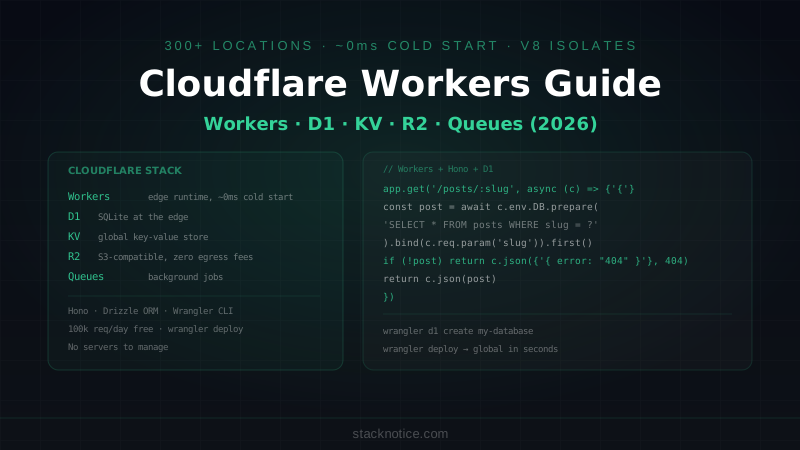
Cloudflare Workers run JavaScript and TypeScript at the edge — in over 300 data centers worldwide, within milliseconds of your users. Unlike AWS Lambda or traditional serverless, Workers don't cold start. They run in V8 isolates that spin up in under a millisecond. Combined with D1 (SQLite at the edge), KV (key-value store), R2 (S3-compatible storage), and Queues (background jobs), the Cloudflare platform has quietly become a complete backend alternative that scales to millions of requests without any infrastructure management.
This guide covers building a real API with the full Cloudflare stack — Workers, D1, KV, R2, and Queues — deployed globally.
How Workers Are Different from Node.js
Workers don't run Node.js. They run the V8 JavaScript engine directly, with a subset of Web APIs:
- ✅
fetch,Request,Response,Headers - ✅
crypto.subtle(Web Crypto) - ✅
ReadableStream,WritableStream - ✅
URL,URLSearchParams - ✅
TextEncoder,TextDecoder - ❌
fs,path,http,Buffer(Node.js built-ins) - ❌ WebSockets listening (Durable Objects needed for stateful WS)
Workers have a CPU time limit (typically 50ms for free, 30 seconds for paid plans) and a memory limit (128MB). They're designed for request/response workloads, not long-running processes.
Setup with Wrangler
npm install -g wrangler
wrangler login
Create a new Worker project:
npm create cloudflare@latest my-api
# Select: "Hello World" Worker → TypeScript → No for Git → Yes for deploy
Project structure:
my-api/
  src/
    index.ts        ← Worker entrypoint
  wrangler.toml     ← Cloudflare config
  tsconfig.json
  package.json
// src/index.ts — minimal Worker
export default {
  async fetch(request: Request, env: Env, ctx: ExecutionContext): Promise<Response> {
    const url = new URL(request.url)

    if (url.pathname === '/health') {
      return Response.json({ status: 'ok', region: request.cf?.colo })
    }

    return new Response('Not Found', { status: 404 })
  }
}
# wrangler.toml
name = "my-api"
main = "src/index.ts"
compatibility_date = "2026-01-01"
compatibility_flags = ["nodejs_compat"]nodejs_compat enables a subset of Node.js APIs (Buffer, crypto, stream) inside Workers — useful for packages that assume Node.js.
Deploy:
wrangler deploy
# → Deployed to my-api.your-subdomain.workers.dev
Building APIs with Hono
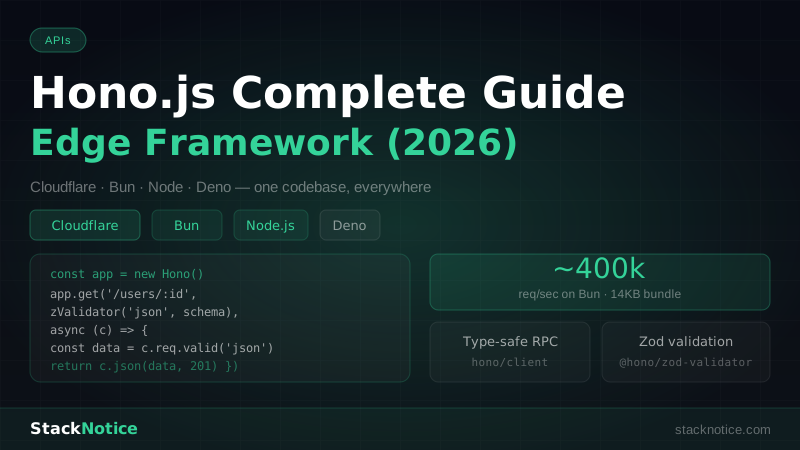
Writing a full API with raw Request/Response objects gets tedious fast. Hono is the go-to router for Workers — ultra-lightweight (~14KB), built for edge runtimes, with middleware, TypeScript support, and RPC mode:
npm install hono// src/index.ts
import { Hono } from 'hono'
import { cors } from 'hono/cors'
import { prettyJSON } from 'hono/pretty-json'
import { logger } from 'hono/logger'
import { zValidator } from '@hono/zod-validator'
import { z } from 'zod'
type Bindings = {
DB: D1Database
KV: KVNamespace
BUCKET: R2Bucket
QUEUE: Queue
JWT_SECRET: string
}
const app = new Hono<{ Bindings: Bindings }>()
// Middleware
app.use('*', logger())
app.use('*', cors({ origin: ['https://yourapp.com', 'http://localhost:3000'] }))
app.use('*', prettyJSON())
// Routes
app.get('/', (c) => c.json({ message: 'API running', region: c.req.raw.cf?.colo }))
// Posts API
const postsRouter = new Hono<{ Bindings: Bindings }>()
postsRouter.get('/', async (c) => {
const { results } = await c.env.DB.prepare(
'SELECT id, title, slug, created_at FROM posts WHERE published = 1 ORDER BY created_at DESC LIMIT 20'
).all()
return c.json(results)
})
postsRouter.get('/:slug', async (c) => {
const slug = c.req.param('slug')
const post = await c.env.DB.prepare(
'SELECT * FROM posts WHERE slug = ? AND published = 1'
).bind(slug).first()
if (!post) return c.json({ error: 'Not found' }, 404)
return c.json(post)
})
const createPostSchema = z.object({
title: z.string().min(1).max(200),
content: z.string().min(1),
published: z.boolean().default(false)
})
postsRouter.post(
'/',
zValidator('json', createPostSchema),
async (c) => {
const data = c.req.valid('json')
const slug = data.title.toLowerCase().replace(/\s+/g, '-').replace(/[^a-z0-9-]/g, '')
const result = await c.env.DB.prepare(
'INSERT INTO posts (title, slug, content, published, created_at) VALUES (?, ?, ?, ?, ?)'
).bind(data.title, slug, data.content, data.published ? 1 : 0, new Date().toISOString())
.run()
return c.json({ id: result.meta.last_row_id, slug }, 201)
}
)
app.route('/posts', postsRouter)
export default appD1: SQLite at the Edge
D1 is Cloudflare's managed SQLite database. It runs in the same data center as your Worker — queries are synchronous and fast (no network round trip to a separate database server).
Creating a D1 database
wrangler d1 create my-databaseThis outputs:
[[d1_databases]]
binding = "DB"
database_name = "my-database"
database_id = "xxxxxxxx-xxxx-xxxx-xxxx-xxxxxxxxxxxx"
Add this to wrangler.toml.
Migrations
# Create migration file
mkdir -p migrations
-- migrations/0001_initial.sql
CREATE TABLE IF NOT EXISTS posts (
id INTEGER PRIMARY KEY AUTOINCREMENT,
title TEXT NOT NULL,
slug TEXT NOT NULL UNIQUE,
content TEXT NOT NULL,
published INTEGER NOT NULL DEFAULT 0,
author_id TEXT,
created_at TEXT NOT NULL,
updated_at TEXT
);
CREATE INDEX IF NOT EXISTS idx_posts_slug ON posts(slug);
CREATE INDEX IF NOT EXISTS idx_posts_published ON posts(published, created_at);
CREATE TABLE IF NOT EXISTS users (
id TEXT PRIMARY KEY,
email TEXT NOT NULL UNIQUE,
name TEXT,
password_hash TEXT NOT NULL,
created_at TEXT NOT NULL
);Apply migrations:
# Local development
wrangler d1 execute my-database --local --file migrations/0001_initial.sql

# Production
wrangler d1 execute my-database --remote --file migrations/0001_initial.sql
Querying D1
D1's API is prepared statements only — no string interpolation:
// Never: `SELECT * FROM posts WHERE id = ${id}` (SQL injection)
// Always use prepared statements:

// Single row
const post = await env.DB.prepare(
  'SELECT * FROM posts WHERE slug = ?'
).bind(slug).first<Post>()

// Multiple rows
const { results } = await env.DB.prepare(
  'SELECT id, title, slug FROM posts WHERE published = 1 ORDER BY created_at DESC LIMIT ?'
).bind(limit).all<PostSummary>()

// Insert + get inserted ID
const result = await env.DB.prepare(
  'INSERT INTO posts (title, slug, content, published, created_at) VALUES (?, ?, ?, ?, ?)'
).bind(title, slug, content, 1, new Date().toISOString()).run()

const newId = result.meta.last_row_id

// Batch multiple queries atomically
await env.DB.batch([
  env.DB.prepare('UPDATE users SET last_login = ? WHERE id = ?').bind(new Date().toISOString(), userId),
  env.DB.prepare('INSERT INTO login_events (user_id, created_at) VALUES (?, ?)').bind(userId, new Date().toISOString())
])
Using Drizzle ORM with D1
If raw SQL feels too verbose, Drizzle ORM has first-class D1 support:
npm install drizzle-orm
npm install -D drizzle-kit
// src/db/schema.ts
import { sqliteTable, text, integer } from 'drizzle-orm/sqlite-core'
export const posts = sqliteTable('posts', {
id: integer('id').primaryKey({ autoIncrement: true }),
title: text('title').notNull(),
slug: text('slug').notNull().unique(),
content: text('content').notNull(),
published: integer('published', { mode: 'boolean' }).notNull().default(false),
createdAt: text('created_at').notNull(),
})
export type Post = typeof posts.$inferSelect
export type NewPost = typeof posts.$inferInsert// src/db/index.ts
import { drizzle } from 'drizzle-orm/d1'
import * as schema from './schema'
export function createDb(d1: D1Database) {
return drizzle(d1, { schema })
}// Using in a route
import { createDb } from './db'
import { posts } from './db/schema'
import { eq, desc } from 'drizzle-orm'
app.get('/posts', async (c) => {
const db = createDb(c.env.DB)
const allPosts = await db
.select({ id: posts.id, title: posts.title, slug: posts.slug })
.from(posts)
.where(eq(posts.published, true))
.orderBy(desc(posts.createdAt))
.limit(20)
return c.json(allPosts)
})KV: Key-Value Storage
Workers KV is a globally replicated key-value store. Reads are served from the nearest data center (eventually consistent). Writes propagate globally within ~60 seconds.
Best for: session tokens, feature flags, rate limiting counters, cached API responses.
# wrangler.toml
[[kv_namespaces]]
binding = "KV"
id = "your-kv-namespace-id"
Create:
wrangler kv namespace create SESSIONS// Store a session
await env.KV.put(
`session:${token}`,
JSON.stringify({ userId, email, createdAt: Date.now() }),
{ expirationTtl: 60 * 60 * 24 * 30 } // 30 days in seconds
)
// Read a session
const raw = await env.KV.get(`session:${token}`)
const session = raw ? JSON.parse(raw) : null
// Delete (logout)
await env.KV.delete(`session:${token}`)
// Rate limiting: track request count per IP per minute
const key = `rate:${ip}:${Math.floor(Date.now() / 60000)}`
const current = Number(await env.KV.get(key) ?? '0')
if (current >= 100) return c.json({ error: 'Rate limit exceeded' }, 429)
await env.KV.put(key, String(current + 1), { expirationTtl: 120 })R2: Object Storage
R2 is S3-compatible object storage with zero egress fees. For file uploads, images, and large assets:
# wrangler.toml
[[r2_buckets]]
binding = "BUCKET"
bucket_name = "my-uploads"
// Upload a file
app.post('/upload', async (c) => {
const formData = await c.req.formData()
const file = formData.get('file') as File
if (!file) return c.json({ error: 'No file provided' }, 400)
// Validate file type and size
const allowedTypes = ['image/jpeg', 'image/png', 'image/webp', 'application/pdf']
if (!allowedTypes.includes(file.type)) {
return c.json({ error: 'File type not allowed' }, 400)
}
if (file.size > 10 * 1024 * 1024) { // 10MB
return c.json({ error: 'File too large' }, 400)
}
const key = `uploads/${crypto.randomUUID()}-${file.name}`
const arrayBuffer = await file.arrayBuffer()
await c.env.BUCKET.put(key, arrayBuffer, {
httpMetadata: { contentType: file.type },
customMetadata: {
originalName: file.name,
uploadedAt: new Date().toISOString()
}
})
return c.json({ key, url: `https://cdn.yourapp.com/${key}` }, 201)
})
// Download / serve a file
app.get('/files/:key{.+}', async (c) => {
const key = c.req.param('key')
const object = await c.env.BUCKET.get(key)
if (!object) return c.json({ error: 'Not found' }, 404)
const headers = new Headers()
object.writeHttpMetadata(headers)
headers.set('ETag', object.httpEtag)
headers.set('Cache-Control', 'public, max-age=31536000')
return new Response(object.body, { headers })
})
// Delete
app.delete('/files/:key{.+}', async (c) => {
await c.env.BUCKET.delete(c.req.param('key'))
return c.json({ success: true })
})Queues: Background Jobs
Workers Queues let you offload work that shouldn't block a request — emails, webhooks, report generation, batch processing:
# wrangler.toml
[[queues.producers]]
binding = "QUEUE"
queue = "my-jobs"

[[queues.consumers]]
queue = "my-jobs"
max_batch_size = 10
max_batch_timeout = 5
// Producer: enqueue a job from your API
app.post('/users', zValidator('json', createUserSchema), async (c) => {
const data = c.req.valid('json')
// Create user in D1
const result = await c.env.DB.prepare(
'INSERT INTO users (id, email, name, password_hash, created_at) VALUES (?, ?, ?, ?, ?)'
).bind(crypto.randomUUID(), data.email, data.name, hashedPassword, new Date().toISOString())
.run()
// Enqueue welcome email — non-blocking
await c.env.QUEUE.send({
type: 'welcome_email',
email: data.email,
name: data.name
})
return c.json({ success: true }, 201)
})// Consumer: separate Worker that processes the queue
export default {
async fetch(request: Request, env: Env): Promise<Response> {
return new Response('Queue consumer')
},
async queue(batch: MessageBatch<JobMessage>, env: Env): Promise<void> {
for (const message of batch.messages) {
try {
switch (message.body.type) {
case 'welcome_email':
await sendWelcomeEmail(message.body.email, message.body.name, env)
break
case 'generate_report':
await generateReport(message.body.reportId, env)
break
default:
console.warn('Unknown job type:', message.body.type)
}
message.ack() // mark as processed
} catch (error) {
message.retry() // put back in queue for retry
}
}
}
}Secrets and Environment Variables
Never put secrets in wrangler.toml (it's committed to git). Use Wrangler secrets:
# Set a secret (prompts for value)
wrangler secret put JWT_SECRET
wrangler secret put DATABASE_URL

# List secrets (names only, not values)
wrangler secret list
Access in your Worker via env.JWT_SECRET — same as any other binding.
For non-secret config (like PUBLIC_APP_URL), use [vars] in wrangler.toml:
[vars]
APP_URL = "https://yourapp.com"
ENVIRONMENT = "production"
Local Development
# Run locally with hot reload
wrangler dev

# Seed local D1 database
wrangler d1 execute my-database --local --command "INSERT INTO posts ..."

# Preview with live remote bindings (uses actual KV and D1)
wrangler dev --remote
wrangler dev creates local simulations of D1, KV, R2, and Queues. The --remote flag uses real Cloudflare resources — useful when you need to test with production data.
TypeScript Types for Bindings
Keep your binding types in a separate file to share across routes:
// src/types.ts
export interface Env {
  // D1 databases
  DB: D1Database

  // KV namespaces
  KV: KVNamespace
  SESSIONS: KVNamespace

  // R2 buckets
  BUCKET: R2Bucket

  // Queues
  JOB_QUEUE: Queue

  // Secrets and vars
  JWT_SECRET: string
  APP_URL: string
  ENVIRONMENT: 'development' | 'staging' | 'production'
}
Generate types automatically from your wrangler.toml:
wrangler types
# → Generates worker-configuration.d.ts with all bindings typed
Deploying
# Deploy to production
wrangler deploy

# Deploy to a staging environment
wrangler deploy --env staging
With separate environments:
# wrangler.toml
[env.staging]
name = "my-api-staging"

[env.staging.vars]
ENVIRONMENT = "staging"

[[env.staging.d1_databases]]
binding = "DB"
database_name = "my-database-staging"
database_id = "different-id-for-staging"
Cloudflare Workers vs Traditional Serverless
| Feature | Cloudflare Workers | AWS Lambda | Vercel Functions |
|---|---|---|---|
| Cold start | ~0ms (isolates) | 100ms–5s | 50ms–2s |
| Global PoPs | 300+ | Regional | ~30 |
| Runtime | V8 (not Node.js) | Node.js | Node.js |
| Database | D1 (SQLite) | RDS, DynamoDB | External |
| Free tier | 100k req/day | 1M req/month | Limited |
| Max CPU time | 30s (paid) | 15 min | 60s |
| WebSockets | Durable Objects | API Gateway | Limited |
Workers' zero cold start and 300+ data center locations make them the fastest option for globally distributed APIs. The tradeoff is the non-Node.js runtime — packages that rely on Node built-ins need nodejs_compat or a Workers-compatible alternative.
For teams already on the Hono ecosystem or ElysiaJS, the Cloudflare stack is a natural complement — both Hono and Elysia support the Workers runtime natively. If you need Redis-style caching, Upstash KV also runs at the edge with Workers integration.
The full Cloudflare stack — Workers + D1 + KV + R2 + Queues — covers the same surface area as a traditional backend running on a VPS, but without servers to manage, with automatic global distribution, and a generous free tier.