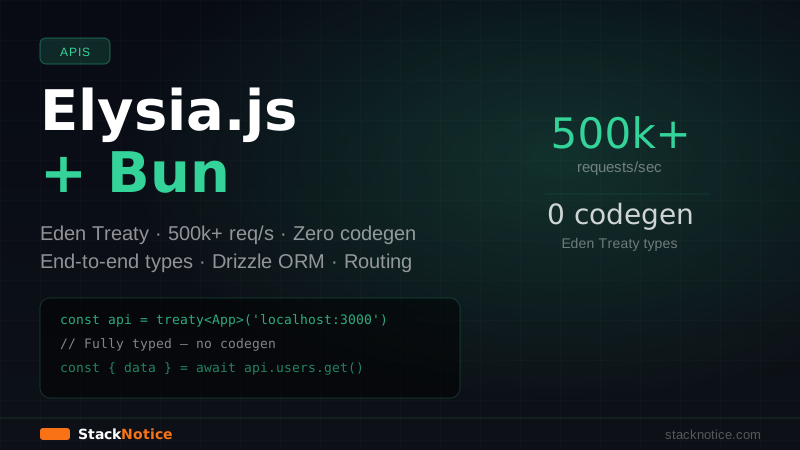
Elysia.js is a Bun-native HTTP framework that handles over 500,000 requests per second in benchmarks. That number is real — it comes from Bun's native HTTP server combined with Elysia's zero-overhead routing, not some contrived hello-world test. But raw speed isn't the reason to use it. The reason is Eden Treaty: end-to-end type safety between your server and client with zero code generation, no schema files, no RPC layer to maintain.
This guide covers everything to build a production-ready API: routing, middleware, validation, auth, database integration, and Eden Treaty client setup.
What Makes Elysia Different from Hono
Both Elysia and Hono are fast TypeScript frameworks that run on Bun. The difference is the client story.
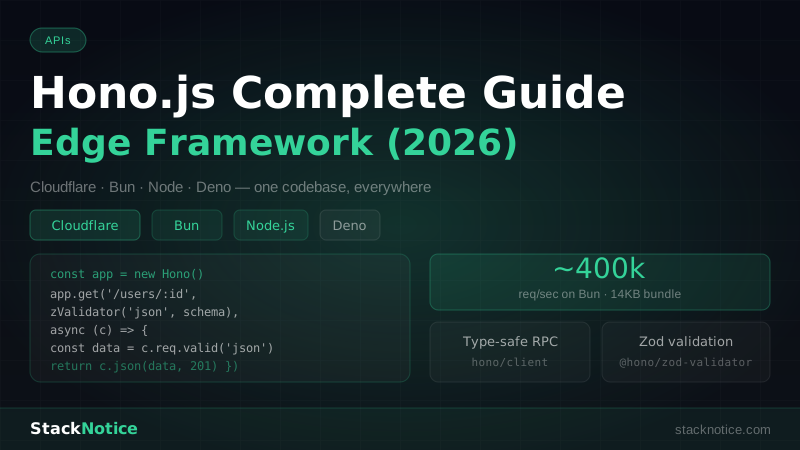
Hono has hono/client which provides type inference — you pass the app type to the client and get typed endpoints. It works, but it requires importing types from the server into the client bundle, which creates coupling.
Elysia's Eden Treaty generates a fully typed client from the server definition. The client mirrors your API structure as a typed object tree — api.users({ id }).get() instead of client.get('/users/:id'). The types are inferred at the call site, not declared. No zod.infer<typeof schema>, no separate type files, no codegen step.
If your stack is Bun-only (no Cloudflare Workers, no Deno, no Node.js compatibility needed), Elysia is the better choice. If you need runtime portability, use Hono. Elysia is locked to Bun.
Installation and Project Setup
bun create elysia my-api
cd my-api
bun install
bun run dev
Or start from scratch:
mkdir my-api && cd my-api
bun init -y
bun add elysia
The minimum working server:
// src/index.ts
import { Elysia } from 'elysia'

const app = new Elysia()
  .get('/', () => 'Hello Elysia')
  .listen(3000)

console.log(`Server running at ${app.server?.hostname}:${app.server?.port}`)

export type App = typeof app
The export type App = typeof app line is what enables Eden Treaty on the client side.
Routing
Elysia uses a chainable builder pattern. Each method call returns a new Elysia instance with the route added:
import { Elysia, t } from 'elysia'

const app = new Elysia()
  // GET /users
  .get('/users', () => getUsers())

  // GET /users/:id — path params are typed automatically
  .get('/users/:id', ({ params }) => getUserById(params.id))

  // POST /users — body validation with t (TypeBox under the hood)
  .post('/users', ({ body }) => createUser(body), {
    body: t.Object({
      name: t.String({ minLength: 1 }),
      email: t.String({ format: 'email' }),
      role: t.Union([t.Literal('admin'), t.Literal('user')]),
    }),
  })

  // PUT /users/:id
  .put('/users/:id', ({ params, body }) => updateUser(params.id, body), {
    body: t.Object({
      name: t.Optional(t.String()),
      email: t.Optional(t.String({ format: 'email' })),
    }),
  })

  // DELETE /users/:id
  .delete('/users/:id', ({ params }) => deleteUser(params.id))
The t namespace is TypeBox — JSON Schema types that Elysia uses for runtime validation and TypeScript inference simultaneously. One schema, two purposes.
Request Context
Every handler receives a context object with everything you need:
app.get('/example', (context) => {
  const {
    params,   // path params — { id: string }
    query,    // query string — { page?: string }
    body,     // parsed body — only in POST/PUT/PATCH
    headers,  // request headers
    request,  // raw Request object
    set,      // response settings
    store,    // shared state (set in plugins)
    path,     // '/example'
    ip,       // client IP
  } = context

  // Set response headers
  set.headers['X-Custom-Header'] = 'value'
  set.status = 201

  return { ok: true }
})
Input Validation
Elysia validates body, query, params, and headers through schemas. Invalid input returns a 422 automatically:
app.post('/products', ({ body, query }) => createProduct(body), {
  body: t.Object({
    name: t.String({ minLength: 1, maxLength: 100 }),
    price: t.Number({ minimum: 0 }),
    stock: t.Integer({ minimum: 0 }),
    tags: t.Optional(t.Array(t.String())),
    metadata: t.Optional(t.Record(t.String(), t.Unknown())),
  }),
  query: t.Object({
    workspace: t.Optional(t.String()),
  }),
  // Elysia also validates response type at compile time
  response: t.Object({
    id: t.String(),
    name: t.String(),
    createdAt: t.String(),
  }),
})
The response schema is optional but powerful — it gives you compile-time errors if your handler returns the wrong shape. No runtime cost on the happy path.
Route Groups and Plugins
The Elysia instance is composable. Create route groups as separate instances and merge them:
// src/routes/users.ts
import { Elysia, t } from 'elysia'
import { UserService } from '../services/users'

export const usersRouter = new Elysia({ prefix: '/users' })
  .get('/', () => UserService.getAll())
  .get('/:id', ({ params }) => UserService.getById(params.id))
  .post('/', ({ body }) => UserService.create(body), {
    body: t.Object({
      name: t.String(),
      email: t.String({ format: 'email' }),
    }),
  })
  .patch('/:id', ({ params, body }) => UserService.update(params.id, body), {
    body: t.Partial(t.Object({
      name: t.String(),
      email: t.String(),
    })),
  })
  .delete('/:id', ({ params }) => UserService.delete(params.id))
// src/routes/products.ts
import { Elysia, t } from 'elysia'
export const productsRouter = new Elysia({ prefix: '/products' })
.get('/', () => getProducts())
.get('/:id', ({ params }) => getProduct(params.id))// src/index.ts
import { Elysia } from 'elysia'
import { usersRouter } from './routes/users'
import { productsRouter } from './routes/products'
const app = new Elysia()
.use(usersRouter)
.use(productsRouter)
.listen(3000)
export type App = typeof appMiddleware with derive and onBeforeHandle
Elysia doesn't have traditional middleware — it has lifecycle hooks. derive adds typed properties to the context. onBeforeHandle runs before the handler and can short-circuit with a response.
// Auth middleware using derive
import { Elysia, t } from 'elysia'
import { verifyJWT } from '../lib/auth'

export const authPlugin = new Elysia({ name: 'auth' })
  .derive({ as: 'scoped' }, async ({ headers, error }) => {
    const authorization = headers['authorization']

    if (!authorization?.startsWith('Bearer ')) {
      throw error(401, 'Missing authorization header')
    }

    const token = authorization.slice(7)
    const payload = await verifyJWT(token)

    if (!payload) {
      throw error(401, 'Invalid token')
    }

    return {
      user: {
        id: payload.sub as string,
        email: payload.email as string,
        role: payload.role as 'admin' | 'user',
      },
    }
  })
The { as: 'scoped' } option means the derived context only applies to routes on the same instance — not to the parent or sibling routes. This is how you scope auth to specific route groups without infecting the entire app.
Apply it:
// src/routes/protected.ts
import { Elysia } from 'elysia'
import { authPlugin } from '../plugins/auth'

export const protectedRouter = new Elysia({ prefix: '/api' })
  .use(authPlugin)
  .get('/me', ({ user }) => user) // `user` is fully typed here
  .post('/posts', ({ user, body }) => createPost(user.id, body), {
    body: t.Object({ title: t.String(), content: t.String() }),
  })
Global Lifecycle Hooks
For cross-cutting concerns that apply to every route:
import { Elysia } from 'elysia'

const app = new Elysia()
  // Runs before every request
  .onRequest(({ request }) => {
    console.log(`${request.method} ${new URL(request.url).pathname}`)
  })

  // Runs before the handler (can short-circuit)
  .onBeforeHandle(({ path, set }) => {
    // Block deprecated endpoints
    if (path.startsWith('/v1/')) {
      set.status = 410
      return { error: 'API v1 is deprecated. Use /v2/' }
    }
  })

  // Runs after the handler
  .onAfterHandle(({ response, set }) => {
    set.headers['X-Powered-By'] = 'Elysia'
    return response
  })

  // Error handler
  .onError(({ code, error, set }) => {
    if (code === 'VALIDATION') {
      set.status = 422
      return { error: 'Validation failed', details: error.message }
    }

    if (code === 'NOT_FOUND') {
      set.status = 404
      return { error: 'Not found' }
    }

    console.error('Unhandled error:', error)
    set.status = 500
    return { error: 'Internal server error' }
  })
Database Integration with Drizzle ORM
Drizzle ORM is the recommended ORM for Bun projects — it's lightweight, SQL-first, and has excellent TypeScript inference. See the Drizzle ORM guide for full setup. Here's the Elysia integration:
bun add drizzle-orm drizzle-kit @libsql/client// src/db/schema.ts
import { text, integer, sqliteTable } from 'drizzle-orm/sqlite-core'
export const users = sqliteTable('users', {
id: text('id').primaryKey().$defaultFn(() => crypto.randomUUID()),
name: text('name').notNull(),
email: text('email').notNull().unique(),
createdAt: integer('created_at', { mode: 'timestamp' }).$defaultFn(() => new Date()),
})
export const posts = sqliteTable('posts', {
id: text('id').primaryKey().$defaultFn(() => crypto.randomUUID()),
title: text('title').notNull(),
content: text('content').notNull(),
authorId: text('author_id').notNull().references(() => users.id),
publishedAt: integer('published_at', { mode: 'timestamp' }),
})
export type User = typeof users.$inferSelect
export type NewUser = typeof users.$inferInsert// src/db/index.ts
import { drizzle } from 'drizzle-orm/libsql'
import { createClient } from '@libsql/client'
import * as schema from './schema'
const client = createClient({
url: process.env.DATABASE_URL ?? 'file:./local.db',
authToken: process.env.DATABASE_AUTH_TOKEN,
})
export const db = drizzle(client, { schema })Inject the database into Elysia context via a plugin:
// src/plugins/database.ts
import { Elysia } from 'elysia'
import { db } from '../db'

export const databasePlugin = new Elysia({ name: 'database' })
  .decorate('db', db)
// src/routes/posts.ts
import { Elysia, t } from 'elysia'
import { databasePlugin } from '../plugins/database'
import { authPlugin } from '../plugins/auth'
import { posts } from '../db/schema'
import { eq, desc } from 'drizzle-orm'
export const postsRouter = new Elysia({ prefix: '/posts' })
.use(databasePlugin)
.use(authPlugin)
.get('/', async ({ db }) => {
return db.select().from(posts).orderBy(desc(posts.publishedAt))
})
.get('/:id', async ({ db, params, error }) => {
const post = await db.query.posts.findFirst({
where: eq(posts.id, params.id),
with: { author: true },
})
if (!post) throw error(404, 'Post not found')
return post
})
.post('/', async ({ db, body, user }) => {
const [post] = await db.insert(posts).values({
...body,
authorId: user.id,
}).returning()
return post
}, {
body: t.Object({
title: t.String({ minLength: 1 }),
content: t.String({ minLength: 1 }),
}),
})Eden Treaty — End-to-End Type Safety
This is Elysia's killer feature. On your client (a Next.js app, another Bun service, a test file), you import the App type and create a typed client:
bun add @elysiajs/eden// In your Next.js app or another service
// client/api.ts
import { treaty } from '@elysiajs/eden'
import type { App } from '../server/src/index' // import the TYPE only
export const api = treaty<App>('http://localhost:3000')Now you have a fully typed client that mirrors your API structure:
// Fully typed — no codegen, no schema files, no RPC definition
async function example() {
  // GET /users
  const { data: users } = await api.users.get()

  // GET /users/:id
  const { data: user, error } = await api.users({ id: '123' }).get()

  // POST /users
  const { data: newUser } = await api.users.post({
    name: 'Alice',
    email: 'alice@example.com',
  })

  // TypeScript error — body doesn't match schema
  // @ts-expect-error
  await api.users.post({ name: 123 }) // 'name' must be string

  // PATCH /users/:id
  const { data: updated } = await api.users({ id: '123' }).patch({
    name: 'Alice Updated',
  })
}
The types are inferred from your route definitions at compile time. When you change a route's input or output shape on the server, the client TypeScript errors point you to every call site that's now wrong. This is the tRPC experience, but for plain HTTP — no JSON-RPC, no special transport, works with any HTTP client or tool like curl.
Eden Treaty with Next.js App Router
In a monorepo, the Elysia server and Next.js app sit side-by-side. The Eden client works in Server Components, Route Handlers, and client components:
// Server Component
// app/posts/page.tsx
import { api } from '@/lib/api'

export default async function PostsPage() {
  const { data: posts, error } = await api.posts.get()

  if (error) {
    throw new Error('Failed to fetch posts')
  }

  return <PostList posts={posts} />
}
// Client Component with React Query
// app/posts/PostsClient.tsx
'use client'
import { useQuery } from '@tanstack/react-query'
import { api } from '@/lib/api'
export function PostsClient() {
const { data, isLoading } = useQuery({
queryKey: ['posts'],
queryFn: async () => {
const { data } = await api.posts.get()
return data
},
})
if (isLoading) return <div>Loading...</div>
return <PostList posts={data ?? []} />
}CORS and Common Plugins
bun add @elysiajs/cors @elysiajs/swagger @elysiajs/bearerimport { Elysia } from 'elysia'
import { cors } from '@elysiajs/cors'
import { swagger } from '@elysiajs/swagger'
import { bearer } from '@elysiajs/bearer'
const app = new Elysia()
// CORS for browser clients
.use(cors({
origin: ['http://localhost:3000', 'https://yourapp.com'],
methods: ['GET', 'POST', 'PUT', 'PATCH', 'DELETE'],
credentials: true,
}))
// Auto-generated Swagger UI at /swagger
.use(swagger({
documentation: {
info: { title: 'My API', version: '1.0.0' },
},
}))
// Bearer token extraction — sets context.bearer
.use(bearer())The swagger() plugin reads your TypeBox schemas and generates OpenAPI documentation automatically. No separate swagger.yaml, no decorators.
Performance Characteristics
Running on Bun, Elysia consistently benchmarks at 500k-800k req/s for simple JSON responses. Real-world performance with database queries, auth middleware, and response transformation is closer to 50k-100k req/s — which is still 3-5x faster than Express.js on Node.js for the same workload.
The performance comes from:
- Bun's native HTTP server (JavaScriptCore engine, not V8)
- Elysia's ahead-of-time type compilation — validation schemas compile to optimized functions at startup, not at request time
- No middleware overhead on routes that don't use a plugin — unused plugins don't run
When to Use Elysia vs Alternatives
| Use case | Best choice |
|---|---|
| Bun-only, need Eden Treaty | Elysia |
| Multi-runtime (Workers, Deno, Node) | Hono |
| Full Next.js stack | Next.js Route Handlers |
| Complex API with tRPC | tRPC + Next.js |
| Microservices in Bun | Elysia |
Elysia makes the most sense when you're fully committed to Bun and want end-to-end type safety without tRPC's JSON-RPC overhead. If you need your backend to run on Cloudflare Workers or Deno Deploy, use Hono instead.
Deploying a Bun App
Bun runs natively on DigitalOcean droplets — new accounts get $200 in free credits, which covers a $6/month droplet for over a year.
Basic Dockerfile for an Elysia app:
FROM oven/bun:1 as base
WORKDIR /app

COPY package.json bun.lockb ./
RUN bun install --frozen-lockfile --production

COPY src ./src

ENV NODE_ENV=production
EXPOSE 3000

CMD ["bun", "src/index.ts"]
Or use a process manager on a VPS:
# Install Bun on Ubuntu
curl -fsSL https://bun.sh/install | bash

# Start with PM2
bunx pm2 start "bun src/index.ts" --name my-api
bunx pm2 save
Summary
Elysia + Bun is a genuinely different stack from anything else in the TypeScript ecosystem:
- 500k+ req/s — real-world throughput, not a micro-benchmark
- Eden Treaty — end-to-end type safety without codegen, the standout feature
- TypeBox schemas — runtime validation and TypeScript types from one definition
- Plugin system —
deriveand lifecycle hooks replace traditional middleware - Drizzle ORM — the natural database choice for Bun projects
- No build step —
bun run src/index.tsand you're running TypeScript directly
The trade-off is Bun lock-in. If you're already using Bun for your frontend tooling and want a backend that uses the same runtime with native type sharing, Elysia is the cleanest option available.
For comparison with the Bun runtime itself vs Node.js, see Bun vs Node.js: the full comparison.