Disclosure: This article contains affiliate links. If you sign up through them, I earn a small commission at no extra cost to you. I only recommend tools I use myself.
Redis is fast. But self-hosting Redis on a serverless stack is a nightmare — cold starts, connection pool exhaustion, and managing a persistent server that your serverless functions keep hammering. Upstash solves this with an HTTP-based Redis API that scales to zero, charges per request, and works natively with Next.js App Router.
This guide covers the patterns that actually matter in production: cache-aside with proper TTLs, SWR (stale-while-revalidate), session storage, and pub/sub. Real code, real trade-offs.
Why Upstash Over a Traditional Redis Instance
Standard Redis uses persistent TCP connections. Serverless functions don't maintain persistent connections — every invocation potentially opens a new one. At scale, you hit ECONNREFUSED or max connection errors that are annoying to debug and expensive to fix.
Upstash's @upstash/redis client talks over HTTP/REST. No connection pool, no connection limit headaches. Each request is stateless. This is exactly what Next.js Server Components and Route Handlers need.
Other advantages:
- Pay per request — a cache that never gets hit costs $0
- Global replication — low latency from any Vercel edge region
- Native Edge Runtime support — works in Next.js middleware
- Free tier — 10,000 commands/day, no credit card needed
Setup
Install the SDK:
npm install @upstash/redisCreate your Redis database at console.upstash.com, grab the REST URL and token, and add them to your .env.local:
UPSTASH_REDIS_REST_URL=https://your-instance.upstash.io
UPSTASH_REDIS_REST_TOKEN=your-token-here
Create a singleton client — you don't want to recreate the client on every request:
// lib/redis.ts
import { Redis } from '@upstash/redis'

export const redis = new Redis({
  url: process.env.UPSTASH_REDIS_REST_URL!,
  token: process.env.UPSTASH_REDIS_REST_TOKEN!,
})
That's it. No connection strings, no pool config, no keep-alive hacks.
Pattern 1: Cache-Aside for Expensive Queries
Cache-aside is the most common caching pattern: check the cache first, fetch from the source if missing, then populate the cache.
// lib/cache.ts
import { redis } from './redis'

interface CacheOptions {
  ttl?: number // seconds, default 5 minutes
  prefix?: string
}

export async function withCache<T>(
  key: string,
  fetcher: () => Promise<T>,
  options: CacheOptions = {}
): Promise<T> {
  const { ttl = 300, prefix = 'cache' } = options
  const cacheKey = `${prefix}:${key}`

  // Try cache first
  const cached = await redis.get<T>(cacheKey)
  if (cached !== null) {
    return cached
  }

  // Cache miss — fetch fresh data
  const data = await fetcher()

  // Store with TTL (fire-and-forget is fine here)
  await redis.setex(cacheKey, ttl, JSON.stringify(data))

  return data
}
Usage in a Server Component:
// app/products/page.tsx
import { withCache } from '@/lib/cache'
import { db } from '@/lib/db'

async function getProducts() {
  return withCache(
    'products:all',
    () => db.query.products.findMany({ where: eq(products.active, true) }),
    { ttl: 60 * 5 } // 5 minutes
  )
}

export default async function ProductsPage() {
  const products = await getProducts()
  return <ProductList products={products} />
}
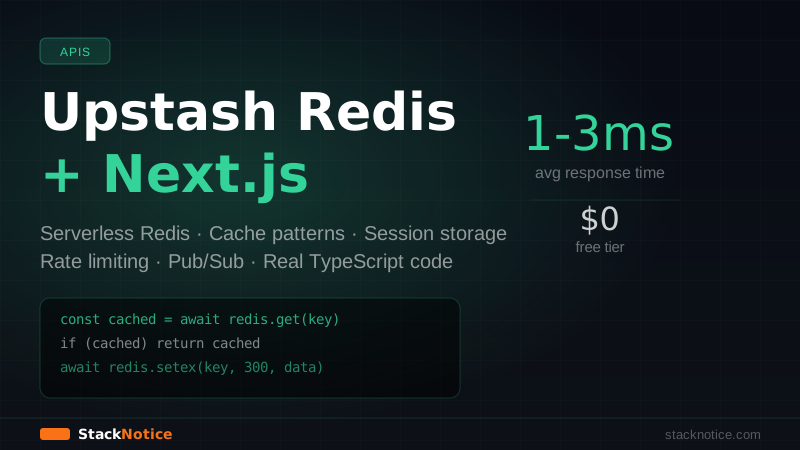
The first request hits the database. Every subsequent request for the next 5 minutes hits Redis — which responds in 1-3ms vs 50-200ms for a Postgres query.
Pattern 2: Key Namespacing Strategy
Flat key names like "products" create bugs in production. You need a namespacing convention you can stick to across the codebase.
// lib/cache-keys.ts
export const CacheKeys = {
  // User-scoped data
  userProfile: (userId: string) => `user:${userId}:profile`,
  userSubscription: (userId: string) => `user:${userId}:subscription`,
  userPreferences: (userId: string) => `user:${userId}:prefs`,

  // Global/shared data
  products: () => 'products:all',
  productById: (id: string) => `product:${id}`,
  featuredProducts: () => 'products:featured',

  // API response cache
  githubStats: (repo: string) => `github:stats:${repo}`,
  pricingPlans: () => 'pricing:plans',
}
Then invalidation is deterministic:
// Invalidate everything for a user
async function invalidateUserCache(userId: string) {
  await redis.del(
    CacheKeys.userProfile(userId),
    CacheKeys.userSubscription(userId),
    CacheKeys.userPreferences(userId)
  )
}

// Invalidate product data after a product update
async function invalidateProductCache(productId: string) {
  await redis.del(
    CacheKeys.productById(productId),
    CacheKeys.products(), // invalidate list too
    CacheKeys.featuredProducts()
  )
}
Never hardcode key strings outside of cache-keys.ts. When you need to rename or restructure keys, you change one file.
Pattern 3: Stale-While-Revalidate (SWR Cache)
Cache-aside has a "thundering herd" problem: when the cache expires, multiple concurrent requests all miss the cache and hammer the database simultaneously. SWR solves this by serving stale data while refreshing in the background.
// lib/swr-cache.ts
import { redis } from './redis'

interface SWRCacheOptions {
  freshTtl: number    // seconds before data is considered stale
  staleTtl: number    // seconds before data is completely expired
}

interface SWREntry<T> {
  data: T
  cachedAt: number
}

export async function withSWRCache<T>(
  key: string,
  fetcher: () => Promise<T>,
  options: SWRCacheOptions
): Promise<T> {
  const { freshTtl, staleTtl } = options
  const entry = await redis.get<SWREntry<T>>(key)

  if (entry !== null) {
    const age = (Date.now() - entry.cachedAt) / 1000
    const isStale = age > freshTtl

    if (!isStale) {
      // Fresh — return immediately
      return entry.data
    }

    // Stale — return old data and refresh in background
    // Don't await — let the current request return fast
    revalidateInBackground(key, fetcher, staleTtl)
    return entry.data
  }

  // Complete cache miss — must wait for fresh data
  const data = await fetcher()
  await storeSWREntry(key, data, staleTtl)
  return data
}

async function revalidateInBackground<T>(
  key: string,
  fetcher: () => Promise<T>,
  ttl: number
) {
  try {
    const data = await fetcher()
    await storeSWREntry(key, data, ttl)
  } catch (error) {
    // Background revalidation failed — old data still in cache
    console.error(`SWR revalidation failed for key: ${key}`, error)
  }
}

async function storeSWREntry<T>(key: string, data: T, ttl: number) {
  const entry: SWREntry<T> = { data, cachedAt: Date.now() }
  await redis.setex(key, ttl, JSON.stringify(entry))
}
Usage — good for data that changes infrequently but needs to feel instant:
const pricingPlans = await withSWRCache(
  CacheKeys.pricingPlans(),
  () => fetchPricingFromStripe(),
  { freshTtl: 60, staleTtl: 60 * 60 } // Fresh for 1 min, serve stale for 1 hour
)
Pattern 4: Session Storage
JWTs store session data client-side, but sometimes you need server-side sessions — for OAuth state, multi-step flows, or temporary tokens. Upstash Redis is perfect for this.
// lib/sessions.ts
import { redis } from './redis'
import { randomBytes } from 'crypto'

interface Session {
  userId: string
  email: string
  createdAt: number
  metadata?: Record<string, unknown>
}

const SESSION_TTL = 60 * 60 * 24 * 7 // 7 days in seconds
const SESSION_PREFIX = 'session'

export async function createSession(data: Omit<Session, 'createdAt'>): Promise<string> {
  const sessionId = randomBytes(32).toString('hex')
  const session: Session = { ...data, createdAt: Date.now() }

  await redis.setex(`${SESSION_PREFIX}:${sessionId}`, SESSION_TTL, JSON.stringify(session))
  return sessionId
}

export async function getSession(sessionId: string): Promise<Session | null> {
  return redis.get<Session>(`${SESSION_PREFIX}:${sessionId}`)
}

export async function updateSession(
  sessionId: string,
  updates: Partial<Session>
): Promise<void> {
  const existing = await getSession(sessionId)
  if (!existing) throw new Error('Session not found')

  const updated = { ...existing, ...updates }
  // Reset TTL on activity
  await redis.setex(`${SESSION_PREFIX}:${sessionId}`, SESSION_TTL, JSON.stringify(updated))
}

export async function deleteSession(sessionId: string): Promise<void> {
  await redis.del(`${SESSION_PREFIX}:${sessionId}`)
}
Wire it up to Next.js cookies in a Route Handler:
// app/api/auth/login/route.ts
import { createSession } from '@/lib/sessions'
import { cookies } from 'next/headers'

export async function POST(request: Request) {
  const { email, password } = await request.json()

  const user = await verifyCredentials(email, password)
  if (!user) {
    return Response.json({ error: 'Invalid credentials' }, { status: 401 })
  }

  const sessionId = await createSession({
    userId: user.id,
    email: user.email,
  })

  const cookieStore = await cookies()
  cookieStore.set('session', sessionId, {
    httpOnly: true,
    secure: process.env.NODE_ENV === 'production',
    sameSite: 'lax',
    maxAge: 60 * 60 * 24 * 7,
    path: '/',
  })

  return Response.json({ success: true })
}
Pattern 5: Rate Limiting in API Routes
The most common Upstash use case. The @upstash/ratelimit package makes this straightforward:
npm install @upstash/ratelimit// lib/rate-limit.ts
import { Ratelimit } from '@upstash/ratelimit'
import { redis } from './redis'
// Sliding window — more accurate than fixed window
export const apiRateLimit = new Ratelimit({
redis,
limiter: Ratelimit.slidingWindow(10, '10 s'), // 10 requests per 10 seconds
analytics: true, // store analytics in Redis
})
// Stricter limit for auth endpoints
export const authRateLimit = new Ratelimit({
redis,
limiter: Ratelimit.slidingWindow(5, '60 s'), // 5 attempts per minute
analytics: true,
})Apply it to a Route Handler:
// app/api/contact/route.ts
import { apiRateLimit } from '@/lib/rate-limit'
import { headers } from 'next/headers'

export async function POST(request: Request) {
  const headersList = await headers()
  const ip = headersList.get('x-forwarded-for') ?? 'anonymous'

  const { success, limit, remaining, reset } = await apiRateLimit.limit(ip)

  if (!success) {
    return Response.json(
      { error: 'Too many requests' },
      {
        status: 429,
        headers: {
          'X-RateLimit-Limit': String(limit),
          'X-RateLimit-Remaining': String(remaining),
          'X-RateLimit-Reset': String(reset),
          'Retry-After': String(Math.round((reset - Date.now()) / 1000)),
        },
      }
    )
  }

  // Handle request...
  const data = await request.json()
  await sendContactEmail(data)
  return Response.json({ success: true })
}
For more on rate limiting patterns, see the Next.js rate limiting with Upstash guide.
Pattern 6: Distributed Locks
When multiple serverless function instances could run the same job simultaneously, distributed locks prevent duplicate work:
// lib/locks.ts
import { redis } from './redis'

export async function acquireLock(
  resource: string,
  ttl: number // max duration in seconds
): Promise<string | null> {
  const lockId = crypto.randomUUID()
  const lockKey = `lock:${resource}`

  // SET NX EX — only set if key doesn't exist
  const result = await redis.set(lockKey, lockId, {
    nx: true, // only set if not exists
    ex: ttl,  // expire after ttl seconds
  })

  return result === 'OK' ? lockId : null
}

export async function releaseLock(resource: string, lockId: string): Promise<void> {
  const lockKey = `lock:${resource}`
  const current = await redis.get<string>(lockKey)

  // Only release if we own the lock
  if (current === lockId) {
    await redis.del(lockKey)
  }
}
Usage in a background job or webhook handler:
export async function processWebhook(eventId: string, payload: WebhookPayload) {
  // Prevent duplicate processing
  const lockId = await acquireLock(`webhook:${eventId}`, 30)

  if (!lockId) {
    console.log(`Webhook ${eventId} already being processed`)
    return { skipped: true }
  }

  try {
    await handleWebhookPayload(payload)
    return { processed: true }
  } finally {
    await releaseLock(`webhook:${eventId}`, lockId)
  }
}
Pattern 7: Pub/Sub for Real-Time Events
Upstash supports Redis pub/sub for broadcasting events across serverless instances. Useful for cache invalidation across regions or triggering lightweight notifications.
// lib/pubsub.ts
import { Redis } from '@upstash/redis'

const publisher = new Redis({
  url: process.env.UPSTASH_REDIS_REST_URL!,
  token: process.env.UPSTASH_REDIS_REST_TOKEN!,
})

export async function publishEvent(channel: string, payload: unknown) {
  await publisher.publish(channel, JSON.stringify(payload))
}

// In a subscriber (e.g., a long-running Node.js process or Trigger.dev task)
export async function subscribeToEvents(
  channel: string,
  handler: (payload: unknown) => Promise<void>
) {
  // Note: subscribe requires a persistent connection
  // Use Upstash QStash for serverless message queuing instead
  // This pattern is for Node.js servers
  const subscriber = new Redis({
    url: process.env.UPSTASH_REDIS_REST_URL!,
    token: process.env.UPSTASH_REDIS_REST_TOKEN!,
  })

  // Polling approach for serverless
  while (true) {
    const message = await subscriber.blpop(channel, 5)
    if (message) {
      await handler(JSON.parse(message[1] as string))
    }
  }
}
For proper serverless message queuing, Upstash QStash is the right tool — it's an HTTP-based message queue designed specifically for serverless.
Middleware-Level Caching
Next.js middleware runs on the Edge Runtime. You can use Upstash Redis here to cache routing decisions or feature flags:
// middleware.ts
import { NextResponse } from 'next/server'
import type { NextRequest } from 'next/server'
import { Redis } from '@upstash/redis'

const redis = new Redis({
  url: process.env.UPSTASH_REDIS_REST_URL!,
  token: process.env.UPSTASH_REDIS_REST_TOKEN!,
})

export async function middleware(request: NextRequest) {
  // Example: check if user is in a feature flag cohort
  const userId = request.cookies.get('userId')?.value

  if (userId) {
    const betaUser = await redis.sismember('feature:new-dashboard:users', userId)

    if (betaUser) {
      return NextResponse.rewrite(new URL('/beta/dashboard', request.url))
    }
  }

  return NextResponse.next()
}

export const config = {
  matcher: ['/dashboard/:path*'],
}
The Edge Runtime + Upstash HTTP client = sub-millisecond routing decisions globally, without a separate feature flag service. For more caching strategies, see the Next.js caching guide.
Upstash Pricing — What It Actually Costs
The free tier is genuinely useful for side projects:
| Tier | Price | Commands/day | Data |
|---|---|---|---|
| Free | $0 | 10,000 | 256MB |
| Pay-as-you-go | $0.20/100K cmds | Unlimited | 1GB+ |
| Pro | $10/month | Unlimited | 1GB |
At 10,000 commands/day, a route with a cache hit rate of 90% can serve ~100,000 requests/day before you hit the limit. Most projects don't need the paid tier until they have real traffic.
Common Mistakes to Avoid
Caching per-user data globally — if your cache key doesn't include the user ID, one user will see another's data. Always scope sensitive data to the user.
Not handling cache serialization — Redis stores strings. @upstash/redis handles JSON serialization automatically, but be careful with complex types like Date objects — they serialize as strings and won't deserialize as Date instances.
Setting TTLs too long for mutable data — a 24-hour cache on pricing data means customers see stale prices. Match TTL to how often the data actually changes.
Missing the invalidation step on mutations — when a user updates their profile, delete the cached profile. Otherwise they'll see stale data for the TTL duration.
// In your profile update mutation:
export async function updateUserProfile(userId: string, data: ProfileUpdate) {
  await db.update(users).set(data).where(eq(users.id, userId))
  // Always invalidate after mutation
  await redis.del(CacheKeys.userProfile(userId))
}
What to Cache vs What Not to Cache
Cache:
- Database query results that don't change per-request
- External API responses (GitHub stars, pricing, weather)
- Computed/aggregated data (dashboard stats, totals)
- Feature flag states
Don't cache:
- Authentication checks — always validate the session fresh
- Financial transactions or payment state
- Real-time inventory ("only 2 left!")
- User-specific private data without scoping to user ID
Connecting Redis to Your Database Layer
Upstash Redis pairs well with Neon serverless Postgres — Neon handles persistent data, Redis handles the hot path. A typical pattern:
// The "hot" path: Redis first, Neon as fallback
export async function getProductDetails(productId: string) {
  return withCache(
    CacheKeys.productById(productId),
    async () => {
      // Falls through to Neon only on cache miss
      const result = await db.query.products.findFirst({
        where: eq(products.id, productId),
        with: { images: true, variants: true },
      })
      if (!result) throw new Error(`Product ${productId} not found`)
      return result
    },
    { ttl: 60 * 10 } // 10-minute cache
  )
}
This architecture keeps Neon connection usage low (Neon has compute-hour limits on the free tier) while serving most traffic from Redis.
Summary
Upstash Redis fits the Next.js serverless model better than any other Redis option because it was built for it. The key patterns:
- Cache-aside for database query results — check Redis first, fall back to Postgres
- SWR caching for data that can briefly be stale — avoids thundering herd on popular routes
- Session storage for server-side state without JWT bloat
- Distributed locks for idempotent webhook processing
- Rate limiting with
@upstash/ratelimit— sliding window for accuracy - Key namespacing — always prefix keys, never hardcode strings outside
cache-keys.ts
Start with the free tier, add caching to your slowest routes first, and measure before adding complexity.