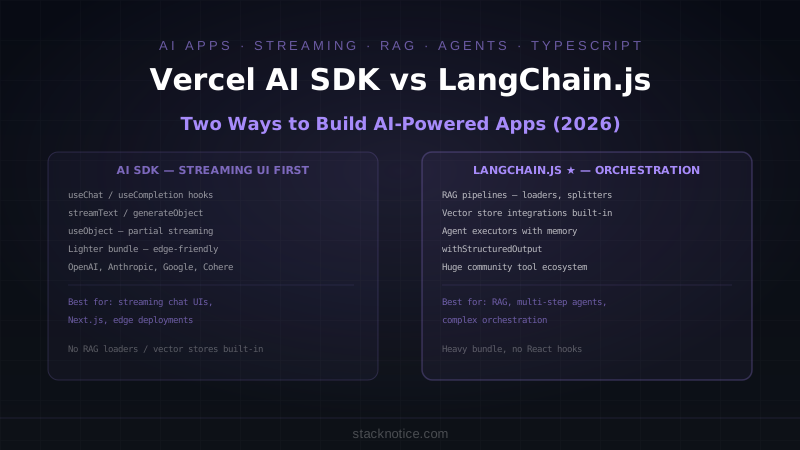
Both Vercel AI SDK and LangChain.js let you build AI-powered applications in TypeScript. The similarity ends there.
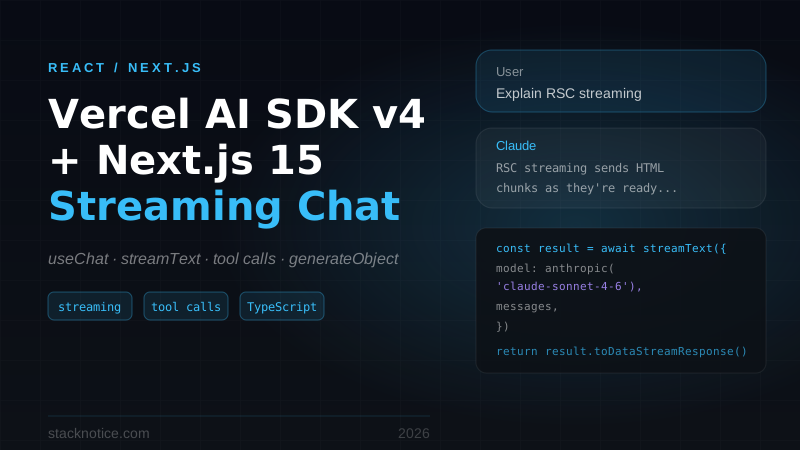
The AI SDK was designed for one thing: making it easy to stream AI responses into React UIs. It ships with hooks (useChat, useCompletion, useObject) that handle streaming, loading states, and error handling out of the box. The mental model is close to React Query — data fetching, but for AI responses.
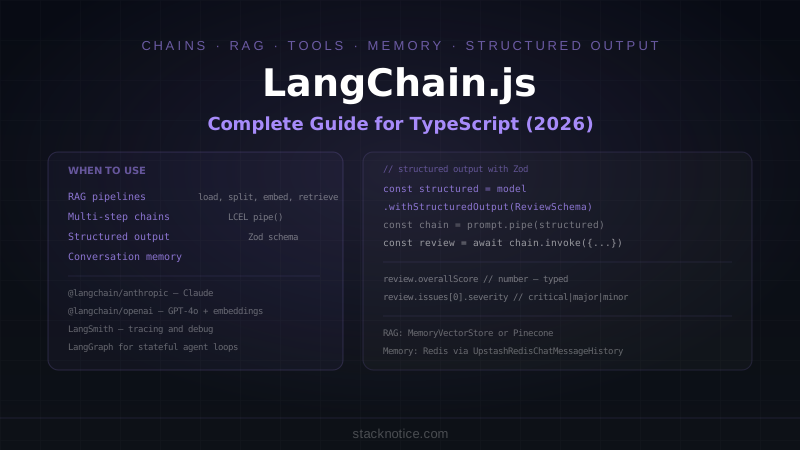
LangChain.js was designed for orchestration. Chains, agents, memory, retrieval, tool calling, vector stores — it's a framework for building applications where the AI does multiple steps, uses external tools, and maintains context across interactions. The DX is heavier. The capability ceiling is higher.
Installation and Setup
# Vercel AI SDK
npm install ai @ai-sdk/openai @ai-sdk/anthropic

# LangChain.js
npm install langchain @langchain/openai @langchain/anthropic @langchain/community
The AI SDK provider packages are small and focused — you install one per AI provider you use. LangChain's ecosystem is much larger, with community packages for vector stores, document loaders, and integrations that add up quickly.
Streaming Chat: Where AI SDK Wins
A streaming chat endpoint with history is where the AI SDK's design shows most clearly.
AI SDK: Built for React
// app/api/chat/route.ts
import { openai } from '@ai-sdk/openai'
import { streamText } from 'ai'

export async function POST(req: Request) {
  const { messages } = await req.json()

  const result = streamText({
    model: openai('gpt-4o'),
    system: 'You are a helpful assistant. Be concise.',
    messages,
    maxTokens: 1000,
  })

  return result.toDataStreamResponse()
}

// components/Chat.tsx
'use client'
import { useChat } from 'ai/react'

export function Chat() {
  const { messages, input, handleInputChange, handleSubmit, isLoading, error } = useChat({
    api: '/api/chat',
    onError: (err) => console.error('Chat error:', err)
  })

  return (
    <div>
      <div>
        {messages.map(m => (
          <div key={m.id} className={m.role === 'user' ? 'text-right' : 'text-left'}>
            <span>{m.content}</span>
          </div>
        ))}
        {isLoading && <div>Thinking...</div>}
      </div>
      <form onSubmit={handleSubmit}>
        <input value={input} onChange={handleInputChange} placeholder="Ask anything..." />
        <button type="submit" disabled={isLoading}>Send</button>
      </form>
    </div>
  )
}
Six lines of component logic handle the entire chat interface — streaming tokens, message history, loading state, error handling. The hook manages all of it.
LangChain.js: Same Result, More Wiring
// app/api/chat/route.ts
import { ChatOpenAI } from '@langchain/openai'
import { HumanMessage, AIMessage, SystemMessage } from '@langchain/core/messages'

const model = new ChatOpenAI({
  model: 'gpt-4o',
  streaming: true,
})

export async function POST(req: Request) {
  const { messages } = await req.json()

  const langchainMessages = [
    new SystemMessage('You are a helpful assistant. Be concise.'),
    ...messages.map((m: { role: string; content: string }) =>
      m.role === 'user' ? new HumanMessage(m.content) : new AIMessage(m.content)
    )
  ]

  const encoder = new TextEncoder()
  const stream = new ReadableStream({
    async start(controller) {
      const response = await model.stream(langchainMessages)
      for await (const chunk of response) {
        controller.enqueue(encoder.encode(chunk.content as string))
      }
      controller.close()
    }
  })

  return new Response(stream, {
    headers: { 'Content-Type': 'text/event-stream' }
  })
}

// Frontend — manual streaming consumption, no useChat equivalent
'use client'
import { useState, useRef } from 'react'

export function Chat() {
  const [messages, setMessages] = useState<{ role: string; content: string }[]>([])
  const [input, setInput] = useState('')
  const [isLoading, setIsLoading] = useState(false)

  const sendMessage = async () => {
    const newMessages = [...messages, { role: 'user', content: input }]
    setMessages(newMessages)
    setInput('')
    setIsLoading(true)

    const response = await fetch('/api/chat', {
      method: 'POST',
      body: JSON.stringify({ messages: newMessages }),
      headers: { 'Content-Type': 'application/json' }
    })

    const reader = response.body!.getReader()
    let assistantMessage = ''
    setMessages(prev => [...prev, { role: 'assistant', content: '' }])

    while (true) {
      const { done, value } = await reader.read()
      if (done) break
      assistantMessage += new TextDecoder().decode(value)
      setMessages(prev => [
        ...prev.slice(0, -1),
        { role: 'assistant', content: assistantMessage }
      ])
    }
    setIsLoading(false)
  }

  // ... JSX
}
LangChain.js has no React hooks. You build the streaming consumption yourself. For a basic chat, AI SDK is significantly less code.
Structured Output
Both support generating typed, structured data from the model — useful for extraction, classification, or any non-chat use case.
AI SDK: generateObject + useObject
// Server — generate a structured object from a prompt
import { generateObject, streamObject } from 'ai'
import { openai } from '@ai-sdk/openai'
import { z } from 'zod'

const ProductSchema = z.object({
  name: z.string(),
  category: z.enum(['electronics', 'clothing', 'food', 'other']),
  sentiment: z.enum(['positive', 'negative', 'neutral']),
  keyFeatures: z.array(z.string()).max(5),
  estimatedPrice: z.number().optional()
})

const { object } = await generateObject({
  model: openai('gpt-4o'),
  schema: ProductSchema,
  prompt: `Extract product information from this review: "${reviewText}"`
})
// object is fully typed as z.infer<typeof ProductSchema>

// Streaming structured objects in React
import { useObject } from 'ai/react'

export function ProductAnalyzer() {
  const { object, submit, isLoading } = useObject({
    api: '/api/analyze',
    schema: ProductSchema
  })

  return (
    <div>
      <button onClick={() => submit({ text: reviewText })}>Analyze</button>
      {isLoading && <div>Analyzing...</div>}
      {object && (
        <div>
          <p>Name: {object.name}</p>
          <p>Category: {object.category}</p>
          <ul>{object.keyFeatures?.map(f => <li key={f}>{f}</li>)}</ul>
        </div>
      )}
    </div>
  )
}
useObject streams partial objects in real-time — as the model generates keyFeatures, they appear one by one before the full response completes.
LangChain.js: Structured Output via withStructuredOutput
import { ChatOpenAI } from '@langchain/openai'
import { z } from 'zod'

const ProductSchema = z.object({
  name: z.string(),
  category: z.enum(['electronics', 'clothing', 'food', 'other']),
  sentiment: z.enum(['positive', 'negative', 'neutral']),
  keyFeatures: z.array(z.string()).max(5)
})

const model = new ChatOpenAI({ model: 'gpt-4o' })
const structuredModel = model.withStructuredOutput(ProductSchema)

const result = await structuredModel.invoke(
  `Extract product information from this review: "${reviewText}"`
)
// result is typed as z.infer<typeof ProductSchema>
LangChain's withStructuredOutput is clean for one-shot extractions. The AI SDK's useObject hook for partial streaming in React has no equivalent in LangChain.
RAG Pipeline: Where LangChain.js Wins
A retrieval-augmented generation pipeline is where LangChain's ecosystem becomes valuable — document loaders, text splitters, vector store integrations, and retrieval chains are all built in.
LangChain.js: Full RAG in ~30 Lines
import { ChatOpenAI, OpenAIEmbeddings } from '@langchain/openai'
import { RecursiveCharacterTextSplitter } from 'langchain/text_splitter'
import { MemoryVectorStore } from 'langchain/vectorstores/memory'
import { createRetrievalChain } from 'langchain/chains/retrieval'
import { createStuffDocumentsChain } from 'langchain/chains/combine_documents'
import { ChatPromptTemplate } from '@langchain/core/prompts'
import { PDFLoader } from '@langchain/community/document_loaders/fs/pdf'

// Load and split documents
const loader = new PDFLoader('company-docs.pdf')
const docs = await loader.load()

const splitter = new RecursiveCharacterTextSplitter({
  chunkSize: 1000,
  chunkOverlap: 200
})
const chunks = await splitter.splitDocuments(docs)

// Embed and store
const embeddings = new OpenAIEmbeddings()
const vectorStore = await MemoryVectorStore.fromDocuments(chunks, embeddings)
const retriever = vectorStore.asRetriever({ k: 4 })

// RAG chain
const llm = new ChatOpenAI({ model: 'gpt-4o' })

const prompt = ChatPromptTemplate.fromTemplate(`
Answer based on the provided context. If unsure, say so.

Context: {context}
Question: {input}
`)

const documentChain = await createStuffDocumentsChain({ llm, prompt })
const ragChain = await createRetrievalChain({ retriever, combineDocsChain: documentChain })

const result = await ragChain.invoke({ input: 'What is our refund policy?' })
console.log(result.answer)
// Sources included in result.context
AI SDK: RAG Without the Ecosystem
The AI SDK doesn't have document loaders, text splitters, or built-in vector store integrations. You build those pieces yourself or use them from a separate library.
import { embed, embedMany, generateText } from 'ai'
import { openai } from '@ai-sdk/openai'

// Embedding — AI SDK provides the primitive
const { embeddings } = await embedMany({
  model: openai.embedding('text-embedding-3-small'),
  values: chunks  // you split documents yourself
})

// Vector search — you write the similarity search
function cosineSimilarity(a: number[], b: number[]): number {
  const dot = a.reduce((sum, ai, i) => sum + ai * b[i], 0)
  const magA = Math.sqrt(a.reduce((sum, ai) => sum + ai * ai, 0))
  const magB = Math.sqrt(b.reduce((sum, bi) => sum + bi * bi, 0))
  return dot / (magA * magB)
}

// RAG generation — compose manually
const queryEmbedding = await embed({ model: openai.embedding('text-embedding-3-small'), value: question })
const relevant = storedChunks
  .map(chunk => ({ ...chunk, score: cosineSimilarity(queryEmbedding.embedding, chunk.embedding) }))
  .sort((a, b) => b.score - a.score)
  .slice(0, 4)

const { text } = await generateText({
  model: openai('gpt-4o'),
  prompt: `Answer based on context:\n\n${relevant.map(r => r.text).join('\n\n')}\n\nQuestion: ${question}`
})
AI SDK provides the embedding and generation primitives. The pipeline around them — loaders, splitters, vector stores — you assemble from other libraries (like pgvector, Pinecone's SDK, or your own Postgres queries).
Tool Calling and Agents
AI SDK: tools in generateText/streamText
import { generateText, tool } from 'ai'
import { anthropic } from '@ai-sdk/anthropic'
import { z } from 'zod'

const { text, toolCalls, toolResults } = await generateText({
  model: anthropic('claude-sonnet-4-6'),
  tools: {
    getWeather: tool({
      description: 'Get current weather for a location',
      parameters: z.object({
        location: z.string().describe('City name'),
        unit: z.enum(['celsius', 'fahrenheit']).default('celsius')
      }),
      execute: async ({ location, unit }) => {
        return await weatherApi.getCurrent(location, unit)
      }
    }),
    searchWeb: tool({
      description: 'Search the web for current information',
      parameters: z.object({ query: z.string() }),
      execute: async ({ query }) => await webSearch(query)
    })
  },
  maxSteps: 5,  // allow multi-step tool use
  prompt: 'What is the weather in Paris right now, and are there any major events happening?'
})
maxSteps enables multi-turn tool use — the model calls a tool, sees the result, and can call another tool before generating the final response.
LangChain.js: Agent Executors
import { ChatOpenAI } from '@langchain/openai'
import { AgentExecutor, createOpenAIToolsAgent } from 'langchain/agents'
import { DynamicStructuredTool } from '@langchain/core/tools'
import { ChatPromptTemplate } from '@langchain/core/prompts'

const tools = [
  new DynamicStructuredTool({
    name: 'get_weather',
    description: 'Get current weather for a location',
    schema: z.object({ location: z.string(), unit: z.enum(['celsius', 'fahrenheit']) }),
    func: async ({ location, unit }) => JSON.stringify(await weatherApi.getCurrent(location, unit))
  }),
  new DynamicStructuredTool({
    name: 'search_web',
    description: 'Search the web for information',
    schema: z.object({ query: z.string() }),
    func: async ({ query }) => JSON.stringify(await webSearch(query))
  })
]

const llm = new ChatOpenAI({ model: 'gpt-4o' })
const prompt = ChatPromptTemplate.fromMessages([
  ['system', 'You are a helpful assistant with access to tools.'],
  ['placeholder', '{chat_history}'],
  ['human', '{input}'],
  ['placeholder', '{agent_scratchpad}']
])

const agent = await createOpenAIToolsAgent({ llm, tools, prompt })
const executor = new AgentExecutor({ agent, tools, verbose: true })

const result = await executor.invoke({
  input: 'What is the weather in Paris, and are there major events?',
  chat_history: []
})
LangChain's agent system handles memory, intermediate steps logging, and more complex agent patterns (ReAct, Plan-and-Execute). For production agents with complex multi-step reasoning, LangChain's built-in patterns save significant implementation work.
Provider Support
Both support the major AI providers:
| Provider | AI SDK | LangChain.js |
|---|---|---|
| OpenAI | @ai-sdk/openai | @langchain/openai |
| Anthropic | @ai-sdk/anthropic | @langchain/anthropic |
| Google Gemini | @ai-sdk/google | @langchain/google-genai |
| Cohere | @ai-sdk/cohere | @langchain/cohere |
| Local (Ollama) | @ai-sdk/ollama | @langchain/community |
| Azure OpenAI | @ai-sdk/azure | @langchain/openai |
AI SDK's provider packages are maintained by Vercel and tend to stay current with API updates. LangChain's community integrations vary in maintenance quality — the OpenAI and Anthropic packages are solid, community integrations less so.
Bundle Size and Cold Starts
AI SDK is significantly leaner:
# AI SDK with OpenAI — approximate
ai: ~80kb
@ai-sdk/openai: ~30kb

# LangChain.js — core + OpenAI
langchain: ~500kb
@langchain/openai: ~100kb
@langchain/core: ~200kb
For Cloudflare Workers, Vercel Edge, or any cold-start-sensitive environment, AI SDK is the better fit. LangChain's bundle makes edge deployment difficult.
Decision Framework
| Situation | Choose |
|---|---|
| Streaming chat UI in Next.js | AI SDK |
Need useChat / useCompletion hooks | AI SDK |
Structured output with streaming (useObject) | AI SDK |
| Edge deployment (CF Workers, Vercel Edge) | AI SDK |
| RAG pipeline with document loaders | LangChain.js |
| Complex multi-step agents | LangChain.js |
| Memory across conversations | LangChain.js |
| Need vector store integrations (Pinecone, Weaviate, pgvector) | LangChain.js |
| Mixed team (some non-TypeScript devs) | LangChain.js |
The honest split: AI SDK is better when the primary value is a polished streaming UI. LangChain.js is better when the primary value is multi-step orchestration that happens before the UI sees any output. Many production applications use both — AI SDK for the frontend streaming layer, LangChain.js for the backend retrieval and agent logic.
For a complete AI SDK setup with Next.js streaming, see the Vercel AI SDK + Next.js guide. For LangChain's agent and RAG patterns in depth, see the LangChain.js complete guide. For building agents that call external tools using Claude specifically, Building your first AI agent covers the patterns that apply regardless of which SDK you choose.