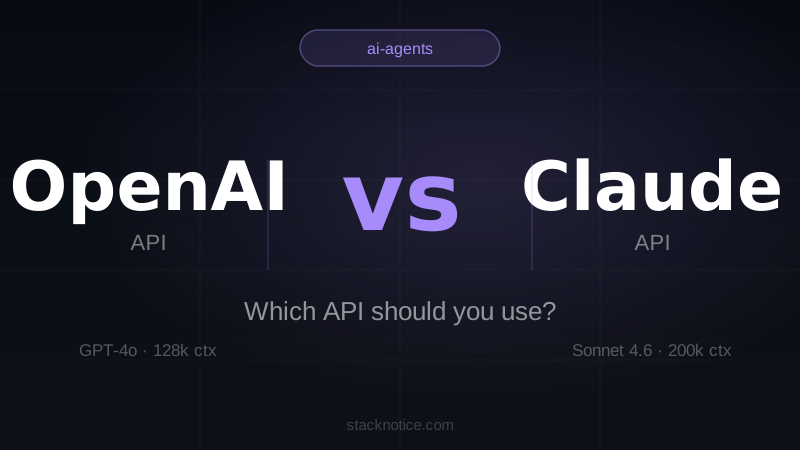
Both OpenAI and Anthropic have mature APIs that are production-ready. Both support streaming, function calling, vision, and multimodal inputs. Both have good TypeScript and Python SDKs. So how do you actually choose?
After building real applications with both, here's what I found — not marketing claims, but practical observations from actually writing the code.
Quick Summary
| Feature | OpenAI (GPT-4o) | Claude (Sonnet 4.6) | Claude (Opus 4.6) |
|---|---|---|---|
| Context window | 128k tokens | 200k tokens | 200k tokens |
| Input price | $2.50 / 1M tokens | $3.00 / 1M tokens | $15.00 / 1M tokens |
| Output price | $10.00 / 1M tokens | $15.00 / 1M tokens | $75.00 / 1M tokens |
| Streaming | ✅ | ✅ | ✅ |
| Function calling | ✅ | ✅ (tool use) | ✅ (tool use) |
| Vision | ✅ | ✅ | ✅ |
| JSON mode | ✅ | ✅ (via prompting) | ✅ (via prompting) |
| SDK quality | Excellent | Excellent | Excellent |
| Best at | Code, instruction-following | Long docs, nuanced reasoning | Complex multi-step tasks |
Pricing Comparison
Pricing as of April 2026. Both APIs charge per million tokens (1M tokens ≈ 750,000 words).
OpenAI
| Model | Input | Output |
|---|---|---|
| gpt-4o | $2.50 / 1M | $10.00 / 1M |
| gpt-4o-mini | $0.15 / 1M | $0.60 / 1M |
| o3-mini | $1.10 / 1M | $4.40 / 1M |
Anthropic
| Model | Input | Output |
|---|---|---|
| claude-sonnet-4-6 | $3.00 / 1M | $15.00 / 1M |
| claude-opus-4-6 | $15.00 / 1M | $75.00 / 1M |
| claude-haiku-3-5 | $0.80 / 1M | $4.00 / 1M |
Bottom line on pricing: GPT-4o is cheaper than Claude Sonnet 4.6, and significantly cheaper than Opus 4.6. If cost is your primary constraint and you need a frontier model, GPT-4o wins. For budget-tier tasks, gpt-4o-mini ($0.15/1M input) undercuts everything Anthropic offers except Haiku.
That said, if Claude Sonnet 4.6 solves your problem in fewer tokens because it follows instructions more precisely the first time, the real cost difference narrows. Token efficiency matters.
Context Window: 200k vs 128k
GPT-4o supports 128k tokens of context. Claude Sonnet 4.6 and Opus 4.6 support 200k tokens — roughly 150,000 words or about 500 pages of text.
In practice, this difference matters when you're:
- Analyzing entire codebases — a medium-sized repo can exceed 100k tokens easily
- Processing long documents — legal contracts, research papers, full books
- Multi-turn conversations with long history — customer support bots, coding assistants with large files open
- Summarizing long transcripts — hour-long meeting recordings, extensive chat logs
For most chat applications and standard RAG pipelines, 128k and 200k are both more than enough. The context window becomes a deciding factor only when you're doing document-heavy work.
Practical note: Large context windows slow down inference and increase cost. Don't stuff the context window unnecessarily on either API. Use retrieval to bring in only what's relevant.
API & SDK Experience
Both APIs are well-designed and developer-friendly. Let me show you the same task — a simple chat completion — in both.
OpenAI TypeScript SDK
import OpenAI from "openai";

const client = new OpenAI({
  apiKey: process.env.OPENAI_API_KEY,
});

async function chat(userMessage: string): Promise<string> {
  const response = await client.chat.completions.create({
    model: "gpt-4o",
    messages: [
      {
        role: "system",
        content: "You are a helpful assistant.",
      },
      {
        role: "user",
        content: userMessage,
      },
    ],
    max_tokens: 1024,
    temperature: 0.7,
  });

  return response.choices[0].message.content ?? "";
}

const reply = await chat("Explain async/await in TypeScript in 3 sentences.");
console.log(reply);
Anthropic TypeScript SDK
import Anthropic from "@anthropic-ai/sdk";

const client = new Anthropic({
  apiKey: process.env.ANTHROPIC_API_KEY,
});

async function chat(userMessage: string): Promise<string> {
  const response = await client.messages.create({
    model: "claude-sonnet-4-6",
    max_tokens: 1024,
    system: "You are a helpful assistant.",
    messages: [
      {
        role: "user",
        content: userMessage,
      },
    ],
  });

  const block = response.content[0];
  return block.type === "text" ? block.text : "";
}

const reply = await chat("Explain async/await in TypeScript in 3 sentences.");
console.log(reply);
Key differences:
-
System prompt placement — OpenAI includes
systemas a message in themessagesarray. Anthropic has a dedicated top-levelsystemparameter. Anthropic's approach is cleaner for separating system instructions from conversation turns. -
Response structure — OpenAI returns
response.choices[0].message.content. Anthropic returnsresponse.content[0]which is a typed content block. You need to checkblock.type === "text"because responses can include tool-use blocks too. -
Model naming — OpenAI uses
gpt-4o, Anthropic usesclaude-sonnet-4-6. Both are explicit about the version. -
Temperature — OpenAI exposes
temperatureas a direct parameter. Anthropic supports it too but it's less emphasized in their docs.
Both SDKs install cleanly (npm install openai and npm install @anthropic-ai/sdk) and have solid TypeScript typings. Neither will frustrate you.
Strengths of Each API
Where OpenAI Excels
Code generation and completion. GPT-4o is consistently strong at writing, explaining, and debugging code across a wide range of languages. It's the reason GitHub Copilot, Cursor, and most code-focused products have historically defaulted to OpenAI models.
Instruction following on structured tasks. When you need strict JSON output, specific formatting, or step-by-step responses in a predictable schema, GPT-4o is very reliable. The JSON mode (response_format: { type: "json_object" }) is a first-class feature.
Speed. GPT-4o responses tend to be fast. The time-to-first-token is generally low, which matters for interactive applications.
Ecosystem and integrations. OpenAI has been in the market longer. LangChain, LlamaIndex, most AI SDKs, and third-party tools default to OpenAI compatibility. If you're using an existing library, it probably talks to OpenAI by default.
Fine-tuning. OpenAI offers fine-tuning on GPT-4o-mini. If you need a model adapted to a specific domain, tone, or task format, this is a practical option. Anthropic does not currently offer fine-tuning on production models.
Where Claude Excels
Long document analysis. The 200k context window combined with Claude's tendency to stay focused through long inputs makes it the better choice for document-heavy workflows. Claude is notably good at finding specific details buried deep in long texts without hallucinating their location.
Nuanced reasoning and writing quality. Claude Opus 4.6 in particular produces noticeably more thoughtful prose — better structure, more careful qualification of claims, more natural tone. For content generation, legal drafting, or any task where writing quality matters, Claude tends to produce better raw output.
Following complex multi-step instructions. Claude handles long, detailed system prompts well. If your system prompt is 2,000 words of guidelines, Claude tends to honor all of them. OpenAI models sometimes drop constraints that appear late in long system prompts.
Refusing less aggressively on legitimate tasks. Claude's safety behavior has improved significantly. In production use, Claude is less likely than GPT-4o to refuse borderline but clearly legitimate requests (security research, medical information for professionals, mature creative writing).
Honesty about uncertainty. Claude is more likely to say "I'm not sure" when it doesn't know something rather than confidently hallucinating. This is particularly valuable in applications where users might act on AI output.
When to Choose OpenAI API
Choose OpenAI when:
- Cost is paramount —
gpt-4o-miniis the cheapest frontier-quality model available. For high-volume use cases, the math often favors OpenAI. - You need fine-tuning — customizing model behavior via fine-tuning is only available through OpenAI among the major providers.
- You're integrating with existing tools — if your stack uses LangChain, Flowise, Dify, or any existing open-source AI framework, OpenAI compatibility is the default.
- You need strict JSON output mode — OpenAI's
json_objectresponse format is more reliable and explicit than Claude's JSON-via-prompting approach. - Your use case is primarily code generation — for copilot-style features, code review, or code explanation, GPT-4o is a safe default.
- Speed is critical — GPT-4o's time-to-first-token tends to be faster than Claude for comparable tasks.
When to Choose Claude API
Choose Anthropic's Claude API when:
- You need to process large documents — 200k context genuinely matters for codebases, contracts, books, and transcripts.
- Writing quality matters — Claude Opus 4.6 is the best large-language model for long-form prose quality in 2026.
- Your system prompt is complex — Claude follows detailed, multi-constraint system prompts more reliably.
- You want more honest failure modes — Claude acknowledges uncertainty instead of hallucinating confidently.
- You're building a coding assistant with Claude Code — if your product is part of the Claude ecosystem, using the same Anthropic APIs creates a natural fit.
- Your use case involves sensitive-but-legitimate content — Claude's moderation is more calibrated for professional contexts.
Function Calling / Tool Use
Both APIs support calling external functions — OpenAI calls it "function calling" or "tools", Anthropic calls it "tool use". The capability is equivalent: the model decides when to invoke a tool, returns a structured call with arguments, you execute it, then pass the result back.
OpenAI Function Calling
import OpenAI from "openai";

const client = new OpenAI({ apiKey: process.env.OPENAI_API_KEY });

const tools: OpenAI.Chat.ChatCompletionTool[] = [
  {
    type: "function",
    function: {
      name: "get_weather",
      description: "Get the current weather for a city.",
      parameters: {
        type: "object",
        properties: {
          city: { type: "string", description: "The city name" },
        },
        required: ["city"],
      },
    },
  },
];

const response = await client.chat.completions.create({
  model: "gpt-4o",
  messages: [{ role: "user", content: "What's the weather in Tokyo?" }],
  tools,
  tool_choice: "auto",
});

const message = response.choices[0].message;

if (message.tool_calls) {
  const call = message.tool_calls[0];
  const args = JSON.parse(call.function.arguments);
  console.log(`Calling ${call.function.name} with`, args);
  // → Calling get_weather with { city: "Tokyo" }
}
Anthropic Tool Use
import Anthropic from "@anthropic-ai/sdk";

const client = new Anthropic({ apiKey: process.env.ANTHROPIC_API_KEY });

const tools: Anthropic.Tool[] = [
  {
    name: "get_weather",
    description: "Get the current weather for a city.",
    input_schema: {
      type: "object",
      properties: {
        city: { type: "string", description: "The city name" },
      },
      required: ["city"],
    },
  },
];

const response = await client.messages.create({
  model: "claude-sonnet-4-6",
  max_tokens: 1024,
  tools,
  messages: [{ role: "user", content: "What's the weather in Tokyo?" }],
});

const toolBlock = response.content.find((b) => b.type === "tool_use");

if (toolBlock && toolBlock.type === "tool_use") {
  console.log(`Calling ${toolBlock.name} with`, toolBlock.input);
  // → Calling get_weather with { city: "Tokyo" }
}
Differences worth noting:
- OpenAI uses
parameters(JSON Schema) for the tool input definition. Anthropic usesinput_schema— same concept, different key name. - OpenAI returns tool calls under
message.tool_calls[]. Anthropic returns them as typed blocks inresponse.content[]alongside any text output. - Both support
tool_choice: "auto"(default) and forcing a specific tool. - For multi-tool agents, Anthropic's content block model is arguably more composable — a single response can contain both text and a tool call, whereas OpenAI either returns text OR tool calls.
In terms of reliability, both are excellent at choosing the right tool given clear descriptions. The quality of your tool descriptions matters far more than which API you use.
Streaming
Both APIs support server-sent event streaming. The developer experience is very similar.
OpenAI Streaming
const stream = await client.chat.completions.create({
  model: "gpt-4o",
  messages: [{ role: "user", content: "Write a haiku about APIs." }],
  stream: true,
});

for await (const chunk of stream) {
  const delta = chunk.choices[0]?.delta?.content;
  if (delta) process.stdout.write(delta);
}
Anthropic Streaming
const stream = client.messages.stream({
  model: "claude-sonnet-4-6",
  max_tokens: 256,
  messages: [{ role: "user", content: "Write a haiku about APIs." }],
});

for await (const event of stream) {
  if (
    event.type === "content_block_delta" &&
    event.delta.type === "text_delta"
  ) {
    process.stdout.write(event.delta.text);
  }
}
OpenAI's streaming is slightly simpler to consume — you just read delta.content. Anthropic's streaming uses typed events (content_block_delta, message_delta, etc.) which gives you more granularity but requires a bit more handling. The Anthropic SDK also provides higher-level streaming helpers like stream.text() and stream.finalMessage() if you don't want to handle raw events.
Rate Limits and Reliability
Both OpenAI and Anthropic tier their rate limits by usage/spend level. At low spend levels, you'll hit rate limits more frequently. At higher tiers, limits become generous enough that most production apps won't notice them.
OpenAI has more predictable rate limit tiers documented publicly. You can see exactly what you get at each spend tier in their documentation. Historically, OpenAI has had more outages and higher-profile reliability issues, though this has improved significantly.
Anthropic has been generally reliable in production. Rate limits scale with spend similarly to OpenAI. One practical consideration: Anthropic is more aggressive about throttling when you're running many parallel requests — relevant for agent-style workloads that spawn multiple concurrent calls.
For production applications: implement exponential backoff retry logic regardless of which API you use. Both APIs return appropriate HTTP 429 responses when rate-limited.
async function callWithRetry<T>(
  fn: () => Promise<T>,
  maxRetries = 3
): Promise<T> {
  for (let attempt = 0; attempt <= maxRetries; attempt++) {
    try {
      return await fn();
    } catch (err: unknown) {
      const isRateLimit =
        err instanceof Error &&
        (err.message.includes("429") || err.message.includes("rate_limit"));

      if (isRateLimit && attempt < maxRetries) {
        const delay = Math.pow(2, attempt) * 1000;
        await new Promise((resolve) => setTimeout(resolve, delay));
        continue;
      }
      throw err;
    }
  }
  throw new Error("Max retries exceeded");
}
Conclusion
There's no universally better API. Here's the honest summary:
Choose GPT-4o if: you want the cheapest frontier model, need fine-tuning, are integrating with existing open-source AI tools, or need reliable JSON output mode.
Choose Claude Sonnet 4.6 if: you're processing large documents, need a model that follows complex system prompts reliably, or care about writing quality and honest failure modes.
Choose Claude Opus 4.6 if: you're doing high-stakes tasks where quality matters more than cost — complex reasoning, long-form writing, nuanced analysis. The higher price reflects a real capability difference over Sonnet.
Use both if: you can afford it. Different models genuinely shine in different contexts, and the cost of switching between them is low. Many production systems use GPT-4o-mini for cheap, fast tasks and Claude Sonnet 4.6 for tasks that need more reliability.
The best approach is to test both on your actual use case. Run 50 representative prompts through each and compare. The "best" model is the one that produces acceptable output most often for your specific workload — not the one with the best benchmark numbers.
Both APIs are well-engineered, well-documented, and production-ready. You won't regret choosing either. If you're building agentic applications, see how to build your first AI agent with Claude for a practical walkthrough, or get started with Claude Code for a terminal-based agentic workflow.