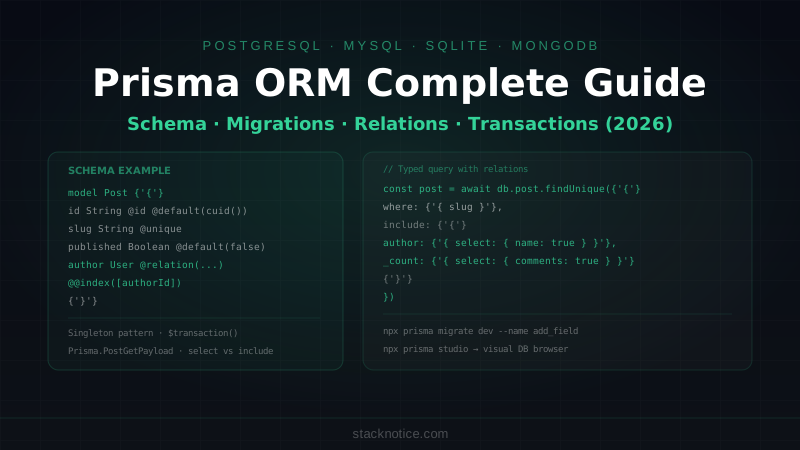
Prisma is the most widely adopted ORM in the TypeScript ecosystem. It generates a fully typed client from your schema, handles migrations, and works with PostgreSQL, MySQL, SQLite, MongoDB, and CockroachDB. In 2026 with Prisma 6, the client is faster, the type inference is more precise, and the Prisma Postgres offering lets you skip managing connection pools entirely.
This guide covers everything you need for a production Next.js app — schema design, relations, transactions, raw queries, and the patterns that actually hold up at scale.
Installation
npm install prisma @prisma/client
npx prisma init
This creates prisma/schema.prisma and a .env with DATABASE_URL. Update the connection string:
DATABASE_URL="postgresql://user:password@localhost:5432/mydb"For development with a local Postgres:
# Docker one-liner
docker run --name postgres-dev -e POSTGRES_PASSWORD=postgres -p 5432:5432 -d postgres:16
# Then:
DATABASE_URL="postgresql://postgres:postgres@localhost:5432/mydb"
Schema Basics
The schema is the source of truth. Everything — types, migrations, the client API — is generated from it:
// prisma/schema.prisma
generator client {
  provider = "prisma-client-js"
}

datasource db {
  provider = "postgresql"
  url      = env("DATABASE_URL")
}

model User {
  id        String   @id @default(cuid())
  email     String   @unique
  name      String?
  avatar    String?
  role      Role     @default(USER)
  createdAt DateTime @default(now())
  updatedAt DateTime @updatedAt

  posts     Post[]
  comments  Comment[]
  sessions  Session[]

  @@index([email])
}

model Post {
  id          String    @id @default(cuid())
  title       String
  slug        String    @unique
  content     String
  excerpt     String?
  published   Boolean   @default(false)
  publishedAt DateTime?
  views       Int       @default(0)
  createdAt   DateTime  @default(now())
  updatedAt   DateTime  @updatedAt

  authorId    String
  author      User      @relation(fields: [authorId], references: [id], onDelete: Cascade)

  tags        TagsOnPosts[]
  comments    Comment[]

  @@index([slug])
  @@index([authorId])
  @@index([published, createdAt])
}

model Tag {
  id    String        @id @default(cuid())
  name  String        @unique
  slug  String        @unique
  posts TagsOnPosts[]
}

// Explicit many-to-many join table
model TagsOnPosts {
  postId     String
  tagId      String
  assignedAt DateTime @default(now())

  post Post @relation(fields: [postId], references: [id], onDelete: Cascade)
  tag  Tag  @relation(fields: [tagId], references: [id], onDelete: Cascade)

  @@id([postId, tagId])
}

model Comment {
  id        String   @id @default(cuid())
  content   String
  createdAt DateTime @default(now())

  postId    String
  post      Post     @relation(fields: [postId], references: [id], onDelete: Cascade)

  authorId  String
  author    User     @relation(fields: [authorId], references: [id], onDelete: Cascade)
}

model Session {
  id        String   @id @default(cuid())
  token     String   @unique
  expiresAt DateTime
  createdAt DateTime @default(now())

  userId    String
  user      User     @relation(fields: [userId], references: [id], onDelete: Cascade)

  @@index([token])
  @@index([userId])
}

enum Role {
  USER
  ADMIN
  MODERATOR
}
Key decisions here:
@id @default(cuid())— CUID2 is URL-safe and doesn't expose row count like integer IDs@updatedAt— auto-set by Prisma on every update, no trigger neededonDelete: Cascade— deleting a user removes all their posts, comments, sessions- Explicit
@@index()— Prisma doesn't add indexes automatically, you have to define them - Explicit join table for many-to-many (TagsOnPosts) — gives you metadata like
assignedAt
Migrations
# Create and apply a migration (development)
npx prisma migrate dev --name add_user_avatar

# Apply migrations in production (no schema changes)
npx prisma migrate deploy

# Reset database and re-apply all migrations (dev only, destroys data)
npx prisma migrate reset

# Check migration status
npx prisma migrate status
migrate dev generates a SQL file in prisma/migrations/ and applies it. Commit these files to git — they're the history of your database schema.
After any schema change, regenerate the Prisma Client:
npx prisma generateThis is automatic after migrate dev, but you need it manually after pull or when teammates change the schema.
The Singleton Pattern for Next.js
Prisma Client maintains a connection pool. In development, Next.js hot reload creates a new module instance on every file change, which exhausts the pool fast. Use a singleton:
// lib/db.ts
import { PrismaClient } from '@prisma/client'

const globalForPrisma = globalThis as unknown as {
  prisma: PrismaClient | undefined
}

export const db =
  globalForPrisma.prisma ??
  new PrismaClient({
    log: process.env.NODE_ENV === 'development' ? ['query', 'error', 'warn'] : ['error'],
  })

if (process.env.NODE_ENV !== 'production') globalForPrisma.prisma = db
Import db everywhere, never instantiate PrismaClient directly:
import { db } from '~/lib/db'CRUD Operations
Create
// Create a user
const user = await db.user.create({
  data: {
    email: 'carlos@example.com',
    name: 'Carlos',
    role: 'USER'
  }
})

// Create with nested relation
const post = await db.post.create({
  data: {
    title: 'Getting Started with Prisma',
    slug: 'getting-started-prisma',
    content: '...',
    author: {
      connect: { id: userId }  // connect to existing user
    },
    tags: {
      create: [
        { tag: { connectOrCreate: { where: { slug: 'prisma' }, create: { name: 'Prisma', slug: 'prisma' } } } },
        { tag: { connectOrCreate: { where: { slug: 'typescript' }, create: { name: 'TypeScript', slug: 'typescript' } } } }
      ]
    }
  },
  include: {
    author: true,
    tags: { include: { tag: true } }
  }
})
Read
// Find one (throws if not found with findUniqueOrThrow)
const user = await db.user.findUnique({
  where: { email: 'carlos@example.com' }
})

// Find with relations
const post = await db.post.findUnique({
  where: { slug: 'getting-started-prisma' },
  include: {
    author: {
      select: { id: true, name: true, avatar: true }
    },
    tags: {
      include: { tag: true },
      orderBy: { assignedAt: 'asc' }
    },
    comments: {
      include: { author: { select: { id: true, name: true } } },
      orderBy: { createdAt: 'desc' },
      take: 10
    },
    _count: {
      select: { comments: true }
    }
  }
})

// List with pagination and filtering
const posts = await db.post.findMany({
  where: {
    published: true,
    author: {
      role: 'ADMIN'
    },
    tags: {
      some: {
        tag: { slug: 'typescript' }
      }
    }
  },
  orderBy: { publishedAt: 'desc' },
  skip: (page - 1) * pageSize,
  take: pageSize,
  select: {
    id: true,
    title: true,
    slug: true,
    excerpt: true,
    publishedAt: true,
    author: {
      select: { name: true, avatar: true }
    },
    _count: {
      select: { comments: true }
    }
  }
})

// Count
const total = await db.post.count({
  where: { published: true }
})
Use select aggressively — never include full relations when you only need a few fields. select reduces data transfer and gives you tighter TypeScript types.
Update
// Update one field
const updated = await db.post.update({
  where: { id: postId },
  data: { views: { increment: 1 } }
})

// Update with relation
const updated = await db.post.update({
  where: { id: postId },
  data: {
    title: 'New Title',
    published: true,
    publishedAt: new Date(),
    tags: {
      deleteMany: {},  // remove all current tags
      create: newTagIds.map(tagId => ({
        tag: { connect: { id: tagId } }
      }))
    }
  }
})

// Upsert (insert or update)
const session = await db.session.upsert({
  where: { token },
  update: { expiresAt: newExpiry },
  create: {
    token,
    expiresAt: newExpiry,
    userId
  }
})
Delete
// Delete one
await db.post.delete({ where: { id: postId } })

// Delete many
await db.comment.deleteMany({
  where: {
    postId,
    createdAt: { lt: new Date(Date.now() - 1000 * 60 * 60 * 24 * 30) }  // older than 30 days
  }
})
Transactions
Use transactions when multiple operations must succeed or fail together:
// Sequential transaction
const [post, activity] = await db.$transaction([
  db.post.update({
    where: { id: postId },
    data: { views: { increment: 1 } }
  }),
  db.activityLog.create({
    data: { type: 'POST_VIEW', postId, userId }
  })
])

// Interactive transaction (use client inside callback)
const result = await db.$transaction(async (tx) => {
  const user = await tx.user.findUniqueOrThrow({
    where: { id: userId }
  })

  if (user.credits < amount) {
    throw new Error('Insufficient credits')
  }

  const updated = await tx.user.update({
    where: { id: userId },
    data: { credits: { decrement: amount } }
  })

  await tx.creditTransaction.create({
    data: {
      userId,
      amount: -amount,
      type: 'DEBIT',
      balanceAfter: updated.credits
    }
  })

  return updated
})
Interactive transactions let you read data and make decisions before writing — essential for operations like balance checks, inventory reservations, or any optimistic locking pattern.
Raw Queries
When you need SQL that Prisma can't express:
// Raw query with typed result
const result = await db.$queryRaw<{ month: string; count: bigint }[]>`
  SELECT
    TO_CHAR(created_at, 'YYYY-MM') as month,
    COUNT(*) as count
  FROM posts
  WHERE published = true
  GROUP BY month
  ORDER BY month DESC
  LIMIT 12
`

// Convert BigInt (Prisma returns BigInt for COUNT)
const formatted = result.map(row => ({
  month: row.month,
  count: Number(row.count)
}))

// Raw execute (for INSERT/UPDATE/DELETE)
const affected = await db.$executeRaw`
  UPDATE posts
  SET views = views + 1
  WHERE slug = ${slug}
`
Always use template literals for raw queries — never string interpolation. Prisma parameterizes template literals automatically, preventing SQL injection.
Type Utilities
Prisma generates types you can use throughout your app:
import { Prisma, type Post, type User } from '@prisma/client'

// Type for a full Post with author and tags
type PostWithRelations = Prisma.PostGetPayload<{
  include: {
    author: { select: { id: true; name: true; avatar: true } }
    tags: { include: { tag: true } }
    _count: { select: { comments: true } }
  }
}>

// Type for the input of a create operation
type CreatePostInput = Prisma.PostCreateInput

// Type for post update
type UpdatePostInput = Prisma.PostUpdateInput

// Use Prisma.validator for reusable select/include objects
const postSelect = Prisma.validator<Prisma.PostSelect>()({
  id: true,
  title: true,
  slug: true,
  excerpt: true,
  publishedAt: true,
  author: { select: { name: true, avatar: true } }
})

type PostSummary = Prisma.PostGetPayload<{ select: typeof postSelect }>
These types narrow automatically based on your select/include — you never have to write interfaces manually for Prisma results.
Seeding
// prisma/seed.ts
import { PrismaClient } from '@prisma/client'

const prisma = new PrismaClient()

async function main() {
  // Create admin user
  const admin = await prisma.user.upsert({
    where: { email: 'admin@example.com' },
    update: {},
    create: {
      email: 'admin@example.com',
      name: 'Admin',
      role: 'ADMIN',
    }
  })

  // Create tags
  const tags = await Promise.all(
    ['TypeScript', 'React', 'Node.js', 'Prisma'].map(name =>
      prisma.tag.upsert({
        where: { slug: name.toLowerCase().replace(/\./g, '') },
        update: {},
        create: {
          name,
          slug: name.toLowerCase().replace(/\./g, '')
        }
      })
    )
  )

  // Create sample posts
  await prisma.post.createMany({
    data: [
      {
        title: 'Getting Started with Prisma',
        slug: 'getting-started-prisma',
        content: 'Prisma is a next-generation ORM...',
        published: true,
        publishedAt: new Date(),
        authorId: admin.id
      }
    ],
    skipDuplicates: true
  })

  console.log('Seed complete')
}

main()
  .then(() => prisma.$disconnect())
  .catch(async (e) => {
    console.error(e)
    await prisma.$disconnect()
    process.exit(1)
  })
// package.json
{
"prisma": {
"seed": "ts-node --compiler-options {\"module\":\"CommonJS\"} prisma/seed.ts"
}
}npx prisma db seedPrisma Studio
npx prisma studioOpens a web UI at localhost:5555 to browse and edit data. Useful during development — no need for a database GUI like TablePlus just to check data.
Common Mistakes to Avoid
N+1 queries — fetching relations in a loop:
// ❌ N+1: fires one query per post
const posts = await db.post.findMany()
for (const post of posts) {
  post.author = await db.user.findUnique({ where: { id: post.authorId } })
}

// ✅ Single query with include
const posts = await db.post.findMany({
  include: { author: true }
})
Missing indexes — Prisma doesn't add indexes automatically:
// ❌ No index on foreign key
model Post {
  authorId String
  author   User   @relation(fields: [authorId], references: [id])
}

// ✅ Add @@index for any foreign key you query by
model Post {
  authorId String
  author   User   @relation(fields: [authorId], references: [id])

  @@index([authorId])
}
Exposing full models in API responses — always select only what the client needs:
// ❌ Exposes passwordHash and internal fields
return db.user.findUnique({ where: { id } })

// ✅ Select only public fields
return db.user.findUnique({
  where: { id },
  select: { id: true, name: true, avatar: true, createdAt: true }
})
Prisma vs Drizzle in 2026
Both are solid choices. The decision comes down to what your team values:
| Prisma | Drizzle | |
|---|---|---|
| Schema | schema.prisma DSL | TypeScript code |
| Migrations | Built-in (dev + deploy) | Manual or drizzle-kit |
| Type safety | Generated from schema | Inferred from schema |
| Bundle size | Larger (generated client) | Smaller |
| Raw SQL control | $queryRaw | First-class SQL |
| Edge runtime | Prisma Accelerate needed | Native (D1, Cloudflare) |
| Learning curve | Gentler | Steeper initially |
| Ecosystem | Larger, more examples | Smaller but growing |
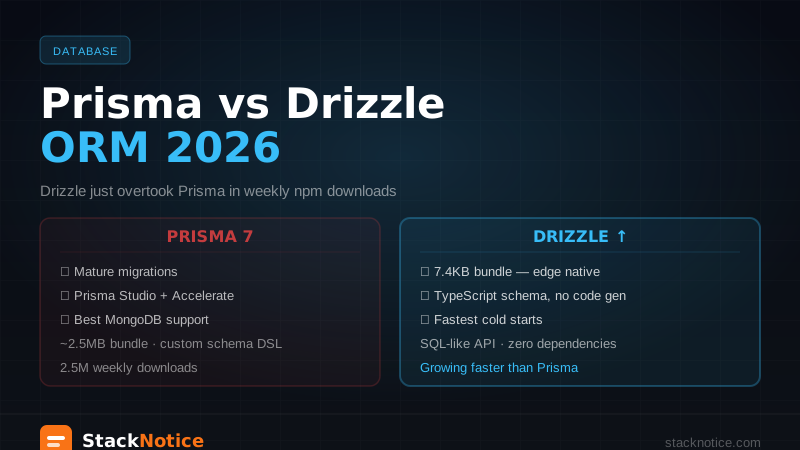
The detailed comparison is in the Prisma vs Drizzle article. The short version: Prisma for teams that want a batteries-included ORM and the schema-first workflow; Drizzle for teams that want to stay close to SQL and need edge runtime support.
For Neon Postgres, both work well — Neon's serverless driver is compatible with Prisma via the @prisma/adapter-neon adapter.