Anthropic just shipped something that changes what "AI-assisted development" means at scale.
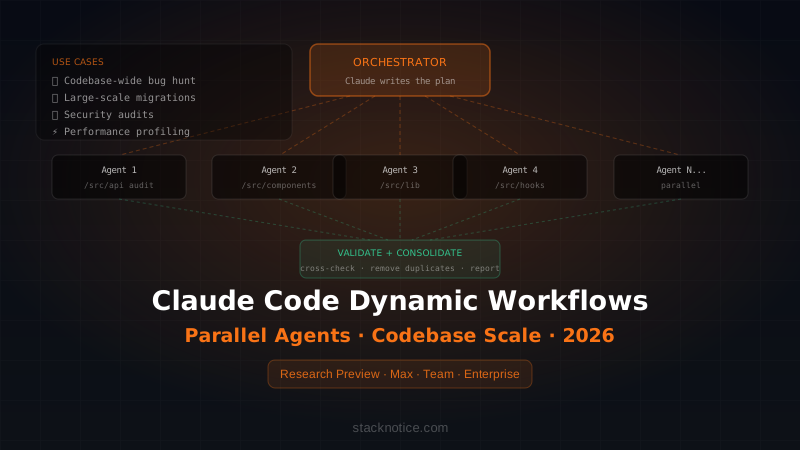
Dynamic Workflows in Claude Code lets a single prompt spin up tens to hundreds of parallel AI subagents, coordinated by Claude itself, to handle tasks that were previously too large or too risky to automate in one pass — codebase-wide bug hunts, migrations touching hundreds of files, security audits, performance profiling across entire services.
This is currently in research preview for Max, Team, and Enterprise plans. If you have access, here's how to actually use it.
What Dynamic Workflows Are (and Aren't)
Before diving in: Dynamic Workflows are not a faster way to write a single function. They're designed for tasks that are too large or too complex to hand to a single agent session.
The key difference from regular Claude Code:
| Regular Claude Code | Dynamic Workflows |
|---|---|
| Single agent, one context window | Orchestrator + parallel subagents |
| Good for: feature, file, component | Good for: codebase-wide operations |
| Predictable token cost | Token-heavy — budget accordingly |
| Immediate results | Multi-step, validates before returning |
And the difference from Agent Teams (the other multi-agent feature):
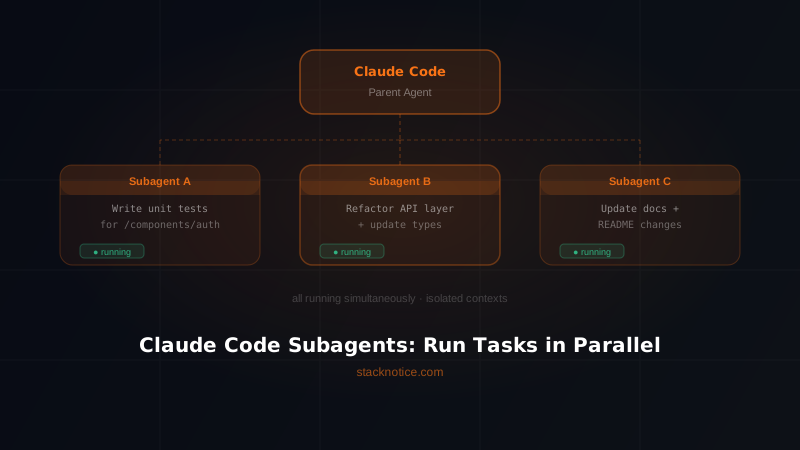
- Agent Teams — you define the roles upfront ("one agent writes tests, one writes implementation"). Best when you already know how to decompose the task.
- Dynamic Workflows — Claude figures out the decomposition itself. Best when you don't know how to break the task down, or the task is too complex to plan manually.
How to Start a Dynamic Workflow
There are two entry points:
Option 1: Direct prompt
Simply ask Claude to create a workflow:
"Create a workflow to audit all API endpoints in this codebase for
missing authentication checks. Identify every route handler that
doesn't verify a session or JWT before processing the request."
Claude will pause, write an orchestration script, and then execute it with parallel subagents before returning a consolidated report.
Option 2: Ultracode mode
Turn on the ultracode setting in Claude Code settings, then enable Auto Mode. This makes Claude default to workflow orchestration for complex multi-step requests without you needing to explicitly ask.
Recommended: use the direct prompt approach first until you understand the token cost in your codebase. Ultracode with Auto Mode can get expensive on large repos.
Real Use Cases With Example Prompts
1. Codebase-Wide Bug Hunt
This is the canonical use case — find a class of bug across an entire service, not just one file.
Create a workflow to find all places in this codebase where:
1. An async function is called without await
2. A promise is returned without being handled
3. Error objects are caught but only logged, not re-thrown or handled

For each finding: file path, line number, the problematic code,
and a suggested fix. Group results by severity.
This would take hours manually. With Dynamic Workflows, Claude spins parallel agents across directories, consolidates findings, and removes duplicates before presenting results.
2. Large-Scale Migration
Migrating from one pattern to another across a full codebase:
Create a workflow to migrate all class-based React components in
the /src directory to functional components with hooks.

Rules:
- Preserve all existing behavior
- Convert lifecycle methods to useEffect/useCallback correctly
- Add TypeScript types where they're missing
- Run the existing test suite after each file migration
- Stop and report if any test fails

Output: list of migrated files, any skipped files with reason,
test results summary.
The key here: Claude validates as it goes. It won't migrate file 50 if the tests for file 49 started failing — unlike a naive script that would power through.
3. Security Audit
Create a workflow to audit this Express.js API for OWASP Top 10
vulnerabilities. For each route:
- Check for SQL injection risk (raw query concatenation)
- Check for missing input validation
- Check for insecure direct object references (no ownership check)
- Check for missing rate limiting
- Check for sensitive data exposure in responses

Output a report grouped by severity: Critical, High, Medium, Low.
Include the file, line, vulnerable code, and remediation.
This is the kind of audit that costs $5,000-15,000 from a security firm. The output won't replace a human security review, but it catches the obvious issues before you pay for one.
4. Performance Profiling Audit
Create a workflow to identify performance issues across this
Next.js application:
- Find components that re-render unnecessarily (missing memo/useCallback)
- Find missing React.Suspense boundaries around async operations
- Find images without width/height or next/image
- Find API routes that make sequential database calls that could be parallel
- Find missing database indexes (based on query patterns in the code)

For each issue: estimated performance impact (High/Medium/Low),
the file and code, and the specific fix.
Workflow Output and Validation
One of the most important aspects of Dynamic Workflows is that Claude validates its own work before returning results.
The internal loop looks roughly like this:
1. Orchestrator analyzes the task
2. Orchestrator writes an orchestration script
3. Orchestrator spawns N parallel subagents with specific scopes
4. Each subagent completes its portion and reports back
5. Orchestrator cross-validates results (removes duplicates, checks consistency)
6. Orchestrator synthesizes a final report
7. Results returned to you
Step 5 is what makes this different from just running multiple sessions yourself. The orchestrator acts as a reviewer for its own subagents — if two agents report conflicting findings, it flags the conflict rather than silently picking one.
Token Cost: What to Expect
Dynamic Workflows consume significantly more tokens than regular Claude Code. This isn't a bug — it's the cost of running parallel agents.
Rough estimates for a ~50k line codebase:
| Task Type | Estimated Token Range |
|---|---|
| Bug hunt (specific pattern) | 200k – 800k tokens |
| Full security audit | 500k – 2M tokens |
| Large-scale migration (50+ files) | 1M – 5M tokens |
| Performance audit | 300k – 1M tokens |
Practical guidance:
- Start with a scoped version of the task to calibrate cost before running it on the full codebase: "audit only the /api directory" before "audit the entire codebase"
- Set a scope limit explicitly in your prompt: "analyze a maximum of 20 files to start"
- Use Dynamic Workflows for tasks where the automation value clearly exceeds the token cost
On a Team or Enterprise plan, the token limits are higher and designed for this kind of usage. On a Max plan, monitor usage — repeated full-codebase workflows add up.
When to Use Dynamic Workflows vs Regular Claude Code
Use Dynamic Workflows when:
- The task touches more than 20-30 files
- You need cross-file consistency checking
- The task requires parallel work that would take you hours manually
- You want validation built into the process
Use regular Claude Code when:
- Working on a single feature or component
- Debugging a specific issue
- Writing or editing a single file
- Asking questions about code
Don't reach for Dynamic Workflows by default — they're a power tool for specific scenarios. For most daily development, regular Claude Code sessions are faster and cheaper.
Pairing With Agent Teams
Dynamic Workflows and Agent Teams are complementary. Anthropic's recommendation:
- Unknown decomposition → Dynamic Workflows (let Claude figure it out)
- Known decomposition → Agent Teams (you define the roles explicitly)
A practical example: if you're building a new feature with a clear structure (one agent for the API, one for the UI, one for tests), use Agent Teams. If you're doing a codebase audit where you don't know upfront how many sub-tasks there are or how to divide them, use Dynamic Workflows.
You can also combine them: start a Dynamic Workflow to plan and scope the work, then use Agent Teams for the actual implementation once you know the shape of the task.
Limitations to Know
It's still in research preview. The feature is available for Max, Team, and eligible Enterprise plans, but the implementation is still evolving. Behavior may change between sessions.
Orchestration quality varies with task clarity. The clearer and more specific your prompt, the better the orchestration. Vague prompts produce vague workflows. If results aren't what you expected, add more constraints to the prompt.
It can confidently get things wrong. Parallel agents don't share context with each other — they only share results through the orchestrator. In rare cases, agent A's changes can conflict with agent B's changes in ways the orchestrator doesn't catch. Always review the output before committing anything to production.
Test coverage is your safety net. Dynamic Workflows that modify code are much safer when you have good test coverage. The workflow can run tests as part of the process — but only if the tests exist. This is the best argument for writing tests before reaching for this feature.
Getting Started Today
If you have access to the research preview:
- Enable Auto Mode in Claude Code settings
- Start with a scoped bug hunt on a single directory:
"Create a workflow to find all console.log statements in /src that should be replaced with structured logging" - Review the output and token cost
- Scale up to larger tasks once you understand the cost profile
The feature is powerful — but like any power tool, the value comes from using it on the right problems, not from using it on everything.
Go deeper on the Claude Code ecosystem:
- Claude Code subagents and parallel tasks — Agent Teams and when to use them
- Claude Code context management guide — keeping large codebases manageable
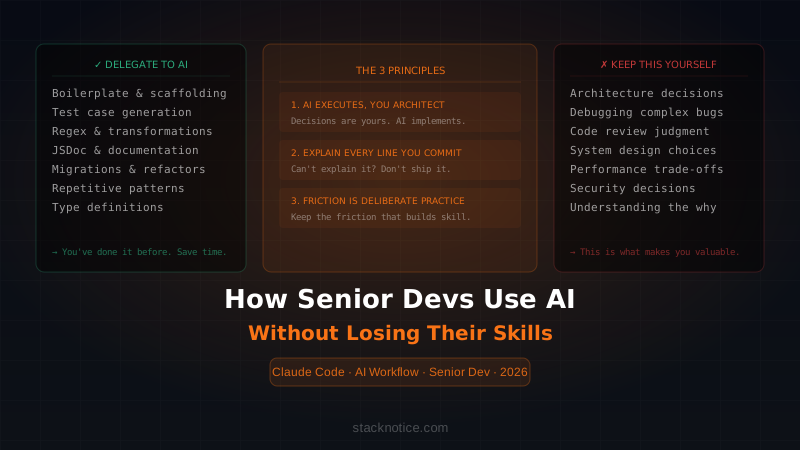
- How senior devs use AI without losing their skills — the discipline framework around all AI tools