Windsurf is an AI-first code editor built by Codeium — the company behind one of the most widely used free AI autocomplete extensions. Where Codeium was an extension for existing editors, Windsurf is a standalone editor built on VS Code with AI at the center of every feature. It launched in late 2024 and has grown steadily as developers looked for a Cursor alternative with a better free tier.
This guide covers what Windsurf actually does, how to configure it effectively, and how it compares to Cursor and GitHub Copilot.
What Makes Windsurf Different
The three AI editors developers actively compare in 2026 are Cursor, GitHub Copilot, and Windsurf. Each has a distinct identity:
- GitHub Copilot — extension-first, deep GitHub integration, most enterprise adoption
- Cursor — VS Code fork, aggressive multi-line tab completion, strong
@Codebasecontext - Windsurf — VS Code fork, most generous free tier, Cascade agent with "Flows" concept, Memories feature
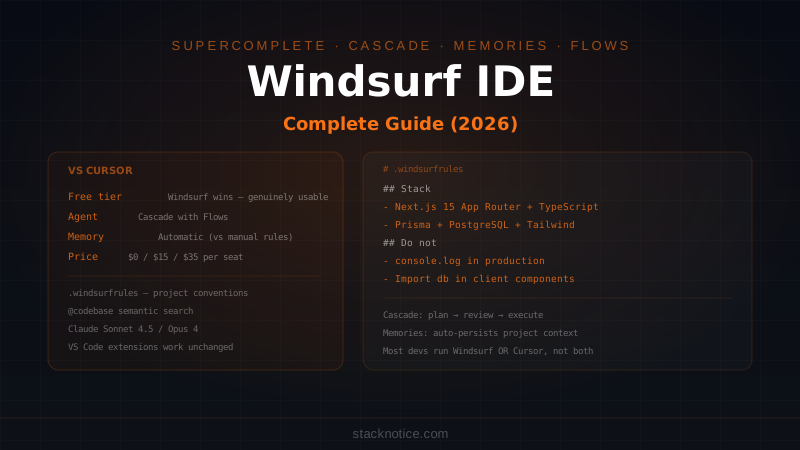
Windsurf's main differentiator is its free plan. Where Cursor's free tier gives you 50 agent requests per month, Windsurf's free plan is genuinely usable for daily development. That's the reason many developers start here before evaluating paid options.
Core Features
Supercomplete (Tab Completion)
Windsurf's tab completion is called Supercomplete. Like Cursor's Tab, it goes beyond line completion to suggest multi-line edits — it understands what you're changing and predicts the next logical edit.
The key behavior: Supercomplete watches your edit pattern. If you rename a variable in one location, it will suggest the same rename in related locations in the same file. If you add a parameter to a function signature, it suggests updating the call sites it can see.
Press Tab to accept, Escape to reject. The latency is fast enough that accepting suggestions doesn't break your flow.
Cascade — The Agent
Cascade is Windsurf's autonomous agent. You describe a task, Cascade plans it, edits files across the codebase, runs terminal commands, reads the output, and iterates.
Add a webhook endpoint for Stripe payment events.

Requirements:
- POST /api/webhooks/stripe
- Verify the Stripe-Signature header using the webhook secret
- Handle these events: payment_intent.succeeded, customer.subscription.deleted
- Update user subscription status in the database on each event
- Return 200 immediately, process async

Use the existing db singleton from lib/db.ts.
Stripe client is already set up in lib/stripe.ts.
Cascade reads your codebase, finds the relevant files, and executes. It shows its plan before starting — always review it before approving.
Flows is Windsurf's term for the sequence of steps Cascade takes to complete a task. You can see each step in the Cascade panel: which files it read, what commands it ran, what edits it made. This transparency is useful for understanding what the agent did and catching mistakes before committing.
Windsurf Chat
Chat in Windsurf works similarly to Cursor Chat — you can ask questions about the codebase, request explanations, or get targeted edits. Context options:
@file— reference a specific file@folder— reference an entire directory@codebase— semantic search across the whole project@web— real-time web search@terminal— reference terminal output
The chat panel has three modes: Chat (ask questions, no edits), Edit (propose targeted changes), and Cascade (autonomous agent). Switch with the dropdown at the top.
Memories
Memories is a Windsurf feature that persists information across sessions. When Cascade learns something about your project — a convention, a preference, a decision you made — it can save that as a Memory.
You can also add Memories manually:
Remember: This project uses the repository pattern. All database
access goes through classes in src/repositories/, never directly
in route handlers or controllers.
Memories appear in a panel in the sidebar. Review and edit them like notes. They're automatically included in future Cascade sessions for the same project.
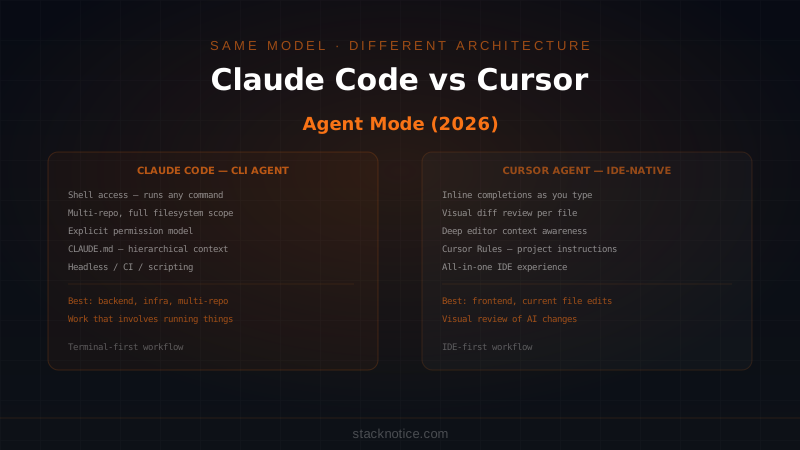
This is similar to Claude Code's CLAUDE.md but managed by the editor rather than a file you write manually. The practical difference: CLAUDE.md is checked into git (whole team sees it), Memories are local to your Windsurf installation.
Windsurf Rules
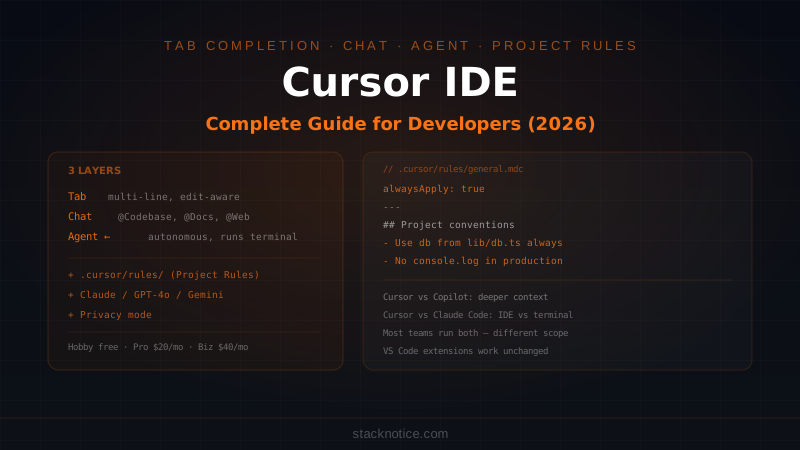
.windsurfrules is Windsurf's equivalent of Cursor's .cursor/rules/ — project-specific instructions that apply to every AI interaction:
# .windsurfrules

## Project: Next.js 15 SaaS — stackpulse

### Stack
- Next.js 15 App Router
- TypeScript strict mode
- Prisma + PostgreSQL
- Tailwind CSS
- Shadcn UI components

### Conventions
- Server Components by default — add 'use client' only when needed
- All database access via the db singleton in lib/db.ts
- API routes return { data } on success, { error: string } on failure
- Zod validation on all user inputs before processing
- Use next/image for all images, never <img> tags directly

### Do not
- Use console.log in production code
- Import from @prisma/client in client components
- Use any or type assertions — fix the type properly
- Create new utility functions if one already exists in lib/utils.ts
The more specific your rules, the better Cascade performs. Generic rules ("write clean code") have no effect. Specific rules ("use the db singleton from lib/db.ts") prevent the model from making assumptions.
Unlike Cursor's multi-file rule system, Windsurf uses a single .windsurfrules file. For large projects you can structure it with clear sections, but it's one file.
Models Available
Windsurf lets you choose the model for Chat and Cascade independently:
| Model | Best for |
|---|---|
| Claude Sonnet 4.5 | Complex agent tasks, multi-file changes |
| Claude Opus 4 | Hard architectural problems, long context |
| GPT-4o | Fast chat, quick questions |
| Gemini 2.5 Pro | Massive codebases (1M token context) |
The model picker is in the chat panel. For agent tasks, Claude Sonnet 4.5 generally produces the most reliable results.
Windsurf vs Cursor — The Real Comparison
Both are VS Code forks with similar feature sets. The differences matter depending on your situation:
| Windsurf | Cursor | |
|---|---|---|
| Free tier | Generous — usable daily | 50 agent requests/month |
| Tab completion | Supercomplete — multi-line | Multi-line, slightly more aggressive |
| Agent | Cascade with Flows | Agent mode |
| Persistent memory | Memories (automatic) | Project Rules (manual) |
| Codebase search | @codebase semantic | @Codebase semantic |
| Docs integration | @web | @Docs (indexed) |
| Price (Pro) | $15/mo | $20/mo |
| Business | $35/mo/seat | $40/mo/seat |
Start with Windsurf if: you're evaluating and want to try without paying. The free tier lets you build a real opinion of the tool before committing.
Switch to Cursor if: you need the @Docs feature (indexed external documentation is significantly better than @web for frequently referenced libraries), or if you find Cursor's tab completion more accurate for your use case.
Most developers who use both professionally end up picking one and committing to it. The productivity gains from knowing one tool deeply outweigh any feature differences between them.
Windsurf vs GitHub Copilot
| Windsurf | GitHub Copilot | |
|---|---|---|
| Where it runs | Standalone editor | Extension (any VS Code) |
| GitHub integration | Via git CLI | Native (PRs, CodeQL, issues) |
| Agent | Cascade | Agent Mode |
| Free tier | Yes (generous) | No (was free, now paid) |
| Price | $0–$15/mo | $10–$39/mo |
| Best for | Active coding, complex tasks | GitHub-integrated workflows, PR review |
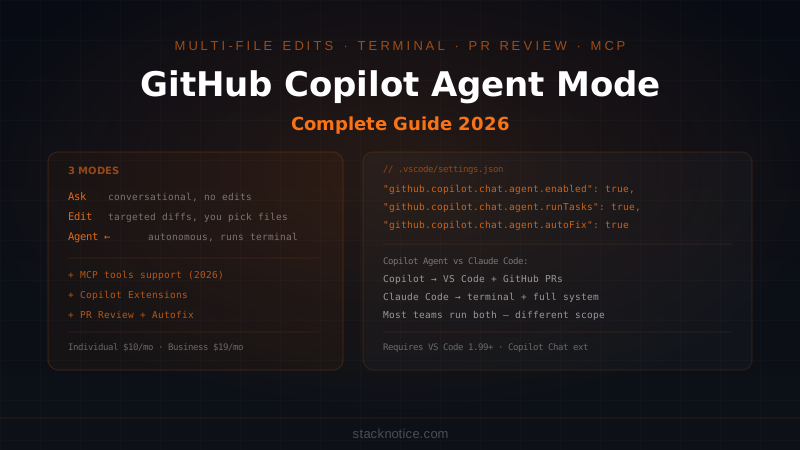
Copilot's advantage is GitHub integration — PR code review, Dependabot autofix, issue creation from chat. If your workflow centers on GitHub PRs, Copilot has features Windsurf doesn't.
Windsurf's advantage is price and the Cascade agent quality on complex tasks. For pure coding without GitHub integration, many developers prefer it.
Practical Workflow
Setting Up a New Project
- Open the project in Windsurf
- Create
.windsurfruleswith your conventions - Run a
@codebasequery to verify indexing: "What's the main architecture of this project?" - Add initial Memories for things Cascade should always know
Effective Cascade Prompts
Be explicit about constraints:
Refactor the authentication middleware to use JWT tokens instead
of session cookies.

Constraints:
- Only change files in middleware/ and lib/auth/
- Keep the same function signatures so callers don't break
- Add JWT_SECRET to the env validation in lib/env.ts
- Do not touch any test files
Reference existing patterns:
Add a new API endpoint for deleting a post, following the exact
same pattern as the existing DELETE handler in app/api/posts/[id]/route.ts.
It should use the same auth check, error handling, and response format.
Give acceptance criteria:
Add pagination to the blog post listing.

Done when:
- GET /api/posts accepts ?page=1&pageSize=10 query params
- Response includes { posts, total, page, pageSize, hasNextPage }
- The frontend PostList component uses these params
- An empty page returns { posts: [], total: 0, hasNextPage: false }
Reviewing Cascade Output
After any Cascade run, review in the diff panel:
- Files changed — matches what you expected?
- Logic — does the code do what you described?
- Imports — no hallucinated package names?
- Edge cases — did it handle errors?
Cascade is fast but not infallible. The review step is mandatory before committing.
Privacy and Data
By default, Windsurf sends your code to Codeium's servers for processing. If you're working on proprietary code:
- Settings → Privacy → enable Private Mode
- Your code is not used for model training in Private Mode
- Available on all paid plans
For teams, Business plan adds organization-level privacy enforcement.
Installation
Windsurf installs as a standalone editor — it doesn't replace VS Code, it runs separately:
- Download from
codeium.com/windsurf - On first launch: import VS Code settings (extensions, keybindings, theme) with one click
- Sign in with your Codeium account (free to create)
- Open your project
Extensions: most VS Code extensions work directly. A few that depend on VS Code internals may not.
Pricing
| Plan | Price | Agent requests | Notes |
|---|---|---|---|
| Free | $0 | Generous daily limit | Claude Sonnet 4.5, GPT-4o |
| Pro | $15/mo | Unlimited (fair use) | All models, Privacy mode |
| Teams | $35/mo/seat | Unlimited | SSO, admin controls, shared rules |
The free plan is the main reason developers try Windsurf. It's not artificially limited to make you upgrade — you can build real projects on it before deciding if Pro is worth it.
Windsurf sits between Copilot and Cursor in the AI editor landscape. If you haven't tried it, the free plan makes it a no-risk evaluation. If you're choosing between Windsurf Pro and Cursor Pro, the decision comes down to whether @Docs integration matters for your workflow and which tab completion model feels better for the way you code.
For a detailed comparison across all four major AI coding tools, see Claude Code vs Cursor vs Windsurf vs Copilot. For the Cursor-specific deep dive, see Cursor IDE Complete Guide.