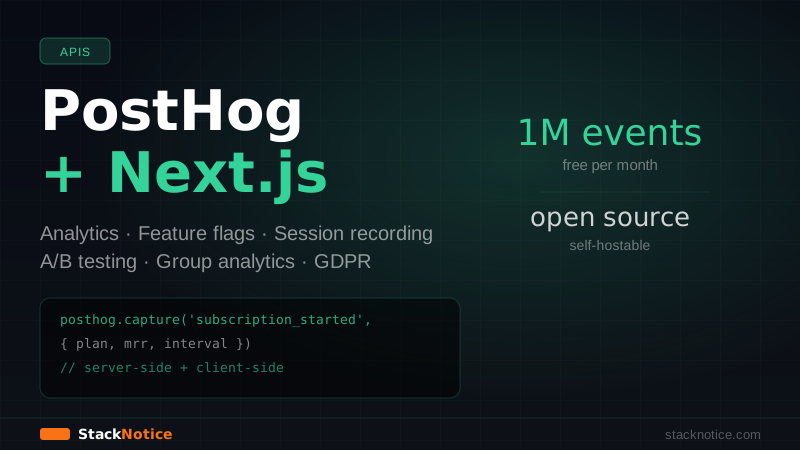
Most analytics tools are built for marketers. PostHog is built for engineers — open-source, self-hostable, and designed to answer product questions like "which users are hitting this error?" and "does the new checkout flow convert better than the old one?" — not "how many page views did we get this month?"
This guide covers the full PostHog setup in Next.js 15: event tracking, user identification, feature flags, A/B tests, and session recording. Everything you need to ship with visibility from day one.
Why PostHog Over Google Analytics
GA4 is great for traffic. It's terrible for product decisions. PostHog gives you:
- Session recording — watch exactly what users do, replay bugs
- Feature flags — ship to a percentage of users, roll back instantly
- A/B testing — compare variants with statistical significance
- Funnels — where do users drop off in your signup flow?
- Group analytics — track by company/organization, not just individual user
- Self-hostable — deploy on your own infrastructure, full data control
- 1M events/month free on cloud — real free tier, not a trial
The cloud version requires zero infrastructure. The self-hosted version is open-source and runs on DigitalOcean — new accounts get $200 in free credits.
Installation
npm install posthog-js posthog-nodeTwo packages: posthog-js for browser-side tracking, posthog-node for server-side.
Get your project API key from app.posthog.com → Project Settings → Project API Key.
NEXT_PUBLIC_POSTHOG_KEY=phc_your-key-here
NEXT_PUBLIC_POSTHOG_HOST=https://us.i.posthog.com
Note: NEXT_PUBLIC_ prefix is required — this key is used in the browser.
Client-Side Setup (App Router)
Create a PostHog provider component:
// components/PostHogProvider.tsx
'use client'

import posthog from 'posthog-js'
import { PostHogProvider as PHProvider } from 'posthog-js/react'
import { useEffect } from 'react'

export function PostHogProvider({ children }: { children: React.ReactNode }) {
  useEffect(() => {
    posthog.init(process.env.NEXT_PUBLIC_POSTHOG_KEY!, {
      api_host: process.env.NEXT_PUBLIC_POSTHOG_HOST,
      person_profiles: 'identified_only', // only create profiles for identified users
      capture_pageview: false, // we'll handle this manually for App Router
      capture_pageleave: true,
    })
  }, [])

  return <PHProvider client={posthog}>{children}</PHProvider>
}
Add it to your root layout:
// app/layout.tsx
import { PostHogProvider } from '@/components/PostHogProvider'
import { PostHogPageView } from '@/components/PostHogPageView'

export default function RootLayout({ children }: { children: React.ReactNode }) {
  return (
    <html lang="en">
      <body>
        <PostHogProvider>
          <PostHogPageView />
          {children}
        </PostHogProvider>
      </body>
    </html>
  )
}
Because Next.js App Router doesn't fire a traditional page load event on navigation, you need a component to track page views on route changes:
// components/PostHogPageView.tsx
'use client'

import { usePathname, useSearchParams } from 'next/navigation'
import { useEffect } from 'react'
import { usePostHog } from 'posthog-js/react'

export function PostHogPageView() {
  const pathname = usePathname()
  const searchParams = useSearchParams()
  const posthog = usePostHog()

  useEffect(() => {
    if (pathname && posthog) {
      let url = window.origin + pathname
      if (searchParams.toString()) {
        url += `?${searchParams.toString()}`
      }
      posthog.capture('$pageview', { '$current_url': url })
    }
  }, [pathname, searchParams, posthog])

  return null
}
Identifying Users
Anonymous events are useful, but identified events let you answer "what did this specific user do before churning?". Identify users after login:
// In your auth callback or after sign-in
'use client'

import { usePostHog } from 'posthog-js/react'
import { useEffect } from 'react'

export function UserIdentifier({ user }: { user: User }) {
  const posthog = usePostHog()

  useEffect(() => {
    if (user) {
      posthog.identify(user.id, {
        email: user.email,
        name: user.name,
        plan: user.plan,
        createdAt: user.createdAt,
        company: user.organizationName,
      })
    }
  }, [user, posthog])

  return null
}
On logout, reset to disconnect the anonymous session from the identified user:
// In your logout handler
posthog.reset()
Tracking Events
The core of PostHog. Track meaningful actions, not everything:
// hooks/useAnalytics.ts
import { usePostHog } from 'posthog-js/react'

export function useAnalytics() {
  const posthog = usePostHog()

  return {
    // Track a feature used
    trackFeatureUsed: (feature: string, properties?: Record<string, unknown>) => {
      posthog.capture('feature_used', { feature, ...properties })
    },

    // Track subscription events
    trackSubscription: (plan: string, mrr: number, interval: 'monthly' | 'annual') => {
      posthog.capture('subscription_started', { plan, mrr, interval })
    },

    // Track form submissions
    trackFormSubmit: (formName: string, success: boolean) => {
      posthog.capture('form_submitted', { form_name: formName, success })
    },

    // Track errors from the user's perspective
    trackUserError: (errorType: string, context?: Record<string, unknown>) => {
      posthog.capture('user_error_encountered', { error_type: errorType, ...context })
    },
  }
}
Usage in a component:
// app/dashboard/upgrade/page.tsx
'use client'

import { useAnalytics } from '@/hooks/useAnalytics'

export function UpgradeButton({ plan }: { plan: string }) {
  const { trackSubscription } = useAnalytics()

  const handleUpgrade = async () => {
    const result = await initiateCheckout(plan)
    if (result.success) {
      trackSubscription(plan, result.mrr, 'monthly')
    }
  }

  return <button onClick={handleUpgrade}>Upgrade to {plan}</button>
}
What to track vs what to skip:
- Track: feature adoption, subscription events, onboarding steps completed, key workflow actions
- Skip: every button click, hover events, scroll depth — this creates noise that buries the signal
Server-Side Tracking
For events that happen server-side (webhook processing, background jobs), use posthog-node:
// lib/posthog-server.ts
import { PostHog } from 'posthog-node'

// Singleton for server-side use
export const posthogServer = new PostHog(
  process.env.NEXT_PUBLIC_POSTHOG_KEY!,
  {
    host: process.env.NEXT_PUBLIC_POSTHOG_HOST,
    flushAt: 20,  // batch up to 20 events before flushing
    flushInterval: 10000, // or flush every 10 seconds
  }
)

// Graceful shutdown
process.on('beforeExit', async () => {
  await posthogServer.shutdown()
})
Track server-side events from Route Handlers or Server Actions:
// app/api/webhooks/stripe/route.ts
import { posthogServer } from '@/lib/posthog-server'

export async function POST(request: Request) {
  const event = await verifyStripeWebhook(request)

  if (event.type === 'customer.subscription.created') {
    const subscription = event.data.object
    const userId = subscription.metadata.userId

    // Track in PostHog from the server
    posthogServer.capture({
      distinctId: userId,
      event: 'subscription_activated',
      properties: {
        plan: subscription.metadata.plan,
        interval: subscription.items.data[0].price.recurring?.interval,
        mrr: subscription.items.data[0].price.unit_amount! / 100,
      },
    })
  }

  return Response.json({ received: true })
}
Feature Flags
Feature flags let you ship code to a percentage of users, enable features for specific users or companies, and run controlled rollouts. No more if (process.env.NODE_ENV === 'development') hacks.
Client-Side Feature Flags
'use client'

import { useFeatureFlagEnabled, useFeatureFlagVariantKey } from 'posthog-js/react'

export function NewDashboard() {
  const showNewDashboard = useFeatureFlagEnabled('new-dashboard')
  const checkoutVariant = useFeatureFlagVariantKey('checkout-experiment')

  if (!showNewDashboard) {
    return <OldDashboard />
  }

  return (
    <div>
      <NewDashboardUI />
      {checkoutVariant === 'variant-b' && <NewCheckoutFlow />}
      {checkoutVariant === 'variant-a' && <OldCheckoutFlow />}
    </div>
  )
}
Server-Side Feature Flags
For server-side rendering, evaluate flags on the server to avoid a flash of the wrong content:
// app/dashboard/page.tsx (Server Component)
import { PostHog } from 'posthog-node'
import { auth } from '@/lib/auth'

export default async function DashboardPage() {
  const session = await auth()

  const client = new PostHog(process.env.NEXT_PUBLIC_POSTHOG_KEY!, {
    host: process.env.NEXT_PUBLIC_POSTHOG_HOST,
  })

  const showNewDashboard = await client.isFeatureEnabled(
    'new-dashboard',
    session.userId
  )

  await client.shutdown()

  return showNewDashboard ? <NewDashboard /> : <OldDashboard />
}
For better performance, bootstrap feature flags from the server to the client using PostHog's bootstrap option — avoids an extra network round-trip:
// app/layout.tsx
import { PostHogProvider } from '@/components/PostHogProvider'
import { getServerSideFlags } from '@/lib/posthog-flags'
import { auth } from '@/lib/auth'

export default async function RootLayout({ children }: { children: React.ReactNode }) {
  const session = await auth()
  const flags = session ? await getServerSideFlags(session.userId) : {}

  return (
    <html lang="en">
      <body>
        <PostHogProvider bootstrapFlags={flags}>
          {children}
        </PostHogProvider>
      </body>
    </html>
  )
}
// lib/posthog-flags.ts
import { PostHog } from 'posthog-node'
export async function getServerSideFlags(userId: string) {
const client = new PostHog(process.env.NEXT_PUBLIC_POSTHOG_KEY!, {
host: process.env.NEXT_PUBLIC_POSTHOG_HOST,
})
const flags = await client.getAllFlags(userId)
await client.shutdown()
return flags
}// components/PostHogProvider.tsx (updated)
'use client'
import posthog from 'posthog-js'
import { PostHogProvider as PHProvider } from 'posthog-js/react'
import { useEffect } from 'react'
export function PostHogProvider({
children,
bootstrapFlags,
}: {
children: React.ReactNode
bootstrapFlags?: Record<string, boolean | string>
}) {
useEffect(() => {
posthog.init(process.env.NEXT_PUBLIC_POSTHOG_KEY!, {
api_host: process.env.NEXT_PUBLIC_POSTHOG_HOST,
person_profiles: 'identified_only',
capture_pageview: false,
bootstrap: {
featureFlags: bootstrapFlags ?? {},
},
})
}, [])
return <PHProvider client={posthog}>{children}</PHProvider>
}A/B Testing
Create an experiment in the PostHog dashboard, then implement the variants:
'use client'

import { useFeatureFlagVariantKey } from 'posthog-js/react'

export function PricingPage() {
  // 'control' or 'with-social-proof'
  const pricingVariant = useFeatureFlagVariantKey('pricing-page-test')

  return (
    <div>
      <PricingCards />
      {pricingVariant === 'with-social-proof' && (
        <TestimonialsSection />
      )}
    </div>
  )
}
PostHog automatically tracks which users saw which variant. In the dashboard, you define a goal metric (e.g., subscription_started event) and PostHog shows you the conversion rate for each variant with statistical significance.
Session Recording
Session recording is on by default. Configure it to mask sensitive inputs:
posthog.init(process.env.NEXT_PUBLIC_POSTHOG_KEY!, {
  api_host: process.env.NEXT_PUBLIC_POSTHOG_HOST,
  person_profiles: 'identified_only',
  capture_pageview: false,
  session_recording: {
    maskAllInputs: true, // masks all inputs by default
    maskInputFn: (text, element) => {
      // Unmask non-sensitive fields
      if (element?.dataset.phNoMask) return text
      return null // masked
    },
  },
})
In your HTML, add data-ph-no-mask to non-sensitive inputs:
<input data-ph-no-mask type="text" placeholder="Company name" />
<input type="password" /> <!-- stays masked -->
<input type="email" /> <!-- stays masked -->
Group Analytics
Track behavior by organization, not just by individual user — critical for B2B SaaS:
// After user logs in and you know their organization
posthog.group('company', user.organizationId, {
  name: user.organizationName,
  plan: user.organizationPlan,
  memberCount: user.organizationMemberCount,
  createdAt: user.organizationCreatedAt,
})
Now you can answer "which companies use this feature the most?" and "do enterprise companies have lower churn than free tier?"
Privacy and GDPR
If you're serving EU users, configure PostHog to respect consent:
posthog.init(process.env.NEXT_PUBLIC_POSTHOG_KEY!, {
  api_host: process.env.NEXT_PUBLIC_POSTHOG_HOST,
  persistence: 'localStorage', // or 'memory' for maximum privacy
  opt_out_capturing_by_default: true, // opt-out by default
})

// After user gives consent:
posthog.opt_in_capturing()

// On consent withdrawal:
posthog.opt_out_capturing()
What Events to Track at Launch
Start minimal. These seven events cover most early product decisions:
// The essential events for a SaaS product
'user_signed_up'         // with { plan, source }
'user_signed_in'         // baseline engagement
'onboarding_step_completed' // with { step, total_steps }
'feature_used'           // with { feature_name }
'subscription_started'   // with { plan, mrr, interval }
'subscription_cancelled' // with { plan, reason? }
'error_encountered'      // with { error_type, location }
Don't add more until you have questions that these seven can't answer.
PostHog vs Google Analytics vs Mixpanel
| Feature | PostHog | Google Analytics | Mixpanel |
|---|---|---|---|
| Session recording | ✅ | ❌ | ❌ |
| Feature flags | ✅ | ❌ | ❌ |
| A/B testing | ✅ | ✅ (limited) | ✅ |
| Self-hostable | ✅ | ❌ | ❌ |
| Free tier | 1M events/mo | Free | 20M events/mo |
| Product analytics | ✅ | Limited | ✅ |
| Marketing analytics | Limited | ✅ | Limited |
PostHog wins for product teams. GA4 wins if you need Google Ads attribution. Mixpanel wins if you want a polished UI with no engineering setup.
Summary
PostHog gives Next.js apps what every production app needs: visibility into what users actually do, feature flags for safe deployments, and session recording for debugging in real time.
The setup is:
- Install
posthog-js+posthog-node - Wrap layout with
PostHogProvider - Add
PostHogPageViewfor App Router page tracking - Identify users after login
- Track 5-7 meaningful events — not every click
- Add feature flags before shipping anything experimental
For more on feature flag patterns in Next.js, see the feature flags guide. For error tracking alongside analytics, Sentry + PostHog together gives you the full observability picture.