Disclosure: This article contains affiliate links. If you sign up through them, I earn a small commission at no extra cost to you. I only recommend tools I use myself.
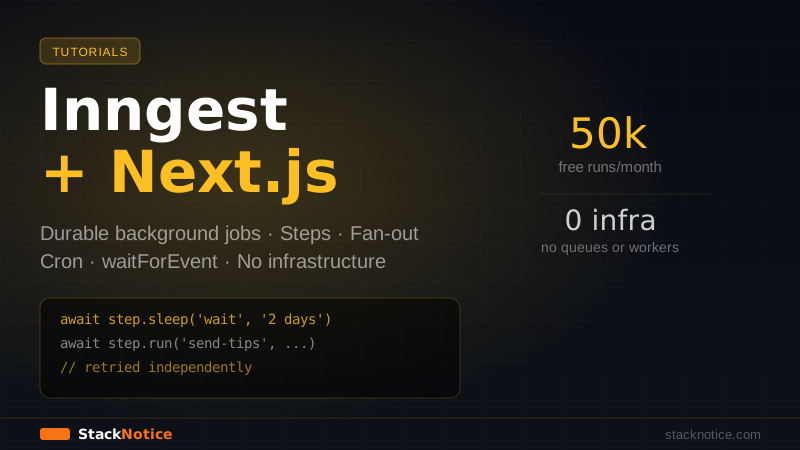
Serverless functions have a time limit. Vercel gives you 10 seconds on the hobby plan and 60 seconds on Pro. AWS Lambda maxes out at 15 minutes. None of that is enough to send a welcome email sequence, process an uploaded CSV, generate a PDF report, or run any workflow that involves multiple external API calls.
Inngest solves this by turning your regular Next.js API routes into reliable, retryable, observable background jobs — without a separate queue infrastructure, without Redis, without a separate worker process. You deploy your Next.js app normally and Inngest handles the orchestration.
How Inngest Works
Inngest is a durable execution platform. You define functions that run in response to events. When an event is sent, Inngest calls your function via HTTP. If the function fails, Inngest retries it automatically. If the function has multiple steps, Inngest checkpoints each step so a failure halfway through doesn't restart from the beginning.
Your Next.js app doesn't need to know about queues or workers. Inngest talks to a route handler you create — that's the entire integration surface.
Installation
npm install inngestCreate the Inngest client:
// lib/inngest/client.ts
import { Inngest } from 'inngest'

export const inngest = new Inngest({
  id: 'my-app',
  // Optional: add event schemas for type safety
})
Create the serve handler — this is the HTTP endpoint Inngest calls:
// app/api/inngest/route.ts
import { serve } from 'inngest/next'
import { inngest } from '@/lib/inngest/client'
import { welcomeSequence } from '@/lib/inngest/functions/welcome'
import { processUpload } from '@/lib/inngest/functions/upload'
import { weeklyDigest } from '@/lib/inngest/functions/digest'

export const { GET, POST, PUT } = serve({
  client: inngest,
  functions: [welcomeSequence, processUpload, weeklyDigest],
})
That route at /api/inngest is all Inngest needs. Add it to your Inngest dashboard (or use local dev — more on that below).
Your First Function: Welcome Email Sequence
The classic use case — send a series of emails after signup, spaced out over days:
// lib/inngest/functions/welcome.ts
import { inngest } from '../client'
import { resend } from '@/lib/resend'

export const welcomeSequence = inngest.createFunction(
  {
    id: 'welcome-email-sequence',
    retries: 3, // retry up to 3 times on failure
  },
  { event: 'user/signed-up' }, // triggered by this event
  async ({ event, step }) => {
    const { userId, email, name } = event.data

    // Step 1: Send immediate welcome email
    // Each step is independently retried — if step 2 fails,
    // step 1 doesn't re-run
    await step.run('send-welcome-email', async () => {
      await resend.emails.send({
        from: 'hello@yourapp.com',
        to: email,
        subject: `Welcome, ${name}!`,
        html: `<p>Thanks for signing up. Here's how to get started...</p>`,
      })
    })

    // Step 2: Wait 2 days
    await step.sleep('wait-before-tips', '2 days')

    // Step 3: Send tips email
    await step.run('send-tips-email', async () => {
      await resend.emails.send({
        from: 'hello@yourapp.com',
        to: email,
        subject: 'Top 5 tips to get the most out of the app',
        html: `<p>Here are the tips most users wish they knew on day 1...</p>`,
      })
    })

    // Step 4: Wait 5 more days
    await step.sleep('wait-before-upgrade', '5 days')

    // Step 5: Check if user is still on free plan
    const user = await step.run('check-user-plan', async () => {
      return db.query.users.findFirst({ where: eq(users.id, userId) })
    })

    // Step 6: Conditionally send upgrade nudge
    if (user?.plan === 'free') {
      await step.run('send-upgrade-email', async () => {
        await resend.emails.send({
          from: 'hello@yourapp.com',
          to: email,
          subject: 'You\'ve been on the free plan for a week — here\'s what Pro unlocks',
          html: `<p>Upgrade and get access to...</p>`,
        })
      })
    }

    return { userId, emailsSent: user?.plan === 'free' ? 3 : 2 }
  }
)
Trigger it from your signup Route Handler:
// app/api/auth/signup/route.ts
import { inngest } from '@/lib/inngest/client'

export async function POST(request: Request) {
  const { email, name, password } = await request.json()

  const user = await createUser({ email, name, password })

  // Fire-and-forget — this returns immediately
  await inngest.send({
    name: 'user/signed-up',
    data: { userId: user.id, email, name },
  })

  return Response.json({ user })
}
The inngest.send() call returns immediately. The welcome sequence runs asynchronously, survives server restarts, and retries on failure.
Steps: The Core Primitive
The step object is what makes Inngest different from a simple job queue. Each step.run() call is:
- Checkpointed — if a later step fails, earlier steps don't re-run
- Retried independently — each step has its own retry count
- Observable — visible individually in the Inngest dashboard
export const processUpload = inngest.createFunction(
  { id: 'process-csv-upload', retries: 2 },
  { event: 'file/uploaded' },
  async ({ event, step }) => {
    const { fileUrl, userId } = event.data

    // Step 1: Download and parse
    const rows = await step.run('parse-csv', async () => {
      const response = await fetch(fileUrl)
      const text = await response.text()
      return parseCSV(text) // returns array of row objects
    })

    // Step 2: Validate rows
    const { valid, invalid } = await step.run('validate-rows', async () => {
      return validateCSVRows(rows)
    })

    // Step 3: Insert valid rows in batches
    await step.run('insert-to-database', async () => {
      const batches = chunk(valid, 100)
      for (const batch of batches) {
        await db.insert(contacts).values(batch).onConflictDoNothing()
      }
    })

    // Step 4: Notify user
    await step.run('notify-user', async () => {
      await sendNotification(userId, {
        message: `Import complete: ${valid.length} contacts added, ${invalid.length} skipped`,
      })
    })

    return { imported: valid.length, skipped: invalid.length }
  }
)
If step 3 fails (database timeout), steps 1 and 2 don't re-run — Inngest picks up from step 3 with the already-computed rows and { valid, invalid } values.
Fan-Out: Parallel Steps
Run multiple operations in parallel with step.waitForEvent or Promise.all over multiple step calls:
export const generateReports = inngest.createFunction(
  { id: 'generate-monthly-reports', retries: 1 },
  { event: 'reports/generate-all' },
  async ({ event, step }) => {
    const { month, year } = event.data

    // Run these in parallel — Inngest executes them concurrently
    const [salesReport, usageReport, churnReport] = await Promise.all([
      step.run('generate-sales-report', () => buildSalesReport(month, year)),
      step.run('generate-usage-report', () => buildUsageReport(month, year)),
      step.run('generate-churn-report', () => buildChurnReport(month, year)),
    ])

    // This only runs after all three complete
    await step.run('email-reports-to-team', async () => {
      await emailReportsToTeam({ salesReport, usageReport, churnReport })
    })
  }
)
Cron Jobs (Scheduled Functions)
Replace cron jobs and scheduled lambdas with Inngest scheduled functions:
// lib/inngest/functions/digest.ts
export const weeklyDigest = inngest.createFunction(
  { id: 'weekly-digest', retries: 2 },
  { cron: '0 9 * * MON' }, // Every Monday at 9am UTC
  async ({ step }) => {
    // Get all active users with weekly digest enabled
    const users = await step.run('get-digest-users', async () => {
      return db.query.users.findMany({
        where: and(
          eq(users.active, true),
          eq(users.weeklyDigest, true)
        ),
      })
    })

    // Process each user — fan out across multiple function runs
    await step.run('send-digests', async () => {
      // For large user lists, use inngest.send() to fan out
      // to individual per-user functions instead
      for (const user of users) {
        await sendDigestEmail(user)
      }
    })

    return { sent: users.length }
  }
)
For large user bases (1000+ users), fan out to individual per-user events instead of looping in one function:
export const weeklyDigestFanOut = inngest.createFunction(
  { id: 'weekly-digest-fanout', retries: 1 },
  { cron: '0 9 * * MON' },
  async ({ step }) => {
    const users = await step.run('get-users', () =>
      db.query.users.findMany({ where: eq(users.weeklyDigest, true) })
    )

    // Send one event per user — each processed independently
    await inngest.send(
      users.map((user) => ({
        name: 'digest/send-to-user',
        data: { userId: user.id },
      }))
    )

    return { queued: users.length }
  }
)

export const sendUserDigest = inngest.createFunction(
  { id: 'send-user-digest', retries: 3 },
  { event: 'digest/send-to-user' },
  async ({ event, step }) => {
    const user = await step.run('get-user', () =>
      db.query.users.findFirst({ where: eq(users.id, event.data.userId) })
    )
    if (!user) return

    await step.run('send-email', () => sendDigestEmail(user))
  }
)
waitForEvent: Human-in-the-Loop Workflows
Pause a function and wait for an external event to resume it — useful for approval workflows, email verification, or any multi-step process with user interaction:
export const approvalWorkflow = inngest.createFunction(
  { id: 'content-approval-workflow' },
  { event: 'content/submitted' },
  async ({ event, step }) => {
    const { contentId, authorId, reviewerId } = event.data

    // Notify reviewer
    await step.run('notify-reviewer', async () => {
      await sendReviewRequest(reviewerId, contentId)
    })

    // Wait up to 48 hours for the reviewer to act
    const approval = await step.waitForEvent('wait-for-approval', {
      event: 'content/reviewed',
      match: 'data.contentId', // must match the same contentId
      timeout: '48h',
    })

    if (!approval) {
      // Timed out — escalate
      await step.run('escalate', () => escalateToAdmin(contentId))
      return { status: 'escalated' }
    }

    if (approval.data.approved) {
      await step.run('publish-content', () => publishContent(contentId))
      return { status: 'published' }
    } else {
      await step.run('notify-rejection', () =>
        notifyAuthor(authorId, approval.data.feedback)
      )
      return { status: 'rejected' }
    }
  }
)
When the reviewer clicks "Approve" or "Reject" in your UI, you send a content/reviewed event and the paused function resumes from where it left off.
Event Types for Type Safety
Define your event types once and get type safety across all functions:
// lib/inngest/types.ts
import { EventSchemas, Inngest } from 'inngest'

type Events = {
  'user/signed-up': {
    data: {
      userId: string
      email: string
      name: string
      plan: 'free' | 'pro'
    }
  }
  'file/uploaded': {
    data: {
      fileUrl: string
      userId: string
      fileName: string
      fileSize: number
    }
  }
  'content/submitted': {
    data: {
      contentId: string
      authorId: string
      reviewerId: string
    }
  }
  'content/reviewed': {
    data: {
      contentId: string
      approved: boolean
      feedback?: string
    }
  }
}

export const inngest = new Inngest({
  id: 'my-app',
  schemas: new EventSchemas().fromRecord<Events>(),
})
Now inngest.send() and step.waitForEvent() are fully typed — wrong event names or data shapes produce TypeScript errors.
Local Development
Inngest has a local Dev Server that simulates the cloud environment:
npx inngest-cli@latest devThen run your Next.js app — the Dev Server automatically discovers your functions at http://localhost:3000/api/inngest. You get a visual dashboard at http://localhost:8288 showing function runs, event history, and step-by-step execution.
No cloud account needed for local development. You can trigger test events directly from the Dev Server UI.
Error Handling and Retries
Throw errors normally — Inngest catches them and retries:
export const myFunction = inngest.createFunction(
  {
    id: 'my-function',
    retries: 5,
    // Exponential backoff: 1s, 2s, 4s, 8s, 16s between retries
  },
  { event: 'my/event' },
  async ({ event, step, attempt }) => {
    // `attempt` is 0 on first run, increments on retries
    if (attempt > 0) {
      console.log(`Retry attempt ${attempt}`)
    }

    await step.run('risky-operation', async () => {
      const result = await callExternalAPI()
      if (!result.ok) {
        throw new Error(`External API failed: ${result.status}`)
        // Inngest will retry this step
      }
      return result.data
    })
  }
)
For non-retryable errors (like invalid input that will always fail), use NonRetriableError:
import { NonRetriableError } from 'inngest'

await step.run('validate-input', async () => {
  if (!isValidEmail(event.data.email)) {
    throw new NonRetriableError('Invalid email — will not retry')
  }
})
Inngest vs Trigger.dev
Both solve the same problem — durable background jobs in serverless environments. The differences:
| Feature | Inngest | Trigger.dev |
|---|---|---|
| Step functions | step.run() | task() with wait |
| Wait for external event | step.waitForEvent() | Manual polling |
| Fan-out | inngest.send() array | batch.triggerAndWait() |
| Cron | Built-in | Built-in |
| Local dev | inngest-cli dev | Trigger.dev CLI |
| Free tier | 50k runs/month | 50k runs/month |
| Pricing | Usage-based | Usage-based |
| Self-host | Not supported | Open-source option |
Choose Inngest when you need waitForEvent for human-in-the-loop workflows. Choose Trigger.dev when you need self-hosting or prefer the task-first model.
Deployment
No special deployment steps — deploy your Next.js app normally. The /api/inngest route handler is your connection point.
After deploying, add your production URL to the Inngest dashboard: https://yourapp.com/api/inngest. Inngest calls this endpoint to execute your functions.
For Vercel deployments, set your environment variables:
INNGEST_EVENT_KEY=your-event-key
INNGEST_SIGNING_KEY=your-signing-key
Both keys are in the Inngest dashboard under your app's settings.
Pricing
| Plan | Price | Runs/month |
|---|---|---|
| Free | $0 | 50,000 |
| Basic | $20/month | 500,000 |
| Pro | Custom | Unlimited |
50k runs/month is genuinely enough for most early-stage apps. A welcome email sequence = 3-5 steps = 3-5 runs per signup.
Summary
Inngest turns your Next.js app into a reliable workflow engine without any infrastructure:
- Steps — checkpoint-based execution, each step retried independently
- Fan-out — parallel execution via
Promise.alloverstep.run()calls - Cron — scheduled functions without a separate cron service
- waitForEvent — pause execution and resume on external signals
- Event types — full TypeScript inference from event schema to handler
- Local dev — Inngest Dev Server with visual dashboard, no cloud account needed
Start with a single welcome email sequence. Once you see the step-by-step execution in the dashboard and experience a retry working correctly on a failed step, you'll add Inngest to every project.