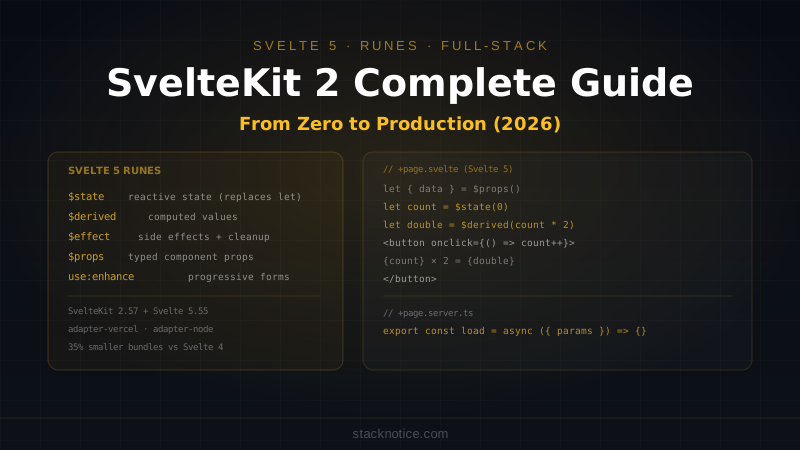
SvelteKit has been through its most significant evolution since launch. Svelte 5, shipping with SvelteKit 2, replaced the legacy reactive declaration syntax with runes — a explicit reactivity system based on signals. The result is Svelte code that's clearer, more predictable, and far easier to refactor than what you'd write in Svelte 4.
If you tried SvelteKit a couple years ago and moved on, the current version (SvelteKit 2.57 + Svelte 5.55, May 2026) is worth a fresh look. This guide covers everything from project setup to full-stack deployment: the new rune system, file-based routing, server load functions, form actions, and how it compares to Next.js for the decisions you actually need to make.
Why SvelteKit in 2026
The case for SvelteKit comes down to a few concrete advantages:
Bundle size: Svelte compiles away the framework at build time. A SvelteKit app ships no framework runtime to the browser — components compile to vanilla JavaScript. A comparable Next.js app includes React (~45KB gzipped) in every initial payload.
No virtual DOM: Svelte generates direct DOM operations from your templates. No diffing, no reconciliation overhead. This translates to measurably faster updates for DOM-heavy applications.
Integrated full-stack: SvelteKit handles routing, SSR, form actions, API endpoints, and deployment adapters out of the box. Less configuration overhead than reaching for separate libraries.
Svelte 5 runes: The new reactivity system makes state explicit and composable in ways that Svelte 4's magic $: syntax wasn't.
Project Setup
npm create svelte@latest my-app
cd my-app
npm install
npm run dev
The CLI asks you:
- App template: Skeleton project (blank) or Demo app
- TypeScript: Yes (always pick this)
- ESLint, Prettier, Playwright, Vitest: pick what you need
Project structure:
src/
  lib/             # Shared utilities, components (importable via $lib)
  routes/          # File-based routing
    +page.svelte   # The / route
    +layout.svelte # Root layout (wraps all pages)
    +error.svelte  # Error page
static/            # Static files served as-is
svelte.config.js   # SvelteKit config
vite.config.ts     # Vite config
Svelte 5 Runes: The New Reactivity Model
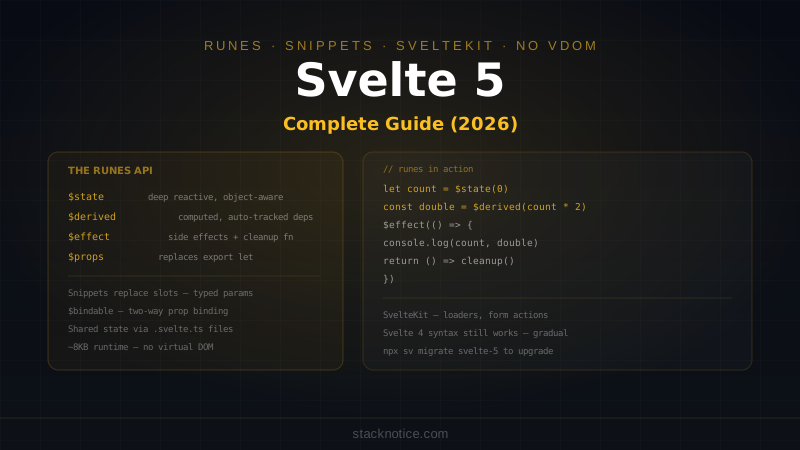
Svelte 5's runes replace the old implicit reactivity system with explicit function-based primitives. If you're coming from React, they'll feel familiar — they work like signals.
$state — Reactive Variables
<script lang="ts">
  // Svelte 4 (old)
  let count = 0;

  // Svelte 5 (runes)
  let count = $state(0);
</script>

<button onclick={() => count++}>
  Count: {count}
</button>
The difference becomes significant with objects:
<script lang="ts">
  // Svelte 4: reactive by value assignment
  let user = { name: 'Alice', age: 30 };
  // To trigger reactivity: user = { ...user, age: 31 };

  // Svelte 5: deep reactive state
  let user = $state({ name: 'Alice', age: 30 });
  // Direct mutation works: user.age = 31; — Svelte tracks this
</script>
$state makes object and array mutations reactive without needing to reassign the variable. This is one of the biggest quality-of-life improvements in Svelte 5.
$derived — Computed Values
<script lang="ts">
  let items = $state([
    { name: 'Widget', price: 9.99, qty: 3 },
    { name: 'Gadget', price: 24.99, qty: 1 },
  ]);

  // Recomputes whenever items changes
  let total = $derived(
    items.reduce((sum, item) => sum + item.price * item.qty, 0)
  );

  let itemCount = $derived(items.reduce((sum, item) => sum + item.qty, 0));
</script>

<p>Total: ${total.toFixed(2)} ({itemCount} items)</p>
For more complex derived values, use $derived.by:
<script lang="ts">
  let orders = $state<Order[]>([]);

  let stats = $derived.by(() => {
    const total = orders.reduce((sum, o) => sum + o.amount, 0);
    const avg = orders.length ? total / orders.length : 0;
    const max = Math.max(...orders.map(o => o.amount));
    return { total, avg, max, count: orders.length };
  });
</script>
$effect — Side Effects
<script lang="ts">
  let searchQuery = $state('');
  let results = $state<Result[]>([]);

  // Runs when searchQuery changes
  $effect(() => {
    if (searchQuery.length < 2) {
      results = [];
      return;
    }

    const controller = new AbortController();

    fetch(`/api/search?q=${encodeURIComponent(searchQuery)}`, {
      signal: controller.signal,
    })
      .then(r => r.json())
      .then(data => { results = data; })
      .catch(() => {});  // ignore abort errors

    // Cleanup runs before the next effect or on unmount
    return () => controller.abort();
  });
</script>
$effect replaces $: side effect declarations and onMount/onDestroy for many use cases. The cleanup return value makes async effects with cancellation straightforward.
$props — Component Props
<!-- UserCard.svelte -->
<script lang="ts">
  type Props = {
    name: string;
    email: string;
    avatar?: string;
    onEdit?: () => void;
  };

  let { name, email, avatar = '/default-avatar.png', onEdit }: Props = $props();
</script>

<div class="card">
  <img src={avatar} alt={name} />
  <h2>{name}</h2>
  <p>{email}</p>
  {#if onEdit}
    <button onclick={onEdit}>Edit</button>
  {/if}
</div>
$props() replaces export let for declaring props. The destructuring syntax gives you default values and full TypeScript inference in one place.
File-Based Routing
SvelteKit's routing is entirely file-based. Files in src/routes/ define your URL structure:
src/routes/
  +page.svelte              → /
  +layout.svelte            → wraps all pages below
  blog/
    +page.svelte            → /blog
    [slug]/
      +page.svelte          → /blog/my-post
      +page.server.ts       → server-side data loading for /blog/[slug]
  dashboard/
    +layout.svelte          → dashboard-specific layout
    +page.svelte            → /dashboard
    settings/
      +page.svelte          → /dashboard/settings
  api/
    users/
      +server.ts            → /api/users (REST endpoint)
+page.svelte
The component rendered for a route. Access page data via the data prop:
<!-- src/routes/blog/[slug]/+page.svelte -->
<script lang="ts">
  import type { PageData } from './$types';

  let { data }: { data: PageData } = $props();
</script>

<article>
  <h1>{data.post.title}</h1>
  <time>{data.post.date}</time>
  <div>{@html data.post.content}</div>
</article>
+layout.svelte
Wraps all child routes. Multiple layouts can nest:
<!-- src/routes/+layout.svelte -->
<script lang="ts">
  import Nav from '$lib/components/Nav.svelte';
  import Footer from '$lib/components/Footer.svelte';
  import type { LayoutData } from './$types';

  let { data, children }: { data: LayoutData; children: any } = $props();
</script>

<Nav user={data.user} />
<main>
  {@render children()}
</main>
<Footer />
Server Load Functions
Load functions run on the server before the page renders. They fetch data, check auth, and return it to the page component.
// src/routes/blog/[slug]/+page.server.ts
import type { PageServerLoad } from './$types';
import { error } from '@sveltejs/kit';
import { db } from '$lib/server/db';

export const load: PageServerLoad = async ({ params, locals }) => {
  // params.slug comes from the [slug] folder name
  const post = await db
    .selectFrom('posts')
    .selectAll()
    .where('slug', '=', params.slug)
    .where('published', '=', true)
    .executeTakeFirst();

  if (!post) {
    error(404, 'Post not found');
  }

  return {
    post,
    // locals.user is set in hooks.server.ts after auth
    isAuthor: locals.user?.id === post.author_id,
  };
};
The return value of load is typed — the PageData type in +page.svelte is automatically inferred from what load returns. Change a field name in load and TypeScript will catch every usage in the page component.
Protected Routes with Load
// src/routes/dashboard/+layout.server.ts
import type { LayoutServerLoad } from './$types';
import { redirect } from '@sveltejs/kit';

export const load: LayoutServerLoad = async ({ locals }) => {
  if (!locals.user) {
    redirect(302, '/login');
  }

  return { user: locals.user };
};
Every route under /dashboard/ inherits this layout load. Unauthenticated users are redirected before any page loads. The user data flows down to all child pages automatically.
Form Actions
Form actions are SvelteKit's server-side form handling mechanism. They process form submissions on the server, validate input, and return results. Works without JavaScript (progressive enhancement), and with JavaScript for a faster UX.
// src/routes/login/+page.server.ts
import type { Actions, PageServerLoad } from './$types';
import { fail, redirect } from '@sveltejs/kit';
import { z } from 'zod';
import { verifyCredentials, createSession } from '$lib/server/auth';

const loginSchema = z.object({
  email: z.string().email(),
  password: z.string().min(8),
});

export const actions: Actions = {
  default: async ({ request, cookies }) => {
    const formData = await request.formData();
    const raw = {
      email: formData.get('email'),
      password: formData.get('password'),
    };

    const result = loginSchema.safeParse(raw);
    if (!result.success) {
      return fail(400, {
        email: raw.email as string,
        errors: result.error.flatten().fieldErrors,
      });
    }

    const user = await verifyCredentials(result.data.email, result.data.password);
    if (!user) {
      return fail(401, {
        email: result.data.email,
        errors: { password: ['Invalid email or password'] },
      });
    }

    const sessionToken = await createSession(user.id);
    cookies.set('session', sessionToken, {
      path: '/',
      httpOnly: true,
      secure: true,
      sameSite: 'lax',
      maxAge: 60 * 60 * 24 * 30,  // 30 days
    });

    redirect(302, '/dashboard');
  },
};
<!-- src/routes/login/+page.svelte -->
<script lang="ts">
import { enhance } from '$app/forms';
import type { ActionData } from './$types';
let { form }: { form: ActionData } = $props();
</script>
<form method="POST" use:enhance>
<label>
Email
<input
type="email"
name="email"
value={form?.email ?? ''}
aria-invalid={!!form?.errors?.email}
/>
{#if form?.errors?.email}
<span class="error">{form.errors.email[0]}</span>
{/if}
</label>
<label>
Password
<input type="password" name="password" aria-invalid={!!form?.errors?.password} />
{#if form?.errors?.password}
<span class="error">{form.errors.password[0]}</span>
{/if}
</label>
<button type="submit">Sign in</button>
</form>use:enhance progressively enhances the form: without JS it submits normally; with JS it submits via fetch and updates only what changes. No extra state management code needed.
API Endpoints
// src/routes/api/posts/+server.ts
import type { RequestHandler } from './$types';
import { json, error } from '@sveltejs/kit';
import { db } from '$lib/server/db';

export const GET: RequestHandler = async ({ url, locals }) => {
  if (!locals.user) error(401, 'Unauthorized');

  const page = Number(url.searchParams.get('page') ?? '1');
  const limit = Math.min(Number(url.searchParams.get('limit') ?? '20'), 100);

  const posts = await db
    .selectFrom('posts')
    .select(['id', 'title', 'slug', 'created_at'])
    .where('author_id', '=', locals.user.id)
    .orderBy('created_at', 'desc')
    .limit(limit)
    .offset((page - 1) * limit)
    .execute();

  return json(posts);
};

export const POST: RequestHandler = async ({ request, locals }) => {
  if (!locals.user) error(401, 'Unauthorized');

  const body = await request.json();
  // validate with zod...

  const post = await db
    .insertInto('posts')
    .values({ ...body, author_id: locals.user.id })
    .returning(['id', 'slug'])
    .executeTakeFirstOrThrow();

  return json(post, { status: 201 });
};
Authentication with hooks.server.ts
The server hook runs on every request before any load function. Use it to validate session cookies and populate locals.user:
// src/hooks.server.ts
import type { Handle } from '@sveltejs/kit';
import { validateSession } from '$lib/server/auth';

export const handle: Handle = async ({ event, resolve }) => {
  const sessionToken = event.cookies.get('session');

  if (sessionToken) {
    const user = await validateSession(sessionToken);
    event.locals.user = user ?? null;
  } else {
    event.locals.user = null;
  }

  return resolve(event);
};
// src/app.d.ts — make TypeScript aware of locals
declare global {
namespace App {
interface Locals {
user: { id: string; email: string; role: string } | null;
}
}
}Environment Variables
// Private env vars (server only) — from .env
import { DATABASE_URL, SESSION_SECRET } from '$env/static/private';

// Public env vars (browser safe) — must be prefixed with PUBLIC_
import { PUBLIC_API_URL } from '$env/static/public';

// Dynamic (runtime) — for values not known at build time
import { env } from '$env/dynamic/private';
const dbUrl = env.DATABASE_URL;
The $env/static/private import will cause a build error if you try to use it in a +page.svelte — SvelteKit prevents accidental leaking of server secrets to the browser.
Deployment
SvelteKit uses adapters to target different environments:
# Vercel (auto-detected in most cases)
npm install @sveltejs/adapter-vercel

# Netlify
npm install @sveltejs/adapter-netlify

# Node.js server (self-hosted)
npm install @sveltejs/adapter-node

# Static site generation
npm install @sveltejs/adapter-static
// svelte.config.js
import adapter from '@sveltejs/adapter-vercel';
import { vitePreprocess } from '@sveltejs/vite-plugin-svelte';
export default {
preprocess: vitePreprocess(),
kit: {
adapter: adapter({
runtime: 'nodejs22.x',
}),
},
};Push to GitHub, connect to Vercel — SvelteKit apps deploy the same way as Next.js apps, just with a different adapter package.
SvelteKit vs Next.js: Honest Comparison
| SvelteKit 2 | Next.js 15 | |
|---|---|---|
| Bundle size | No framework runtime | ~45KB React runtime |
| Reactivity | Svelte 5 runes (compiler-based signals) | React hooks |
| Data loading | +page.server.ts load functions | Server components + fetch |
| Form handling | Built-in Form Actions | Server Actions |
| API routes | +server.ts | route.ts |
| TypeScript | Auto-generated $types for routes | Manual or tRPC |
| Ecosystem | Smaller | Much larger |
| Learning curve | Lower | Medium |
| Deployment | Adapter per target | Vercel-native, adapters elsewhere |
For React teams: Next.js. For new projects where the team has no framework commitment, SvelteKit is a genuinely competitive choice — especially for apps where bundle size and raw performance matter. See Next.js Server vs Client Components for how Next.js handles the server/client split differently.
Quick Reference
<!-- Svelte 5 Runes -->
let count = $state(0);
let doubled = $derived(count * 2);
$effect(() => { console.log(count); });
let { name, age = 25 }: Props = $props();

<!-- Template syntax -->
{#if condition}...{/if}
{#each items as item (item.id)}...{/each}
{#await promise}...{:then data}...{:catch err}...{/await}
{@html htmlString}
{@render children()}
// Load function (src/routes/x/+page.server.ts)
export const load: PageServerLoad = async ({ params, locals, cookies }) => {
return { data: await fetchData(params.id) };
};
// Form action
export const actions: Actions = {
default: async ({ request }) => {
const data = await request.formData();
// validate, process
return { success: true };
// or: return fail(400, { error: 'message' });
},
};
// API endpoint (src/routes/api/x/+server.ts)
export const GET: RequestHandler = async ({ url, locals }) => {
return json({ data: [] });
};
// Hook (src/hooks.server.ts)
export const handle: Handle = async ({ event, resolve }) => {
event.locals.user = await getUser(event.cookies.get('session'));
return resolve(event);
};// svelte.config.js
import adapter from '@sveltejs/adapter-vercel';
export default {
kit: { adapter: adapter() },
};SvelteKit's combination of file-based routing, progressive form enhancement, and Svelte 5 runes makes it one of the most productive full-stack frameworks available today. The smaller ecosystem is the real trade-off — for most application patterns, the built-in primitives cover the common cases without needing to reach for external libraries.