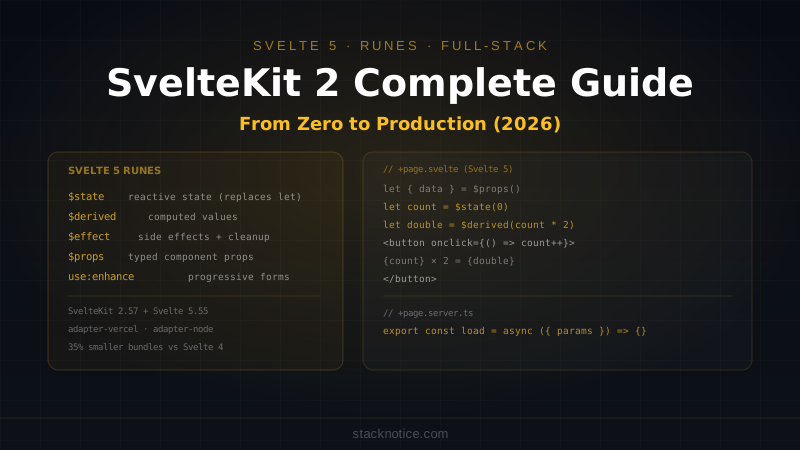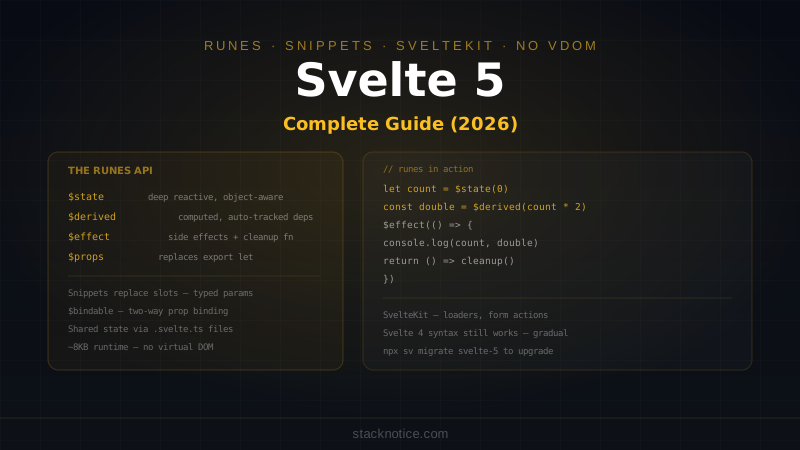
Svelte 5 is the biggest change to the framework since it launched. The compiler-driven approach stays — no virtual DOM, real DOM updates compiled away — but the reactivity model is completely new. Runes replace the implicit $: reactive statements with explicit, signal-based primitives that work consistently inside and outside components.
This matters because Svelte 4's reactivity had rough edges: reactive declarations only worked at the top level of components, stores were the only way to share state, and $: could be hard to reason about when dependencies were indirect. Runes fix all of this with a uniform API that works everywhere.
This guide covers Svelte 5 from core concepts through production SvelteKit patterns.
Installation
# New project (SvelteKit + Svelte 5)
npm create svelte@latest my-app
cd my-app
npm install
npm run dev

# Svelte 5 is the default for new projects — check package.json
# "svelte": "^5.0.0"
The Runes System
Runes are compiler-recognized function calls prefixed with $. They look like functions but are processed at compile time — no imports needed, they're always in scope in .svelte files.
$state — Reactive Variables
<script>
  let count = $state(0)
  let user = $state({ name: 'Alice', score: 0 })

  function increment() {
    count++
  }

  function addScore(points: number) {
    user.score += points  // object mutations are tracked
  }
</script>

<button onclick={increment}>Count: {count}</button>
<p>{user.name}: {user.score} points</p>
Deep reactivity works out of the box — mutating nested properties on a $state object triggers updates. No need to spread or replace the whole object.
$state.raw — Untracked State
When you have a large object you only replace as a whole (never mutate in place), use $state.raw to skip deep tracking:
<script>
  // Fine: replaced entirely, never mutated
  let items = $state.raw<string[]>([])

  function addItem(item: string) {
    items = [...items, item]  // replace, don't mutate
  }
</script>
$derived — Computed Values
$derived replaces $: reactive declarations. It re-evaluates whenever its dependencies change:
<script>
  let price = $state(100)
  let quantity = $state(3)
  let discount = $state(0.1)

  const subtotal = $derived(price * quantity)
  const total = $derived(subtotal * (1 - discount))
  const formatted = $derived(`$${total.toFixed(2)}`)
</script>

<p>Subtotal: ${subtotal}</p>
<p>Total (10% off): {formatted}</p>
For complex derived values that need multiple statements, use $derived.by:
<script>
  let items = $state([
    { name: 'Apple', qty: 3, price: 1.2 },
    { name: 'Bread', qty: 2, price: 2.5 },
  ])

  const summary = $derived.by(() => {
    const total = items.reduce((sum, item) => sum + item.qty * item.price, 0)
    const count = items.reduce((sum, item) => sum + item.qty, 0)
    return { total: total.toFixed(2), count }
  })
</script>

<p>{summary.count} items — ${summary.total}</p>
$effect — Side Effects
$effect replaces $: statements that call functions or run side effects. It runs after the component mounts and re-runs when its reactive dependencies change:
<script>
  import { Chart } from 'chart.js'

  let data = $state([10, 25, 18, 42])
  let canvas: HTMLCanvasElement

  $effect(() => {
    const chart = new Chart(canvas, {
      type: 'bar',
      data: { labels: data.map((_, i) => `Day ${i + 1}`), datasets: [{ data }] }
    })

    return () => chart.destroy()  // cleanup runs before next effect or on unmount
  })
</script>

<canvas bind:this={canvas}></canvas>
The return value of $effect is a cleanup function — the same pattern as React's useEffect. Don't mutate state inside $effect — it can create infinite loops.
$effect.pre — Before DOM Updates
$effect.pre runs before the DOM is updated, useful for scroll position preservation:
<script>
  let messages = $state<string[]>([])
  let container: HTMLElement

  $effect.pre(() => {
    // read messages.length to track it
    const _ = messages.length
    // save scroll position before re-render
    const atBottom = container
      ? container.scrollHeight - container.scrollTop === container.clientHeight
      : true

    return () => {
      if (atBottom && container) {
        container.scrollTop = container.scrollHeight
      }
    }
  })
</script>
$props — Component Props
In Svelte 5, props use $props() instead of export let:
<!-- Button.svelte -->
<script lang="ts">
  interface Props {
    label: string
    variant?: 'primary' | 'secondary' | 'ghost'
    disabled?: boolean
    onclick?: () => void
  }

  const { label, variant = 'primary', disabled = false, onclick }: Props = $props()
</script>

<button
  class="btn btn-{variant}"
  {disabled}
  {onclick}
>
  {label}
</button>
Usage:
<Button label="Save" variant="primary" onclick={() => save()} />$bindable — Two-Way Binding
When a prop should support bind:, mark it with $bindable:
<!-- TextInput.svelte -->
<script lang="ts">
  let { value = $bindable(''), placeholder = '' } = $props()
</script>

<input bind:value {placeholder} />
<!-- Parent -->
<script>
let name = $state('')
</script>
<TextInput bind:value={name} placeholder="Enter your name" />
<p>Hello, {name}</p>$inspect — Debug Reactive Values
$inspect is a dev-mode helper that logs a value and its source whenever it changes:
<script>
  let count = $state(0)
  $inspect(count)  // logs every change with file/line info in development
</script>
Snippets — Replacing Slots
Svelte 5 replaces slots with Snippets. Snippets are reusable template fragments that can be passed as props or defined inline.
Basic Snippet
<!-- Card.svelte -->
<script lang="ts">
  import type { Snippet } from 'svelte'

  interface Props {
    title: string
    children: Snippet
    footer?: Snippet
  }

  const { title, children, footer } = $props<Props>()
</script>

<div class="card">
  <h2>{title}</h2>
  <div class="card-body">
    {@render children()}
  </div>
  {#if footer}
    <div class="card-footer">
      {@render footer()}
    </div>
  {/if}
</div>
Usage:
<Card title="User Profile">
  <p>Name: Alice</p>
  <p>Role: Admin</p>

  {#snippet footer()}
    <button>Edit Profile</button>
  {/snippet}
</Card>
Snippets with Parameters
Snippets accept arguments — the equivalent of scoped slots in Vue or render props in React:
<!-- DataTable.svelte -->
<script lang="ts">
  import type { Snippet } from 'svelte'

  interface Props<T> {
    items: T[]
    row: Snippet<[T, number]>  // receives item and index
  }

  const { items, row } = $props<Props<unknown>>()
</script>

<table>
  <tbody>
    {#each items as item, i}
      <tr>{@render row(item, i)}</tr>
    {/each}
  </tbody>
</table>
<!-- Usage -->
<DataTable {items}>
{#snippet row(user, i)}
<td>{i + 1}</td>
<td>{user.name}</td>
<td>{user.email}</td>
{/snippet}
</DataTable>Event Handling Changes
Svelte 5 moves away from on:event directives to standard HTML event attributes. This aligns with how HTML works and removes the need for event modifiers.
<!-- Svelte 4 -->
<button on:click={handleClick}>Click</button>
<input on:input|preventDefault={handleInput} />
<form on:submit|preventDefault={handleSubmit}>

<!-- Svelte 5 -->
<button onclick={handleClick}>Click</button>
<input oninput={(e) => { e.preventDefault(); handleInput(e) }} />
<form onsubmit={(e) => { e.preventDefault(); handleSubmit(e) }}>
For event modifiers that appeared often, write the handler inline or extract to a helper:
<script>
  function prevent<T extends Event>(handler: (e: T) => void) {
    return (e: T) => { e.preventDefault(); handler(e) }
  }

  async function handleSubmit(e: SubmitEvent) {
    const form = e.currentTarget as HTMLFormElement
    const data = new FormData(form)
    // submit logic
  }
</script>

<form onsubmit={prevent(handleSubmit)}>
  <input name="email" type="email" />
  <button type="submit">Subscribe</button>
</form>
Component Composition Patterns
Context API
Context still works the same way for passing data through the component tree without prop drilling:
<!-- ThemeProvider.svelte -->
<script lang="ts">
  import { setContext } from 'svelte'

  interface Theme {
    primaryColor: string
    mode: 'light' | 'dark'
  }

  const { children } = $props()

  const theme = $state<Theme>({ primaryColor: '#6366f1', mode: 'light' })

  setContext('theme', {
    get theme() { return theme },
    setMode: (mode: Theme['mode']) => { theme.mode = mode }
  })
</script>

{@render children()}
<!-- DeepChild.svelte -->
<script lang="ts">
import { getContext } from 'svelte'
const { theme, setMode } = getContext<ReturnType<typeof import('./ThemeProvider.svelte').default>>('theme')
</script>
<button onclick={() => setMode(theme.mode === 'light' ? 'dark' : 'light')}>
Switch to {theme.mode === 'light' ? 'dark' : 'light'} mode
</button>Shared State with Runes
State can live in .svelte.ts files and be shared across components — the replacement for Svelte stores:
// src/lib/cart.svelte.ts
function createCart() {
  let items = $state<CartItem[]>([])

  const total = $derived(
    items.reduce((sum, item) => sum + item.price * item.qty, 0)
  )

  function add(item: CartItem) {
    const existing = items.find((i) => i.id === item.id)
    if (existing) {
      existing.qty++
    } else {
      items.push(item)
    }
  }

  function remove(id: string) {
    items = items.filter((i) => i.id !== id)
  }

  function clear() {
    items = []
  }

  return {
    get items() { return items },
    get total() { return total },
    add,
    remove,
    clear
  }
}

export const cart = createCart()
<!-- CartIcon.svelte -->
<script>
import { cart } from '$lib/cart.svelte'
</script>
<span>{cart.items.length} items — ${cart.total.toFixed(2)}</span>This pattern replaces writable stores completely. The get items() getter ensures derived values stay reactive when accessed from different components.
SvelteKit Integration
SvelteKit is the full-stack framework for Svelte. Routes are file-based, data loading happens server-side in +page.server.ts files.
File Structure
src/
  routes/
    +layout.svelte         # root layout
    +layout.server.ts      # root server load
    +page.svelte           # home page
    +page.server.ts        # home page server load
    blog/
      +page.svelte
      +page.server.ts
      [slug]/
        +page.svelte
        +page.server.ts
    api/
      posts/
        +server.ts         # API route
Server Load Functions
// src/routes/blog/[slug]/+page.server.ts
import { error } from '@sveltejs/kit'
import type { PageServerLoad } from './$types'

export const load: PageServerLoad = async ({ params, locals }) => {
  const post = await locals.db.post.findUnique({
    where: { slug: params.slug },
    include: { author: true }
  })

  if (!post) {
    error(404, 'Post not found')
  }

  return { post }
}
<!-- src/routes/blog/[slug]/+page.svelte -->
<script lang="ts">
import type { PageData } from './$types'
const { data } = $props<{ data: PageData }>()
</script>
<article>
<h1>{data.post.title}</h1>
<p>By {data.post.author.name}</p>
{@html data.post.content}
</article>Form Actions
SvelteKit's form actions handle mutations server-side — no API routes needed for standard CRUD:
// src/routes/posts/new/+page.server.ts
import { fail, redirect } from '@sveltejs/kit'
import { z } from 'zod'
import type { Actions } from './$types'

const schema = z.object({
  title: z.string().min(3).max(200),
  content: z.string().min(10)
})

export const actions: Actions = {
  default: async ({ request, locals }) => {
    const formData = await request.formData()
    const raw = Object.fromEntries(formData)

    const parsed = schema.safeParse(raw)
    if (!parsed.success) {
      return fail(400, { errors: parsed.error.flatten().fieldErrors, values: raw })
    }

    const post = await locals.db.post.create({
      data: {
        ...parsed.data,
        authorId: locals.user.id,
        slug: parsed.data.title.toLowerCase().replace(/[^a-z0-9]+/g, '-')
      }
    })

    redirect(303, `/blog/${post.slug}`)
  }
}
<!-- src/routes/posts/new/+page.svelte -->
<script lang="ts">
import { enhance } from '$app/forms'
import type { ActionData } from './$types'
const { form }: { form: ActionData } = $props()
</script>
<form method="POST" use:enhance>
<div>
<label for="title">Title</label>
<input id="title" name="title" value={form?.values?.title ?? ''} />
{#if form?.errors?.title}
<p class="error">{form.errors.title[0]}</p>
{/if}
</div>
<div>
<label for="content">Content</label>
<textarea id="content" name="content">{form?.values?.content ?? ''}</textarea>
{#if form?.errors?.content}
<p class="error">{form.errors.content[0]}</p>
{/if}
</div>
<button type="submit">Publish</button>
</form>use:enhance progressively enhances the form — it works without JS (plain HTML form), but with JS it submits via fetch and handles the response without a full page reload.
API Routes
// src/routes/api/posts/+server.ts
import { json } from '@sveltejs/kit'
import type { RequestHandler } from './$types'

export const GET: RequestHandler = async ({ url, locals }) => {
  const page = parseInt(url.searchParams.get('page') ?? '1')
  const limit = 20

  const posts = await locals.db.post.findMany({
    where: { published: true },
    skip: (page - 1) * limit,
    take: limit,
    orderBy: { createdAt: 'desc' },
    include: { author: { select: { name: true } } }
  })

  return json({ posts, page })
}

export const POST: RequestHandler = async ({ request, locals }) => {
  if (!locals.user) {
    return json({ error: 'Unauthorized' }, { status: 401 })
  }

  const body = await request.json()
  const post = await locals.db.post.create({
    data: { ...body, authorId: locals.user.id }
  })

  return json(post, { status: 201 })
}
Authentication with Hooks
SvelteKit hooks run on every request — the right place to validate sessions and attach user data to locals:
// src/hooks.server.ts
import type { Handle } from '@sveltejs/kit'
import { db } from '$lib/server/db'

export const handle: Handle = async ({ event, resolve }) => {
  const sessionToken = event.cookies.get('session')

  if (sessionToken) {
    const session = await db.session.findUnique({
      where: { token: sessionToken },
      include: { user: true }
    })

    if (session && session.expiresAt > new Date()) {
      event.locals.user = session.user
      event.locals.db = db
    }
  }

  // Protect routes that require auth
  if (event.url.pathname.startsWith('/dashboard') && !event.locals.user) {
    return Response.redirect(new URL('/login', event.url), 302)
  }

  return resolve(event)
}
Migrating from Svelte 4
Svelte 5 ships a migration tool and full backward compatibility — Svelte 4 syntax still works:
# Migrate a single component
npx sv migrate svelte-5

# Or migrate the whole project
npx sv migrate svelte-5 --glob "src/**/*.svelte"
Key changes to make manually:
| Svelte 4 | Svelte 5 |
|---|---|
export let count = 0 | const { count = 0 } = $props() |
$: double = count * 2 | const double = $derived(count * 2) |
$: console.log(count) | $effect(() => { console.log(count) }) |
<slot /> | {@render children()} |
<slot name="footer" /> | {@render footer?.()} |
on:click={handler} | onclick={handler} |
writable(0) from svelte/store | $state(0) in .svelte.ts |
Stores still work in Svelte 5 — no need to migrate them immediately. The $store auto-subscription syntax is still supported.
Svelte 5 vs React and Vue 3
| Svelte 5 | React | Vue 3 | |
|---|---|---|---|
| Reactivity model | Runes (compile-time) | useState/hooks | Composition API |
| Bundle size (runtime) | ~8KB | ~45KB | ~22KB |
| No virtual DOM | Yes | No | No |
| TypeScript support | Excellent | Excellent | Excellent |
| SSR framework | SvelteKit | Next.js | Nuxt |
| Learning curve | Low | Medium | Medium |
| Ecosystem size | Smaller | Largest | Large |
Svelte's compile-time approach means less JavaScript shipped to the browser. The tradeoff is a smaller ecosystem — fewer third-party component libraries compared to React. For content-heavy sites and apps where bundle size matters, Svelte wins clearly. For apps that lean heavily on the npm ecosystem (data tables, charts, editors), React's depth still has an edge.
Runes make Svelte's reactivity predictable and portable. State that used to only work inside components now works in plain TypeScript files — shared state without stores, reactive utilities without component lifecycle constraints. Combined with SvelteKit's server-first data loading and form actions, Svelte 5 is a compelling choice for full-stack TypeScript projects where performance and bundle size are priorities.