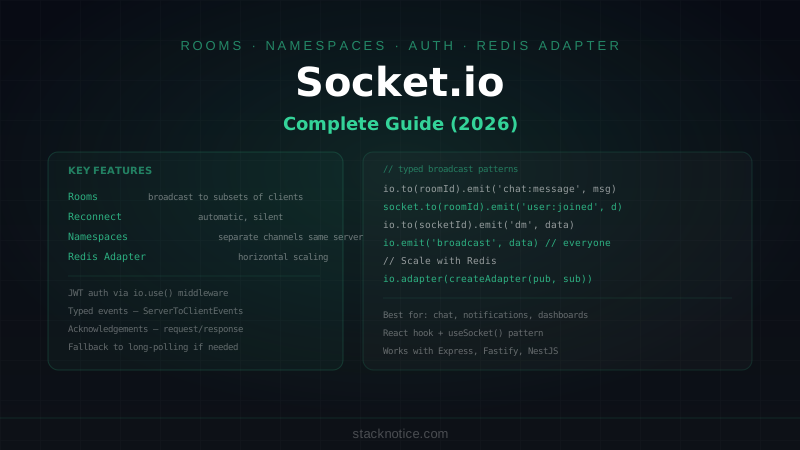
Socket.io is the most battle-tested real-time library for Node.js. It wraps WebSockets with automatic fallback, reconnection logic, rooms, namespaces, and event broadcasting. When a WebSocket connection drops, Socket.io reconnects silently. When a client can't use WebSockets (some corporate proxies), it falls back to long-polling.
For most real-time use cases — chat, live notifications, collaborative features, live dashboards — Socket.io gets you there faster than implementing raw WebSockets.
This guide covers the full picture: server setup, rooms, authentication, broadcasting patterns, and scaling across multiple server instances with the Redis Adapter.
When to Use Socket.io vs Alternatives
Socket.io is the right choice when:
- You need rooms and namespaces without rolling your own
- Your users are on unreliable networks (reconnection is automatic)
- You want a familiar event-driven API without low-level WebSocket management
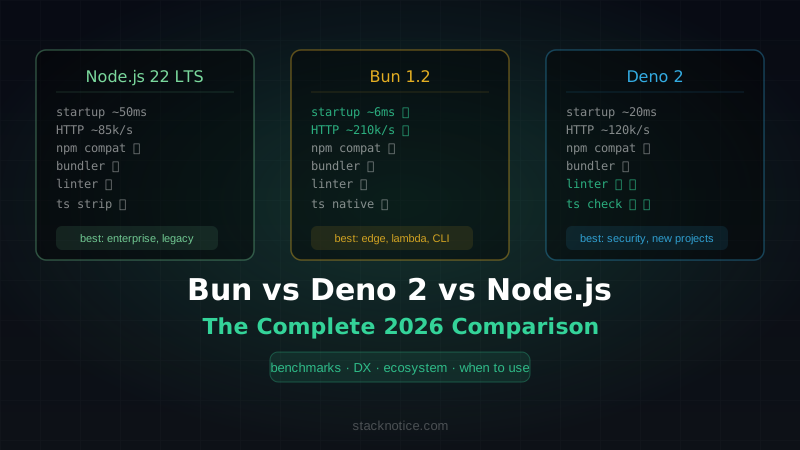
- You're not on Bun or Deno (which have native WebSocket APIs)
Consider alternatives when:
- You're on Bun — native WebSocket with pub/sub built in (see Bun Complete Guide)
- You're on Cloudflare Workers — Durable Objects for WebSocket state
- You need Server-Sent Events for one-way data streaming — SSE is simpler
- You're building something serverless — Socket.io requires persistent connections
For SSE and native WebSockets in Next.js, see Next.js Real-Time Guide.
Installation
# Server
npm install socket.io

# Client
npm install socket.io-client

# Types (included in socket.io, but useful for explicit imports)
npm install -D @types/node
Basic Server
// src/server.ts
import { createServer } from 'http'
import { Server, Socket } from 'socket.io'
import express from 'express'

const app = express()
const httpServer = createServer(app)

const io = new Server(httpServer, {
  cors: {
    origin: process.env.CLIENT_URL ?? 'http://localhost:3000',
    methods: ['GET', 'POST'],
    credentials: true
  },
  // Fallback transport order — WebSocket first, long-polling if needed
  transports: ['websocket', 'polling']
})

io.on('connection', (socket: Socket) => {
  console.log(`Client connected: ${socket.id}`)

  socket.on('disconnect', (reason) => {
    console.log(`Client disconnected: ${socket.id} — ${reason}`)
  })
})

httpServer.listen(3000, () => {
  console.log('Server running at http://localhost:3000')
})
Client Connection
// client/socket.ts
import { io, Socket } from 'socket.io-client'

const socket: Socket = io('http://localhost:3000', {
  autoConnect: true,
  reconnection: true,
  reconnectionAttempts: 5,
  reconnectionDelay: 1000,
  transports: ['websocket', 'polling']
})

socket.on('connect', () => {
  console.log('Connected:', socket.id)
})

socket.on('connect_error', (err) => {
  console.error('Connection error:', err.message)
})

socket.on('disconnect', (reason) => {
  console.log('Disconnected:', reason)
  if (reason === 'io server disconnect') {
    socket.connect()  // reconnect manually if server forced disconnect
  }
})

export default socket
Typed Events
Define event maps for end-to-end type safety:
// src/types/socket.ts

// Events sent FROM client TO server
interface ClientToServerEvents {
  'chat:message': (data: { roomId: string; content: string }) => void
  'room:join': (roomId: string, callback: (response: { success: boolean }) => void) => void
  'room:leave': (roomId: string) => void
  'user:typing': (data: { roomId: string; isTyping: boolean }) => void
}

// Events sent FROM server TO client
interface ServerToClientEvents {
  'chat:message': (message: Message) => void
  'user:joined': (data: { userId: string; username: string; roomId: string }) => void
  'user:left': (data: { userId: string; roomId: string }) => void
  'user:typing': (data: { userId: string; username: string; isTyping: boolean }) => void
  'error': (data: { code: string; message: string }) => void
}

// Data attached to each socket (populated by auth middleware)
interface SocketData {
  userId: string
  username: string
  email: string
}

// Typed server and socket
type TypedServer = Server<ClientToServerEvents, ServerToClientEvents, {}, SocketData>
type TypedSocket = Socket<ClientToServerEvents, ServerToClientEvents, {}, SocketData>

export type { TypedServer, TypedSocket, ClientToServerEvents, ServerToClientEvents, SocketData }
// src/server.ts
import type { TypedServer, TypedSocket } from './types/socket'
const io: TypedServer = new Server(httpServer, { cors: { origin: '*' } })Authentication
Authenticate clients before they connect using middleware:
import jwt from 'jsonwebtoken'

io.use(async (socket, next) => {
  const token = socket.handshake.auth.token

  if (!token) {
    return next(new Error('Authentication required'))
  }

  try {
    const payload = jwt.verify(token, process.env.JWT_SECRET!) as {
      sub: string
      username: string
      email: string
    }

    // Attach user data to socket — available as socket.data in all handlers
    socket.data.userId = payload.sub
    socket.data.username = payload.username
    socket.data.email = payload.email

    next()
  } catch {
    next(new Error('Invalid token'))
  }
})

// Client sends token when connecting
const socket = io('http://localhost:3000', {
  auth: { token: localStorage.getItem('accessToken') }
})
Rooms
Rooms let you broadcast to a subset of connected clients:
io.on('connection', (socket: TypedSocket) => {
  const { userId, username } = socket.data

  // Join a room — user must request to join
  socket.on('room:join', async (roomId, callback) => {
    // Check permissions (is user allowed in this room?)
    const canJoin = await canUserJoinRoom(userId, roomId)
    if (!canJoin) {
      callback({ success: false })
      return socket.emit('error', { code: 'FORBIDDEN', message: 'Cannot join this room' })
    }

    await socket.join(roomId)

    // Tell everyone else in the room this user joined
    socket.to(roomId).emit('user:joined', { userId, username, roomId })

    callback({ success: true })
  })

  // Leave a room
  socket.on('room:leave', (roomId) => {
    socket.leave(roomId)
    socket.to(roomId).emit('user:left', { userId, roomId })
  })

  // Automatically leave rooms on disconnect
  socket.on('disconnect', () => {
    // socket.rooms is already cleaned up by the time this fires
    // If you need to track which rooms a user was in, store that separately
  })
})
Chat Messages
io.on('connection', (socket: TypedSocket) => {
  const { userId, username } = socket.data

  socket.on('chat:message', async ({ roomId, content }) => {
    // Check user is actually in the room
    if (!socket.rooms.has(roomId)) {
      return socket.emit('error', { code: 'NOT_IN_ROOM', message: 'Join the room first' })
    }

    // Validate content
    const trimmed = content.trim()
    if (!trimmed || trimmed.length > 2000) {
      return socket.emit('error', { code: 'INVALID_MESSAGE', message: 'Message too long or empty' })
    }

    // Persist to database
    const message = await db.message.create({
      data: {
        content: trimmed,
        authorId: userId,
        roomId
      },
      include: { author: { select: { id: true, username: true, avatar: true } } }
    })

    // Broadcast to everyone in the room (including sender)
    io.to(roomId).emit('chat:message', message)
  })

  socket.on('user:typing', ({ roomId, isTyping }) => {
    if (!socket.rooms.has(roomId)) return

    // Broadcast to everyone in the room EXCEPT the sender
    socket.to(roomId).emit('user:typing', { userId, username, isTyping })
  })
})
Namespaces
Namespaces create separate communication channels on the same server:
// /chat namespace — general users
const chatNs = io.of('/chat')

chatNs.use(authMiddleware)

chatNs.on('connection', (socket) => {
  // handles chat events
})

// /admin namespace — admin dashboard with separate auth
const adminNs = io.of('/admin')

adminNs.use(async (socket, next) => {
  const user = await verifyAdminToken(socket.handshake.auth.token)
  if (!user?.isAdmin) return next(new Error('Admin access required'))
  socket.data = user
  next()
})

adminNs.on('connection', (socket) => {
  // handles admin dashboard real-time events
  socket.on('subscribe:metrics', () => {
    socket.join('metrics')
  })
})

// Client connects to a specific namespace
const chatSocket = io('http://localhost:3000/chat', { auth: { token } })
const adminSocket = io('http://localhost:3000/admin', { auth: { token } })
Broadcasting Patterns
// To everyone in a room
io.to('room-id').emit('chat:message', message)

// To everyone in a room EXCEPT the sender
socket.to('room-id').emit('user:joined', data)

// To a specific socket (direct message)
io.to(targetSocketId).emit('notification', data)

// To multiple rooms at once
io.to('room-1').to('room-2').emit('announcement', data)

// To everyone connected (all namespaces, all rooms)
io.emit('system:maintenance', { startsAt: '2026-08-04T02:00:00Z' })

// To everyone EXCEPT sockets in a specific room
io.except('room-id').emit('global:event', data)
Server-to-Server Events (acknowledgements)
// Client sends event and waits for server response
socket.emit('room:join', roomId, (response) => {
  if (response.success) {
    console.log('Joined the room')
  } else {
    console.error('Failed to join')
  }
})

// Server handler — the callback is the acknowledgement
socket.on('room:join', async (roomId, callback) => {
  try {
    await socket.join(roomId)
    callback({ success: true })
  } catch {
    callback({ success: false })
  }
})
Scaling with Redis Adapter
A single Node.js process handles all connections. When you run multiple instances (horizontal scaling), sockets on different instances can't communicate directly. The Redis Adapter solves this:
npm install @socket.io/redis-adapter ioredisimport { createAdapter } from '@socket.io/redis-adapter'
import { Redis } from 'ioredis'
const pubClient = new Redis(process.env.REDIS_URL!)
const subClient = pubClient.duplicate()
io.adapter(createAdapter(pubClient, subClient))
// Now io.to('room-id').emit() works across all server instances
// Redis pub/sub coordinates the broadcastWith the Redis Adapter:
- Instance A receives a message for room
room-123 - Instance A publishes the message to Redis
- Instance B (which has some users in
room-123) subscribes and receives it - Instance B emits to its local clients in
room-123
Use REDIS_URL pointing to the same Redis instance your cache uses (or a dedicated one for high-traffic apps).
React Client Example
// hooks/useSocket.ts
import { useEffect, useRef, useState } from 'react'
import { io, Socket } from 'socket.io-client'
import type { ServerToClientEvents, ClientToServerEvents } from '../types/socket'

type AppSocket = Socket<ServerToClientEvents, ClientToServerEvents>

export function useSocket(token: string | null) {
  const [connected, setConnected] = useState(false)
  const socketRef = useRef<AppSocket | null>(null)

  useEffect(() => {
    if (!token) return

    const socket: AppSocket = io(process.env.NEXT_PUBLIC_SOCKET_URL!, {
      auth: { token },
      transports: ['websocket']
    })

    socket.on('connect', () => setConnected(true))
    socket.on('disconnect', () => setConnected(false))

    socketRef.current = socket

    return () => {
      socket.disconnect()
    }
  }, [token])

  return { socket: socketRef.current, connected }
}
// components/ChatRoom.tsx
import { useEffect, useState } from 'react'
import { useSocket } from '../hooks/useSocket'
export function ChatRoom({ roomId, token }: { roomId: string; token: string }) {
const { socket, connected } = useSocket(token)
const [messages, setMessages] = useState<Message[]>([])
const [input, setInput] = useState('')
useEffect(() => {
if (!socket) return
socket.emit('room:join', roomId, ({ success }) => {
if (!success) console.error('Could not join room')
})
socket.on('chat:message', (message) => {
setMessages(prev => [...prev, message])
})
return () => {
socket.emit('room:leave', roomId)
socket.off('chat:message')
}
}, [socket, roomId])
const sendMessage = () => {
if (!socket || !input.trim()) return
socket.emit('chat:message', { roomId, content: input.trim() })
setInput('')
}
return (
<div>
<div>{connected ? 'Connected' : 'Disconnected'}</div>
<div>
{messages.map(msg => (
<div key={msg.id}>
<strong>{msg.author.username}</strong>: {msg.content}
</div>
))}
</div>
<input
value={input}
onChange={e => setInput(e.target.value)}
onKeyDown={e => e.key === 'Enter' && sendMessage()}
/>
<button onClick={sendMessage}>Send</button>
</div>
)
}Common Pitfalls
Memory leaks from event listeners:
// Bad — adds a new listener every time the component re-renders
useEffect(() => {
  socket.on('chat:message', handler)
})

// Good — cleanup on unmount
useEffect(() => {
  socket.on('chat:message', handler)
  return () => socket.off('chat:message', handler)
}, [socket])
Missing room validation:
Always verify the socket is in the room before accepting room-scoped events. Clients can emit to any room they know the ID of.
Broadcasting storms:
Avoid io.emit() for large user bases — it sends to every connected socket. Always scope to rooms or use targeted emissions.
Socket.io's real value is the ecosystem of features around WebSockets: rooms, reconnection, namespaces, acknowledgements, and the Redis Adapter for horizontal scaling. For most real-time features in web apps — chat, notifications, collaborative editing, live dashboards — it's still the most complete off-the-shelf solution for Node.js.